🎟️ The "Glorified Inbox" Problem
Let's be honest. You bought the full HubSpot Growth Suite. Your Sales Hub is humming. Your Marketing Hub is generating leads. And your HubSpot Service Hub... is a "glorified inbox."
Your team has it set up to manage support@company.com. A "ticket" comes in. A "ticket" gets closed. The primary goal is to get the "Time to Close" metric as low as possible. You are treating it as a cost center, a necessary evil for reactive problem-solving.
This is the single most "underused asset" in your entire portal.
For a B2B company (especially in tech, manufacturing, or professional services), your "service" team isn't a cost center. It's your primary RevOps profit center. It's the "engine" for retention, cross-selling, and expansion.
If you are only using Service Hub to "close tickets," you are leaving 90% of its value (and millions in revenue) on the table. A "self-driven" system doesn't just solve problems; it predicts them and monetizes the solutions.
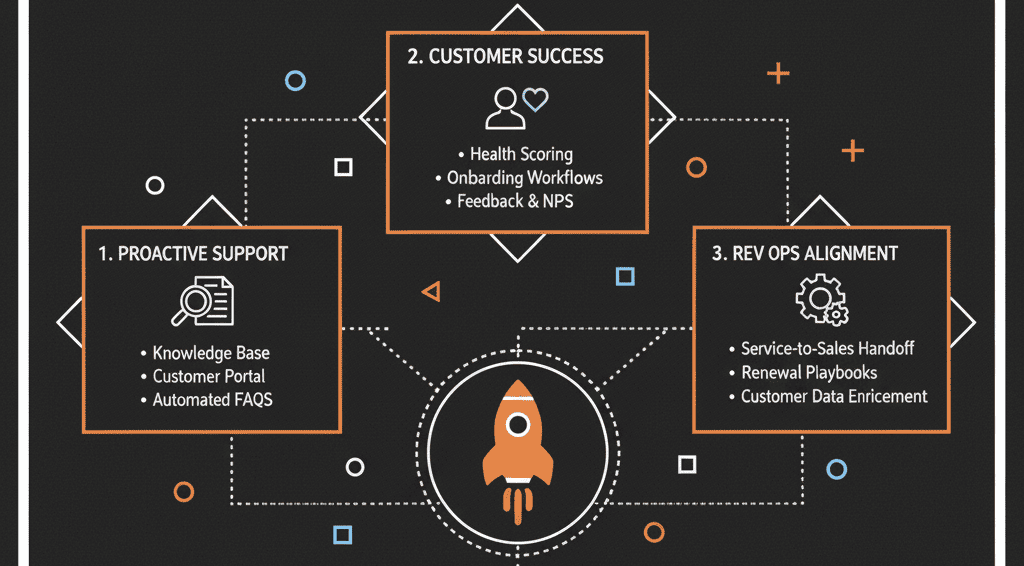
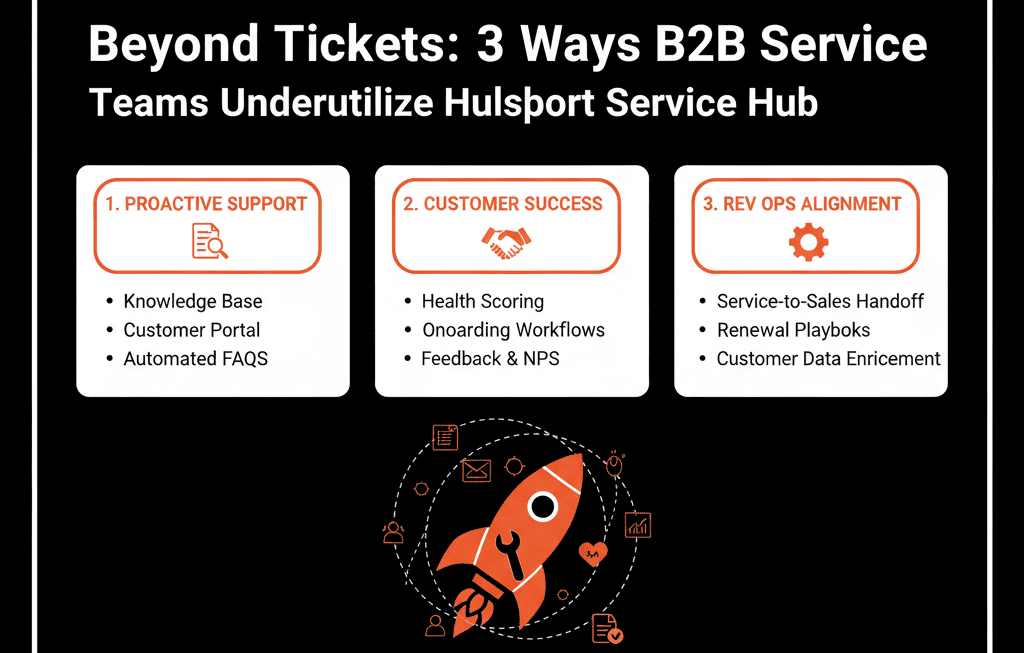
Here are 3 ways B2B teams are dangerously underutilizing Service Hub.
1. You're Doing "Reactive Support," Not "Proactive Revenue"
The "Broken" Way: A customer has a problem. They email support@. A ticket is created, an SLA timer starts, and your team's goal is to "close the ticket fast." This is 100% reactive. You are waiting for something to break before you act.
The "Self-Driven" System (Using Workflows + Analytics): A self-driven portal monitors customer health to act before the ticket is even created. This is moving from "Customer Support" to "Customer Success."
B2B SaaS Example: The "Adoption" Play
Build a Workflow: "If a Contact's Lifecycle Stage is 'Customer' AND their Last Login Date is > 30 days ago... THEN... Create a Task for the Customer Success Manager (CSM) to 'Initiate At-Risk Adoption Playbook.'"
Result: You've just proactively engaged a churn-risk customer before they send the "we're cancelling" email.
B2B Manufacturing Example: The "Asset" Play
Build a Report: "Show me all Assets where Warranty Expiration Date is in the next 60 days."
Build a Workflow: "When Warranty Expiration Date = 60 days away... THEN... Create a Deal in the 'Service Upsell' pipeline and assign it to the Account Owner."
Result: You've just turned your "service" data into a "sales" opportunity.
2. Your "Service" Data is Siloed from Your "Sales" Team
The "Broken" Way: This is the "landmine" scenario that kills multi-million dollar deals.
- Your top Account Executive is prepping for a $200,000 "upsell" call with your #1 enterprise account.
- At the exact same time, the "end-user" department at that account is furious. They have 10 "High Priority" open tickets in Service Hub about a critical bug.
- Your AE has no idea.
- They open the call with a big, cheerful pitch... and walk right into a landmine.
- The deal is dead. The relationship is damaged.
Your AE has no idea. They walk into the meeting smiling and pitching — and the deal instantly dies.
The "Self-Driven" System (Using Unified Records): This is the entire point of HubSpot. The Ticket object lives on the exact same Company record as the Deal object. There should be no "silos."
The 10-Second Fix: Go to Settings > Record Customization and edit the "Sales View" for your Company and Deal records. Add the "Service Tickets" card to the right-hand sidebar.
Result: Now, before your AE makes that call, they see a big, red list of "10 Open Tickets." They don't start the call with a pitch. They start with, "I see you're having a critical issue. I've already escalated this to our Head of Engineering. Let's solve this first." You just saved the $200k deal.
The "Pro" Fix (Workflow): "If Ticket Status = 'High Priority' AND Deal Amount > $50,000 (Open Deal)... THEN... Send Slack Alert to the Deal Owner and VP of Sales with the ticket details."
Result: Your service team has become your "deal-awareness" and "deal-saving" team.
3. You Aren't Using "Feedback" to Run Your Business
The "Broken" Way: How do you know if your customers are happy? You "gut feel" it. You run on "anecdotes." ("Well, Bob in Sales said he talked to Client X, and they seem fine.")
- You have no real data.
- You can't tell which customers are "at-risk" (churn candidates).
- You can't tell which customers are "promoters" (upsell/case study candidates).
The "Self-Driven" System (Using Customer Feedback Surveys):: Service Hub has CSAT (satisfaction), CES (effort), and NPS (loyalty) surveys built in. A "self-driven" system automates the collection and action of this data.
Workflow 1: Measure Rep Performance
WHEN... Ticket is moved to "Closed"
THEN... Send CSAT Survey (e.g., "How satisfied were you with this interaction?").
Result: You now have objective, real-time data on your support team's performance.
Workflow 2: Measure Company Loyalty
WHEN... Deal is 'Closed Won' + 90 days
THEN... Send NPS Survey ("How likely are you to recommend us?").
Result: You now have customer health scoring across your full client base.
Workflow 3: The RevOps Machine
- WHEN... NPS Score is 9 or 10 (a "Promoter")
THEN... Create Task for Marketing to "Request a Case Study or G2 Review." - WHEN... NPS Score is 0-6 (a "Detractor")
THEN... Create Task for CSM to "Initiate 'At-Risk' Customer Playbook." - Result: You've just created a "self-driven" system that turns your happiest