🤖 The "Spamming at Scale" Problem
You've invested heavily in HubSpot Sales Hub. You've trained your reps on Sequences. You're tracking the "Total Enrolled" metric, and it's soaring. Your team is busy. They're sending thousands of automated, multi-step emails.
There's just one problem: No one is booking meetings.
Your "Meetings Booked" dashboard is flat. Your reply rates are near zero. Your reps are starting to complain, "These sequences don't work," and are quietly drifting back to their "shadow" spreadsheets and manual one-off emails.
Your expensive, "self-driven" sales machine has become a "spam-at-scale" machine.
As a VP of Sales, this is a "leaky" funnel that's costing you a fortune. The problem isn't the tool. HubSpot Sequences is a powerful engine. The problem is that you've put "dirty fuel" in it and you're driving it with no "Configuration Plan."
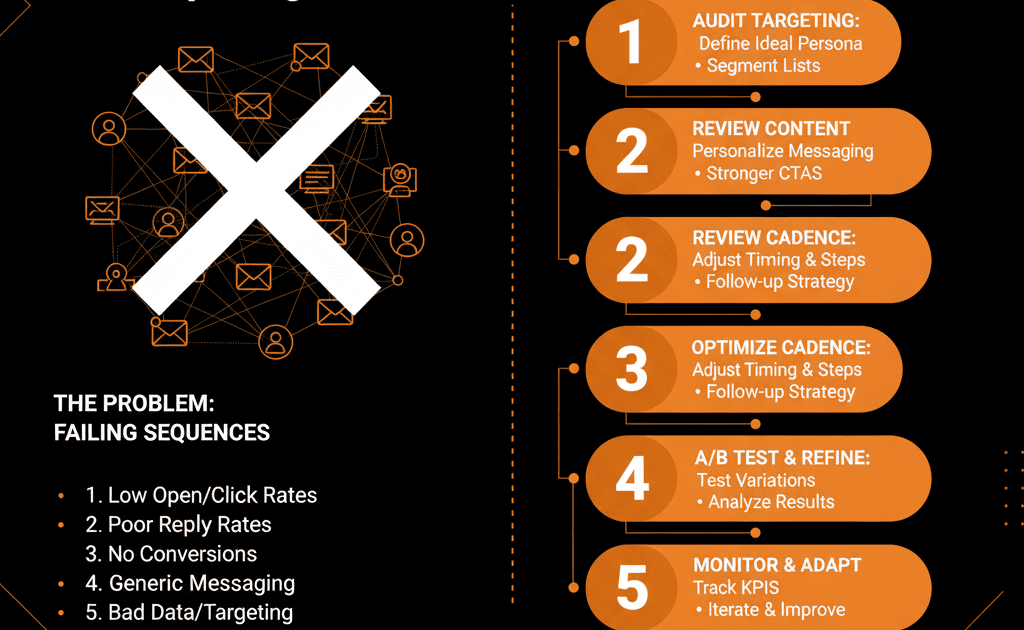
Your sequences are failing because your data is bad, your content is selfish, or your process is inhuman. Here is the 5-step diagnostic to fix it.
🩺 Diagnostic 1: Your "List" (Data) is Wrong
The Symptom: You have sky-high bounce rates (over 5%) and abysmal open rates (under 20%).
The Real Disease: You are enrolling "garbage" data. Your sales reps are taking a "dumb" list (e.g., "All contacts imported from a 3-year-old trade show list") and bulk-enrolling them. The tool is working perfectly; it's just sending emails to 500 dead, unqualified, or irrelevant contacts. You're "fishing" in a dead pond.
The Fix (A "High-Intent" List Strategy):
Stop using "dumb" Static Lists. Your reps should only be enrolling contacts from "smart" Active Lists that are built on two pillars: Fit and Intent.
- "Fit" List Example: An Active List of contacts who are ICP Grade = 'A' AND Last Activity Date is > 60 days ago.
- "Intent" List Example: An Active List of contacts who Visited Pricing Page > 3 times in the last 7 days AND Deal Stage = 'None.'
Result: You're no longer "spamming" 1,000 cold leads. You're "engaging" 50 hot ones.
🩺 Diagnostic 2: Your "Content" (Copy) is Selfish
The Symptom: You have decent open rates (30%+), but your reply rates are zero. People are opening the email, reading the first line, and instantly hitting "Archive."
The Real Disease: Your sequence copy is "all about you." It's a "marketing" email disguised as a "sales" email.
Bad (Selfish) Copy: "Hi, I'm Muhammad from ElanceMind, a HubSpot Gold Partner. We are experts in 'self-driven systems' and we provide RevOps-as-a-Service. Can I have 15 minutes of your time to show you a demo?"
Why it Fails: It offers zero value to the prospect. It screams "I want to sell you something."
The Fix (A "Coach" Content Strategy):
Write like a "consultant," not a "sales rep." Be helpful. Diagnose their "public" problems.
Good (Helpful) Copy: "Hi [Prospect], I was looking at [Their Company's LinkedIn] and saw you're hiring 5 new sales reps. We often see that when B2B tech firms scale their sales team without a 'Configuration Plan' for their CRM, sales adoption fails. Are you running into any friction with data quality as you scale? Happy to send over a 1-page "Data Governance" framework if it's helpful."
Result: You've moved from "Can I have your time?" to "Can I offer you value?" This builds trust and earns the reply.
🩺 Diagnostic 3: Your "Process" (Steps) is Inhuman
The Symptom: You get angry replies like, "Stop spamming me," or "Is this an automated sequence?" Your reps are just "babysitting" their automation.
The Real Disease: Your "sequence" is just a 5-step email-only "drip." It's a "robot." A sequence is not a replacement for sales; it's an organizer for sales.
The Fix (A "Multi-Touch" System):
A "self-driven" sequence must be multi-channel and human-first. The automation's job is to create the tasks for the rep to do the human work.
- "Robot" Sequence:
Day 1: Automated Email 1
Day 3: Automated Email 2
Day 5: Automated Email 3 (Breakup) - "Human-First" Sequence:
Day 1: Manual Task – Personalize Template #1 → Send
Day 2: Manual Task – Connect on LinkedIn & add note
Day 3: Manual Task – Call & leave Voicemail Template #1
Day 5: Automated Email 2 (value email)
Day 7: Manual Task – Call (No Voicemail)
Result: The sequence is now a "to-do" list that guides the rep through a high-value, multi-touch sales process.
🩺 Diagnostic 4: You Have No "Guardrails" (Unenrollment)
The Symptom: An active, paying customer gets your cold outreach. Or a prospect in a $100k deal receives your breakup email.
The Real Disease: Your reps are "bulk enrolling," and your portal has no safety nets. Your Sequences are running "blind."
The Fix (A "Configuration Plan" for Unenrollment):
- Rule 1 – Replies: Always unenroll when contact replies.
- Rule 2 – Meetings: Always unenroll when they book a meeting.
- Rule 3 – Portal-Wide Automation:
Trigger: Lifecycle Stage becomes "Customer"
Action: Unenroll from all sequences
Trigger: Deal Stage is any active stage
Action: Unenroll from all prospecting sequences
Result: You've "de-risked" your automation and protected your reps from catastrophic mistakes.
🩺 Diagnostic 5: You Aren't "Inspecting" the Data
The Symptom: You're guessing. You don’t know which sequence works, which template fails, or which rep converts.
The Real Disease: You're not using the Sequence Analytics you pay for.
The Fix (A "Sanity" Dashboard):
You can't fix what you don't measure.
- Step 1: Run A/B Tests in your sequences. Test one variable at a time (e.g., Email 1 Subject Line A vs. Email 1 Subject Line B).
- Step 2: Build a simple Reporting Dashboard with these 3 "Sanity" reports:
– Overall Sequence Performance: (Enrolled, Reply Rate, Meetings Booked by Sequence). This tells you which sequence to fix.
– Template Performance: (Open %, Reply % by Template). This tells you which email to fix.
– Rep Performance: (Meetings Booked by Rep). This tells you who to coach.