🔍 The "Not Provided" Black Box
You open your analytics report. You want to know how people found your website.
You look at "Organic Keywords."
You see: (not provided).
Google encrypts search data. This leaves marketers flying blind. You know that you got traffic, but you don't know what they typed to find you.
Did they search "Best CRM"? Or "Cheap CRM"? The intent difference is massive.
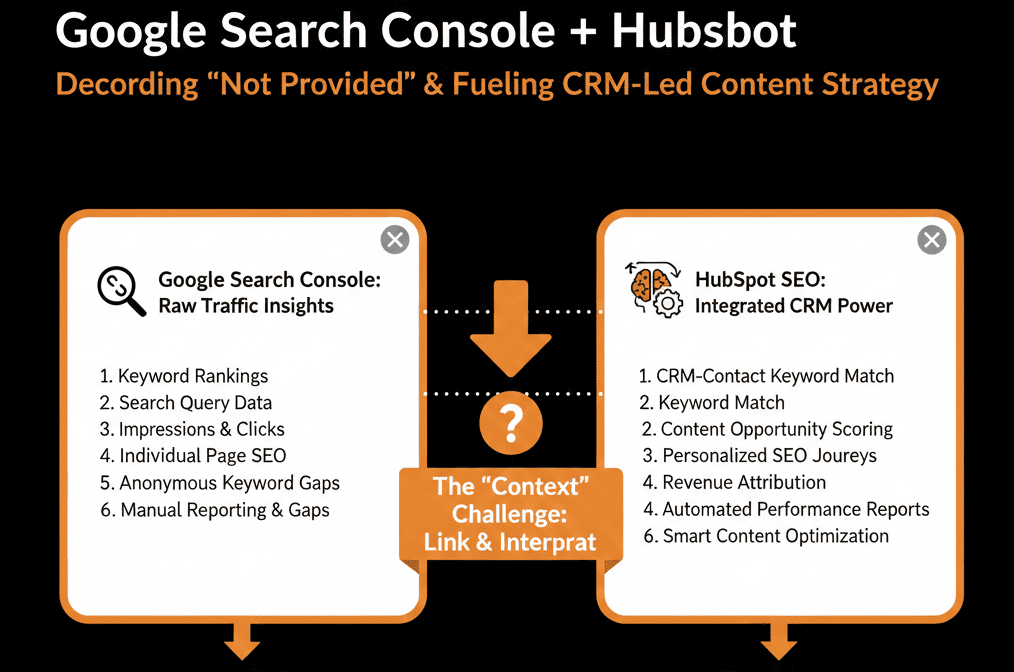
The only place this data lives is Google Search Console (GSC).
But most marketers never check GSC. It’s a separate, ugly technical tool.
You need to bring that data inside HubSpot.
HubSpot’s Google Search Console integration surfaces query (search term) data plus metrics like clicks, impressions, CTR, and average position inside HubSpot reporting.
The native integration pulls the "Query Data" directly into your "Content Dashboard." It turns technical SEO data into actionable Content Strategy.

Here is how to use it to find "Hidden Revenue."
📈 Use Case 1: The "Low-Hanging Fruit" (CTR Optimization)
The Data: High Impressions, Low Clicks.
The Insight: You are ranking on Page 1 (people see you), but they aren't clicking. Your Title Tag or Meta Description is boring.
The Fix:
- Go to Marketing > Website > SEO.
- Look at the "Topic Editor."
- HubSpot highlights pages with "High Impressions / Low CTR."
Action: Rewrite the Meta Description to be click-baitier (in a professional way).
Result: You turn existing visibility into traffic without writing a new word.
📈 Use Case 2: The "Striking Distance" (Rank Improvement)
The Data: Average Position 11-20.
The Insight: You are on Page 2. You are invisible. But you are close.
The Fix:
- Sort your GSC data in HubSpot by "Average Position."
- Filter for positions 11-20.
Action: Update these specific blog posts. Add a video. Add 500 words. Re-publish.
Result: You bump them to Page 1. Traffic doubles.
📈 Use Case 3: The "Cannibalization" Check
The Data: Two different blog posts are ranking for the same keyword.
The Insight: They are fighting each other. Google doesn't know which one is the "authority."
The Fix:
- Use the HubSpot SEO tool to see "Pages Ranking for [Keyword]."
- If you see duplicates, Merge them or Canonicalize one.
Result: One strong page ranks higher than two weak ones.
⚠️ The "Author" View
One of the best features of this integration is viewing performance by Author.
- "Does John's content rank better than Sarah's?"
- "Does John get more Impressions?"
You can use this data to gamify your content team or identify who needs SEO training.
SEO is not a "Set It and Forget It" Game.
Google changes daily. Your rankings change daily.
If you have to log into a separate tool (GSC) to see your performance, you won't do it often enough.
By putting GSC data inside HubSpot, you make SEO part of your daily routine.
"I'm writing a blog post. Let me check the GSC data for related terms right here in the sidebar."
That is Content Operations.
Not sure if your sitemap is healthy?
This is part of our Free HubSpot Health Check.
We will audit your "SEO Health." We'll connect GSC, check for crawl errors, identify your "Striking Distance" keywords, and build the dashboard that tells you exactly what to write next.