📝 The "Blank Page" Syndrome
It’s 10:00 AM. You need to write a blog post about "Enterprise Data Security."
You stare at the blinking cursor. Nothing happens.
Or, you are a Sales Rep. You need to write a "Break-Up Email" to a prospect who ghosted you. You type, delete, re-type. You waste 15 minutes on one email.
The old solution was ChatGPT.
- Open new tab.
- Write prompt.
- Copy text.
- Paste into HubSpot.
- Re-format everything because the formatting broke.
This is the "Context Switching Tax." It slows you down.
Enter HubSpot Content Assistant (part of the Breeze AI suite).
It brings the power of LLMs (Large Language Models) inside the HubSpot editor. It knows your context. It lives where you work.
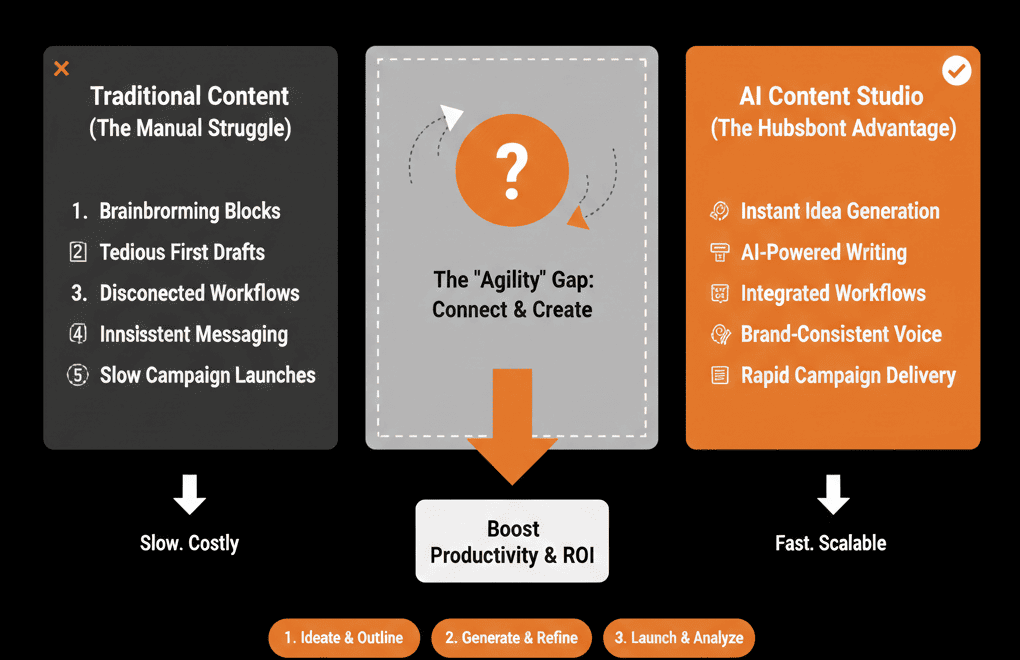
Here is how to use it to kill writer's block across Marketing and Sales.
✍️ Use Case 1: The "Blog" Accelerator (Marketing)
The Pain: Writing SEO articles takes 4 hours.
The AI Fix: The "Slash" Command.
Inside the HubSpot CMS Blog Editor, type /.
Select "Generate Blog Outline."
Prompt: "Write an outline for a guide on B2B Lead Generation for Manufacturing."
The Magic: It builds the headers (H2s).
The Expansion: Highlight a header and click "Generate Paragraph." It fills in the body text.
Result: You get a "First Draft" in 5 minutes, not 2 hours. Your job is now Editing, not Writing.
✍️ Use Case 2: The "Tone" Shift (Sales)
The Pain: Your sales emails sound robotic or too aggressive.
The AI Fix: The "Rewrite" Tool.
You write a rough draft: "Hey, are you still interested? Let me know." (Too blunt).
Highlight the text in the Sales Email window.
Click the Lightning Bolt icon.
Select "Change Tone" -> "Witty" or "Professional."
The Magic: AI rewrites it: "Hi John, I don't want to be a pest, but I assume your inbox is a war zone. Is this still a priority, or should I file it away?"
Result: Better copy, zero effort.
✍️ Use Case 3: The "Landing Page" Scaler (CRO)
The Pain: You built a landing page, but you need 5 variations of the "Hero Header" for A/B testing.
The AI Fix: Content Remix.
Select your existing Hero Text.
Click "Generate Variations."
It gives you 5 options based on different angles (Fear, Benefit, Social Proof).
Result: You can launch an A/B test in seconds without needing a copywriter.
✍️ Use Case 4: The "Subject Line" Generator
The Pain: You wrote a great email, but the Subject Line is boring ("Checking in"). Open rates will be low.
The AI Fix: Metadata Assistant.
In the Marketing Email settings, click "Generate."
It reads the body of your email and suggests 5 subject lines that match the content.
Result: Higher open rates using proven hooks.
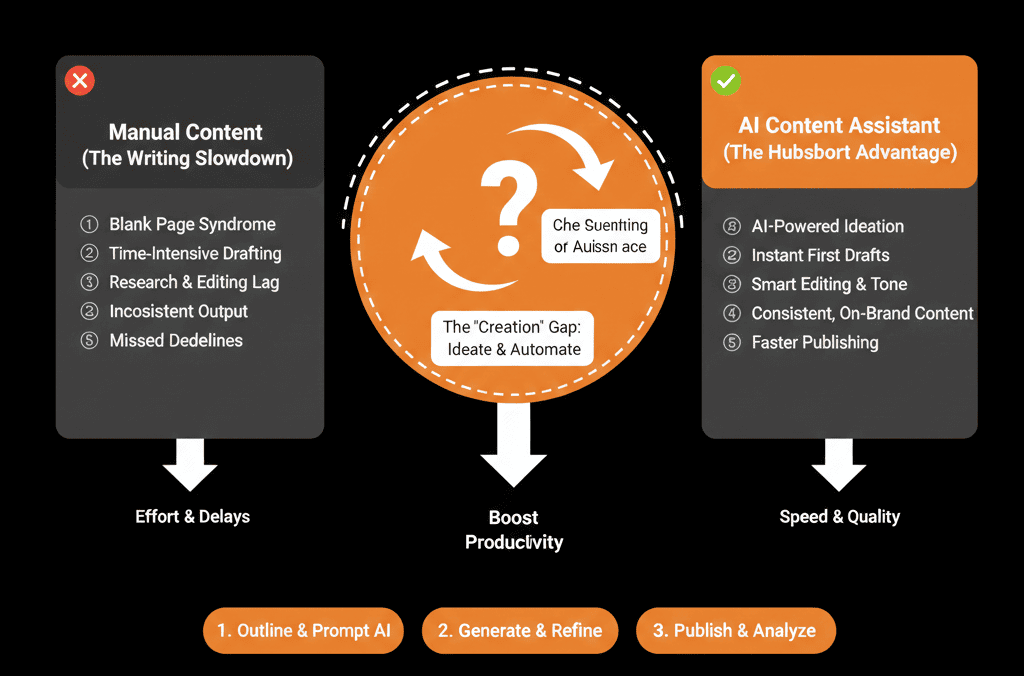
⚠️ The "Human" Requirement
AI is a Drafter, not a Publisher.
If you publish raw AI content, you risk:
- Generic Content: It sounds like everyone else.
- Hallucinations: It might invent facts.
- SEO Risk: Google prefers "Helpful Content" with unique human insight.
The Workflow:
AI (Drafting) -> Human (Editing/Fact Checking/Voice) -> Publisher.
Writer's Block is Optional.
Speed is a competitive advantage in content marketing and sales.
If your competitor can publish 5 articles a week and you can only publish 1, they win.
If your sales rep can send 50 personalized emails and you can only send 10, they win.
HubSpot Content Assistant removes the friction of creation.
Not sure how to prompt the AI effectively?
This is part of our Free HubSpot Health Check.
We will audit your "Content Operations." We'll look at your blog production time, your email templates, and your SEO strategy. We’ll show you how to inject AI into the workflow to 5x your output.