🏗️ The "Square Peg, Round Hole" Problem
You are a B2B Manufacturing company. You sell machines (Deals) and manage "Installations" after the sale. Trying to fit this into HubSpot often leads to headaches:
- Option A: Create a second Installation Pipeline → Revenue Forecast double-counts value
- Option B: Add 50 custom properties to Company → messy and unmanageable
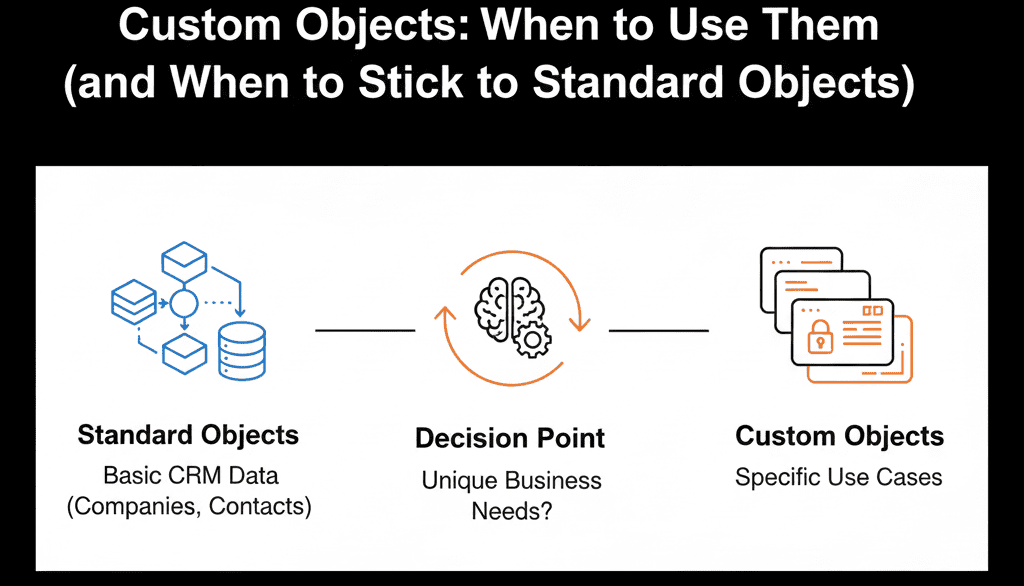
Forcing a square peg into a round hole? The solution is Custom Objects (HubSpot Enterprise). Custom Objects let you model your business accurately: Machines, Installations, Partners, etc.

If you build too many, you create a complex, unmanageable "Frankenstein" portal. If you build too few, you live in "property bloat" hell.
As a HubSpot Gold Partner, here is our architectural framework for when to build—and when to abstain.
🟢 The "Standard Object" Defense
Before creating a Custom Object, fight to use standard objects (Contacts, Companies, Deals, Tickets):
- Integrations: Most apps only recognize standard objects
- Tooling: Features like Sequences & Forecasting optimized for standard objects
- Simplicity: Easier to train reps on Deals than Shipments
Stick to Standard If:
- It involves money: If there is a dollar amount and a "close date," it’s a Deal. Even if it's a "Renewal," "Upsell," or "Partner Commission." Use different pipelines, not new objects.
- It involves a problem: If it has a "status" and needs resolution, it’s a Ticket. Even if it's "Onboarding" or "Legal Review."
- It’s a person or entity: If it has an email, it’s a Contact. If it has a domain, it’s a Company.
🔴 The "Custom Object" Trigger
Create a Custom Object only for "One-to-Many" relationships that standard objects can't model:
Use Case 1: The "Asset" (Manufacturing/SaaS)
Scenario: You sell software licenses. One Company can own many Licenses. Each License has a unique Serial Number, Expiration Date, and Version.
Why Standard Fails: You can't put this on the Company record because they might have 50 licenses. Which "Expiration Date" do you filter by?
The Solution: Create a "License" Custom Object.
The Structure: Company (Parent) → License (Child).
The Power: You can view a Company record and see a list of 50 Licenses. Build a workflow: "When License Expiration Date is < 60 days, create a Renewal Deal."
Use Case 2: The "Partner" (Channel Sales)
Scenario: You sell through Resellers. A single Deal might involve an End-User, a Reseller, and a Distributor.
Why Standard Fails: You can only have one "Associated Company" on a Deal (primary).
The Solution: Create a "Partner" Custom Object (or use Association Labels).
The Structure: Deal associated to Company (End User) AND associated to Partner (Reseller).
The Power: You can report on "Revenue by Partner."
Use Case 3: The "Event" (Real Estate/Training)
Scenario: You sell training courses. One Contact attends many Courses. One Course has many Attendees.
Why Standard Fails: A Deal represents the purchase of the course, not the attendance.
The Solution: Create a "Course" Custom Object.
The Structure: Contact → Course.
The Power: You can trigger emails: "Send reminder to all Contacts associated with Course #101."
⚠️ The Danger Zone: What NOT to Build
- Don't build "Invoices" (Usually): Unless you need to trigger workflows off line-item payment status, leave Invoices in your ERP (NetSuite/QuickBooks). Just sync the summary data to the Deal.
- Don't build "Employees": Just use Contacts with a "Employee" Job Title.
- Employees → Use Contacts with Job Title
- The Golden Rule: Only build a Custom Object if your Marketing, Sales, or Service teams need to trigger an action based on that data. If they just need to view it, use a CRM Card (UI Extension) to show data from your external app without storing it.
Architect Before You Build: Custom Objects are like concrete—hard to change once set. Mis-associating objects (License → Deal vs. Company) breaks reporting permanently.
If you mess up the "Association Logic" (e.g., associating a License to a Deal instead of a Company), your reporting will be broken forever.
This is a core component of our Free HubSpot Health Check.
Architect Your Data Model
Our Free HubSpot Health Check acts as your "Data Architect." We audit your business model and tell you exactly which objects to build—and which to avoid.
Architect Your Data Model. Get Your Free Health Check