🔌 The "Zapier Tax" on Your Data Integrity
For years, if you wanted to connect HubSpot to anything—your ERP, billing system, or proprietary SaaS app—you had only two choices.
- Hire a Developer: Custom API integration ($20k + maintenance)
- Use Zapier: $50/month + operational risk
Most B2B companies chose Zapier. And now, they are paying the tax.
- The One-Way Tax: Zaps usually push data one way. If you update a contact in HubSpot, it updates your app. But if you update the app? Crickets.
- The History Tax: Zapier only triggers on new data. It doesn't sync your 10,000 existing records.
- The Fragility Tax: A field name changes. The Zap breaks. Data stops flowing. You don't find out until your sales team screams.

There is a third option—built directly into HubSpot. It’s called Data Sync.
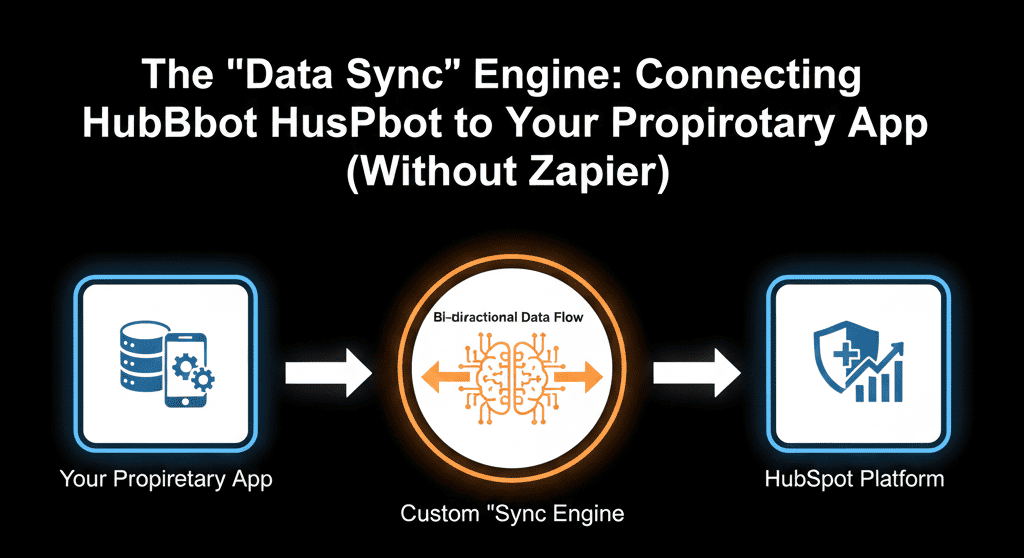
Powered by Operations Hub, Data Sync is a real-time, bi-directional, historical synchronization engine.
⚙️ How Data Sync Is Different from Zapier
Zapier Is Trigger-Based
- If this happens → do that
- It’s linear. It’s great for simple tasks ("Send a Slack notification"). It’s terrible for keeping two databases in sync.
Data Sync Is State-Based
- Make these two databases look the same.
- It constantly checks both sides. If John Doe updates his email in your App, HubSpot updates. If Sales updates his phone number in HubSpot, your App updates.
- Bi-Directional: It handles the "conflict resolution" (who wins?) automatically.
- Historical: When you turn it on, it syncs everything that ever happened, not just what happens next.
🛠️ Use Case 1: The “Billing” Sync (Stripe / Xero / QuickBooks)
The Nightmare: Sales closes a deal in HubSpot. Finance manually creates the invoice in QuickBooks. Someone forgets. The customer is never billed.
The Zapier Fix: A Zap creates the customer in QuickBooks. But if the address or payment status changes later, the Zap doesn’t update it. Data drifts.
The Data Sync Fix:
- Connect: Use the native QuickBooks Data Sync
- Map: Contact, Company, and Invoice fields
- Filter: Only sync Companies where Lifecycle Stage = Customer
Result: Finance and Sales databases become mirror images. When Finance marks an invoice as Paid, the HubSpot Deal automatically updates — no code, no Zaps.
🛠️ Use Case 2: The “SaaS App” Sync (Postgres / MySQL)
The Nightmare: Your proprietary SaaS app holds usage data (logins, storage used). Sales can’t see it — or you push every event via webhooks and burn through thousands of Zapier tasks.
The Zapier Fix: Fire a webhook on every login. Costs explode. Reliability drops.
The Data Sync Fix:
- Connect: HubSpot-to-SQL sync (via Ops Hub or certified partners)
- Map: Internal User ID → HubSpot Contact ID
- Field Mapping: Last Login Date → HubSpot custom property
Result: HubSpot reads your database directly. Sales sees real-time usage data inside the CRM — without a single webhook firing.
🛠️ Use Case 3: The “Legacy CRM” Sync (During Migration)
The Nightmare: You’re migrating from Pipedrive to HubSpot but must run both systems in parallel. Data diverges immediately.
The Zapier Fix: Not realistic. You’d need dozens of Zaps to handle two-way updates.
The Data Sync Fix:
- Connect: Pipedrive Data Sync
- Config: Two-Way Sync
- Conflict Resolution: HubSpot Wins
Result: Both CRMs stay perfectly aligned. Teams transition gradually without data silos.
⚠️ When to Stick With Zapier (The Nuance)
Data Sync maintains database state — but it does not handle events.
- Keep Zapier IF: You need to send an email, post to Slack, or trigger an action → that’s an event
- Use Data Sync IF: You need two systems to always contain the same information → that’s state
Rule of Thumb: Zapier moves events. Data Sync maintains truth.
Stop Paying the Middleman.
If you are a B2B Tech company, your data architecture is your competitive advantage. Relying on a fragile web of Zaps is a risk you don't need to take.
HubSpot Operations Hub (Starter/Pro) gives you the power of a custom integration for a fraction of the cost.
Not sure if your app is supported? Or how to map the custom fields?
Kill the Zaps
A HubSpot Gold Partner will audit your "Integration Spaghetti." We'll look at your Zaps, your APIs, and your "manual exports," and we'll design a "Data Sync" architecture to streamline your stack.
Kill the Zaps. Get Your Free Health Check