🖋️ The "Legal" Roadblock
Your sales rep is ready to close the "Big Deal" ($250k).
They create a HubSpot Quote.
They send it.
The prospect's Legal Counsel replies: "We don't sign web links. Please send a DocuSign envelope with our redlines attached."
The rep is stuck.
They download the PDF.
They upload it to DocuSign separately.
They send it.
The deal closes in DocuSign, but HubSpot stays in "Contract Sent" because the systems aren't talking.
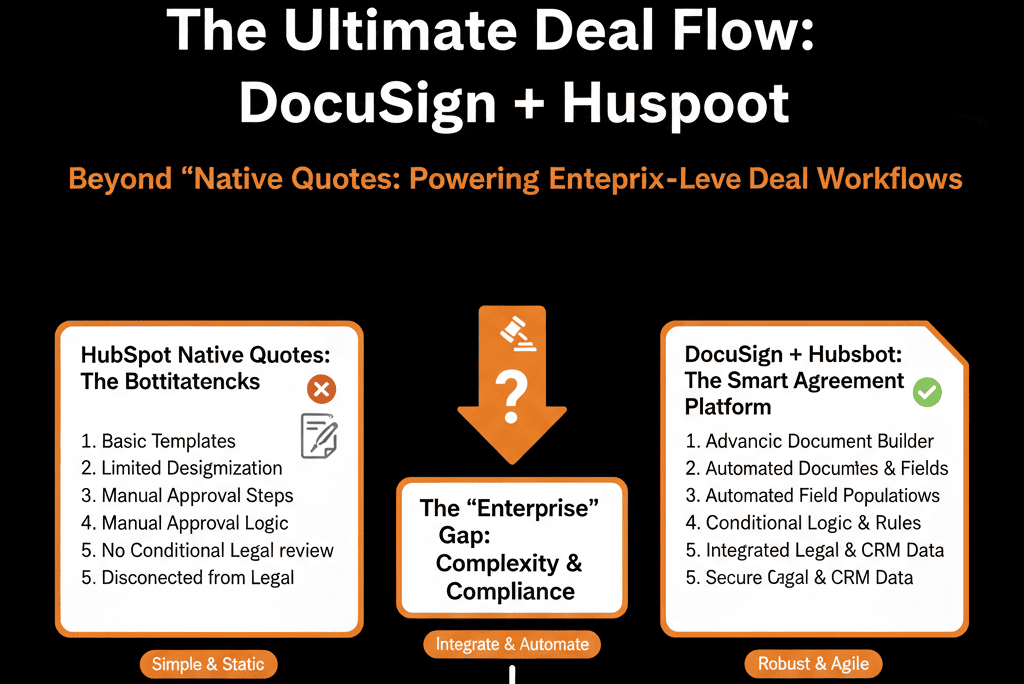
This is the "Enterprise Gap."
For simple SaaS, HubSpot Quotes work. For Enterprise deals with custom MSAs (Master Services Agreements), NDAs, and multi-party signing, you need DocuSign.
HubSpot’s DocuSign integration lets teams create, send, and track DocuSign envelopes from contact, company, or deal records in HubSpot.
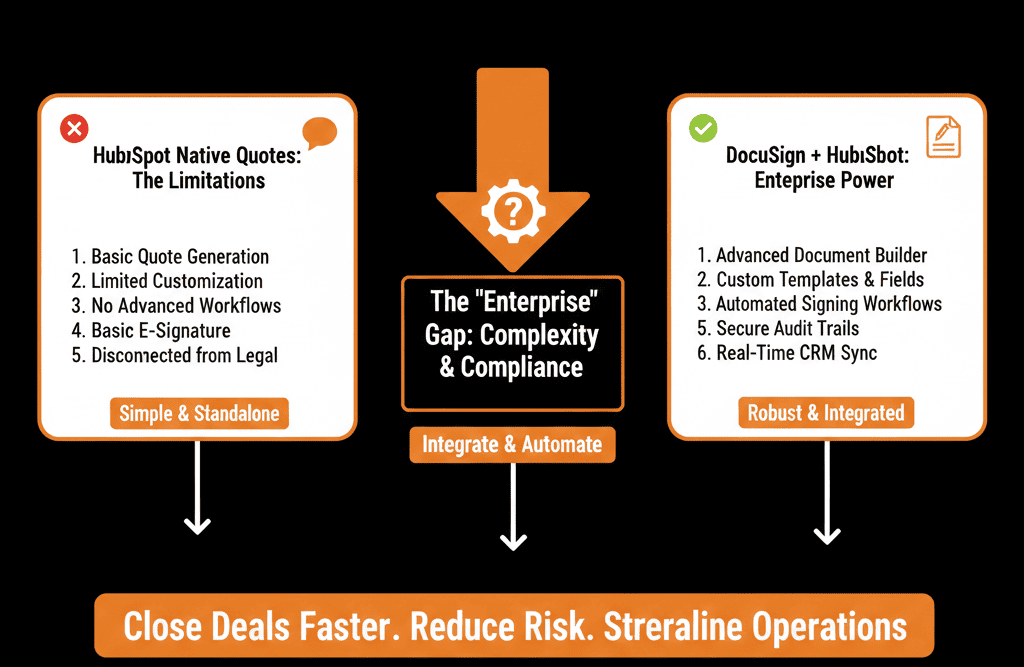
Here is how to integrate the two so Legal is happy and Sales is fast.
🔗 Feature 1: The "Send from HubSpot" Button
The Pain: Logging into DocuSign separately.
The Fix: Embedded Sending.
The integration adds a DocuSign card to the Deal sidebar.
The Workflow:
- Rep clicks "Send with DocuSign."
- They select the template (e.g., "Enterprise MSA").
- HubSpot auto-fills the template with Deal data (Company Name, Amount, Address).
- Rep sends it.
Result: Zero data entry. Zero "Alt-Tab."
🔗 Feature 2: The "Status" Sync (Tracking)
The Pain: "Did they sign it yet?"
The Fix: Timeline Events.
DocuSign envelope activity can be tracked from inside HubSpot, including viewing envelope history on the record.
DocuSign pushes updates to the HubSpot Deal Timeline.
- Activity: "Recipient Viewed Document."
- Activity: "Recipient Signed."
The Power: Reps can see exactly where the contract is stuck (e.g., "Waiting on CFO").
🔗 Feature 3: The "Closed Won" Automation
The Pain: Deal is signed, but Rep forgets to update HubSpot.
The Fix: Workflow Triggers.
Trigger: DocuSign Envelope Status = "Completed."
- Action: Set Deal Stage to "Closed Won."
- Action: Create "Onboarding Ticket" for CS.
DocuSign status changes can be used in HubSpot workflows (e.g., to drive follow-ups and automation based on envelope status).
Result: The "victory lap" is automated.
⚠️ The "Template" Governance
DocuSign templates are powerful, but they need maintenance.
Best Practice: Use "Merge Fields" (Data Labels) in DocuSign that match HubSpot Property Internal Names exactly.
HubSpot supports using HubSpot properties in DocuSign templates so record property values can populate custom text fields.
The Risk: If a rep changes a HubSpot field after sending the envelope, it does not update the live document. They must void and resend.
Respect the Signature.
In Enterprise sales, the contract is the product. It must look professional, secure, and compliant.
DocuSign provides that trust factor. HubSpot provides the data.
Together, they remove the friction from the most stressful part of the sales cycle: The Close.
Not sure how to map your "Merge Fields"?
This is part of our Free HubSpot Health Check.
We'll connect DocuSign, map your templates, and build the "Auto-Close" workflow that ensures your revenue reporting is always up to the minute.