⚡ The "Speed to Lead" Challenge on Social
A prospect is scrolling Instagram on their phone.
They see your ad: "Download the 2026 Industry Report."
They tap "Download." A native form pops up, pre-filled with their info. They hit Submit.
This is a Facebook Lead Ad. It has incredible conversion rates because it removes friction.
But then... nothing happens.
The lead sits in a CSV file inside Facebook Ads Manager.
24 hours later, your marketing manager downloads the file and uploads it to HubSpot.
Sales calls the lead. The lead says: "I don't remember clicking that."
Social attention is fleeting. If you don't contact them within 5 minutes, the lead is dead.
You need the HubSpot + Facebook Lead Ads Integration.
It eliminates the CSV. It pushes the lead into HubSpot the second they click submit.
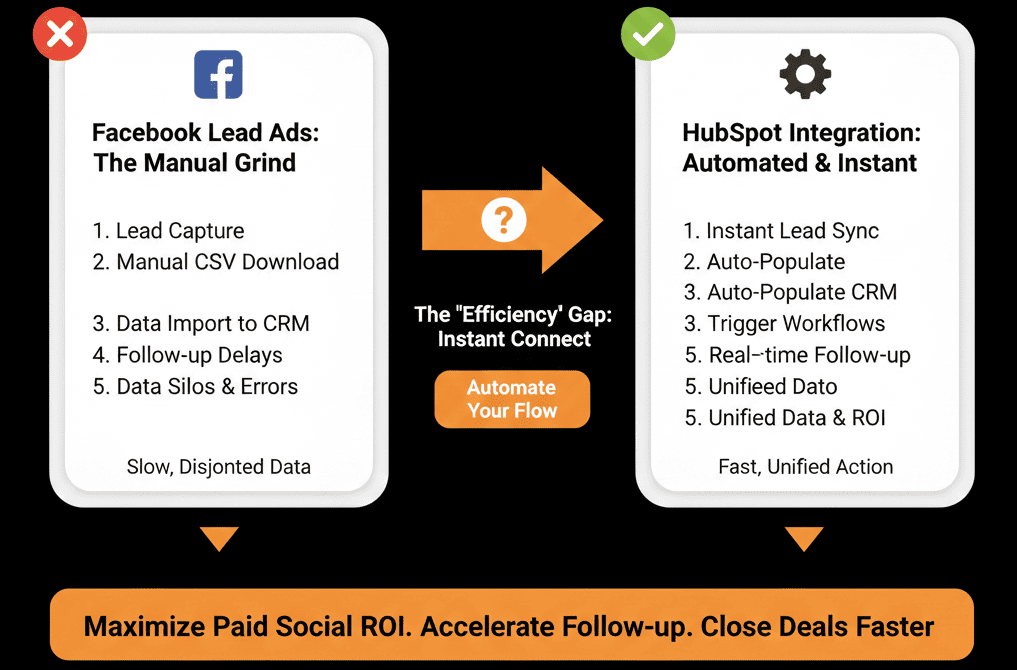
Here is how to build the "Instant Response" engine.
📲 Step 1: The Connection (Native Sync)
This is a native, free integration.
Go to Marketing > Ads > Connect Account.
Select Facebook.
Critical Setting: Ensure "Lead Syncing" is turned ON for the specific Page/Ad Account you are running.
Verification: Submit a "Test Lead" via Facebook's developer tool. Watch it appear in HubSpot in < 10 seconds.
📲 Step 2: The "Immediate" Workflow
Now that the data is in, you must act.
The Workflow:
- Trigger: Form Submission = "Facebook Lead Ad: [Campaign Name]."
- Action 1: Send Email (from HubSpot): "Here is the PDF you requested! [Link]."
- Action 2: Rotate to Sales (if MQL).
The Magic: The email hits their inbox while they are still looking at your ad on Instagram. This is the "Magic Moment."
📲 Step 3: The "Hidden Field" Mapping
Facebook forms are short (Name, Email). Sales needs more.
The Fix: Hidden Fields.
In your Facebook Ad setup, you can add hidden fields like UTM Source, Ad ID, or Campaign Name.
Map these to HubSpot properties.
Result: Sales knows exactly which ad they clicked. "I see you were interested in our [Product Name] video."
⚠️ The "Personal Email" Problem
People use their Personal Email (gmail/yahoo) for Facebook/Instagram.
B2B Sales reps hate personal emails. They can't enrich them.
The Strategy:
- Accept it: Don't force them to type a work email (friction).
- The "Work Email" Ask: In the immediate follow-up email (Action 1 above), say: "We sent this to your personal email. Want to update your preferences to your work email?"
- The Sales Script: Train reps to say: "I saw you requested this on mobile, so I'm calling you here. Is this a good time?"
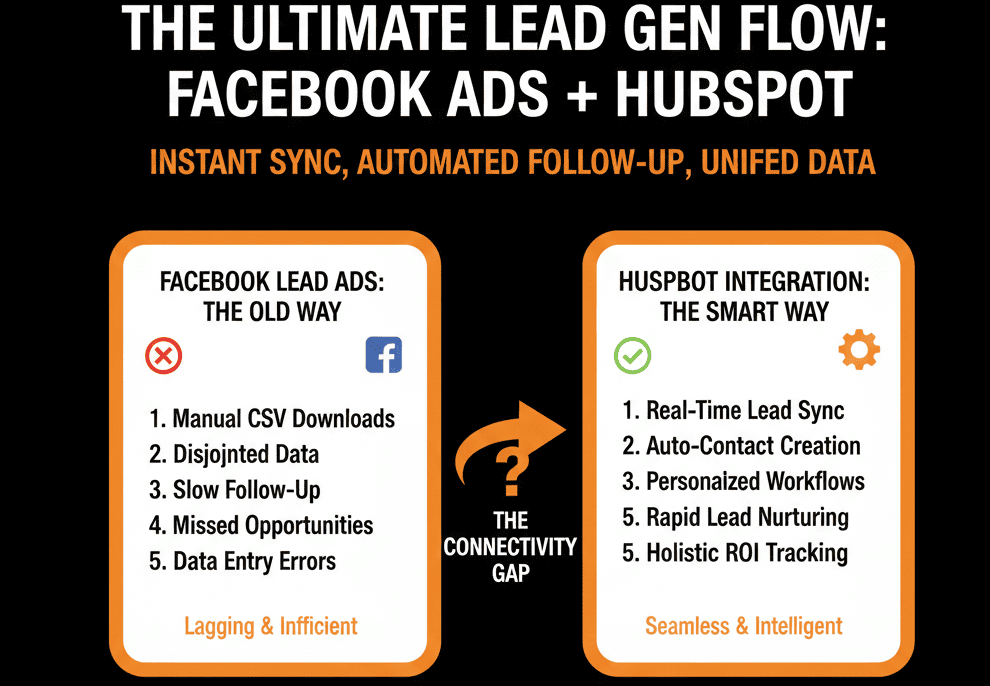
Don't Let the CSV Kill the Deal.
Manual data entry is the enemy of modern marketing.
Facebook Lead Ads are powerful, but only if they are connected.
Real-time sync = Real-time revenue.
Not sure if your "Ad Account Permissions" are correct?
This is part of our Free HubSpot Health Check.
We will audit your "Social Ad Stack." We'll connect the integration, map the hidden fields, and build the "Instant Response" workflow that turns scrollers into customers.