🍪 The "Cookie Banner" Fallacy
You walked into the office one day and said, "We need to be GDPR compliant."
Your marketing manager went into HubSpot, clicked a toggle, and a "Cookie Banner" appeared on your website.
You dusted your hands off. "Done."
You are not done.
In fact, you might be more liable now than before, because you claimed compliance without actually executing it.
GDPR (Europe) and CCPA (California) are not just about "cookies." They are about Data Governance.
- Do you know why you are allowed to email Contact A?
- Can you permanently delete Contact B (and all their history) within 30 days if they ask?
- Are you blocking scripts before consent is given?
If you can't answer these questions, your portal is a legal time bomb.
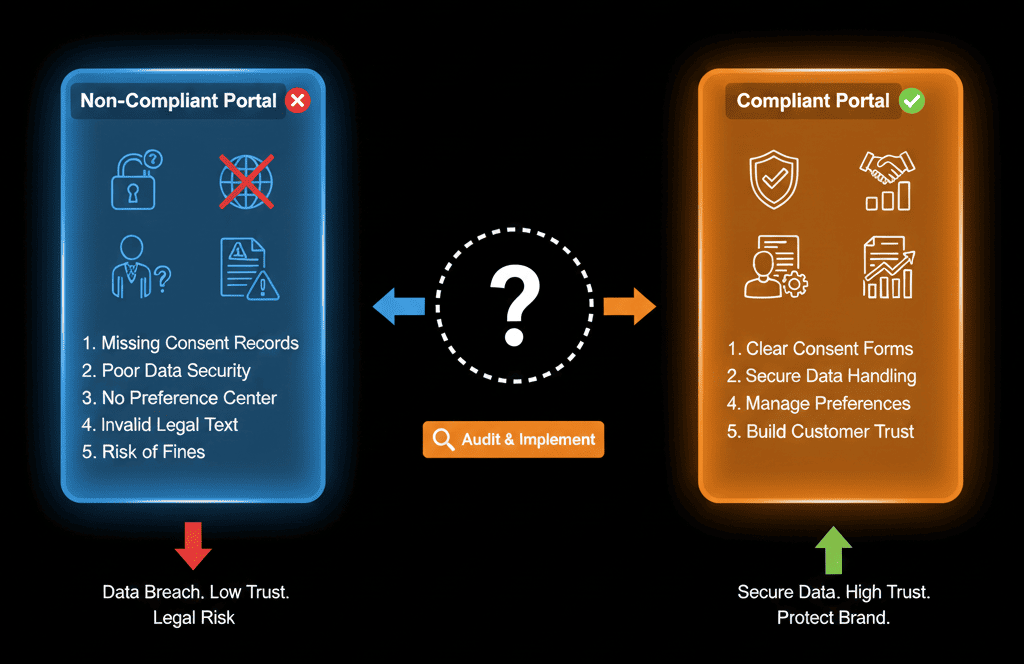
As a HubSpot Gold Partner, we help companies configure the Privacy & Consent tools correctly. Here is the diagnostic to see if your portal is actually compliant or just pretending.
(Disclaimer: We are RevOps experts, not lawyers. This is technical advice, not legal advice.)
🩺 Diagnostic 1: The "Lawful Basis" Gap
The Symptom: You have 50,000 contacts. You are emailing all of them.
The Question: "Do you have the legal right to email them?"
The "Oops": You don't know.
The Fix: Enable "Legal Basis for Processing"
- Go to Settings > Privacy & Consent.
- Turn on "Legal basis for emails."
The Impact: This forces your team to select a reason for every contact.
- Consent: They filled out a form and checked the box.
- Legitimate Interest: They are a B2B prospect, and you have a valid business reason (soft opt-in).
The Lockdown: If a contact has "No Legal Basis," HubSpot will block the email. This is your safety net.
🩺 Diagnostic 2: The "Fake" Cookie Banner
The Symptom: You have a banner, but your analytics still track everyone.
The Question: "Does your banner actually block scripts?"
The "Oops": You installed the Google Analytics pixel directly in your website header code, instead of through HubSpot.
The Fix: HubSpot Cookie Blocking.
HubSpot's banner only blocks cookies that HubSpot controls (or that are integrated via the HubSpot Tracking Code).
If you hard-coded scripts, they fire before the user clicks "Accept." That is a violation.
Solution: Move your external scripts (Facebook Pixel, GA4) into the HubSpot settings (under "Integrations") so the banner can control them.
🩺 Diagnostic 3: The "Right to be Forgotten" (Deletion)
The Symptom: A user emails you: "Delete all my data under GDPR."
The "Oops": You just hit "Delete" on the contact record.
The Risk: "Standard Delete" moves them to the Recycle Bin (Restorable). This does NOT satisfy GDPR "Permanent Erasure."
The Fix: The "GDPR Delete" Function.
You must enable GDPR tools to see this button.
When you click "GDPR Delete", HubSpot:
- Permanently scrubs the data (non-restorable).
- Adds their email to a "Blocklist" so they cannot be accidentally re-imported later. (Crucial!).
🩺 Diagnostic 4: The "Double Opt-In" (DOI)
The Symptom: You are emailing leads in Germany (DACH region).
The Risk: In Germany, "Single Opt-In" (filling a form) is often legally insufficient. You need "Double Opt-In" (clicking a confirmation email).
The Fix: Region-Based DOI.
You don't have to turn on DOI for everyone (it lowers conversion rates).
Use HubSpot's logic to "Enable DOI only for contacts in specific countries" (e.g., Germany, Austria).
This protects you where it matters, without hurting your US growth.
⚠️ The "Marketing Contacts" Connection
Compliance is also about Permission.
Subscription Types: Don't just have one list called "Newsletter." Break it down: "Product Updates," "Marketing Offers," "Customer Alerts."
Let users "Manage Preferences" instead of just "Unsubscribe All." You save 30% of your list this way.
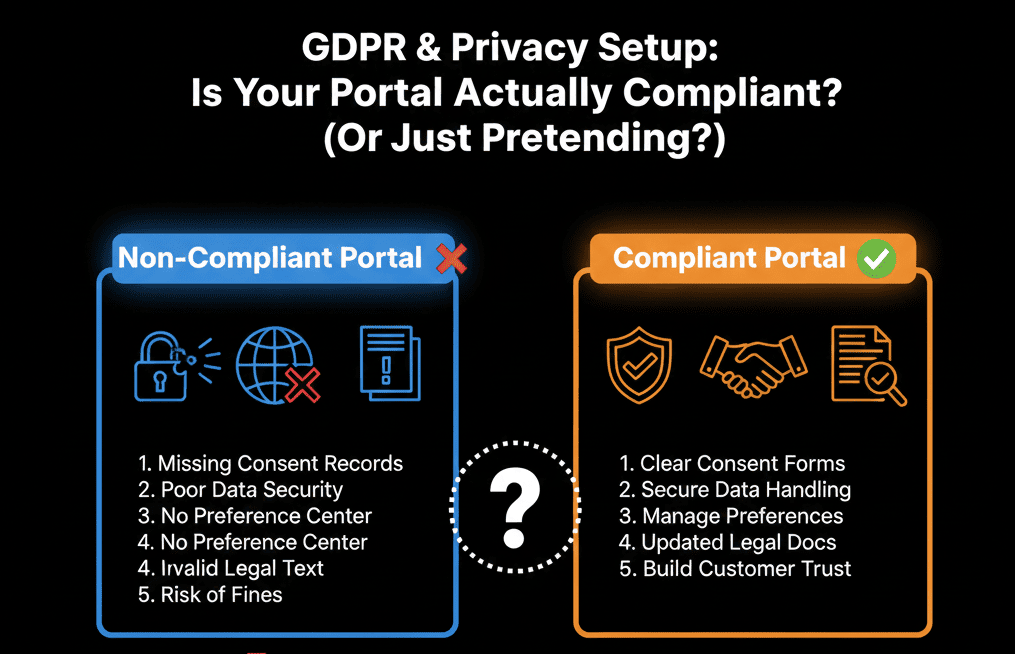
Compliance is Trust.
Data privacy isn't just about avoiding fines. It's about showing your customers that you respect them.
A "messy" portal with loose privacy settings tells your prospects: "We don't care about your data."
A compliant portal says: "We are a professional, enterprise-grade partner."
Not sure if your "Legal Basis" is set up correctly?
Audit Your Risk. Get Your Free Health Check.
This is part of our Free HubSpot Health Check. We will audit your "Privacy Settings." We'll check your Cookie setup, your DOI logic, and your Subscription Types. We’ll make sure you are technically compliant so you can sleep at night.
Audit Your Risk. Get Free Hubspot Audit.