Why Most HubSpot Lead Scoring Models Fail Quietly

Many teams set up HubSpot lead scoring like this:

  • List every possible behavior and attribute.
  • Assign points based on gut feel.
  • Call anything above a threshold “MQL.”

On paper, it looks smart.

In practice:

  • SDRs ignore “high score” leads.
  • AEs don’t care about score when building their day.
  • Marketing keeps “optimizing” a model nobody believes.

Lead scoring only works when sales trusts it enough to change behavior:

  • They prioritize high scores first.
  • They treat low scores differently.
  • They give feedback when the model is wrong.

This guide walks through how to build a HubSpot lead scoring model that sales actually uses, not just one more automation.

Muhammad Asghar Hussain

Step 1: Separate Fit From Intent

The biggest mistake: blending who they are and what they did into one blurry number.

You need two separate dimensions:

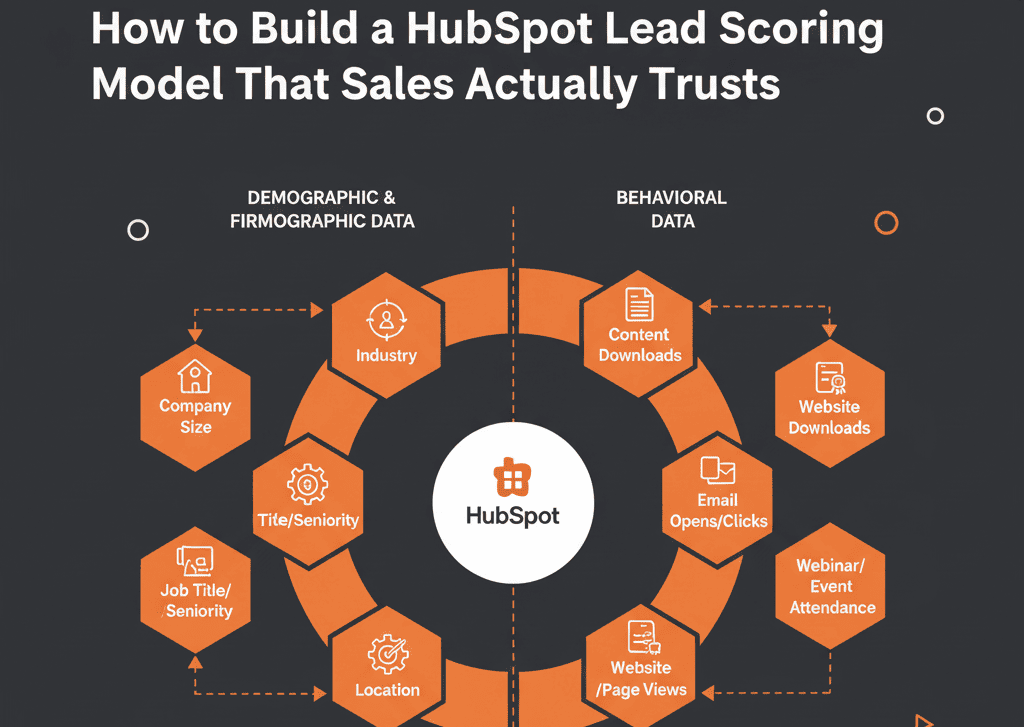
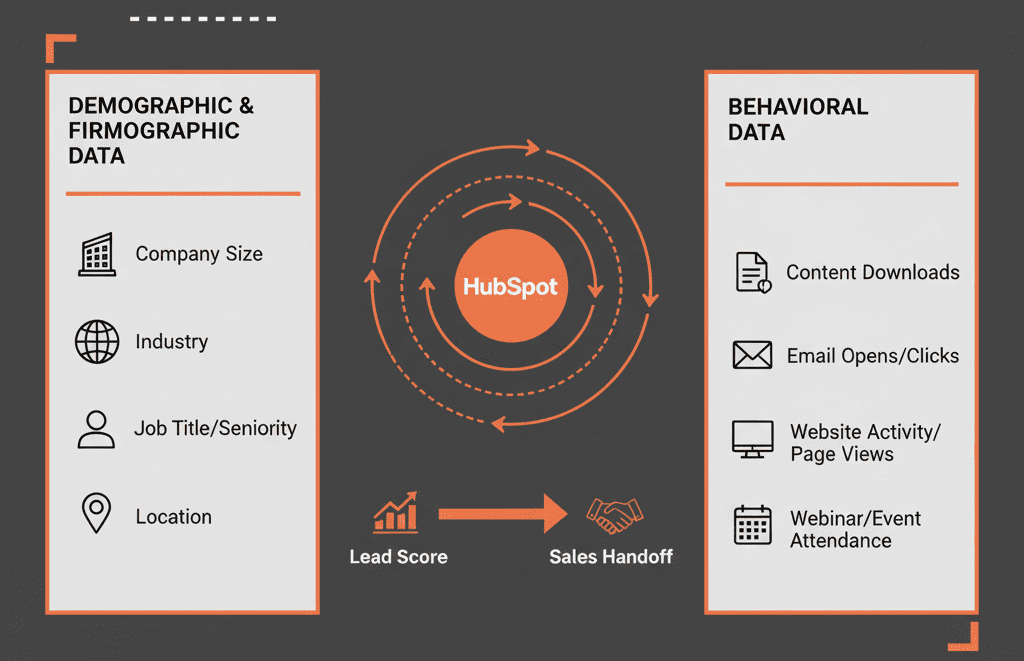
Fit (Quality) – “Is this the kind of account/person we want?”

  • Firmographics (industry, company size, region)
  • Role/titles, seniority
  • Tech stack, use case, business model

Intent (Readiness) – “Are they acting like someone who’s buying soon?”

  • Website pages viewed (pricing, product, case studies)
  • Form fills (demo, trial, pricing request vs newsletter)
  • Product usage (for PLG / SaaS)
  • Email engagement and event attendance

In HubSpot, this can mean:

  • Two separate scores: Fit Score, Intent Score
  • or
  • One overall score but with: Clear internal documentation showing fit vs intent components.

Sales needs to see why a lead is “good,” not just a number.

HubSpot’s lead scoring tool supports building scores using rule groups (including property and event rules) and optionally capping totals and/or groups, which maps well to “Fit vs Intent” scoring design.


Step 2: Define “Sales-Ready” With Sales, Not For Sales

Scoring can’t fix misalignment on qualification. It codifies it.

Before configuring anything in HubSpot:

Bring together:

  • 1–2 top SDRs/BDRs
  • 1–2 top AEs
  • Marketing lead
  • RevOps/Ops

Ask structured questions like:

  • Which leads convert reliably today?
  • Which deals close fastest?
  • Which segments waste the most time?
  • Which behaviors (pages, events, offers) correlate with real opps?

End with a written definition of:

  • “Sales-ready” (SQL) for your business.
  • What must be true (fit + intent) before sales wants it.

This becomes your target for scoring:

“Leads that reach this threshold are highly likely to become what we agreed is sales-ready.”

Without this alignment, the model will always be debated.


Step 3: Start With a Simple, Transparent Model

Complex models break trust. You can always add nuance later.

A pragmatic starting approach:

3.1 Fit Score (0–100)

Assign points for:

Industry:

  • ICP industries: +20
  • Neutral industries: +5
  • Non-ICP industries: 0

Company size:

  • Core segment: +20
  • Adjacent segments: +10

Role:

  • Economic buyer / champion roles: +30
  • Influencer roles: +15

Region:

  • Target regions: +10
  • Outside regions: 0

Cap Fit at 100 for clarity.

3.2 Intent Score (0–100)

Assign points for:

Website actions:

  • Pricing / product page visits: +20
  • Case study / comparison content: +15

Form fills:

  • Demo / consultation request: +40
  • Trial signup: +40
  • High-intent content (ROI calculator, deep guide): +20
  • Low intent (newsletter, generic ebook): +5

Email engagement:

  • Clicks on key sequences: +10–15

PLG/product usage (if applicable):

  • Activation milestone: +30
  • Heavy usage over X days: +20

Cap Intent at 100.

3.3 Total Score and tiers

Then define simple, explainable bands:

  • 150–200: A+ (ICP + high intent)
  • 100–149: A (strong fit or intent)
  • 50–99: B (some fit/intent, needs nurture)
  • 0–49: C (low fit/intent)

Make this logic visible to sales in documentation and training. They should understand in 2 minutes how the score is built.


Step 4: Reflect Score in Views and Workflows Sales Actually Uses

Lead scoring that lives only as a property on the record will be ignored.

You need to operationalize it.

4.1 SDR/BDR views and queues

Create:

Views like:

  • “My A+ and A leads – new in last 7 days”
  • “My B leads – warmups”

Task queues:

  • “High priority – new A+ leads”
  • “Follow-up – A/B leads touched once”

Make these the default home for SDRs/BDRs.

4.2 Workflows

Use HubSpot workflows to:

  • Notify reps when a contact crosses a threshold (e.g., A+).
  • Create tasks or deals for very high-intent events.
  • Add leads to nurturing if they drop below engagement bands.

Keep the automation minimal at first. The point is to support human prioritization, not automate every touch.

HubSpot workflows support enrolling records when they meet specific criteria or complete events (enrollment triggers), which is how scoring thresholds can kick off tasks, notifications, and routing without manual monitoring.

Muhammad Asghar Hussain

Step 5: Avoid “Score Inflation” and Noise

Over time, ungoverned models drift:

  • Everyone wants “their” behavior to add points.
  • Scores creep higher and higher.
  • Thresholds lose meaning.

To avoid that:

Limit what can add large amounts of points

Reserve big weights for:

  • Strong fit attributes (ICP definition).
  • Clear buying signals (demo/trial requests, pricing page visits, product milestones).

Use decay for old activity

Subtract points or expire them after X days/weeks.

In HubSpot:

Use workflows or custom score logic to reduce points for older engagements.

Ignore vanity behaviors

Single blog views or generic page hits should be:

  • Low value.
  • Or not counted at all.

Result: Score remains a current indicator, not a lifetime achievement award.


Step 6: Validate the Model With Real Data Before You Scale It

Don’t roll a new model to everyone on day one and declare victory.

Use a structured validation phase:

Back-test if you have enough data

  • Take a historical period (e.g., last 3–6 months).
  • Apply your scoring rules retrospectively to leads.
  • Check distribution:
  • What % of closed-won came from A+/A?
  • How many high-score leads never became opportunities?

Run a live pilot

Choose a subset of:

  • Reps
  • Regions
  • Or inbound channel

Have them:

  • Work A+/A/B priorities based on score.
  • Log feedback on: Good leads they liked, bad leads that scored too high.

Adjust weights, not the entire concept

If A+ is too noisy:

  • Raise thresholds.
  • Adjust points for certain behaviors.

If B leads are surprisingly strong:

  • Revisit what’s being under-weighted.

Iterate 2–3 times before rolling it out widely.


Step 7: Make Feedback Loops Non-Negotiable

Lead scoring is not “set and forget.” It’s a living system.

Build simple feedback loops:

SDR/BDR feedback

Create a custom property like Lead score feedback with options:

  • “Good lead”
  • “Bad fit”
  • “Too early”
  • “Duplicate / wrong person”

Or use tasks / notes with standardized tags.

AE feedback on opportunities

Analyze:

  • Which scores consistently move to pipeline.
  • Which ones stall or die early.

RevOps review cadence

Monthly or quarterly:

  • Review conversion rates by score band.
  • Adjust weights based on real performance, not gut feel.

This keeps the model anchored to revenue reality instead of marketing intuition.


Step 8: Use Different Scoring Models for Different Motions (If Needed)

One size doesn’t always fit all, especially if you:

  • Sell to multiple segments with very different behaviors.
  • Run both inbound and outbound motions.
  • Have PLG and sales-led tracks.

Examples:

  • Inbound MQL scoring model – heavy on marketing engagement + fit.
  • Outbound prioritization score – heavy on fit + enrichment (ICP signals).
  • PQL score – heavy on product usage signals + fit.

In HubSpot, you can:

  • Use multiple score properties (e.g., Inbound Fit Score, Outbound Fit Score, PQL Score).
  • Show the relevant score based on context (views, reports, dashboards).

The key: don’t mash all motions into one “Franken-score” that means nothing.


Step 9: Document the Model Like a Product, Not a Hack

Finally, treat your lead scoring model as a product.

Document:

  • The purpose: What decisions should this score help with?
  • The logic: Fit vs intent inputs, weights and thresholds.
  • The usage: Which views, workflows, and reports rely on it.
  • The governance: Who can request changes, how often it will be reviewed.

Put this in a simple internal wiki and share with:

  • Sales and SDR/BDR teams.
  • Marketing.
  • Leadership.

Transparency builds trust. “Black box” scoring gets ignored.

Muhammad Asghar Hussain

When to Bring in Outside Help for HubSpot Lead Scoring

You should strongly consider external help when:

  • You have multiple segments and motions (inbound, outbound, PLG).
  • Your historical data is messy and needs to be de-biased.
  • Sales has already lost all confidence in current scoring.
  • You need to align scoring with a broader RevOps architecture (pipelines, lifecycle, routing).

A good partner doesn’t just tweak points. They:

  • Facilitate alignment on what “sales-ready” means.
  • Design a scoring framework tailored to your ICP and motion.
  • Implement and validate in HubSpot with real reps.
  • Set up feedback loops and governance so it keeps improving.

Make Lead Scoring a Sales Tool, Not a Marketing Vanity Metric

Lead scoring in HubSpot should:

  • Help sales know who to call first.
  • Help marketing know which campaigns drive real pipeline.
  • Help RevOps see where the funnel is healthy or leaking.

You get that when you:

  • Separate fit from intent.
  • Co-design the model with sales.
  • Keep it simple and transparent.
  • Embed it into views, workflows, and dashboards.
  • Continuously validate and adjust based on real outcomes.

If your current lead scoring is either ignored or constantly debated, we can help reset it.

At ElanceMind, we work with B2B teams to:

  • Audit existing scoring vs actual pipeline and revenue.
  • Design HubSpot scoring models tuned to your ICP and motions.
  • Implement the model and train sales to use it.
  • Build the governance so it doesn’t decay over time.

Build the Engine. Get Your Free Health Check.

Build the Engine. Get Your Free Health Check.