✈️ "Air Cover" for Your Sales Team
Your Sales Rep is calling "Acme Corp." They are getting voicemail.
They wish "Acme Corp" knew who you were.
Marketing can help. Marketing can run LinkedIn Ads specifically targeting employees at "Acme Corp." This is called "Air Cover." It warms up the account so the rep's call isn't cold.
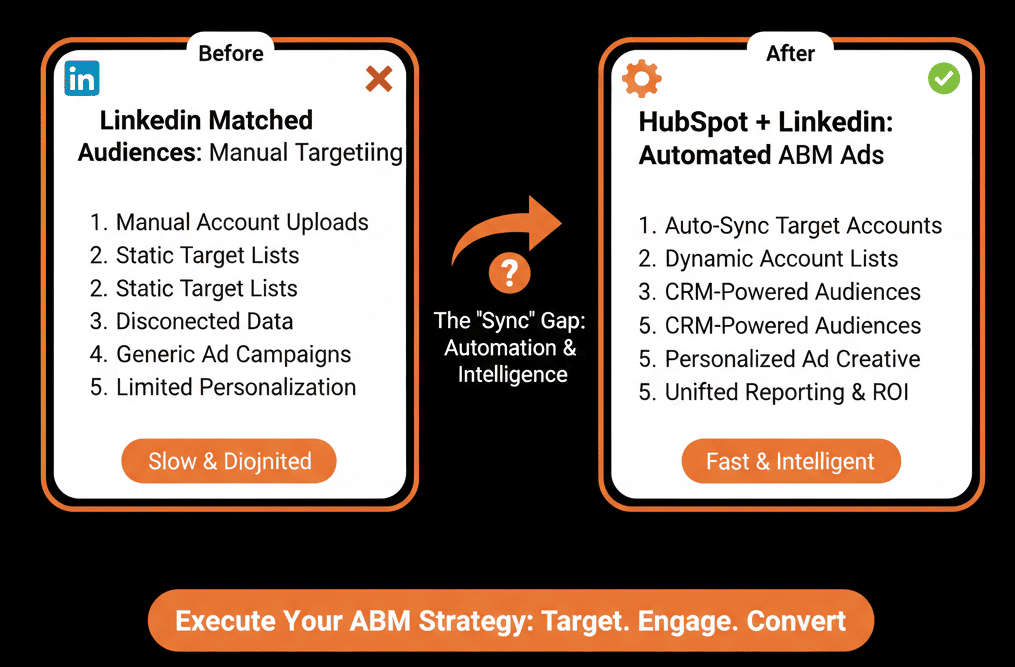
But the traditional way to do this is painful:
- Export "Target Accounts" from CRM.
- Format CSV.
- Upload to LinkedIn Campaign Manager.
- Wait 48 hours for it to "Match."
- Repeat every week as the list changes.
This is slow and static.
You need HubSpot Audience Sync.
HubSpot’s Ads audiences let you create and sync HubSpot audiences so they can be used to target LinkedIn ad campaigns without manual uploads.
This feature allows you to connect a HubSpot Active List directly to a LinkedIn Matched Audience. As contacts enter the list, they start seeing ads automatically.
Here is how to build the "Always-On" ABM machine.
📡 Strategy 1: The "Pipeline Accelerator"
The Goal: Show Case Studies to open deals.
The Setup:
- HubSpot List: "Open Deals > $50k" (Active List).
- Filter: Contact is associated with Deal Stage "Proposal Sent."
- The Sync: Sync to LinkedIn Audience: "Pipeline Accelerator."
- The Ad: "See how [Client X] achieved 500% ROI." (Social Proof).
The Result: While the prospect is considering your contract, they see your success stories on their feed.
📡 Strategy 2: The "Wake Up" Campaign
The Goal: Re-engage stalled leads.
The Setup:
- HubSpot List: "Stalled MQLs" (Active List).
- Filter: Lifecycle Stage = MQL AND Last Activity > 60 days ago.
- The Sync: Sync to LinkedIn Audience: "Re-Engagement."
- The Ad: "New Feature Alert: See what you missed."
The Result: You stay top of mind without annoying them with emails.
📡 Strategy 3: The "Competitor" Conquest
The Goal: Target users of your rival.
The Setup:
- HubSpot List: "Closed Lost to Competitor."
- The Sync: Sync to LinkedIn Audience: "Competitor Conquest."
- The Ad: "Why companies are switching from [Competitor] to Us."
The Result: You plant the seed for the renewal conversation.
⚠️ The "Match Rate" Reality
LinkedIn can't match everyone.
It matches based on Email Address.
LinkedIn defines match rate as the percentage of your uploaded list or data integration segment that matches to LinkedIn member accounts (for contact targeting) or LinkedIn Pages (for company targeting).
If you have their work email in HubSpot, but their LinkedIn is on their personal email, it might not match.
Average Match Rate: 50-70%.
The Fix: Enrich your data. Use ZoomInfo to get personal emails (if compliant) or rely on Company Matching (Targeting the Account, not the Person).
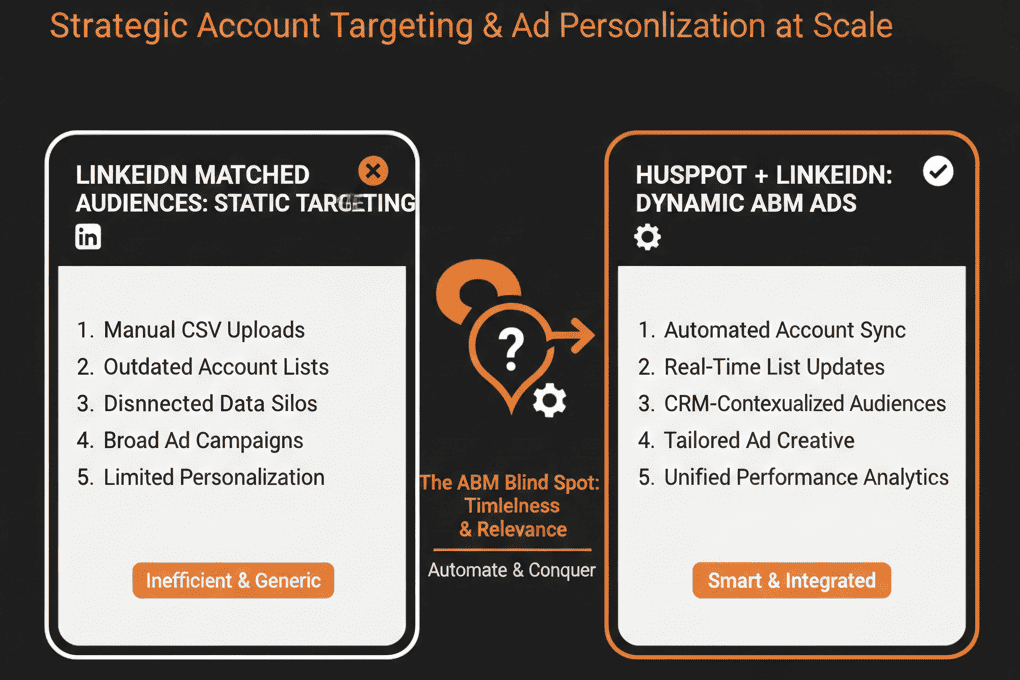
Don't Let Your Ads Be Generic.
If you are showing the same "Generic Brand Ad" to everyone, you are wasting money.
Contextual Ads win.
- Show "Pricing" ads to people who visited the pricing page.
- Show "Case Studies" to people in the negotiation phase.
HubSpot Lists make this dynamic targeting possible without manual uploads.
Not sure how to build the "Active Lists"?
This is part of our Free HubSpot Audit.
We will audit your "Ad Audiences." We'll connect the sync, check your match rates, and build the "Air Cover" segments that help your sales team close faster.