🛠️ The “WD-40” of the HubSpot Ecosystem
You’ve built your HubSpot portal. You have Sales Hub for your reps. You have Marketing Hub for your leads.
But things feel… squeaky.
- Thousands of contacts named “JOHN SMITH” or “jane doe”
- Sales commissions calculated in Excel because HubSpot “can’t do the math”
- Zapier subscriptions just to sync HubSpot with your ERP
Enter HubSpot Operations Hub.
HubSpot positions this as the “engine room” of your portal. But for many B2B leaders, it’s confusing:
- Is it just a data cleaning tool?
- Is it an integration engine?
- Is it really worth $800/month for Professional?
As a HubSpot Gold Partner, we see teams buy it for the wrong reasons — or ignore it when they desperately need it.
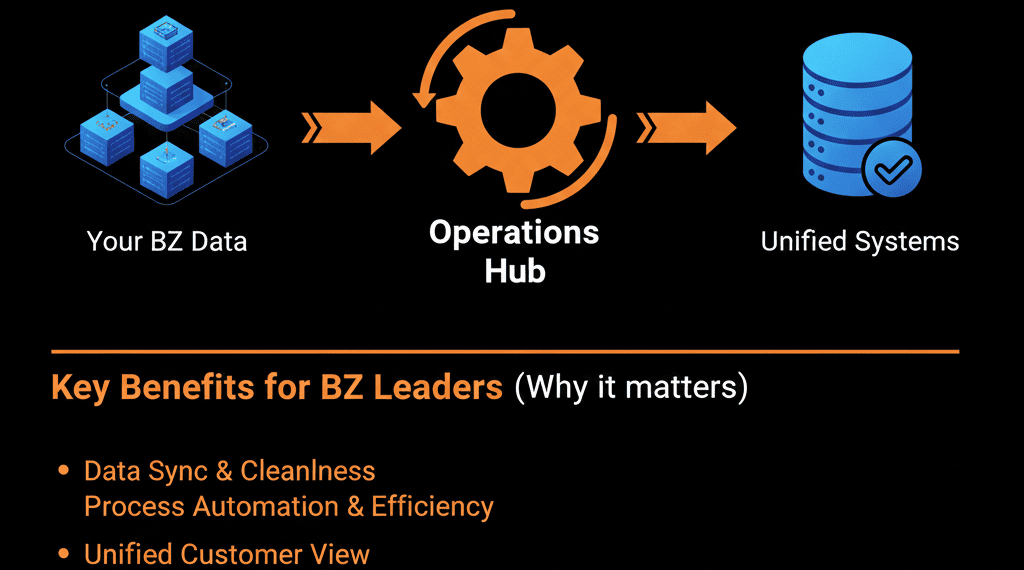
Think of Operations Hub as the WD-40 and duct tape of your revenue engine. It fixes friction that standard hubs can’t touch.
1️⃣ Do You Have a “Data Hygiene” Problem? (The Formatting Fix)
The problem: Your data is messy.
- Phone numbers like
5551234567and(555) 123-4567 - Names stored in ALL CAPS or all lowercase
- Without Ops Hub: You have to export your data to Excel, use formulas to clean it (PROPER(), TRIM()), and re-import it. It’s manual, dangerous, and outdated the moment you finish.
- With Ops Hub (Starter): You get "Data Quality Automation." You can build a workflow that says: "When a contact is created, automatically Capitalize the First Name and Format the Phone Number to US Standard."
Verdict: If you care about professional-looking personalization in your emails, Ops Hub Starter ($50/mo) is a no-brainer. It pays for itself in time saved on Excel exports alone.
2️⃣ Are You Doing CRM Math in Excel? (The Logic Fix)
The problem: You need live calculations.
- Commission = Amount × Rate
- Weighted Forecast = Amount × Probability
- Days to Close = Close Date − Create Date
- Without Ops Hub: HubSpot standard properties are "dumb." They store data, they don't calculate it. You are forced to export data to Excel or Sheets to run these numbers for your finance team.
- With Ops Hub (Pro): You get "Calculated Properties" and "Programmable Automation." You can write a simple script (or use the builder) to perform math live on the record.
Verdict: If your RevOps team lives in Excel just to do basic math, you need Ops Hub Pro. It moves the "logic" inside the "system of record."
3️⃣ Are You Drowning in Integration Spaghetti? (The Sync Fix)
The problem: Multiple systems, fragile syncs.
- NetSuite, Dynamics, or custom apps
- The Pain: Zapier gets expensive at scale. It breaks. It creates duplicates. It’s a "third party" managing your core data.
- With Ops Hub (Starter/Pro): You get the enhanced "Data Sync" engine. This is a bi-directional, historical sync that works natively. It’s more robust than Zapier and handles "conflicts" (e.g., which system wins if both change?) much better.
Verdict: If you are paying $200+/mo for Zapier just to sync basic contacts/companies, Ops Hub is a cleaner, more stable architecture.
4️⃣ Do You Need Custom Business Logic? (The Developer Fix)
The problem: Your automation rules are unique.
- "I need to rotate leads based on zip code AND rep availability AND deal size."
- "I need to query an external weather API to trigger an email."
- "I need to create a Renewal Deal only if the customer has logged in 5 times."
- Without Ops Hub: You simply can't do this in standard HubSpot workflows. You hit a wall.
- With Ops Hub (Pro): You get "Custom Code Actions" in workflows. You can write JavaScript or Python directly into the workflow to do anything. The ceiling is removed.
Verdict: This is the "Enterprise" unlock. If you have a complex B2B business model (SaaS, Manufacturing, Logistics), this feature alone is worth the subscription.
5️⃣ Is Executive Reporting a Mess? (The Curation Fix)
The problem: You have 500 properties. Your CEO tries to build a report and gets overwhelmed by the clutter. They pull the wrong "Deal Amount" field and get angry.
- With Ops Hub (Enterprise): You get "Data Sets." This allows you to "curate" a table of data for specific users. You can create a "CEO View" dataset that only contains the 5 columns they care about, with pre-calculated formulas (e.g., "Margin %").
- Role-based “CEO View” tables with pre-calculated metrics
Verdict: This is a luxury for most, but a necessity for large teams with "data governance" issues.
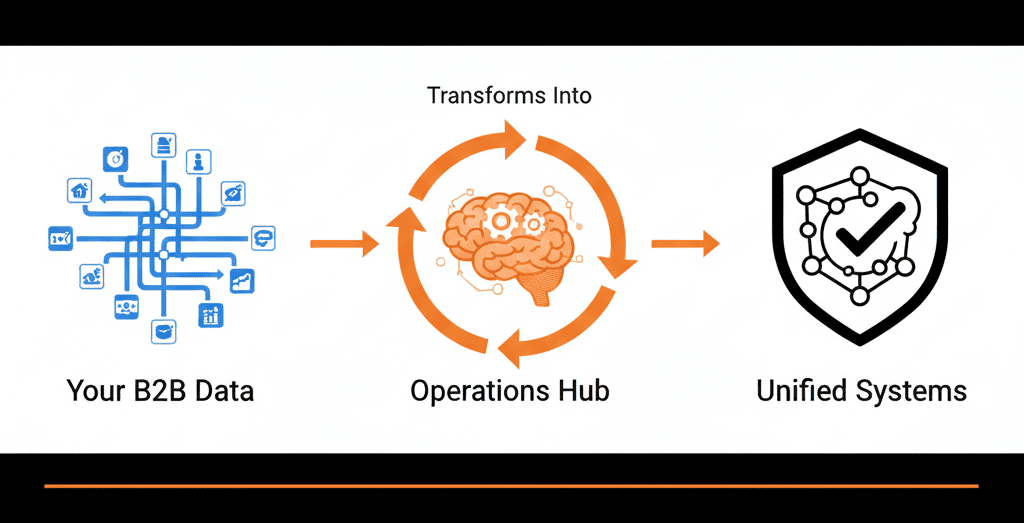
📊 The Final Verdict
- Starter (Ops Hub Starter - ~$50/mo): Buy it if: You hate messy names/phone numbers and want to replace simple Zaps.
- Pro(Ops Hub Pro - ~$800/mo): Buy it if: You need to run code, calculate commissions/dates, or automate complex territory routing. This is the sweet spot for most scaling B2B companies.
- Enterprise (Ops Hub Enterprise - $$$): Buy it if: You have a massive team and need to "dumb down" reporting datasets for executives.
Don’t buy a tool. Buy the solution. Ops Hub only works when configured correctly.
Stop Guessing on Tools
Our Free HubSpot Health Check includes an "Operations Audit." A HubSpot Gold Partner will look at your data friction points and tell you exactly which tier (if any) you need to solve them—and how to build the automation.
Get Your Free HubSpot Health Check