📜 The "PDF Script" is Dead
You spent weeks designing the perfect "Discovery Call Script." You mapped out the questions. You defined the value proposition. You trained the team on MEDDIC.
You saved it as a PDF and emailed it to the sales team.
Two weeks later, you listen to a call recording. The rep asks none of the questions. They "wing it." They skip the budget question. They forget to identify the Economic Buyer.
The PDF is buried in a Google Drive folder, never to be seen again.
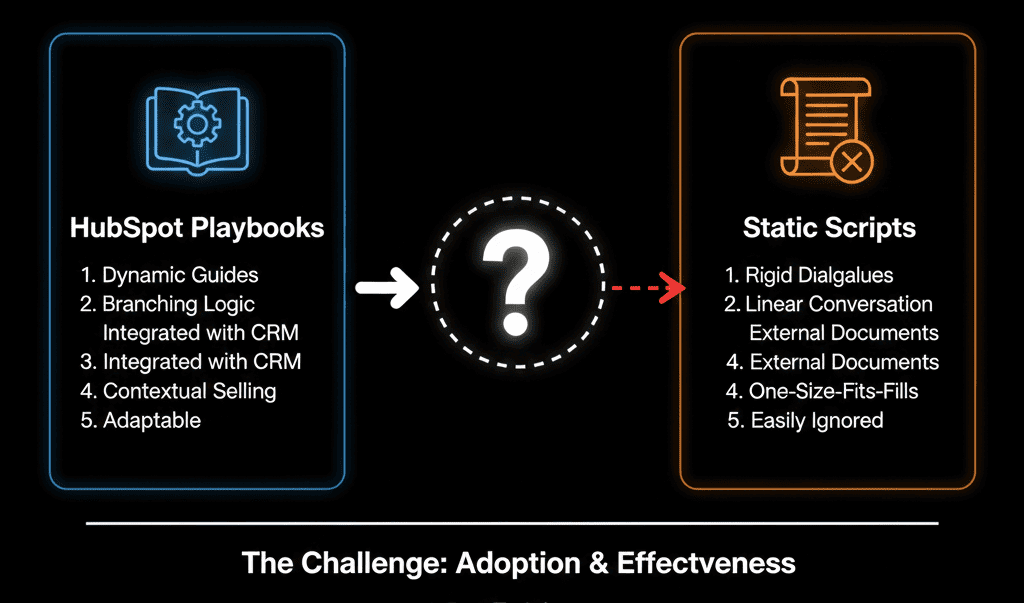
This is the failure of Static Enablement. A script on a second monitor is disconnected from the work. It creates friction.
If you have Sales Hub Professional or Enterprise, you have the solution sitting right there: HubSpot Playbooks.
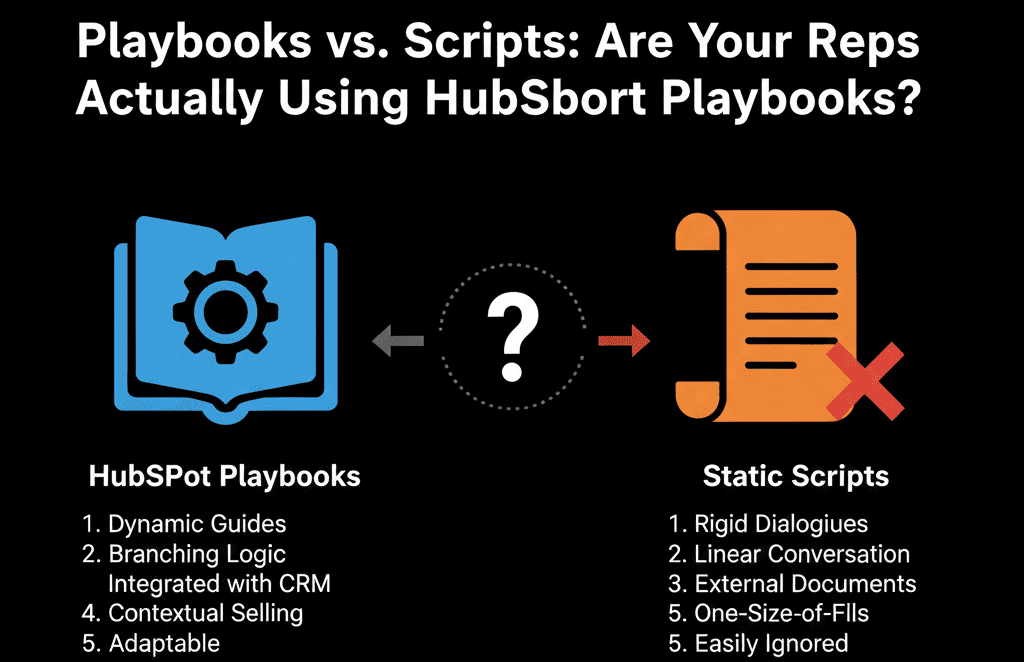
Playbooks are not "scripts." They are interactive applications that live inside the Deal record. They don't just tell the rep what to say; they allow the rep to write data directly to the CRM while they say it.
Here is why you need to kill the PDF and build the Playbook.
🧠 The Psychology of the "Rogue Rep"
Why do reps ignore scripts?
- Disconnect: They have to look away from the CRM to read it.
- Data Entry: If they write notes in the script (Word Doc), they have to re-type them into HubSpot later. (They won't).
- Rigidity: Static scripts don't adapt to the conversation.
HubSpot Playbooks solve this by merging the "Script" and the "Field."
The question ("What is your budget?") appears on the screen. The input field (Amount) appears right next to it. The rep types the answer once. It saves to the Deal record instantly.
🛠️ Use Case 1: The "Methodology" Enforcer (MEDDIC / BANT)
The Goal: Ensure every deal is qualified before moving to "Proposal."
The Playbook: "Discovery Call - MEDDIC."
Instead of hoping your rep asks about the "Decision Process," the Playbook forces it.
- Prompt: "Who else needs to sign off on this?"
- Field: Decision Maker Name (Contact Property).
- Prompt: "Do they have a budget allocated?"
- Field: Budget Status (Dropdown).
The Diagnostic: Go to your Sales Analytics. Look at "Playbook Usage." If it's 0%, your methodology is theoretical, not actual.
🛠️ Use Case 2: The "Competitive Battlecard"
The Goal: Win against a specific rival.
The Playbook: "Vs. Competitor X."
When a rep selects "Competitor X" on the Deal record, you can recommend this Playbook.
- Q: "They mentioned they are looking at [Competitor]?"
- A: "Here is the kill shot: Ask them how they handle [Competitor's Weakness]."
- Input: Competitor Contract End Date (Capture the data for future poaching).
🛠️ Use Case 3: The "AE-to-CSM" Handoff
The Goal: Stop the "Customer Success" team from asking the same questions again.
The Playbook: "Closed Won Handoff."
Sales reps hate "admin." But if you make the Handoff a Playbook, it becomes a checklist.
- Checklist: "Confirm Implementation Date."
- Checklist: "Define Success Metric."
- Button: "Create Onboarding Ticket."
⚠️ The "Usage" Audit
You might have Playbooks, but are they being used? Go to Reports > Sales > Playbook Usage.
- Low Usage? Your Playbooks are too long. A rep won't scroll through 50 questions. Keep it to the "Critical 5."
- High Usage / Low Data? Your questions are "Optional." Make critical fields Required to save the Playbook.
Turn "Art" into "Science."
Sales is an art, but Process is a science. If you let your reps "wing it," you get "winged" results. Inconsistent data. Missed revenue.
HubSpot Playbooks bridge the gap between "Training" and "Doing." They put the guardrails inside the car.
Not sure how to build a MEDDIC Playbook?
This is part of our Free HubSpot Health Check. We will audit your "Sales Enablement" tools. We'll check your Playbook usage, your property mappings, and your qualification logic. We’ll help you build the "Interactive Scripts" that your reps will actually use.
Stop the "Rogue Reps." Get Free Hubspot Audit.