🧮 The "Point Inflation" Crisis
You built a manual lead scoring model in 2021.
- Job Title = VP (+10)
- Clicked Email = (+5)
- Visited Website = (+5)
It worked for a while. But today, you have a problem: Point Inflation.
Marketing automation has gone wild. Prospects are clicking everything. Suddenly, everyone has a score of 85. Your sales team is swamped with "MQLs" that are just "click-happy" tire kickers.
The model is broken because it is Static. It doesn't learn.
Enter HubSpot Predictive Lead Scoring (available in Enterprise).
HubSpot’s predictive lead scoring uses a machine learning model to set a Likelihood to close value (a percentage probability that a contact will close as a customer within the next 90 days) and a Contact priority tier based on that score.
But it’s a "Black Box." It gives a contact a score of "92," but it doesn't tell you exactly why.
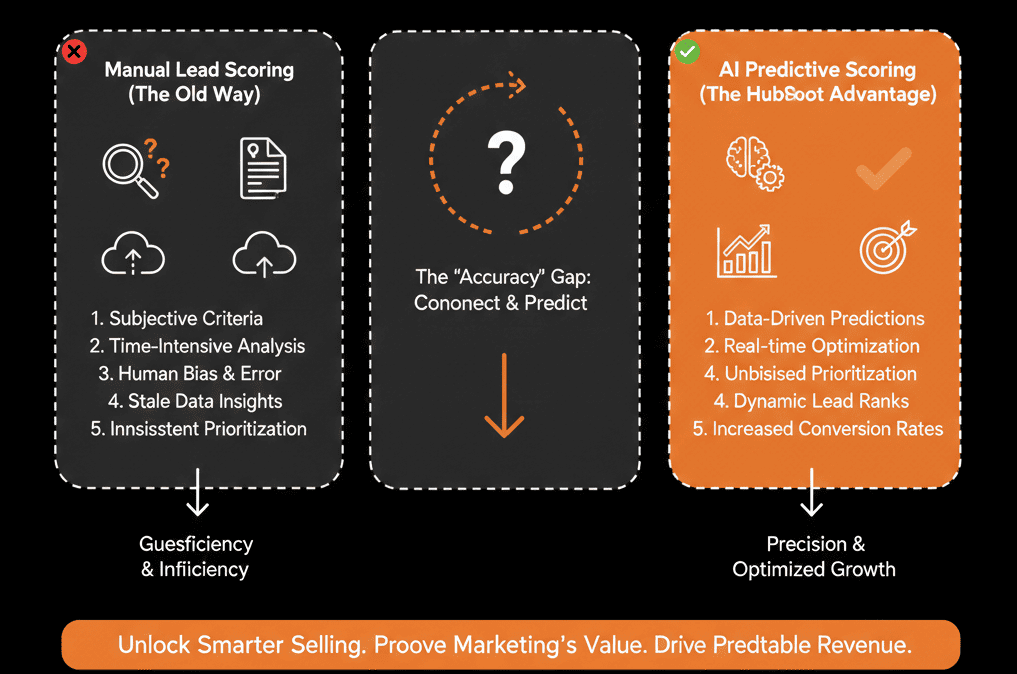
Sales leaders hate black boxes. They want control. So, which is better? The Logic you control, or the Math you don't?
Here is the head-to-head comparison and the "Hybrid Strategy" you should actually use.
🥊 The Contender: Manual Scoring (The "Logic" Model)
This is the traditional score you build yourself using the lead scoring tool (creating score properties that update as a record meets criteria).
Pros:
- Transparency: You know exactly why a lead is an MQL.
- Business Fit: You can push down bad-fit attributes with negative points.
- Control: You can tweak rules fast.
Cons:
- Maintenance Heavy: You have to keep updating criteria as campaigns change.
- Human Bias: Your assumptions can be wrong vs. what the data would show.
- Point Inflation: Scores drift upward as engagement volume grows.
Verdict: Best for Qualification (Is this person a fit?).
🥊 The Champion: Predictive Scoring (The "Math" Model)
This uses HubSpot’s predictive model to score contacts based on patterns across properties and activities, expressed as a probability in the “Likelihood to close” property.
Pros:
- Hidden Patterns: Finds combinations humans don’t think to encode.
- Self-Correction: Scores update as your CRM data evolves.
- Prioritization: Helps teams focus on the most likely-to-close contacts first.
Cons:
- The "Why" Problem: It’s a machine learning model, so it can feel less transparent than rules-based scoring.
Verdict: Best for Prioritization (Who do I call first?).
🤝 The Strategy: The "Hybrid" Model
Don’t choose. Use both. They answer different questions.
1) Use Manual Scoring for "Fit" (The Gatekeeper)
Build a manual score based only on Demographics/Firmographics (Job Title, Industry, Revenue).
The Rule: A lead cannot be an MQL unless Manual Score > 50.
2) Use Predictive Scoring for "Rank" (The Sorter)
Once a lead passes the Fit gate, use “Likelihood to close” to sort priority.
- Lead A: Manual Fit (Pass) + Predictive (95) → Call immediately.
- Lead B: Manual Fit (Pass) + Predictive (40) → Nurture.
3) The "Matrix" View
Create a HubSpot view with two columns:
- Fit score (manual score property).
- Likelihood to close (predictive score property).
Tell them: "Focus on the High/High quadrant first."
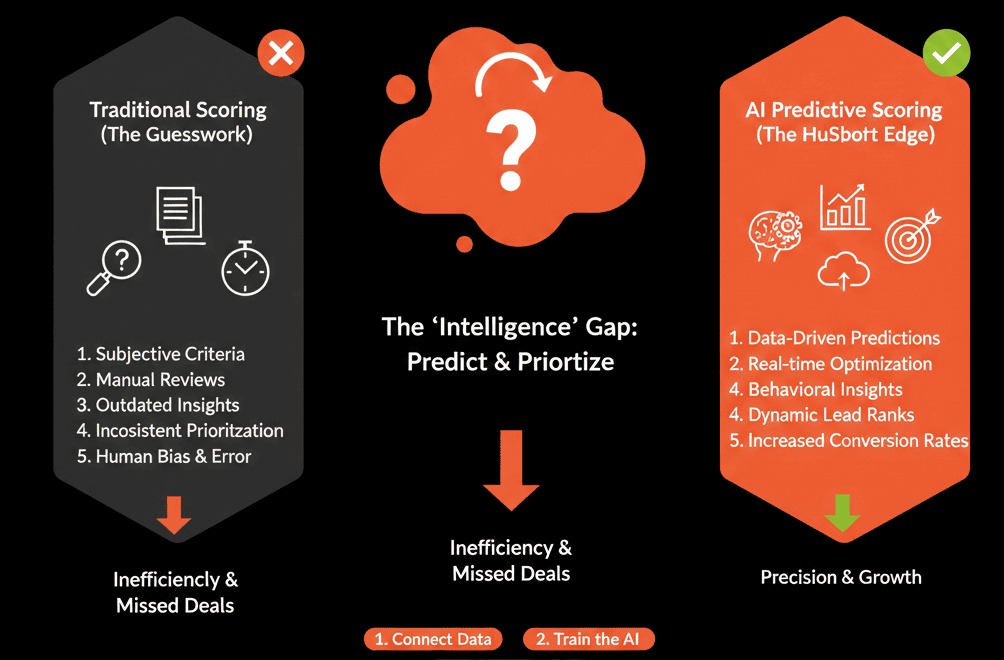
⚠️ The "Data Quality" Warning
AI is only as good as the data it eats.
If your Closed Won data is messy, the model can learn the wrong patterns.
Predictive scoring needs clean historical data to be reliable.
Trust the Math, But Verify the Fit.
Humans are good at Strategy (Who is our ICP?). Machines are good at Pattern Recognition (Who acts like a buyer?).
If you rely 100% on Manual, you are biased. If you rely 100% on AI, you lose context.
The Hybrid Model wins.
Not sure if you have enough data for Predictive?
Score Smarter. Get Your Free Health Check.
This is part of our Free HubSpot Health Check. We will audit your "Scoring Model." We'll check your data volume, your manual rules, and your "Point Inflation." We’ll help you configure the AI so it acts as a "Co-Pilot" for your sales team, not a "Black Box."
Score Smarter. Get Your Free Health Check.