🏜️ The "Mirage" of a Safe Test
It is the classic developer nightmare.
You build a complex lead routing workflow in the Sandbox. You test it. It works perfectly.
You deploy it to Production on Friday afternoon.
On Monday, you wake up to 500 errors.
You scream: "But it worked in the Sandbox!"
The problem isn't the logic. The problem is "Environment Drift."
Your Production portal changes every day. New properties, new users, new data.
Your Sandbox is a snapshot from 6 months ago.
If you are testing on a 6-month-old snapshot, you aren't testing reality. You are testing a mirage.
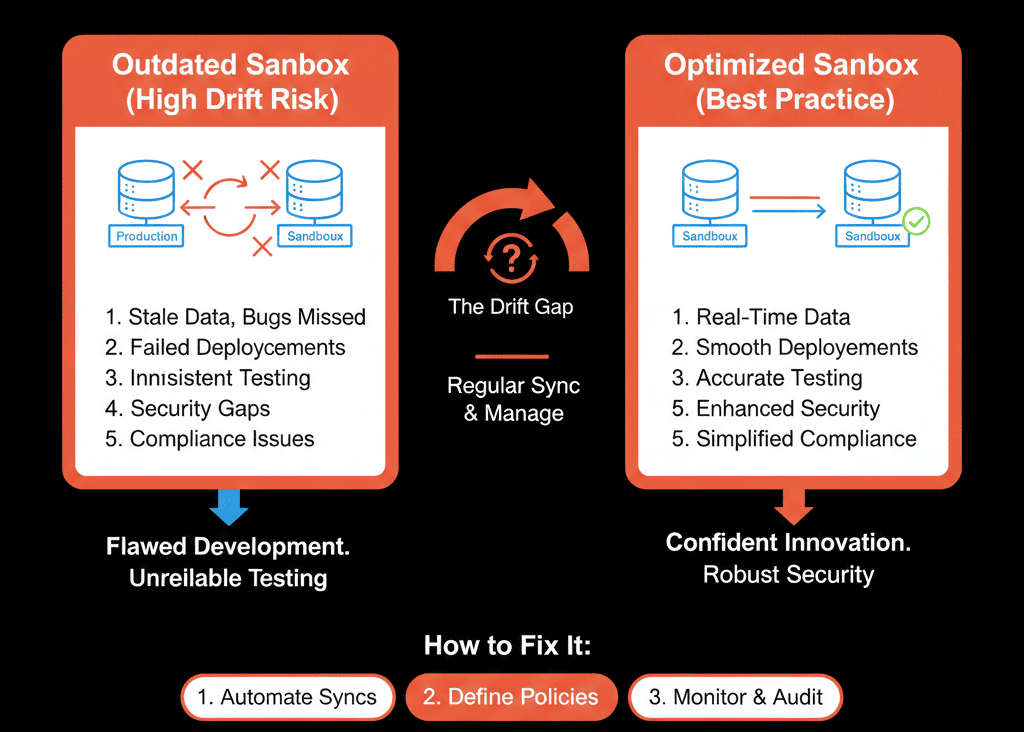
Dev/Prod Parity (keeping the two environments identical) is the only way to ensure safe deployments.
Here is the diagnostic to checking your drift and the governance routine to fix it.
🩺 Diagnostic 1: The "Stale Schema" Crash
The Symptom: You reference a property (ICP_Tier) in your code/workflow, but it errors out in Production because the property ID is different or the options changed.
The Root Cause: Someone updated a dropdown menu in Production, but didn't update the Sandbox.
The Fix: The "Reverse Sync" Rule.
Before any major build, you must perform a "Sync to Sandbox" from Production.
HubSpot allows you to sync "Object Definitions" (Properties/Pipelines). [web:287]
Rule: "Never build on a schema older than 24 hours."
🩺 Diagnostic 2: The "Ghost User" Error
The Symptom: Your workflow assigns leads to "John Smith." But John Smith doesn't exist in the Sandbox (or has a different User ID). The automation fails.
The Root Cause: User tables don't sync automatically.
The Fix: User Mapping.
In the Sandbox, create "Dummy Users" that map to your key Production roles.
Or, use Teams for assignment rather than specific Users. It is more resilient to drift.
🩺 Diagnostic 3: The "Data Volume" Lie
The Symptom: Your API integration works fast in Sandbox (with 10 contacts). It times out and crashes in Production (with 100,000 contacts).
The Root Cause: You are testing "Functionality," not "Load."
The Fix: Data Mirroring.
(HubSpot Enterprise Beta): You can now sync a sample of real data (e.g., 5,000 records) from Production to Sandbox.
Do it. You need to test against "dirty," "high-volume" real-world data, not 5 perfect test records you made by hand.
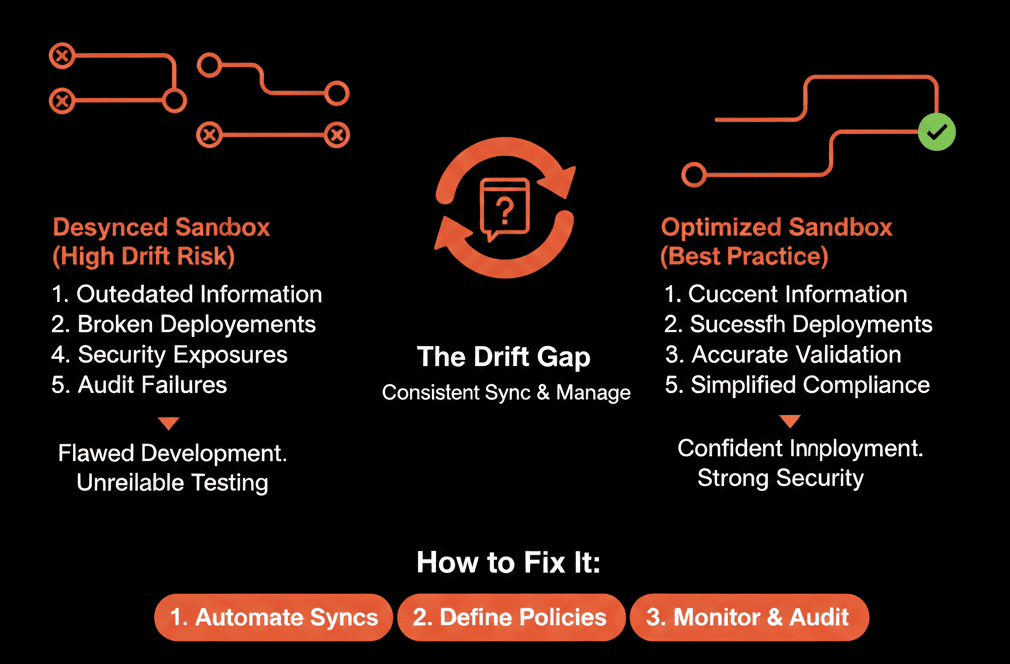
🗓️ The Governance Schedule
You need a routine. Treat your Sandbox like a product.
Weekly:
"Refresh" Sync: Every Friday, overwrite the Sandbox with the latest Production Schema. (Warning: This wipes work in the Sandbox, so coordinate with your team!).
Pre-Project:
"Freeze" Sync: Before starting a major project (e.g., Q3 Migration), do a fresh sync and then "Freeze" the Sandbox so no one else changes it while you build.
Post-Deploy:
"Cleanup": After deploying to Prod, wipe the Sandbox. Don't leave half-finished junk in there.
Trust the Simulation.
Pilots train in simulators that exactly match the cockpit. If the buttons are in different places, the training is dangerous.
Your Sandbox is your simulator. Keep it real.
Not sure if your environments are drifted?
Stop Breaking Production. Get Your Free Health Check.
This is part of our Free HubSpot Health Check. We will audit your "Change Management." We'll check your sync history, your property mismatches, and your deployment error logs. We’ll help you build a "DevOps" culture for your CRM.
Stop Breaking Production. Get Free Hubspot Audit.