📅 The “Monday Morning” Tax
It’s 9:00 AM on Monday. You’re a Sales Manager or RevOps leader. You open HubSpot and begin the ritual.
- You hunt for deals with Close Dates in the past
- You message five reps: “Update your dates.”
- You find contacts stuck in “Open” for 60 days with no activity
- You manually create renewal tasks for deals that closed a year ago
This is the Monday Morning Tax. It quietly consumes 2–4 hours of your week. It’s boring, repetitive, and low-value — but if you don’t do it, your data rots.
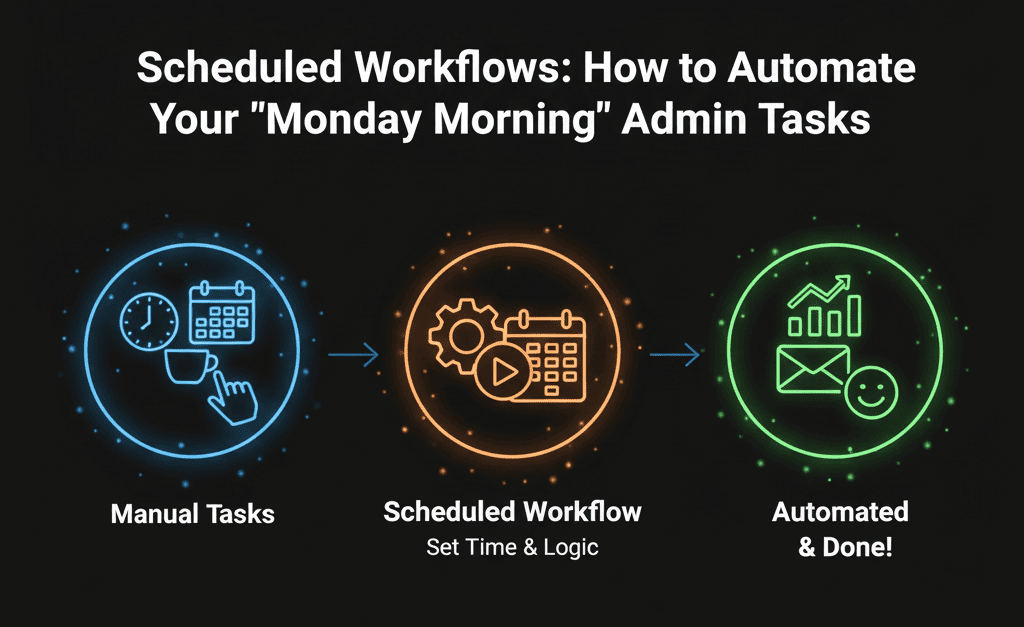
Standard HubSpot workflows are trigger-based (“When this happens… do that”). They’re great for reactions. They’re terrible for routines.
Enter Scheduled Workflows (Operations Hub Pro). They run on a schedule — daily, weekly, monthly — turning HubSpot into a self-cleaning CRM.

⏰ Workflow 1: The “Stale Deal” Sweeper
The Pain: Your forecast is full of lies. Deals sit in “Commit” with Close Dates from last month.
The Fix: A weekly hygiene sweeper.
- Schedule: Weekly (Monday, 8:00 AM)
- Enroll: Deals not Closed Won/Lost AND Close Date before today
- Action 1: Create task for owner: “Update your Close Date”
- Action 2 (Aggressive): Early-stage + no update in 14 days → Closed Lost (“Ghosted”)
Result: Your pipeline is clean before your forecast meeting starts.
⏰ Workflow 2: The “Renewal” Generator
The Pain: You rely on humans to remember renewals. Humans forget. You churn.
- Schedule: Daily (9:00 AM)
- Enroll: Closed-Won Deals with Renewal Date = 90 days from now
- Action 1: Create Deal in Renewal Pipeline
- Action 2: Copy Amount, Company, Contacts
- Action 3: Notify Account Manager in Slack
Result: You never miss a renewal. The system builds the pipeline for you.
⏰ Workflow 3: The “Ghost Contact” Purge
The Pain: Marketing emails thousands of contacts who haven’t engaged since 2021 — hurting deliverability and costing money.
- Schedule: Monthly (1st of the month)
- Enroll: No email opens in 180 days + not Customer/Opportunity
- Action 1: Set Marketing Status → Non-Marketing
- Action 2: Set Lead Status → Recycled
Result: Lower HubSpot bills and a healthier sender reputation.
How to Build It (The Technical Setup)
- Go to Automation > Workflows.
- Click Create Workflow > From Scratch.
- Select Schedule-Based (instead of Contact-Based).
- Set Your Cadence: Choose the day, time, and frequency.
- Add Enrollment Criteria: This is the filter. Who should this apply to right now?
- Add Actions: Just like a standard workflow.
⚠️ The “Set It & Forget It” Trap
Scheduled workflows are powerful — and dangerous. If a bad workflow runs every Monday… it can break things while you sleep.
- Golden Rule: Always add a safety check
- If Deal Amount > $50k → Create Manager Review Task
- If Deal Amount < $50k → Auto Close / Auto Update
Stop being a CRM Janitor. Your job is strategy — not cleaning dates and chasing reps.
Automate Your Mondays
Our Free HubSpot Health Check audits your manual admin work and designs Scheduled Workflows to eliminate it.
Automate Your Mondays. Get Your Free Health Check