♾️ The "Runaway Train" Workflow
It starts with a simple Slack message from your boss.
"Why did I just get 20 email notifications in the last 2 minutes?"
Your blood runs cold. You check HubSpot.
A workflow called "Update Lead Status" has enrolled the same contact 5,000 times in an hour. It is firing triggers, sending emails, and pinging Slack in an endless, rapid-fire loop.
This is the Infinite Loop. It is the RevOps equivalent of a nuclear meltdown.
- It destroys your email deliverability (Spam filters block you).
- It breaks your API limits (Integrations crash).
- It annoys your customers (and your boss).
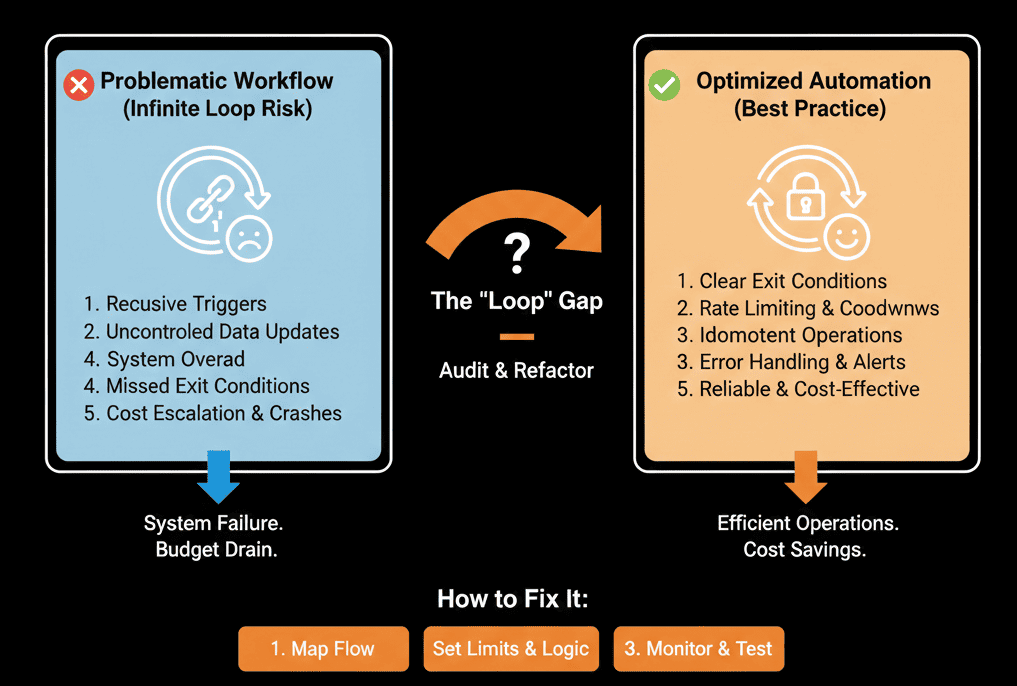
HubSpot has some built-in safeguards, but a "creative" admin can bypass them easily.
Here is the diagnostic to finding the loop and the "Kill Switch" you need to build.
🩺 Diagnostic 1: The "Self-Reflexive" Trigger
The Logic Flaw: The Trigger causes the Action, which causes the Trigger again.
Trigger: Lead Status is "Open." -> Re-enrollment ON.
Action: Update Lead Status to "Open" (to ensure consistency).
The Loop: The workflow sees the property update. It triggers again. It updates it again. Repeat forever.
The Fix: "Property Changed" Filter.
Add a condition: Lead Status is "Open" AND Lead Status has been updated in last 1 day.
Or simpler: Don't allow re-enrollment for the same property you are updating.
🩺 Diagnostic 2: The "Duel" (Two Workflows Fighting)
The Logic Flaw: Workflow A and Workflow B disagree.
Workflow A: If Score > 50, set Stage to "MQL."
Workflow B: If Stage is "MQL" but Region is blank, set Stage back to "Lead."
The Loop: A > B > A > B. The contact bounces back and forth 100 times a minute.
The Fix: Consolidation.
Don't have two workflows managing the same property (Lifecycle Stage).
Combine them into One Master Workflow with If/Then branches. Logic must flow in one direction (downstream), never upstream.
🩺 Diagnostic 3: The "Integration" Echo
The Logic Flaw: HubSpot updates Salesforce. Salesforce updates HubSpot.
HubSpot: Updates First Name. Pushes to SFDC.
Salesforce: Sees "Edit." Pushes back to HubSpot.
HubSpot: Sees "Edit." Triggers Workflow "Data Cleanse." Pushes to SFDC.
The Fix: Integration User Exclusion.
In your HubSpot Workflow triggers, add a filter:
AND "Original Source Data 2" is NOT "Salesforce Integration".
This stops the workflow from firing on updates made by the integration itself.
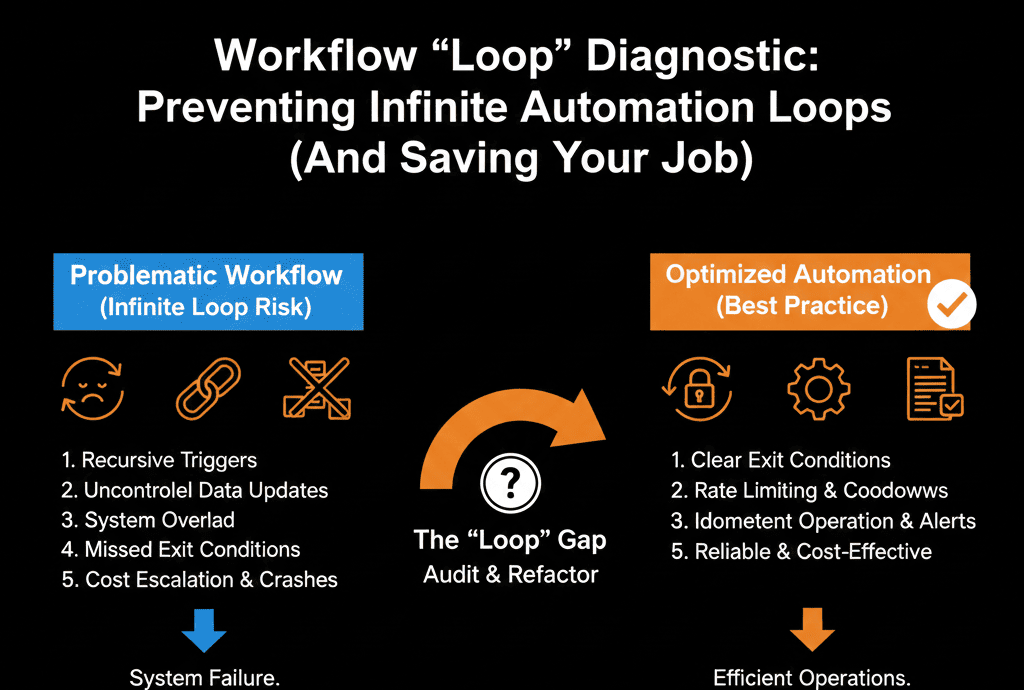
🛑 The "Kill Switch" Protocol
You cannot prevent every bug. But you can contain the explosion.
1. The "Safety Counter" Property
Create a custom number property: Workflow_Run_Count.
In your dangerous workflow, add Step 1: Increase Workflow_Run_Count by +1.
In your Trigger, add: AND Workflow_Run_Count is less than 5.
Result: It can only loop 5 times before it auto-stops.
2. The "Suppress List"
Create a Static List: "Emergency Suppression."
Add this list as an Unenrollment Trigger to every major workflow.
The Fire Drill: If a loop starts, simply dump the contacts (or the whole database) into this list. It stops everything instantly.
Don't Be a Cowboy.
Infinite loops happen when we get lazy with Re-Enrollment Triggers.
We check the box "Allow re-enrollment" because it's easier than building a new workflow. That box is dangerous.
Respect the loop.
Not sure if your automation is safe?
Install the Safety Switch. Get Your Free Health Check.
This is part of our Free HubSpot Health Check. We will audit your "Workflow Map." We'll look for circular logic, conflicting automations, and dangerous re-enrollment settings. We’ll build the "Safety Counter" so you never spam the CEO again.
Install the Safety Switch. Get Free Hubspot Audit.