💬 The "Blue Bubble" vs. The "Orange Bubble"
If you run a SaaS company, you probably use Intercom. It’s the "iPhone" of chat—beautiful, intuitive, and the industry standard.
But you also have HubSpot. And HubSpot has a built-in "Chatflows" tool that looks... pretty similar.
Your CFO is asking: "Why are we paying $15,000 a year for Intercom when HubSpot Chat is free?"
It’s a valid question. The gap between the two tools is closing. But they are built for different purposes.
Intercom is built for Product Usage.
HubSpot is built for CRM Context.
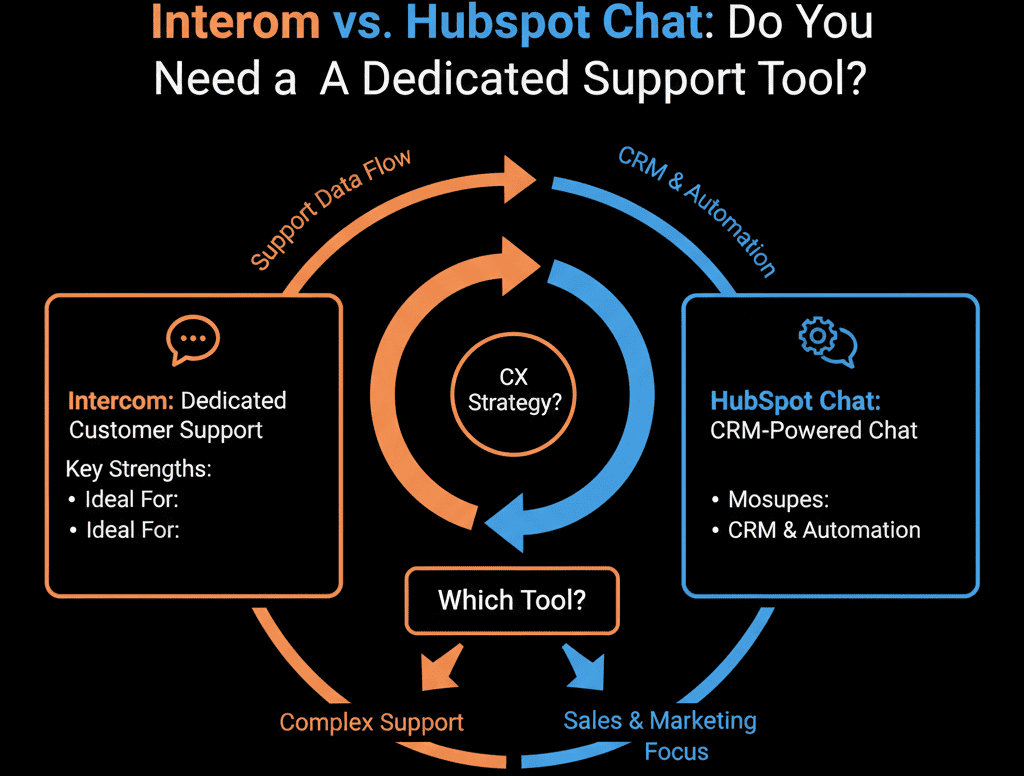
Choosing the wrong one means either overpaying for features you don't use, or frustrating your support team with a tool that can't handle the volume.
Here is the honest breakdown.
🥊 The Contender: HubSpot Chatflows (The "Context" Choice)
HubSpot’s chat tool is native to the CRM.
Pros:
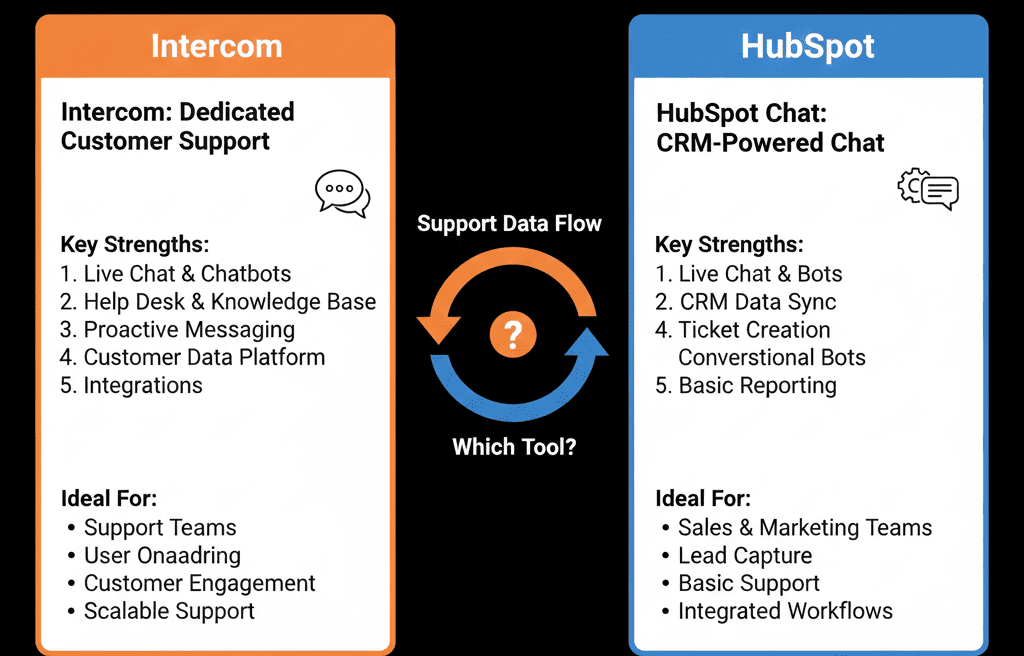
- Identity Resolution: Because it’s connected to the CRM, it knows exactly who the visitor is. "Hi John, welcome back." No duplicate records.
- Workflow Triggers: A chat conversation can instantly trigger a HubSpot Workflow. (e.g., Chat ends -> Create Deal -> Assign Task).
- Cost: It is included in the Service Hub (and even Free tiers).
Cons:
- Product Blindness: It lives on your website, not really inside your app. It can't see "User Session Data" easily (e.g., "This user is on the Pricing Settings page").
- Inbox UI: The "Conversations Inbox" is good, but it lacks the high-velocity "shortcuts" and "macros" of a dedicated support tool.
Verdict: Use HubSpot Chat for Sales & Marketing Chat (Lead Gen) or Low-Volume Support.
🥊 The Champion: Intercom (The "Product" Choice)
Intercom is a "Customer Communications Platform."
Pros:
- In-App Messaging: This is the killer feature. You can send a pop-up inside your SaaS product based on behavior. "I see you're trying to export a PDF. Need help?"
- Product Tours: You can build interactive walkthroughs to onboard users.
- Resolution Bot: Their AI bot is world-class at deflecting tickets before they reach a human.
Cons:
- Cost: It gets very expensive, very fast.
- Data Silo: It is a separate database. You have to sync it to HubSpot (which works well, but is still a sync).
Verdict: Use Intercom if you are a SaaS Company with a heavy focus on Product-Led Growth (PLG) and in-app support.
⚔️ The Integration Strategy (Using Both)
Many scaling SaaS companies use Both.
- HubSpot Chat on the Marketing Website (www.company.com). Captures leads directly into CRM.
- Intercom inside the Web App (https://www.google.com/search?q=app.company.com). Handles support and onboarding.
The Sync: Use the HubSpot-Intercom Integration to:
- Create Leads in HubSpot when they chat in Intercom.
- Sync "Conversations" to the HubSpot Activity Timeline so Sales reps can see what Support is talking about.
Don't Cheap Out on Support.
If your support team handles 500+ chats a day, Intercom is worth every penny. The efficiency gains (macros, bots, shortcuts) pay for the license.
If you are a B2B Service firm getting 5 chats a week, HubSpot Chat is perfect. Do not overbuy.
Not sure if your volume justifies the cost?
Chat Smarter
This is part of our Free HubSpot Health Check. We will audit your "Conversational Strategy." We'll look at your chat volume, your "deflection rate," and your team's workflow. We’ll tell you if you can consolidate to HubSpot or if you need the power of Intercom.
Chat Smarter. Get Free Hubspot Audit.