Why Manufacturing CRMs Break in Multi-Step Channels
If you sell through distributors, dealers, reps, and installers, your reality looks like this:
- You invoice distributors.
- Distributors sell to dealers.
- Dealers sell and service end customers.
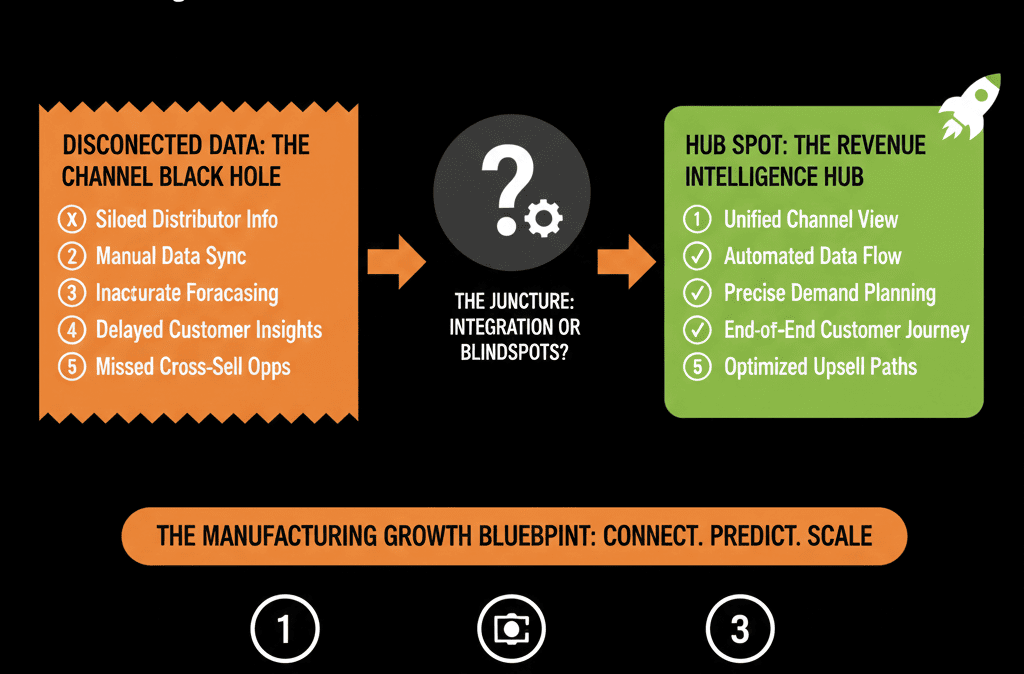
Your pipeline visibility stops at the first or second step.
Sales, marketing, and leadership all ask the same questions:
- Which distributors actually move product vs just hold territory?
- Which dealers are bringing in the right kind of end customer?
- How does demand generation at the top end turn into orders downstream?
Most CRMs are set up as one company = one customer.
That model breaks in manufacturing.
HubSpot can handle manufacturing’s complexity if you design:
- The right company structure (distributor, dealer, end customer).
- The right associations between them.
- The right objects and properties for channel programs and orders.
Let’s walk through how.
Step 1: Define Your Channel Layers Clearly
Start by writing down the actual layers in your route to market:
Common patterns:
- Manufacturer → Master Distributor → Local Distributor → Dealer → End Customer.
- Manufacturer → Sales Rep Firm → Dealer / VAR → End Customer.
- Manufacturer → Direct Enterprise Deals + Channel Deals.
For each layer, define:
- What commercial relationship you have (contracts, rebates, MDF, co-marketing).
- Who owns the relationship internally (channel sales, regional sales, marketing).
- What you want to measure (volume, margin, pipeline, product mix, region).
These decisions guide your HubSpot data model.
Step 2: Design a Tiered Company Structure in HubSpot
HubSpot “Companies” can represent different entity types, not just end customers.
Company types
Add a required property on Company:
company_type (dropdown): Manufacturer (you), Distributor, Dealer / Reseller, End Customer, OEM / Strategic Partner (if relevant).
Account hierarchies
Use associations to model:
- Distributor → associated Dealers.
- Dealer → associated End Customers.
- Rep firm → associated accounts they cover.
You can use:
- Native company-to-company associations (e.g., “Parent/Child,” “Partner of,” etc.).
- Custom association labels (e.g., “Distributor of,” “Dealer of”).
The aim:
- A distributor record shows all downstream dealers.
- A dealer record shows all downstream end customers.
- An end customer record shows which dealer/distributor they’re tied to.
This hierarchy lets you:
- Roll up performance from end customers back to dealers and distributors.
- Segment for channel-specific marketing and enablement.
Step 3: Map Contacts to the Right Layer and Role
Contacts are people, and in manufacturing you deal with many roles:
- Distributor account managers.
- Dealer owners and sales teams.
- End-customer buyers, engineers, and maintenance staff.
- Rep firm principals.
Define at least two key properties:
- contact_role (Buyer, Influencer, Technical, Service, Finance, etc.).
- channel_role (Distributor rep, Dealer sales, End customer, Rep firm, etc.).
Associate each contact to the correct Company:
- Distributor staff → Distributor company.
- Dealer staff → Dealer company.
- End users → End Customer company.
This allows:
- Targeted communication (distributor enablement vs dealer promotions vs end-user campaigns).
- Cleaner attribution (which human in which layer influenced which deal).
Step 4: Decide What “Deals” Represent in Your Channel
Manufacturers often confuse:
- Distributor POs (orders to you).
- Dealer sales (sell-out).
- End customer projects (specs, tenders, bids).
You need to decide what a HubSpot deal is at each layer.
Common pattern
End-customer opportunity
A project, tender, or specific opportunity at the end customer.
Tracked as a Deal associated with:
- End Customer company.
- The Dealer they work with.
- The Distributor that will fulfill.
Distributor order / PO
Optional separate Deal pipeline tied to actual purchase orders.
Associated with Distributor company.
Links back to end-customer opportunity where relevant.
You can:
- Use one main Opportunity pipeline focused on end customer projects.
- Optionally use a PO / Order pipeline for operational tracking with distributors.
HubSpot supports setting up and managing pipelines for objects such as deals and tickets, and you can also manage access and rules around pipelines.
This separation helps you:
- Forecast demand at the project level (longer sales cycles).
- Track actual order volume over time by channel.

Step 5: Use Custom Objects for Products, Programs, or Locations (If Needed)
Some manufacturing use cases benefit from custom objects, and HubSpot supports creating and editing custom objects as part of your data model.
Examples:
- Product Lines / SKUs: associate deals and companies to product families; report revenue by product line.
- Channel Programs / Agreements: track program tier, rebate %, MDF eligibility, special terms.
- Sites / Locations: represent plants/facilities as a custom object associated to the parent company and relevant deals.
Design only what you need:
- Start with Companies and Deals.
- Add custom objects when reporting or process requirements justify the complexity.
Step 6: Align Marketing, Sales, and Channel Teams in HubSpot
Once the data model is set, use HubSpot to coordinate all three motions.
6.1 Marketing to distributors and dealers
Build:
- Lists and segments: company_type = Distributor/Dealer, region, tier, performance.
- Campaigns: new product launches, enablement content, co-marketing opportunities.
Track engagement and build partner health indicators:
- Email engagement.
- Portal / asset usage.
- Event attendance.
6.2 Sales to end customers (with channel influence)
Your direct sales or reps can:
- Work end-customer deals associated to relevant dealers/distributors.
- Log activities that all stakeholders can see.
- Use playbooks tailored to specification, tender, or retrofit work.
Channel managers can see:
- Which end-customer projects their partners are attached to.
- Which partners are actively bringing deals vs sitting on territory.
6.3 Service and support visibility
Use Tickets to:
- Track post-install issues.
- Log warranty claims.
- Record recurring service work.
Associate Tickets with:
- End customer.
- Dealer (installer/servicer).
- Distributor (where relevant).
Now, when you look at a Distributor or Dealer, you see pipeline, service history, and downstream relationships.
Step 7: Build Manufacturing-Specific Dashboards
With the model and associations in place, build dashboards that answer real GTM and leadership questions.
7.1 Channel performance dashboard
- Revenue by Distributor, Dealer, and region.
- Active opportunities by partner and stage.
- New vs existing end customers per channel.
- Partner health scores (activity + volume + growth).
7.2 Spec and project pipeline dashboard
- Open end-customer projects by stage, product line, and territory.
- Hit rate on tenders/specs.
- Time from spec to order.
- Key accounts and projects at risk.
7.3 End-customer segment dashboard
- Installed base by industry and geography.
- Cross-sell and upsell opportunities (complementary product lines).
- Service and support volumes by segment (where issues cluster).
Leadership should be able to open HubSpot and see:
- Which channels are truly performing.
- Where pipeline exists beyond first-tier orders.
- Which end customers and projects matter most this quarter.
Step 8: Use Workflows to Manage Channel Handoffs and Visibility
Workflows help coordinate across the layers, and HubSpot supports creating workflows for automation.
Lead routing
- For inbound leads, identify if they are end customers, dealers, or distributors.
- Route to correct internal owner (channel vs direct).
- Notify relevant partners where appropriate (with clear rules).
Deal and project visibility
- When an end-customer deal is created, automatically associate the correct Dealer and Distributor.
- Create tasks for internal and partner-facing reps.
- Update partner scorecards (via properties or reports).
Partner onboarding and tiering
- When a Company is marked as a new Distributor/Dealer, trigger onboarding sequences and training invites.
- Assign a channel manager.
- Start data capture for program tier.
Renewals and service cycles
- For installed equipment with known service intervals, create future-dated deals or tickets tied to sites/locations.
- Notify the Dealer responsible for service.
- Track completed work and future opportunities.
These workflows prevent deals, projects, and service work from vanishing in channel complexity.

Step 9: Govern Data Quality Across the Channel
Channel environments magnify data problems—duplicate accounts, mis-tagged partners, lost contacts.
To keep HubSpot usable:
Define strict rules for:
- Naming Companies (especially for multi-location customers).
- company_type values and when to use each.
- Parent-child and partner association labels.
Limit who can:
- Create new pipelines and key properties.
- Change company_type or break associations.
Review monthly:
- New Companies without company_type.
- Deals missing Distributor/Dealer associations.
- Orphan end-customer records with no partner link.
Data discipline upstream makes your channel reporting meaningful.
Turn HubSpot into Your Manufacturing Channel Command Center
If you manufacture products and sell through distributors and dealers, a generic CRM setup is not enough. You need:
- A clear representation of your full route to market.
- Accurate mapping between distributors, dealers, end customers, and projects.
- Dashboards that show performance by channel, territory, and product line—not just by “account.”
HubSpot can do this, but only with a channel-aware architecture:
- Tiered company types and associations.
- Clear deal definitions at the project and order level.
- Proper use of custom objects where they earn their keep.
- Governance and workflows that respect how you actually sell and service.
If you want help building a clean, channel-aware HubSpot architecture for manufacturing, our team at ElanceMind can support you.