🌉 The "Bridge" That Collapsed
You have the classic Enterprise stack.
- Salesforce for the Sales Team.
- HubSpot for the Marketing Team.
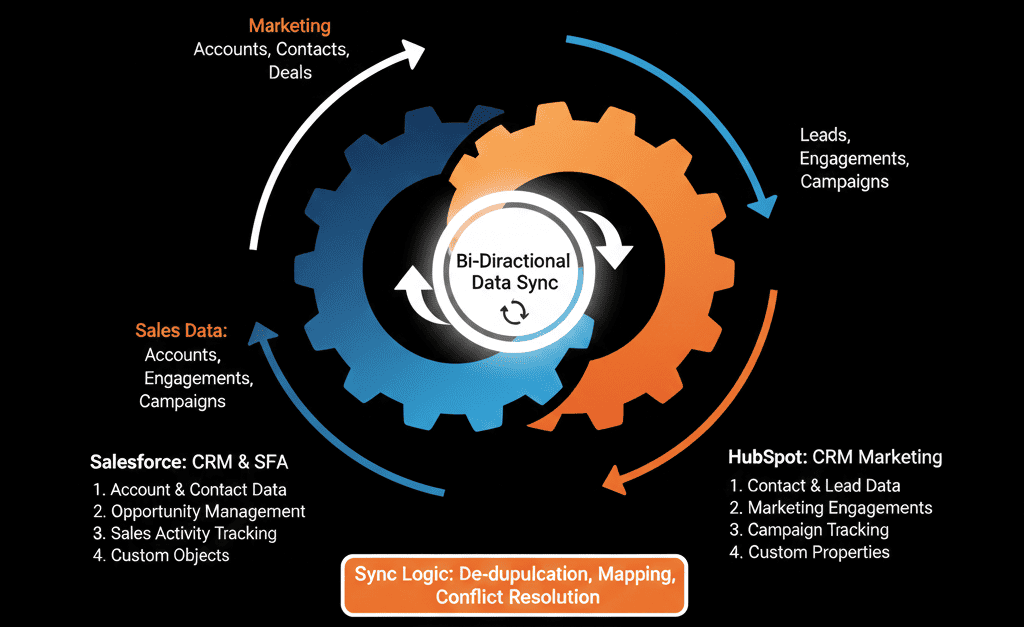
You connected them with the native integration. You turned on "Bi-Directional Sync."
And then, chaos.
- Salesforce overwrote your HubSpot lifecycle stages.
- HubSpot pushed 50,000 "junk leads" into Salesforce, polluting the sales pipeline.
- Duplicates are multiplying like rabbits.
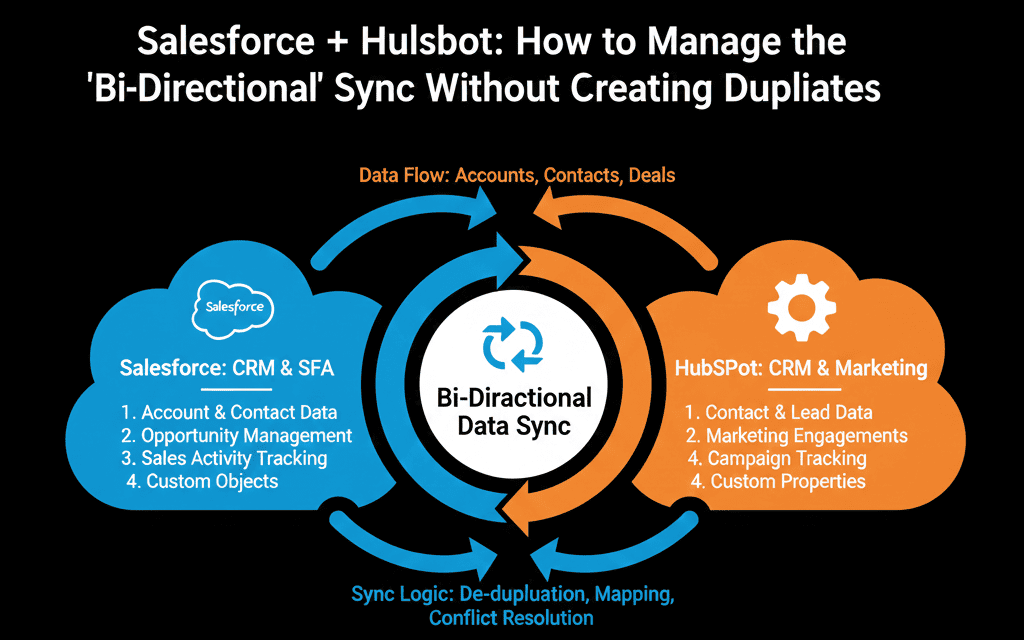
The HubSpot-Salesforce Sync is powerful, but it is dangerous. If you don't configure the "Traffic Rules," you will crash the cars.
Here is the Governance Guide to running the hybrid stack without breaking your database.
🛡️ Rule 1: The "Inclusion List" (The Gatekeeper)
The Mistake: Syncing everything.
The Consequence: Every time someone downloads a PDF in HubSpot, a "Lead" is created in Salesforce. Your Sales Reps wake up to 1,000 "junk" leads. They stop trusting the CRM.
The Fix: The Inclusion List.
You must configure the sync to only send contacts to Salesforce IF they meet specific criteria.
Criteria: Lifecycle Stage = MQL (Marketing Qualified Lead).
Result: Marketing keeps the "junk." Sales only sees the "gold."
🛡️ Rule 2: The "Field Mapping" Direction (The Source of Truth)
The Mistake: Setting every field to "Two-Way Sync."
The Consequence: A sales rep updates the Job Title in Salesforce. An old form submission in HubSpot overwrites it 10 minutes later. The rep is furious.
The Fix: Define the Master.
Salesforce Wins: Job Title, Company Name, Deal Amount. (Sales owns this).
HubSpot Wins: Lead Source, Last Email Open, Form Submission. (Marketing owns this).
Config: set the update rule to "Use Salesforce value" or "Use HubSpot value" specifically for each field.
🛡️ Rule 3: The "Campaign" Sync (Attribution)
The Mistake: Not syncing campaigns.
The Consequence: Marketing can't prove ROI because "Closed Won" deals live in Salesforce.
The Fix: Campaign Association.
Configure the sync to create Salesforce Campaign Members when a HubSpot contact engages with a specific asset.
Result: You can see "HubSpot Influence" inside Salesforce Reports.
⚠️ The "Duplicate" Trap
Salesforce uses Lead and Contact objects. HubSpot just uses Contacts.
If a Lead converts to a Contact in Salesforce, but HubSpot doesn't know...
HubSpot might create a new Lead in Salesforce. Now you have duplicates.
The Fix: Ensure the "Automatically delete the lead in HubSpot when it is converted in Salesforce" setting is OFF (or carefully managed), and rely on the Salesforce Lead ID and Salesforce Contact ID properties to track the conversion.
Respect the Architecture.
Running two CRMs is hard. It requires a "Systems Architect."
You can't just "turn it on." You have to design the flow.
Not sure if your "Inclusion List" is tight enough?
Fix the Sync
This is part of our Free HubSpot Health Check. We will audit your "Salesforce Sync." We'll check your field mappings, your sync errors, and your duplicate rates. We’ll tune the engine so Marketing and Sales can live in harmony.
Fix the Sync. Get Free Hubspot Audit.