🎥 The "Black Box" of Video Sales
Your sales reps are sending videos. "Hi [Prospect], I made a 2-minute Loom for you!"
It’s a great strategy. Video humanizes the sale.
But it has a fatal flaw: It’s a black box.
- Did they watch it?
- Did they watch 10 seconds or the whole thing?
- Did they re-watch the pricing section 3 times?
If you are using a standalone tool (like the free version of Loom), you have no idea. You are flying blind. You might follow up with a prospect who ignored you, or ignore a prospect who watched your demo 5 times.
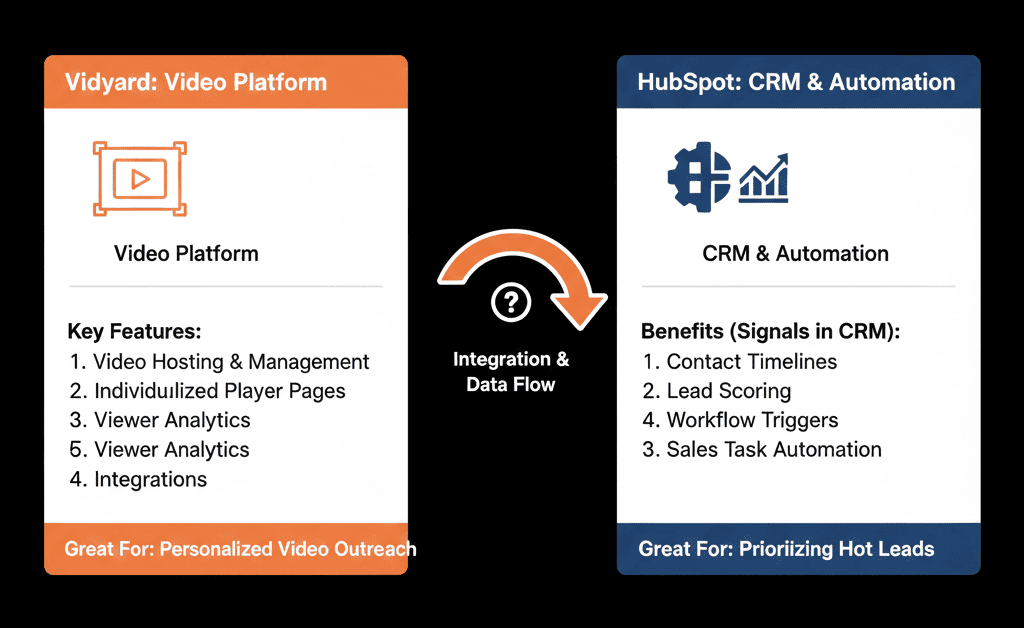
This is why B2B teams use Vidyard. Vidyard isn't just a video recorder. When integrated with HubSpot, it becomes a "Sensor." It turns "video engagement" into "hard data" inside the contact record.
Here is how to use that data to close deals.
📡 Feature 1: The "Percent Watched" Trigger
The Pain: Following up blindly.
The Fix: Behavior-Based Triggers. Vidyard pushes a custom property to HubSpot: Video Percent Watched.
- Trigger: Contact has watched video "Demo Overview" > 75%.
- Action: Create Task for Sales: "HOT LEAD: Watched 75% of demo. Call now."
- Trigger: Contact has watched video < 10%.
- Action: Send Email: "TL;DR? Here is the 3-bullet summary."
Result: You treat "watchers" differently than "skippers."
📡 Feature 2: The "Re-Watch" Alert (Pricing Intent)
The Pain: Missing the "buying signal."
The Fix: Intent Scoring.
- Trigger: Video "Pricing Walkthrough" watched > 2 times.
- Action: Lead Score + 50 points.
- Action: Send Slack Alert to Rep: "👀 [Company] is studying the pricing video. Jump in."
Result: You catch the deal at the critical moment.
📡 Feature 3: The "Thumbnail" Personalization
The Pain: Low click-through rates (CTR) on emails.
The Fix: Animated Thumbnails.
Vidyard allows you to embed an animated GIF thumbnail directly into the HubSpot email editor. Seeing a moving image of the rep holding a whiteboard with "Hi [Name]" increases CTR by 30-50%.
The Integration: It’s native. You don't have to download/upload GIFs. Just drag and drop inside the HubSpot email builder.
⚠️ The "Loom vs. Vidyard" Debate
Loom is great for internal comms. It is faster and lighter.
- Use Loom: For Slack updates to your team.
- Use Vidyard: For any video sent to a prospect. Why? Because Vidyard identifies who is watching. Loom usually just shows "Anonymous User" unless they are logged in. Vidyard cookies the user via HubSpot tracking, so you know exactly which lead watched it.
Video is Data. If you are sending videos without tracking the data, you are just "creating content." You aren't "selling."
By integrating Vidyard with HubSpot, you turn content consumption into a Conversation Starter. "I noticed you watched the section on our API integration. Did you have any technical questions?" That is a winning sales call.
Don't Miss a Hot Lead
Not sure how to build the "Video Workflow"? This is part of our Free HubSpot Health Check.
We will audit your "Sales Enablement" stack. We'll set up the Vidyard integration, map the "Percent Watched" properties, and build the alerts that tell your reps exactly when to call.
See Who's Watching. Get Your Free Health Check.