📧 The "Invisible" Email
Your rep swears they sent the proposal.
You check the Deal Activity timeline. Nothing.
You ask: "Did you log it?"
They say: "I think so? The box was checked."
This is the "Logging Anxiety."
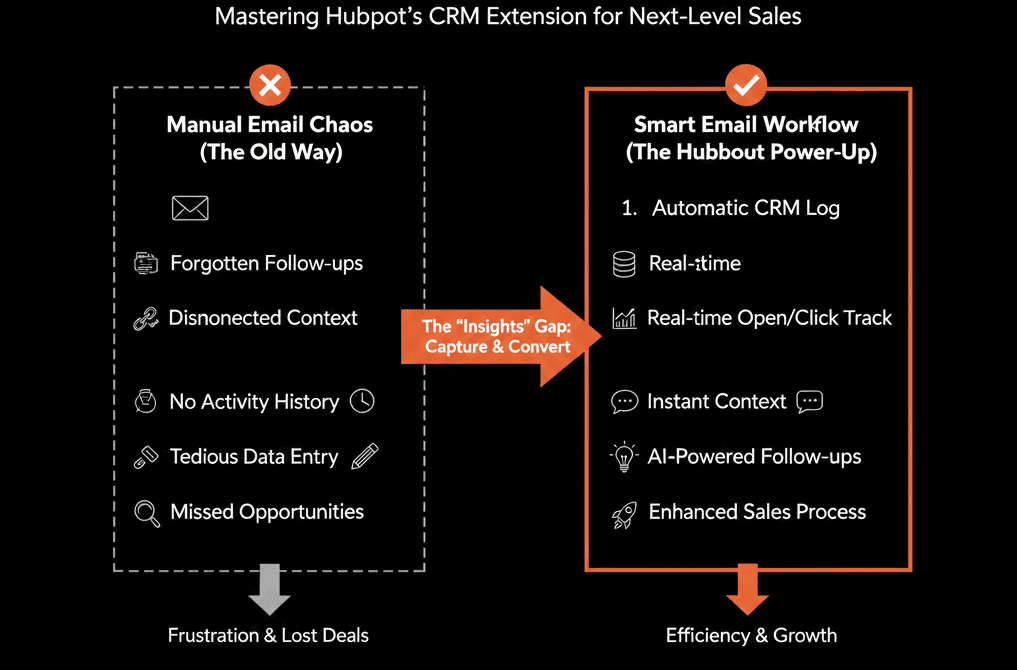
The HubSpot Sales Extension (for Chrome/Outlook) is the bridge between your Inbox and your CRM. When it breaks (or is used wrong), data vanishes.
The confusion stems from two checkboxes: Log and Track. They look similar, but they do completely different things.

Here is the deep dive to ensure every critical email makes it into the system.
🪵 The "Log" Checkbox (The Database)
What it does: It sends a copy of the email body into the HubSpot CRM.
When to use it: When the content matters. (e.g., Proposals, Meeting Recaps, Negotiations).
How it works:
- It searches for the recipient's email address in HubSpot.
- If found, it attaches the email to their record.
- If NOT found, it Creates a New Contact automatically (unless you turn this setting off).
The Risk: Logging emails to your Mom, your internal team, or investors. (See "Never Log" below).
👁️ The "Track" Checkbox (The Spy)
What it does: It puts a 1x1 invisible pixel in the email to see if and when it is opened.
When to use it: Almost always.
How it works:
- When the pixel fires, you get a "Chrome Notification" or "Activity Feed" alert.
- The "Someone" Problem: If you send an email to 10 people, HubSpot often just says "Someone opened your email." It can't always tell who.
The Risk: False positives. Spam filters often "click" emails to check them, triggering a fake "Open" alert. Don't call a lead just because they opened an email 1 second after you sent it—that's a bot.
🛑 The "Never Log" List (Governance)
You do NOT want every email in the CRM.
- Internal HR discussions.
- Legal emails with investors.
- Personal emails.
The Fix: Global Never Log List.
Go to Settings > Objects > Activities > Email Logging.
Add Domains: yourcompany.com (Internal), gmail.com (Personal - Use caution), investor-firm.com.
Result: Even if a rep accidentally leaves "Log" checked, HubSpot blocks it. This is your safety net.
🔗 The "Association" Problem
You send an email to John Smith. He works at Acme Corp. There is an open Deal for Acme.
Where does the email go?
Default: It goes to John (Contact) and Acme (Company).
The "Deal" Checkbox: It does not always automatically go to the Deal.
The Fix: Before hitting send, look at the HubSpot Sidebar. Ensure the Deal checkbox is ticked. If not, the email logs to the person, but your "Pipeline View" shows zero activity.
Trust but Verify.
The Extension is a tool, not magic. It requires user intent.
Best Practice:
- Track: Default ON.
- Log: Default ON (with "Never Log" list active).
- Association: Check manually for big deals.
Not sure if your "Never Log" list is comprehensive?
This is part of our Free HubSpot Health Check.
We will audit your "Email Integration." We'll check your user settings, your blocklists, and your creation rules to ensure you are capturing sales data without cluttering the CRM with junk.