📋 The "One-Question" vs. The "Deep Dive"
You need to ask your customers questions.
Scenario A: You want to know if they are happy after closing a ticket. (One question).
Scenario B: You want to validate pricing for a new product line with 20 conditional logic paths. (50 questions).
If you use the wrong tool, you fail.
- Use SurveyMonkey for Scenario A, and your response rate drops because it's too heavy.
- Use HubSpot for Scenario B, and you hit a wall because the features don't exist.
The debate isn't "Which is better?" It is "What is the Goal?"
- HubSpot Service Hub is for CX (Customer Experience).
- SurveyMonkey is for Research.
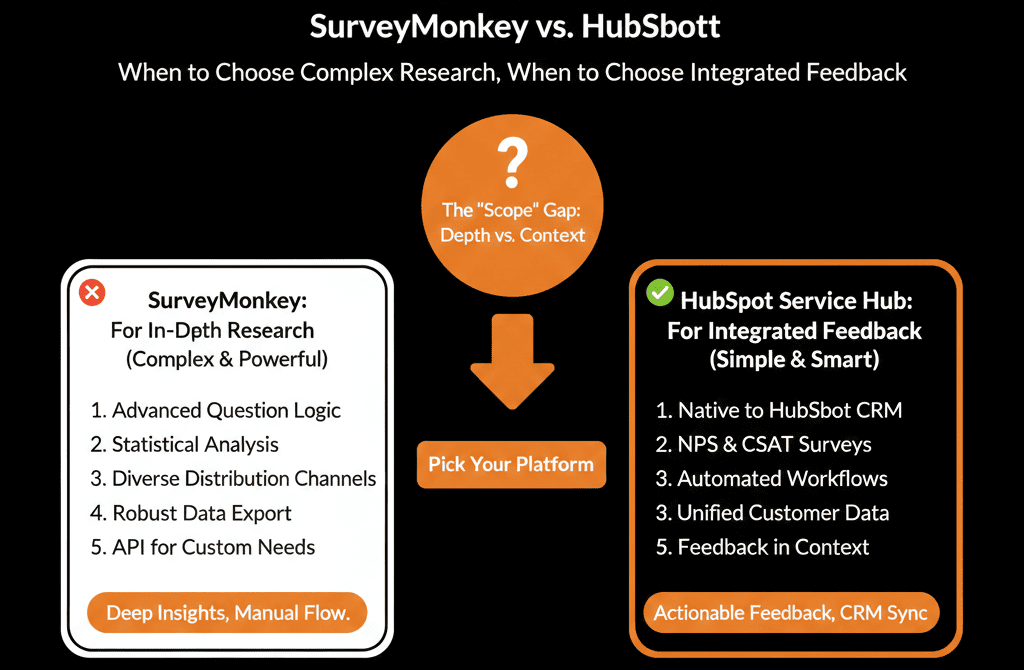
Here is the architectural guide to choosing the right feedback engine.
🥊 The Contender: HubSpot Service Hub (The "Pulse" Choice)
HubSpot’s survey tool (available in Service Hub Pro/Ent) is built for Speed and Automation.
Pros:
- Identity: It knows exactly who the contact is. No need to ask for "Email."
- Automation: The killer feature.
- Score = 9 (Promoter) -> Trigger "Ask for Review" workflow.
- Score = 1 (Detractor) -> Trigger "Create Ticket" for Manager.
- The "Big 3": It comes with pre-built, industry-standard templates for NPS (Loyalty), CSAT (Satisfaction), and CES (Effort).
Cons:
- Logic Limits: It has basic "If/Then" logic, but you can't build complex "Skip Logic" trees based on 5 previous answers.
- Design: It is functional, but rigid. You can't make it look like a highly branded consumer experience.
Verdict: Use HubSpot for Transactional Feedback (After a call, after a deal, quarterly NPS).
🥊 The Champion: SurveyMonkey (The "Research" Choice)
SurveyMonkey is a dedicated research platform.
Pros:
- Logic Branching: You can build incredibly complex paths. "If they answer 'A' to Q1 and 'B' to Q5, show Q6."
- Anonymous Panels: You can buy responses from strangers (Market Research). HubSpot can only survey your contacts.
- Analysis: It has advanced statistical analysis tools (Word Clouds, Sentiment Analysis) that go deeper than HubSpot.
Cons:
- The Silo: The data lives in SurveyMonkey. You have to sync it back.
- Cost: Enterprise features get expensive.
Verdict: Use SurveyMonkey for Product Validation, Pricing Research, or Annual "State of the Industry" Reports.
⚔️ The Integration: Best of Both Worlds
You don't have to choose. You can integrate them.
The "Synced" Strategy:
- Send via HubSpot: Use HubSpot to email the SurveyMonkey link (so you can track the send).
- Capture via SurveyMonkey: Let the user take the complex survey.
- Sync to HubSpot: Use the native integration to push the answers back into HubSpot.
Map Q1 Answer -> Custom Property Product Interest.
Map Q2 Answer -> Custom Property Budget Range.
The Workflow:
Even though the survey happened in SurveyMonkey, the data lands in HubSpot, allowing you to trigger a Sales workflow based on the answers.
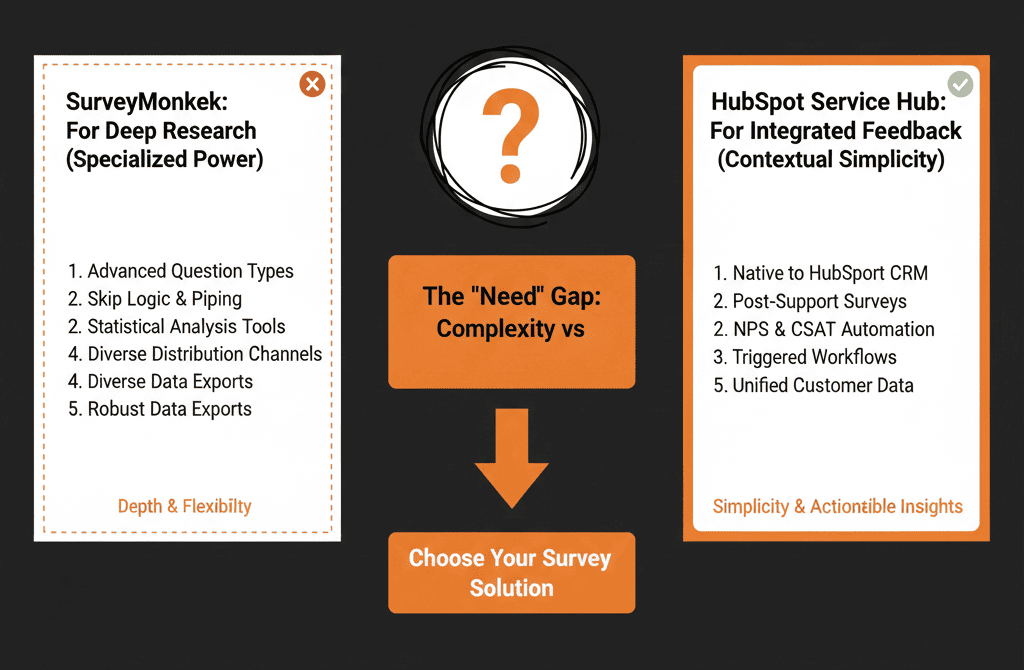
Don't Fatigue Your Audience.
The biggest risk with surveys isn't the tool; it's the Frequency.
If you send a SurveyMonkey link every week, people unsubscribe.
If you send a HubSpot NPS every 30 days, people ignore it.
Governance Rule:
Use HubSpot properties to track Last Survey Date. Don't send another one for 90 days.
Not sure how to map SurveyMonkey fields to HubSpot properties?
We will audit your "Feedback Strategy." We'll set up your NPS automation in HubSpot and your Deep Research integration in SurveyMonkey. We’ll make sure you are listening to your customers, not just annoying them.