The Wrong Question: “Which Has More Features?”
If you’re a CEO or founder, you’re not buying a CRM for features.
You’re buying a revenue system.
Yet most comparisons reduce HubSpot vs Zoho to:
- How many modules they have.
- How many emails you can send.
- How many integrations are listed on a marketplace page.
That’s not how you choose a system that will:
- Align sales, marketing, and CS.
- Give you reliable pipeline and revenue visibility.
- Scale with headcount and complexity without breaking.
This is a no-BS comparison focused on:
- Revenue clarity.
- Adoption and change management.
- Long-term RevOps architecture.

Framing the Decision: What CEOs Actually Need from a CRM
Regardless of platform, your CRM needs to:
- Be the single source of truth for customer and pipeline data.
- Support aligned processes across marketing, sales, and CS.
- Provide trusted reporting for board- and exec-level decisions.
- Be usable enough that teams work inside it every day.
The real question isn’t “HubSpot or Zoho?”
It’s: Which platform is more likely to give us a self-driven revenue system, given our business model and constraints?
HubSpot vs Zoho in One Table (Revenue Lens)
| Dimension | HubSpot | Zoho |
|---|---|---|
| Core positioning | Revenue platform + CRM | All-in-one business suite with CRM as a core app |
| Best fit | Scaling B2B teams (11–250 FTE) needing RevOps + GTM | Cost-conscious orgs wanting broad app coverage |
| Go-to-market alignment | Strong sales–marketing–CS lifecycle in one view | Modules can be powerful but often feel fragmented |
| Adoption & UX | Generally simpler, more opinionated | Flexible but can feel complex and “system-admin first” |
| RevOps architecture | Strong for system-of-record and lifecycle-based GTM | Possible, but requires more internal architecture work |
| Ecosystem & partners | Deep GTM and RevOps partner ecosystem | Broad ecosystem across business functions |
| Total cost of ownership (TCO) | Higher license cost, lower RevOps “friction cost” | Lower license cost, higher internal ops/admin lift |
| Reporting for leadership | Strong out-of-box GTM and revenue reporting | Customizable, but often requires more design to be exec-ready |
You can run revenue on either.
The difference is how much design and operational discipline you need to layer on top.
Where HubSpot Wins for CEOs Focused on Revenue
1. Single Revenue View Across Marketing, Sales, and CS
HubSpot was built around the idea of a shared lifecycle:
Lead → MQL → SQL → Opportunity → Customer → Expansion/Renewal.
That structure:
- Forces earlier conversations about definitions and handoffs.
- Makes it easier to see end-to-end funnels without extra modules.
- Gives leadership one place to look for GTM performance.
Zoho can do this, but you usually need:
- More custom design across CRM + other Zoho apps.
- A strong internal admin who thinks like a RevOps architect.
If your GTM motion is multi-touch and cross-team, HubSpot gives you a head start.
2. Adoption: Will Reps and Marketers Actually Use It?
Tools that don’t get used don’t move revenue.
HubSpot tends to win in:
- UI clarity for non-technical users.
- Day-to-day workflows for:
- Sales reps working deals, sequences, and tasks.
- Marketers building campaigns, lists, and assets.
- CS teams tracking tickets and onboarding.
For CEOs, the question is simple:
Do you want to bet on a system that your RevOps team could make work?
Or one your frontline teams are more likely to adopt without a fight?
If you’re scaling and hiring new reps regularly, HubSpot usually results in:
- Faster ramp times.
- Less “I’ll just keep my own spreadsheet” behavior.
3. Revenue Reporting and Board-Level Visibility
Both platforms can produce reports.
The difference is how quickly you can get to trusted, executive-grade dashboards.
HubSpot advantages:
- Strong out-of-box funnels, pipeline, and attribution reports.
- Native tie-in between marketing campaigns, deals, and revenue.
- A reporting UX that RevOps and leadership can both navigate.
Zoho advantages:
- Highly customizable across broader business functions.
- Strong if you invest in Zoho Analytics and internal data skills.
If your main need is:
“I want one place where I can trust pipeline, forecast, and channel performance,”
HubSpot is usually the shorter path to that outcome—with the right implementation.
Where Zoho Can Still Be the Right Call
To be genuinely no-BS, we also need to be clear where Zoho can be better.
Zoho makes sense when:
Cost is the hard constraint
- If you are very early-stage or extremely budget-sensitive.
- If you value breadth of apps (finance, HR, projects) in one vendor more than deep GTM alignment.
You have (or will hire) strong internal system admins
- You’re willing to invest in internal architecture.
- You treat Zoho as a platform you’ll build on for years.
Your GTM motion is simple and unlikely to change fast
- Linear sales motions.
- Limited marketing complexity.
- Fewer cross-functional handoffs.
If your business is more “steady-state operations platform” than “aggressive GTM and RevOps engine,” Zoho can be a good fit.
The Real Trade-Off: License Cost vs RevOps Complexity
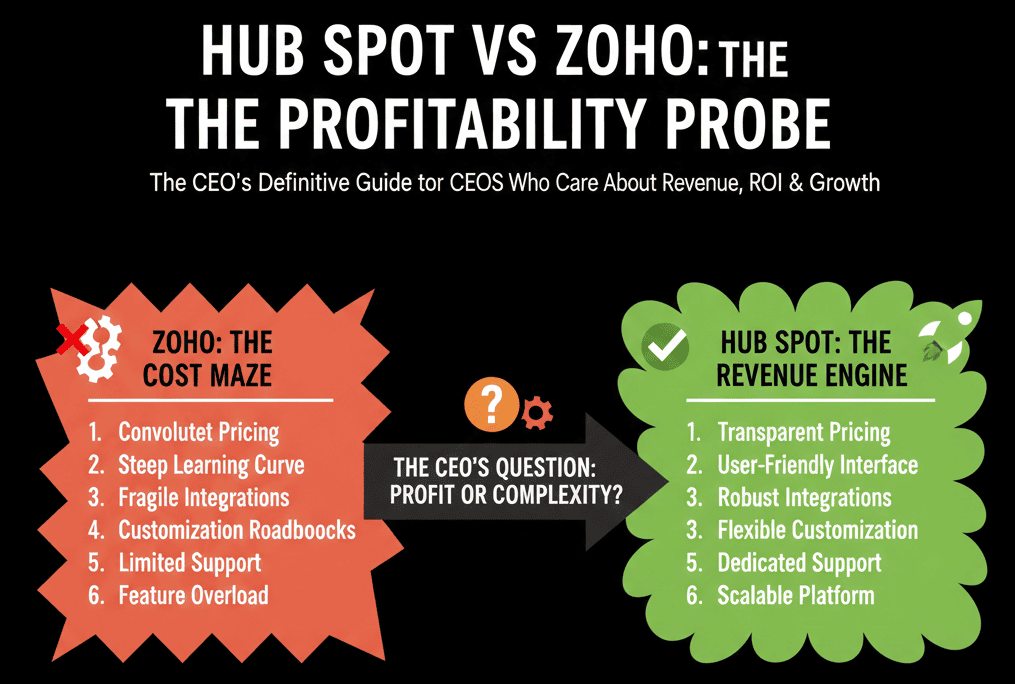
Many CEOs anchor on subscription cost:
“Zoho is cheaper, HubSpot is more expensive.”
The reality:
HubSpot usually has higher license cost and lower operational complexity to run serious RevOps.
Zoho usually has lower license cost and higher RevOps complexity if you want equivalent outcomes.
If you’re running:
- Multi-channel marketing.
- Multi-touch sales cycles.
- Customer success and renewals that directly affect growth.
Then the cost of RevOps friction (manual work, misalignment, bad data, confused reporting) can easily outweigh the license delta over a few quarters.
Your decision should model:
- Total cost of ownership over 2–3 years.
- The value of cleaner, faster decisions and better adoption.
Questions to Decide Between HubSpot and Zoho (Revenue-First)
Instead of feature lists, ask your team these:
What must our CRM be the system of record for?
If the answer is: “Pipeline, revenue, and customer lifecycle across GTM teams,” HubSpot is likely a better architectural match.
How fast are we planning to grow headcount and complexity?
If you’re hiring GTM roles aggressively, you want faster onboarding and higher adoption—again, a HubSpot strength.
Do we have the internal capability to architect a complex suite?
If not, a more opinionated, GTM-focused platform reduces risk.
Where will board and exec reporting come from?
If you want those answers from one place, HubSpot with a proper configuration plan is built for that.
What happens if we get the implementation wrong?
Migration and re-architecture are far more expensive than choosing well and designing correctly up front.
Why Many Zoho Teams Move to HubSpot After a Few Years
We see the same pattern repeatedly:
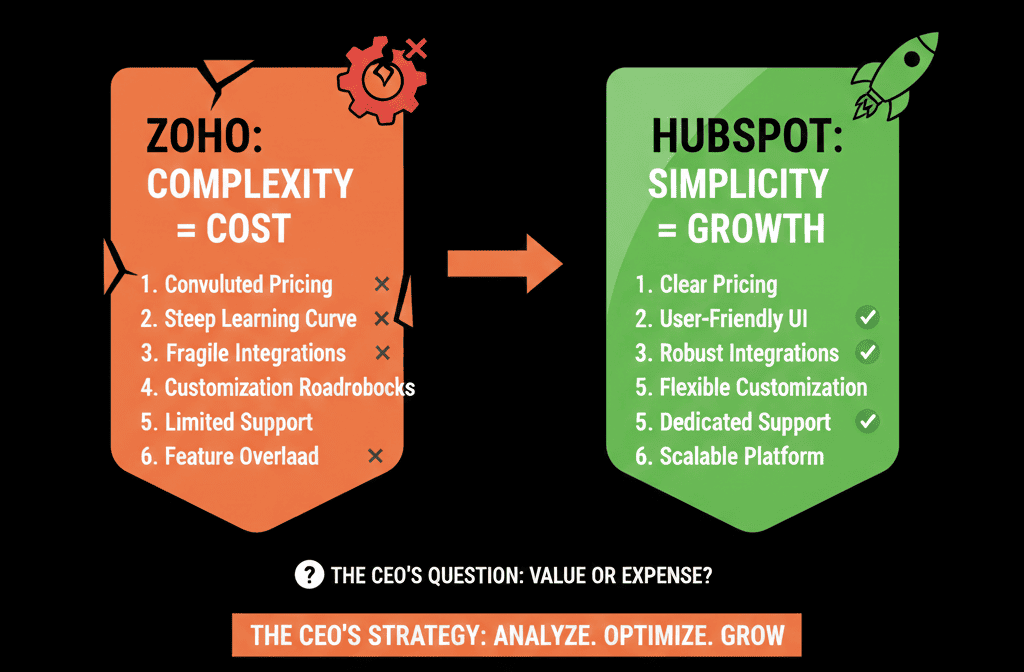
Teams start with Zoho because it’s flexible and cost-effective.
As they grow, they bolt on patches:
- More custom fields and modules.
- More Zaps and manual processes.
- More spreadsheets around the system.
Eventually, a new VP Sales/Marketing/RevOps comes in and says:
“We need one place to see our revenue engine, and we need people to actually use it.”
That’s usually when the move to HubSpot starts.
The value is less about “better CRM,” more about a better revenue operating system.
How to De-Risk a Move from Zoho to HubSpot
If you’re leaning HubSpot, the biggest risk is not the software.
It’s how you migrate.
To de-risk:
1: Design a HubSpot configuration plan first
Define objects, pipelines, lifecycles, and reporting needs.
Don’t let migration be “like Zoho, but in orange.”
2: Audit Zoho with a RevOps lens
Which data actually matters to revenue and decisions?
Which modules and fields can you retire or archive?
3: Run a focused pilot
Migrate a slice of data into a test or sandbox.
Validate mappings, ownership, and funnels.
4: Invest in adoption from day one
Role-based training.
Clear expectations per team.
Dashboards that leadership actually uses.
Done right, you get:
Less “Zoho hangover.”
A clean HubSpot portal that can scale as a revenue machine, not just a contact list.
If You’re Seriously Comparing HubSpot vs Zoho, Start with a Health Check
You don’t have to guess whether HubSpot will improve things.
You can model it.
Our team at ElanceMind works with B2B CEOs and RevOps leaders to:
- Review your current Zoho (or other CRM) setup against your growth plan.
- Show you what a HubSpot-based revenue architecture would look like.
- Quantify the likely impact on revenue clarity, efficiency, and risk.
- Build a migration & ROI plan if HubSpot is the right move.