Construction Teams Don’t Need “More CRM” — They Need a Simple Playbook
Sales reps and estimators already juggle:
- Site visits.
- RFIs and drawings.
- Bid deadlines.
- Relationship management with owners, GCs, subs, and architects.
If HubSpot feels like “extra admin”, they won’t use it.
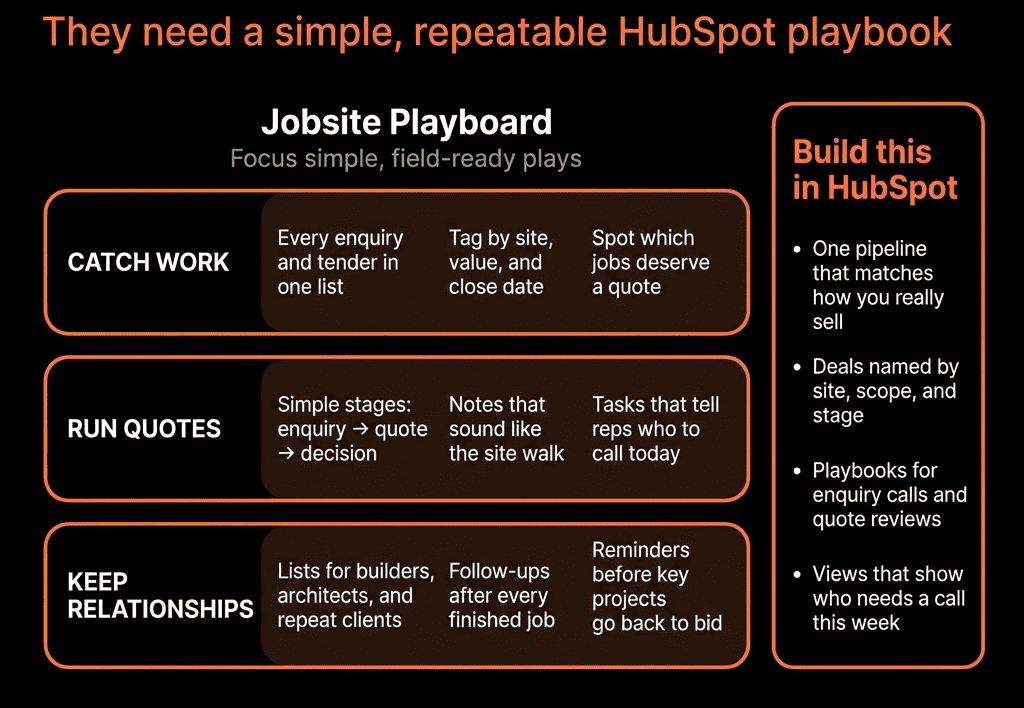
You need a simple, field-ready playbook that makes their lives easier, not harder.
Below is a practical HubSpot playbook tailored to construction sales and estimating.
Play 1 – Capture Every New Opportunity in HubSpot (Not Just in Bid Logs)
Goal: No more “ghost bids” that only live in email or Excel.
When:
- You hear about a new project.
- You get an invitation to bid (ITB/RFP).
- A GC, owner, or architect mentions an upcoming job.
Do this:
Create/Check the Company
- Search for the owner/GC/architect in HubSpot Companies.
- If none exists → create a new Company with:
- Company type (Owner, GC, Architect, Sub, etc.).
- Sector (e.g., Commercial, Industrial, Residential, Infrastructure).
- Region.
Create/Check the Contact(s)
- Add or associate the main contact:
- Role (Estimator, PM, Owner rep, Architect).
- Email, phone.
Create a Deal for the Project
- Name: [Project Name] – [Owner/GC] – [Location].
- Pipeline: New construction / Bid pipeline.
- Stage: Opportunity Identified or Qualifying.
- Properties to fill:
- Project type (New build, Renovation, Fit-out, Maintenance).
- Project location.
- Estimated value (even a band).
- Bid due date.
- Source (Referral, ITB, GC, Architect, etc.).
Why reps/estimators like it:
- One place to see all active bids and their deadlines.
- Management can finally see real pipeline.
Play 2 – Qualify Fast: Should We Even Bid?
Goal: Avoid wasting estimating hours on bad-fit projects.
Within HubSpot, in the Deal:
Use a Qualifying Playbook with questions like:
- Type of work (core to us or edge case?).
- Size (within our typical range?).
- Location (in or out of our territory?).
- Key trades we’re responsible for.
- Known competition.
- Bid form (open tender, invited, negotiated?).
Map answers to fields:
- Fit rating (High/Med/Low).
- Go/No-Go (Provisional).
- Strategic importance (Existing key client? New GC we want?).
Based on this, move Deal to:
- Estimate in progress if green.
- Or mark as No bid / Disqualified with a reason.
Why it helps:
- Estimating gets a better brief.
- Leadership can see which GCs/owners feed good vs bad work.
Play 3 – Coordinate Estimating Inside HubSpot
Goal: Simple handoff from sales/BD to estimators, with clear deadlines.
When Deal moves to Estimate in progress:
In the Deal, attach:
- Links to plans/specs/ITB documents (in your document system).
- Notes on scope, alternates, value-engineering angles.
Create tasks for estimator(s):
- “Review documents” (due in X days).
- “Prepare preliminary estimate” (due before bid date).
If using Tickets/project tools:
- Optionally create an “Estimate ticket” linked to Deal.
Update Deal fields during estimating:
- Bid submitted? (Yes/No).
- Submitted bid value.
- Key exclusions/assumptions.
Why it works:
- Everyone knows who’s responsible and by when.
- BD can quickly see which projects are actually being priced.
Play 4 – Submit Bid and Plan Follow-Up (Not Just “We Sent It”)
Goal: Systematic follow-up on bids after submission.
When bid is submitted:
- Move Deal to Bid Submitted stage.
Set:
- Bid submitted date.
- Bid value.
Create follow-up tasks:
- “Call [GC PM / Owner rep] for feedback” 2–3 days after due date.
- “Check award status” 2–3 weeks later.
Optionally use Sequences (if appropriate):
- Template emails: “Thanks for the opportunity / any feedback?”
- Light-touch check-ins from HubSpot.
Why it matters:
- Lots of jobs are won by the contractor who follows up professionally.
- You get intelligence on pricing vs competitors.
Play 5 – Track Win/Loss and Learn from It
Goal: Improve pricing and targeting over time.
When you know the outcome:
- Move Deal to:
- Closed Won – Awarded.
- Or Closed Lost – Lost to competitor.
- Or Closed Lost – No award / Canceled.
Capture structured fields:
- Result (Won / Lost / No award).
- Reason (Price, Scope, Relationship, Capacity, Other).
- Winner (if not you).
- Margin feedback (if shared).
Use a small Win/Loss Playbook to quickly log:
- What worked / didn’t.
- Any notable feedback from GC/owner.
Over time, reports in HubSpot show:
- Win rate by GC/owner, sector, and project type.
- Which bids are worth the estimating time.
Play 6 – Manage Key Accounts (Owners, GCs, Architects) in HubSpot
Goal: Maintain strong relationships with clients who bring repeat work.
For each key GC/owner/architect Company:
- Flag:
- Key account (Yes/No).
- Account owner (BD lead).
Create a Company view showing:
- All active and historical Deals.
- Contacts (estimators, PMs, executives).
- Notes from meetings and site visits.
Use tasks or sequences to:
- Schedule periodic check-ins.
- Share project updates, photos, or case studies relevant to them.
Use a simple dashboard for:
- Revenue and win rate by key account.
- Upcoming opportunities by account.
Benefits:
- You see who your real “whales” are.
- BD can spend time where long-term payoff is highest.
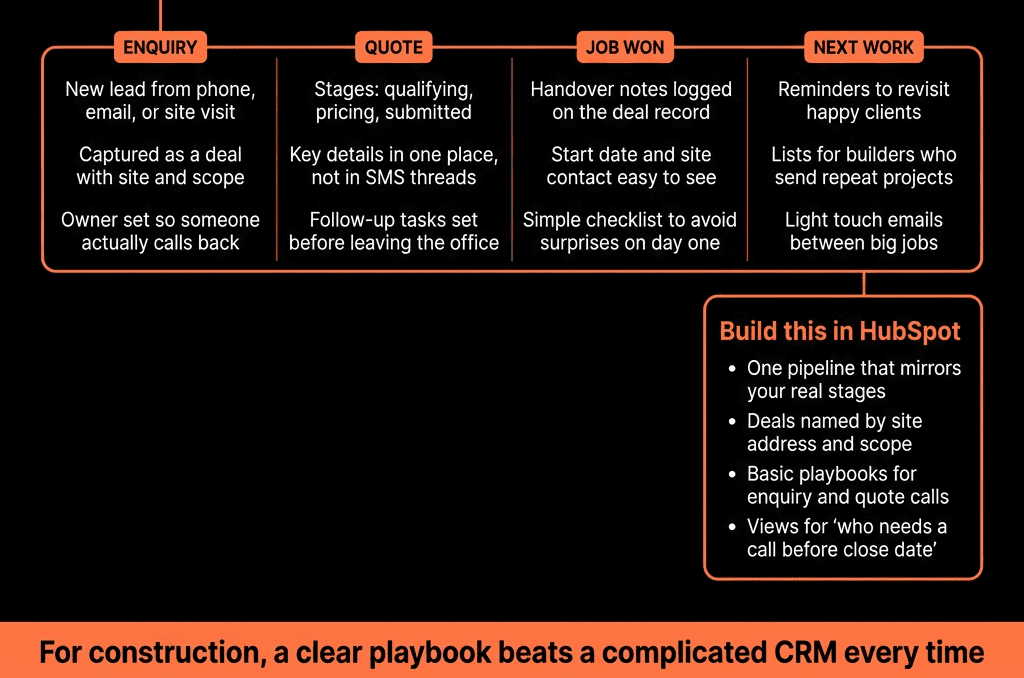
Play 7 – Give Reps and Estimators Simple HubSpot Views
To make adoption easy, set up:
- “My open bids” – Deals by owner in Estimate in progress and Bid submitted with Bid due date.
- “My upcoming deadlines (next 14 days)” – Deals sorted by Bid due date.
- “My awarded jobs” – Closed Won deals for handoff to ops.
- “Key account pipeline” – Deals for specific owners/GCs.
Pin these views for users so they don’t have to build anything.
Play 8 – Use HubSpot for Handoff to Operations
When a Deal is Closed Won – Awarded:
Fill final fields:
- Awarded value.
- Contract type (Lump sum, GMP, Cost-plus).
- Final scope notes.
Create a handoff note (using a Playbook):
- Key client contacts.
- Risks and constraints.
- Critical dates.
- Special terms.
Trigger operational steps:
- Create a project/job in your project management system.
- Notify PM and construction leadership.
This makes handoffs consistent and reduces surprises onsite.
Play 9 – Basic Dashboards for Construction Leadership
Set up dashboards that answer:
- Pipeline by stage and sector.
- Bids due in next 30/60 days.
- Bids submitted vs awarded.
- Hit rate by GC/owner/sector.
- Revenue by region and project type.
Leaders run bid review and forecasting meetings from HubSpot, not spreadsheets.
How We Can Help
If your reps and estimators are living in spreadsheets, email, and whiteboards, HubSpot can give them a simple, field-friendly system that supports how they really work.
Through our HubSpot Implementation Blueprints, Portal Health Check, and Managed RevOps Retainer, we:
- Design a construction-specific CRM model (accounts, contacts, bids, projects).
- Build the pipelines, Playbooks, and views described above.
- Train reps and estimators in short, practical sessions (“Your day in HubSpot”).
- Set up dashboards so leadership can see real pipeline and hit rates.