



The Spreadsheet Trap in Renewals and Expansion
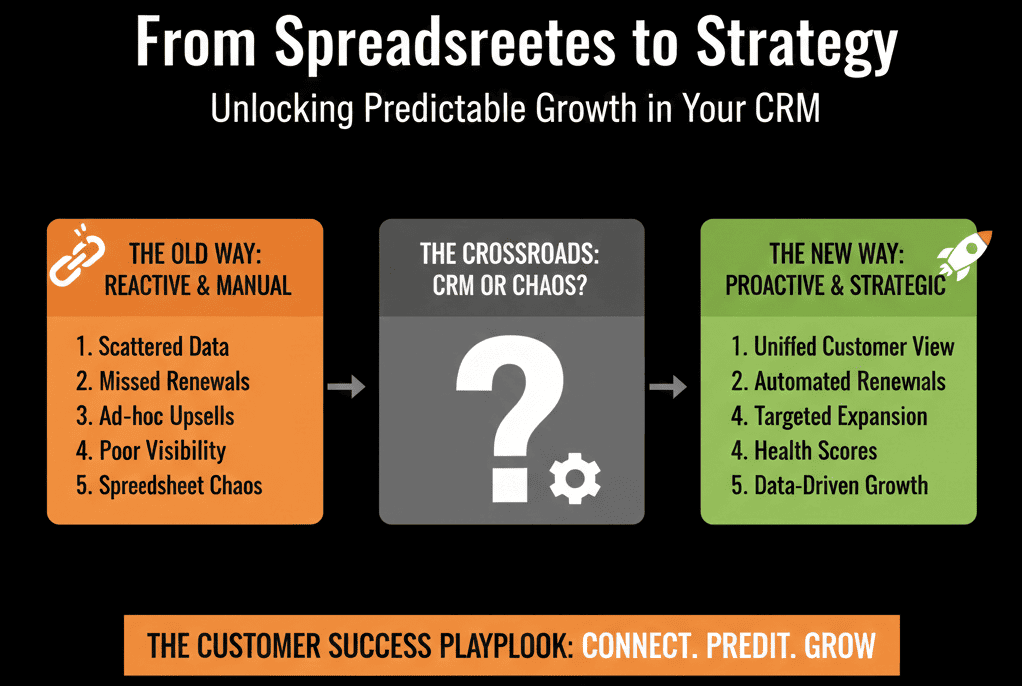
Most customer success teams still run renewals and expansion from spreadsheets.
Dates in Excel. Comments in email or Slack. Nothing tied back into a live customer record that anyone can rely on.
We see the same patterns every time:
- Renewal dates scattered across static sheets that no one fully trusts.
- No integrated view of usage, support history, or health at the deal level.
- Expansion opportunities spotted by individuals but never formalized in a pipeline.
- Handoffs done via ad hoc messages instead of playbooks and tasks.
This creates three predictable problems:
- Revenue leakage from missed or late renewals.
- Suboptimal upsell and cross-sell motions that depend on “hero” CSMs.
- Burnout for your CS reps as they juggle tabs and chase basic information.
HubSpot’s Service Hub + CRM gives you a single system of record to reverse this:
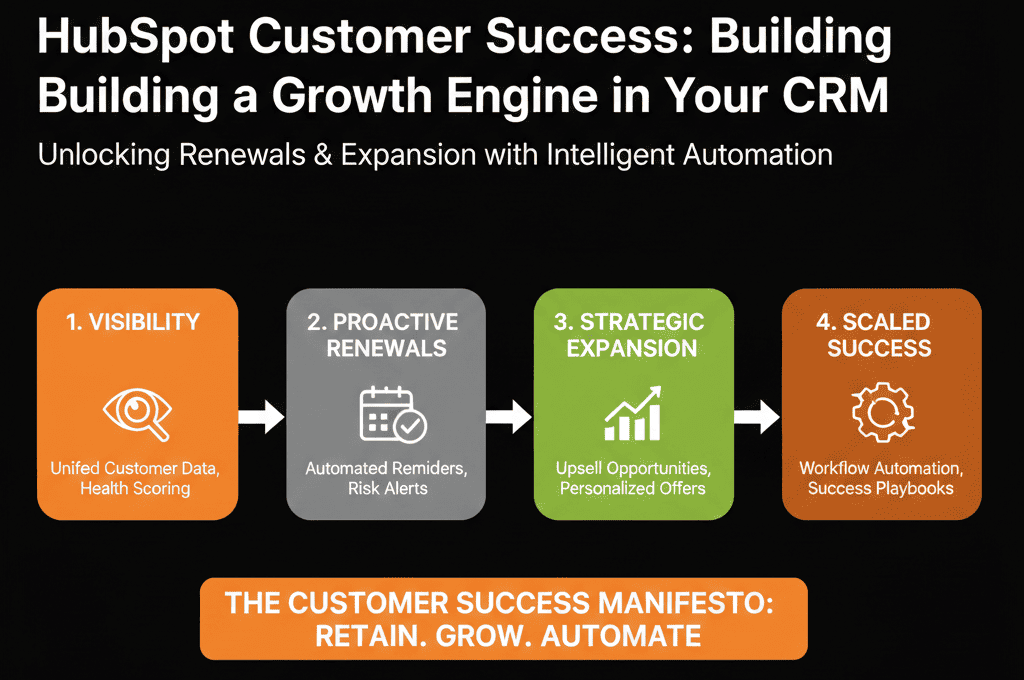
- Track renewals proactively in structured pipelines.
- Surface expansion potential using product, support, and engagement data.
- Automate follow-ups, alerts, and CSM tasks instead of relying on memory.
- Give leadership real-time forecast visibility instead of static exports.
The goal: renewals and expansion designed into your CRM, not duct-taped on top of spreadsheets.
Step 1: Model Your Renewal and Expansion Pipeline(s)
Renewals and expansion need their own explicit pipelines, not hidden “stages” inside a generic new-business pipeline.
We start by designing these in HubSpot’s Deals object so CS and Sales work from the same source of truth.
1) A dedicated Renewal pipeline
Example stages:
- Renewal Identified / Upcoming
- Renewal Discovery / Value Review
- Proposal Sent
- Negotiation / Risk
- Renewed
- Churned / Non-Renewal
For each stage, define:
- Entrance criteria: what must be true in the account or contract to move here.
- Exit criteria: what must be recorded before moving out (e.g., new term, new ARR).
- Ownership: CSM vs AM/AE vs leadership in edge cases.
- Required fields: renewal date, renewal ARR, primary contact, health score, risk reason.
2) A dedicated Expansion pipeline
Expansion should not be a vague “we’ll see” list. It should be a deal pipeline with clear value attached.
Typical stages:
- Expansion Signal Identified
- Qualified Expansion Opportunity
- Proposal Sent
- Proof / Trial in Progress
- Expansion Won
- Expansion Lost
Define criteria and ownership. Decide when an expansion is owned 100% by CS, by Sales, or jointly, and encode that into routing rules and deal assignment.
When we build this for clients, we also:
- Mirror key renewal properties into expansion deals where needed.
- Use standardized naming conventions so reporting aligns across Sales and CS.
- Add required properties at “Won” to capture product SKU, contract length, and implementation owner.
Step 2: Capture and Use Trustworthy Renewal Dates
Spreadsheets fail because dates drift. Someone changes a contract. Nobody updates the sheet. The team discovers the real date only when the customer announces they have already renewed with someone else.
In HubSpot, renewal data should live as structured properties, not as notes:
- Contract start date.
- Contract end date.
- Renewal date (which may differ from end date depending on notice periods).
- Term length.
- Auto-renewal status and notice period (where relevant).
You have two main options for where these live:
- On the Company (or custom “Account”) record for an account-level view.
- On the Deal record for each contract term, with automation to sync the “current” term back to the company.
Once dates are trustworthy, you can:
- Use workflows to create renewal deals at a fixed interval before contract end.
- Automatically assign owners and set renewal stages based on date logic.
- Trigger internal tasks when a renewal enters its engagement window (e.g., 120, 90, 60, 30 days out).
The rule we push hard with CS teams: HubSpot is the single source of renewal truth. Spreadsheets may exist for imports, but they never become the system of record.
Step 3: Embed Expansion Signals into the Customer Record
Expansion is rarely random. It is triggered by signals you are probably already collecting somewhere. The problem is those signals are not connected and not actionable.
Typical expansion signals include:
- Product usage: seat utilization, active users, key feature adoption, logins per week.
- Support patterns: high volume of “how do we do more?” tickets vs “this is broken” tickets.
- Customer health scores: based on NPS, CSAT, time-to-value, or bespoke indicators.
- Engagement: regular EBRs, roadmap interest, or adoption workshops.
To make these usable in HubSpot:
- Bring product and usage data into HubSpot via integrations or custom objects.
- Expose the right metrics on the company and renewal/expansion deals.
- Build a health score or a simple “Expansion Likelihood” score using HubSpot scoring tools.
- Define thresholds that create tasks or deals when crossed (e.g., >80% seat utilization + positive CSAT).
The goal is simple. Your CSM should open one company record and see both renewal risk indicators and expansion signals.
When we design this with clients, we also map:
- Which signals are “CS ownership only” versus which should trigger a Sales handoff.
- How signals influence pipeline stages automatically (e.g., moving deals into “Expansion Signal Identified”).
Step 4: Automate Alerts and Tasks for Renewals and Expansion
Renewals and expansion fail when they depend on memory. Automation turns your renewal calendar and expansion signals into daily workflows for the team.
Inside HubSpot, we typically build renewal workflows that:
- Enroll companies or deals based on renewal date.
- Create time-bound tasks for CSMs (e.g., “Run renewal discovery call”).
- Notify managers if tasks are overdue beyond a threshold.
- Escalate high-value or high-risk renewals into a separate pipeline or owner queue.
We also build expansion workflows that:
- Watch usage and engagement properties for specific patterns.
- Automatically create a new expansion deal when criteria are met.
- Assign the deal based on territory, segment, or existing account owner.
- Trigger sequences for warm outreach (discovery call, product demo, ROI review).
We also recommend:
- Standard task types and naming conventions for renewal vs expansion activities.
- Service-level expectations on how quickly tasks must be touched, with reporting to back it up.
- Slack/email alerts for “at-risk, high-value” accounts when multiple bad signals combine.
Automation does not replace judgment. It removes the risk that judgment never gets a chance to act because the team never saw the risk or opportunity.
Step 5: Build Executive Dashboards to Track Bookings and Risk
If leadership still asks for “the renewal spreadsheet” every quarter, you have a dashboard problem, not a data problem.
A strong CS RevOps setup in HubSpot gives executives a single pane of glass across:
- Renewal forecast: expected renewals by month/quarter, with confidence bands based on stage and health.
- Renewal performance: renewal rate, net retention, and gross retention by segment or product line.
- Expansion pipeline: value, stage distribution, win rates for upsell and cross-sell.
- Risk indicators: accounts in at-risk health, by owner, with renewal date overlays.
On top of this, we build:
- Saved views for CSMs focused on their book of business.
- Team dashboards combining CS, Sales, and Support data.
- Board-ready snapshots that refresh on demand instead of being rebuilt in Excel monthly.
The outcome: everyone sees the same numbers, in the same place, using the same definitions.
Step 6: Align Sales and CS Using Shared Data and Processes
No amount of workflow automation will save you if ownership is unclear. Renewals and expansion sit at the intersection of Sales and CS.
Your CRM should make that intersection explicit, not political.
We encourage teams to define in HubSpot:
- Clear ownership rules: who owns the renewal vs who owns the expansion, by segment or ACV.
- A shared lifecycle: how a customer moves from new business to onboarding to steady-state success.
- Concrete handoff points: when and how expansion opportunities move between CS and Sales.
These rules then get embedded into:
- Deal team associations and permissions.
- Playbooks that guide conversations for renewals and expansion.
- Task queues that separate “CS-driven” from “Sales-driven” outreach.
Alignment is not just a meeting. It is a set of configuration decisions in HubSpot that reduce confusion and prevent deals from stalling in the gaps.
Step 7: Govern Your Renewals and Expansion Processes
Once your renewals and expansion live in HubSpot, you need to keep them healthy. Without governance, even the best design decays in a few quarters.
We recommend CS leaders and RevOps teams:
- Lock down sensitive properties so only specific roles can change renewal dates or contract values.
- Run monthly/quarterly reviews of renewal workflows and pipelines.
- Document playbooks and processes in an internal knowledge base that mirrors what is built in HubSpot.
- Run training sessions whenever you introduce new health scores, signals, or automation rules.
Governance is what stops you from quietly sliding back into spreadsheet chaos six months later.
Step 8: Get Started with a Health Check and Roadmap
If your renewals and expansion motions live partially or fully outside HubSpot today, you are almost certainly leaking revenue.
You may not see it in one big number, but you feel it in scattered data, last-minute scrambles, and uncertain forecasts.
Our team at ElanceMind works with customer success and RevOps leaders to:
- Audit your current renewal and expansion setup inside HubSpot and outside.
- Map the gaps between your process on paper and your process in the CRM.
- Redesign pipelines, workflows, and health scores so they support your real-world motions.
- Build dashboards that remove the need for manual spreadsheet reporting.
You do not need to wait for the next renewal cycle to fix this. You can start by understanding where your system is helping and where it is holding you back.
→ Request your free HubSpot Portal Health Check / HubSpot Audit now.
We will analyze your renewals and expansion pipeline, show you exactly where revenue is leaking, and help you design a forecastable, CRM-native customer success






