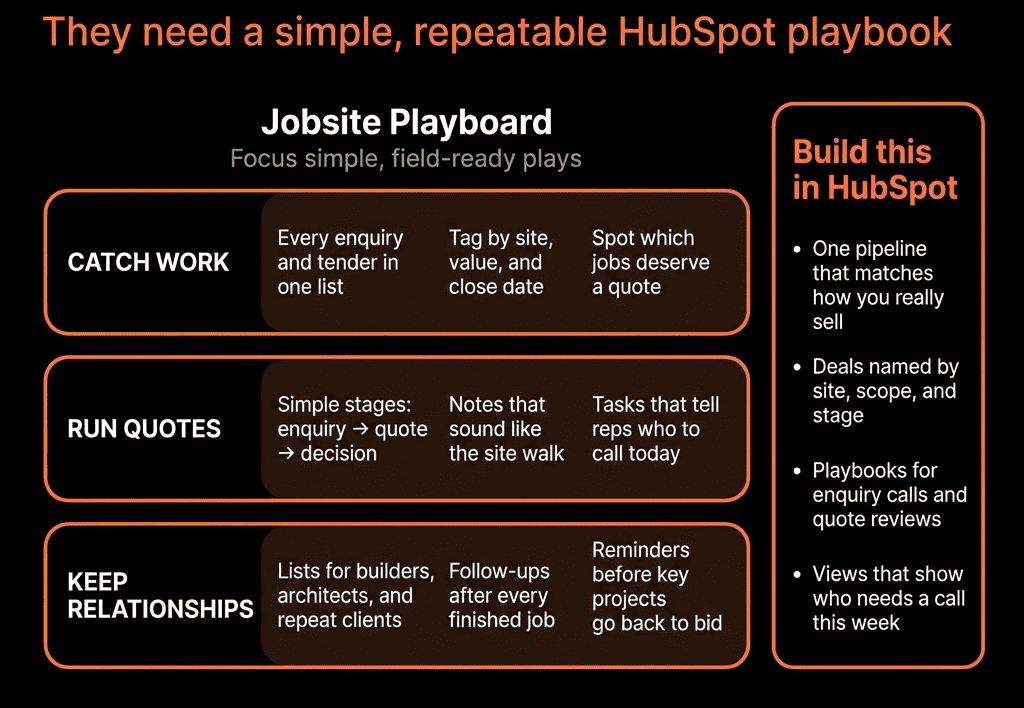
You’re Sitting on Expansion Potential You Can’t See
Agencies, consultancies, IT and engineering firms often:
- Win a project.
- Deliver good work.
- Move on to the next new logo.
Meanwhile:
- Other business units at the same client use competitors.
- Adjacent problems go unsolved.
- There’s no system to deliberately grow existing accounts.
HubSpot can turn your client base into a structured expansion engine if you architect for it.
Here’s how we do it.
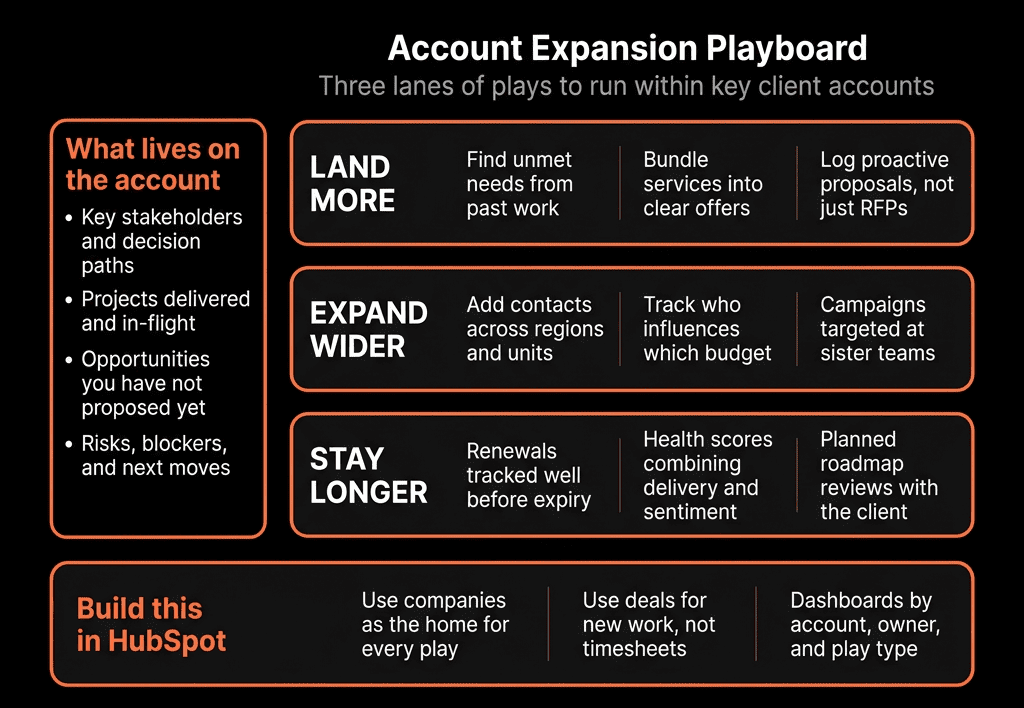
Step 1 – Define Your Expansion Vectors Clearly
Expansion is not “more stuff”. It’s specific paths:
Common vectors for professional services:
- New services (e.g., from strategy → implementation → managed services).
- New teams or business units.
- New geographies.
- Larger scope (more hours, more SKUs, more markets).
- Higher tiers (from ad hoc to retainer).
Write down:
- What a “bigger, better” engagement looks like at each client type.
- Natural follow-on offers from each starting service.
This becomes the backbone of your HubSpot expansion model.
Step 2 – Capture Current Service Footprint Per Account
On Companies, create properties like:
- Service – Strategy (Yes/No).
- Service – Implementation (Yes/No).
- Service – Managed/Retainer (Yes/No).
Or a multi-select Services in use.
Add:
- Primary engagement model (Project / Retainer / Hybrid).
- Current MRR/ARR (for recurring work).
- Account tier (A/B/C) by revenue or strategic value.
Keep it simple and standardized; no free-text for critical flags.
Populate via:
- Past Deal history (mapping services sold to Company).
- One-time cleanup/import for existing clients.
- Ongoing workflows on Closed Won to update services in use.
Now you know each client’s current footprint with you.
Step 3 – Use Deals to Represent Expansion, Not Just New Logos
Separate New Business from Expansion:
On Deals:
- Deal type = New / Expansion / Renewal.
- Service line = which offer you’re upselling (e.g., SEO, RevOps, Data, Managed Support).
- Source = Expansion – QBR, Expansion – Inbound, Expansion – Partner, etc.
Create an Expansion pipeline (or clearly labelled stages within your main pipeline):
- Expansion Opportunity Identified.
- Needs & Scope Defined.
- Proposal Drafted.
- Proposal Sent.
- Negotiation.
- Closed Won / Closed Lost.
This makes expansion visible in forecasting and reporting.
Step 4 – Define Triggers That Should Create Expansion Opportunities
Use HubSpot to listen for signals in three buckets:
Commercial signals
- Contract nearing renewal with good results.
- Client upgrading/doubling scope in one service area.
- High NPS/CSAT.
Usage/engagement signals (if integrated)
- Strong adoption of delivered solutions.
- New teams showing up in workshops, training, or support.
Relationship & strategic signals
- Client rolling out new strategy, M&A, new product lines.
- Exec sponsors changing.
Translate into fields:
- Expansion potential (Low/Med/High).
- Interested in service X (flag after QBR or call).
- Notes from QBR Playbooks.
And then:
- When these reach certain thresholds, an Expansion Deal should be created (manually by AMs, or via workflow prompts).
Step 5 – Run Structured QBRs and Reviews with Playbooks
QBRs are prime expansion moments.
Create QBR Playbooks in HubSpot that prompt AMs/CS leads to capture:
- Objectives at start vs results so far.
- Stakeholder feedback.
- Unresolved or new problems.
- Upcoming initiatives and budgets.
- Interest in related services.
Map answers into Company and Deal properties:
- Expansion interest – [Service] (Yes/No).
- Budget indication for next phase.
- Risk level (for renewal).
- Next step and Next step date.
Then:
- If expansion interest is strong:
- Create an Expansion Deal from the QBR, in the Expansion pipeline.
This joins account planning to pipeline, not leaving it in PowerPoint.
Step 6 – Use Lists and Views to Create Expansion Target Pools
Based on service footprint, build lists like:
- “Strategy-only clients without Implementation”.
- “Implementation-only clients without Managed/Retainer”.
- “Clients using Service A but not Service B, in industry X.”
Combine with:
- Expansion potential = Medium/High.
- NPS/CSAT = Promoter.
- MRR/ARR tier.
Now you have:
- Named pools of expansion-ready accounts per service line.
- Easy views for AMs to focus on.
AMs can:
- Work from these lists manually.
- Or you can build sequences (for outreach) and tasks on top.
Step 7 – Design Expansion Plays Per Service Line
For each service line, design a play:
Example for an agency that does Strategy, Implementation, Retainers:
Strategy → Implementation play:
- Trigger: Strategy-only client with Expansion potential = High.
- Actions:
- AM runs a structured “implementation readiness” call (Playbook).
- Expansion Deal created in pipeline.
- Tailored outreach (email/battlecards) from HubSpot.
Implementation → Retainer play:
- Trigger: Implementation project closing in 30–60 days, positive feedback.
- Actions:
- Retainer proposal drafted.
- QBR focused on “how do we keep this momentum?”.
- Retainer Expansion Deal created.
Bake into HubSpot via:
- Playbooks for conversations.
- Templates and snippets for follow-up.
- Workflows for tasks and deal creation prompts.
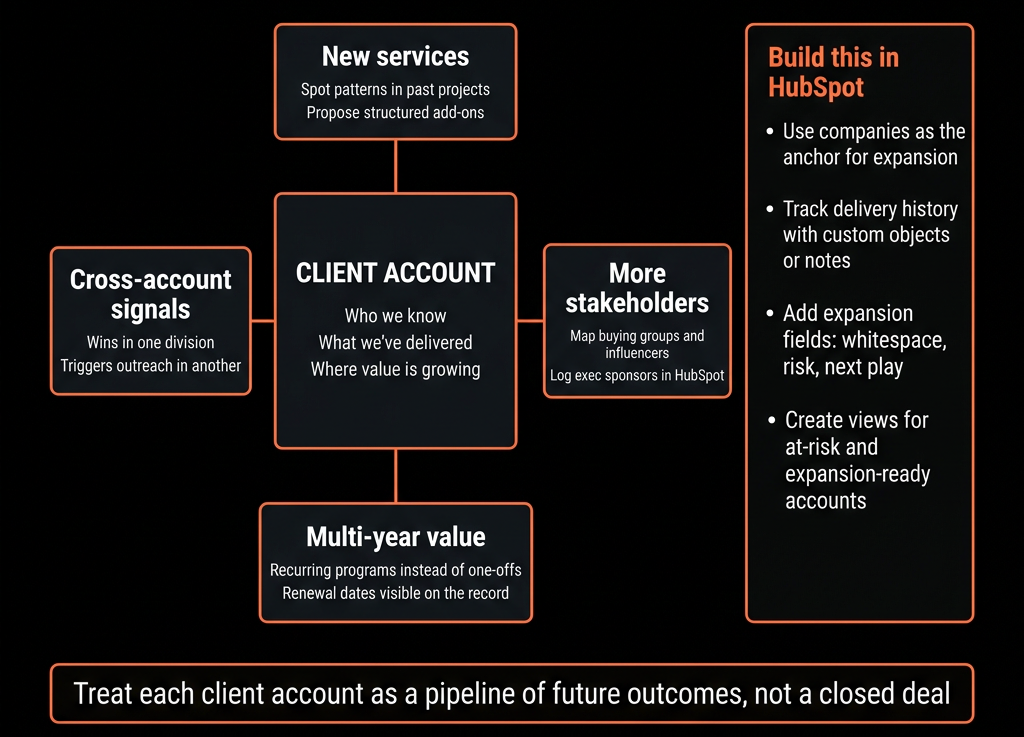
Step 8 – Align CS/Delivery and Sales Incentives Around Expansion
HubSpot can only support expansion if people are motivated to do it.
Give CSMs/Project leads access to:
- Expansion opportunities associated with their accounts.
- Simple views like “My accounts with High expansion potential”.
Let them create or kick off Expansion Deals (even if sales owns the close).
Use HubSpot’s Goals / reports to track:
- Expansion pipeline and Closed Won by AM/CSM.
Then:
- Reflect this in compensation, goals, or at least recognition.
Operational reality: if only sales is measured on expansion but delivery finds the opportunities, expansion falters.
Step 9 – Build Expansion Reporting and NRR Views
Make expansion impact visible:
Key reports:
- Expansion pipeline by service line and segment.
- Expansion Closed Won by quarter vs new business.
- Expansion MRR/ARR vs churned MRR/ARR (for a basic NRR view).
Expansion success rate by:
- Service line.
- AM/CSM.
- Client segment/vertical.
Also:
- Coverage: % of A-tier clients with 2+ services.
- Revenue mix: New vs Expansion vs Renewal.
Leadership sees how much growth comes from existing accounts—crucial in services.
Step 10 – Bake Expansion Into Your Operating Rhythm
To make this permanent:
Weekly:
- In account/CS standups, review “Top expansion opportunities” from HubSpot.
Monthly:
- In revenue/GTM reviews, look at expansion pipeline and Closed Won vs new business.
Quarterly:
- Use HubSpot data to:
- Refine ICP and expansion plays.
- See which services/verticals have the best NRR.
- Decide where to invest more AM/CS time.
HubSpot becomes the place you look to grow the book, not just start new logos.
Want Help Turning Your Client Base Into a Deliberate Expansion Engine?
If you know most of your growth “should” come from existing clients but HubSpot doesn’t show you where or how, we can help.
Through our HubSpot Implementation Blueprints, Portal Health Check, and Managed RevOps Retainer, we:
- Map your services and typical expansion paths into HubSpot fields and pipelines.
- Implement QBR Playbooks, expansion triggers, and workflows.
- Build expansion dashboards and NRR views by segment.
- Train AMs and CS leads to use HubSpot for account planning, not just ticketing.