Smart Consultants, Messy Pipelines
Most consultants:
- Sell clarity to clients.
- Run their own sales on:
- Notebooks.
- Calendars.
- A few spreadsheets.
Result:
- Offers are fuzzy and custom each time.
- Pipeline is hard to see.
- Follow-up is inconsistent.
- It’s hard to answer: “What’s likely to close in the next 90 days?”
HubSpot can be your consulting growth system—offers, leads, deals, and simple forecasting.
Here’s how we set it up.
Step 1 – Define Your Consulting Offers as Products/Service Lines
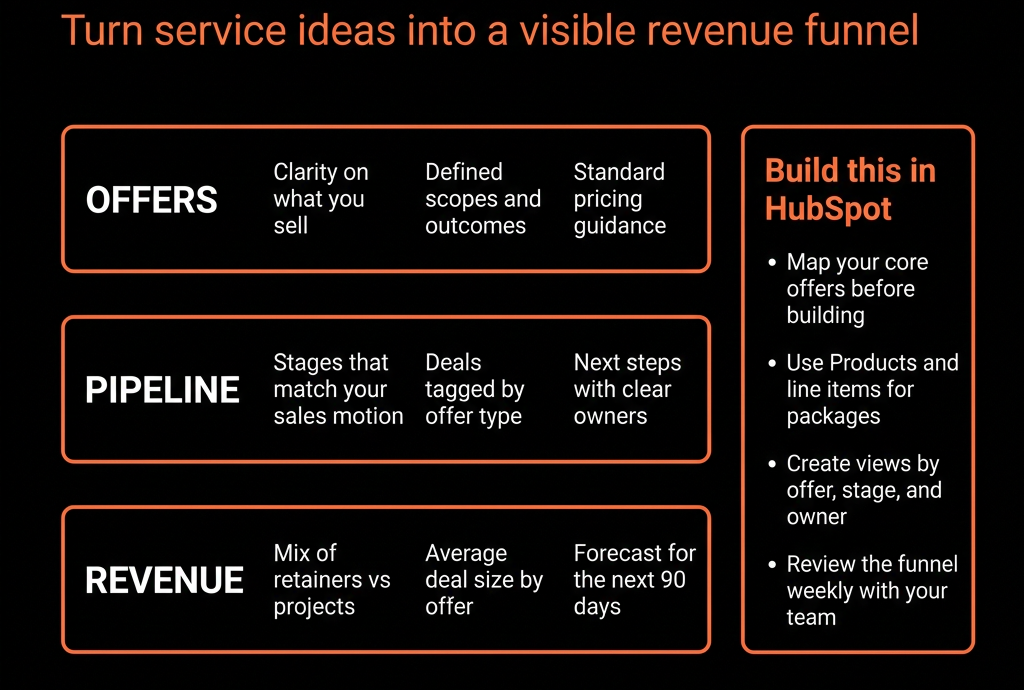
You don’t need 20 offers. You need 3–7 clear “doors”.
Examples:
- Diagnostic: audits, assessments, strategy reviews.
- Design: roadmaps, operating models, blueprints.
- Delivery: implementations, change programs.
- Ongoing: advisory or fractional leadership retainers.
For each, define:
- Who it’s for (ICP segment).
- Business problem it solves.
- Typical scope and price band.
- Natural next step (e.g., Audit → Roadmap → Implementation).
In HubSpot:
- Create Products or at least a Service line property on Deals:
- Diagnostic / Design / Delivery / Retainer, etc.
This gives structure to your proposals and pipeline.
Step 2 – Set Up a Simple Data Model for Consulting
Companies
- Client type (Prospect, Client, Ex-client).
- ICP fit (High/Med/Low).
- Segment (SMB, Mid-market, Enterprise).
- Primary problem area (Sales, Marketing, Ops, RevOps, etc.).
- Current engagement type (None, Project, Retainer).
Contacts
- Role (Founder/CEO, CMO, CRO, Ops lead, HR, etc.).
- Decision-maker vs influencer vs user.
- Source (Referral, Inbound content, Event, Outbound).
Deals
- Each opportunity as a Deal:
- Deal type (New client, Existing client – new project, Retainer, Renewal).
- Service line (from Step 1).
- Estimated value (project fee or MRR/retainer).
- Term (for retainers).
- Primary problem and Desired outcome (can be mapped from a Playbook).
You now have the basics to see what you’re selling, to whom, and at what value.
Step 3 – Build a Consulting-Specific Pipeline
We want stages that match how consulting is bought:
Discovery / Fit
- Initial conversation(s).
- You understand the problem at a high level.
- They’re open to help and roughly fit your ICP.
Diagnosis / Scoping
- Deep dives, maybe a paid or free assessment.
- You’re shaping the problem and possible engagement options.
Solution / Proposal Drafted
- You’ve decided which offer(s) fit.
- Scope, approach, and pricing drafted.
Proposal Sent
- Proposal/SOW delivered to the client.
Negotiation / Clarification
- Feedback, objections, and adjustments.
Verbal Commit
- Client has agreed in principle.
Closed Won / Closed Lost
- Document entry/exit criteria so each Deal moves consistently.
Step 4 – Standardize Intake for Leads and Referrals
Consulting leads come from:
- Referrals.
- Content (podcast, LinkedIn, blog).
- Events / speaking.
- Outbound.
Use HubSpot:
- A simple “Talk to us” form on your site with:
- How they heard of you.
- What problem they’re trying to solve.
- Company size/role.
Internal Playbook for logging referrals:
- Referrer.
- Context and urgency.
Workflows:
- Create Company/Contact.
- Set Lifecycle stage to MQL/SQL depending on intent.
- Assign owner (founder/consultant/BD).
- Create a qualification task.
No more random leads hiding in LinkedIn DMs and email.
Step 5 – Use Playbooks for High-Quality Discovery and Scoping
Make your first calls systematic.
Create Discovery / Scoping Playbooks that capture:
- Current situation (team, tools, constraints).
- Problems and impact (what’s broken, what’s the cost).
- Goals and success criteria.
- Budget roughness (range or seriousness).
- Stakeholders and decision process.
- Timeline and urgency.
Map answers to Deal/Company fields:
- Primary problem.
- Impact severity.
- Decision-maker identified (Yes/No).
- Budget confidence (High/Med/Low).
- Next step and Next step date.
You get clearer notes and better forecasting.
Step 6 – Use Products / Line Items to Package Proposals
If you use HubSpot Quotes or even just want consistent pricing:
Create Products:
- “Strategy Audit – 4 weeks”
- “RevOps Blueprint – fixed fee”
- “Implementation – per sprint”
- “Retainer – per month (Tier 1/2/3)”
On Deals:
- Attach relevant Products/line items.
- Use those for:
- Quick quoting.
- Clean reporting by service line.
Even if you still send proposals via PDF/Docs, your Deal view will show:
- Offer components.
- Value breakdown.
Step 7 – Track Retainers and Renewals Cleanly
If you run retainers or ongoing advisory:
On Companies:
- Retainer start date, Retainer end/renewal date.
- Current MRR / ARR.
On Deals:
- Deal type = Retainer or Renewal.
- MRR + term.
Use workflows:
- 60–90 days before retainer renewal:
- Auto-create Renewal Deal.
- Assign to lead consultant/AM.
- Create tasks:
- Run value review.
- Propose next phase or new term.
Track:
- Renewed vs Churned vs Upgraded retainers.
- Churn reasons.
This turns your book of business into a visible asset.
Step 8 – Build a Simple but Powerful Consulting Dashboard Pack
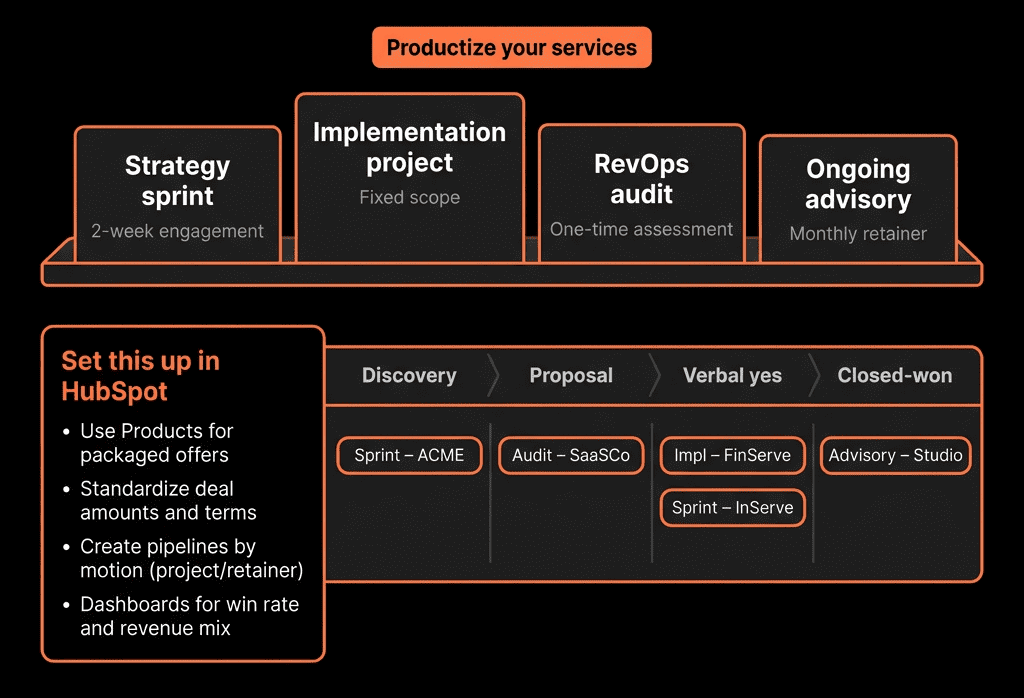
Core dashboards:
Pipeline & Revenue
- Deals by stage and value.
- New business vs existing client deals.
- Closed Won by service line and segment.
Retainers & NRR
- Current retainer MRR/ARR by segment.
- Renewal pipeline for the next 90–180 days.
- Retainer churn and expansion by reason.
Lead & Source Performance
- Leads and opps by source (Referral, Content, Speaking, Outbound).
- Lead → Opp → Closed Won conversion by source.
- Average deal size and cycle length per source and segment.
Activity & Follow-Up
- Calls, emails, meetings logged by consultant.
- Deals with overdue Next step date.
Now you can run your own business reviews like you run clients’.
Step 9 – Embed HubSpot in Your Weekly and Monthly Rhythm
To make it stick:
Weekly
- Review pipeline from HubSpot.
- Decide focus deals and outreach for the week.
- Check for stalled deals and next steps.
Monthly/Quarterly
- Review revenue by service line and segment.
- Look at lead sources that actually convert.
- Decide which offers to push and which to refine.
After each project
- Log feedback and case study potential in HubSpot.
- Create Expansion Deals if there is a clear Phase 2.
HubSpot becomes the place where you manage your consulting business, not just store contacts.
Step 10 – Keep It Lightweight, Then Grow the System as You Scale
As a solo or small firm:
- Start with:
- Clean pipelines.
- Basic fields.
- 1–2 dashboards.
- Simple entry offers and follow-up sequences.
As you grow:
- Add:
- SDR or BD roles with lead routing and sequences.
- CSM/AM roles with structured renewals/expansion.
- Deeper reporting (NRR, segment performance, CAC estimates).
Treat HubSpot as your RevOps lab: you can test what you later implement for clients.
Want Help Turning Your Consulting HubSpot Into a Real Growth Engine?
If your own sales process feels more ad hoc than the systems you design for clients, we can help you architect HubSpot the way you do for them.
Through our HubSpot Implementation Blueprints, Portal Health Check, and Managed RevOps Retainer, we:
- Define your offers, ICP, and sales process in a way HubSpot can run.
- Implement clean pipelines, qualification Playbooks, and proposals.
- Set up simple retainer tracking and renewal workflows.
- Build dashboards so you can see pipeline, revenue, and source performance at a glance.
So your consulting business becomes your best case study for what strong RevOps + HubSpot can do.