



More Form Fills ≠ More Pipeline
If your marketing team is judged on “leads,” HubSpot forms and CTAs will happily deliver:
- Free eBook downloads with no buying intent.
- Newsletter subscribers who never talk to sales.
- Demo requests mixed with low-quality submissions.
The problem isn’t forms or CTAs. It’s the lack of a quality-focused audit.
When we audit HubSpot portals, we ask:
- Which forms actually create pipeline and revenue?
- Which CTAs reliably surface high-intent leads?
- Which assets are filling your database with noise?
This article gives you a step-by-step way to audit your HubSpot forms and CTAs for lead quality, not just top-of-funnel volume.
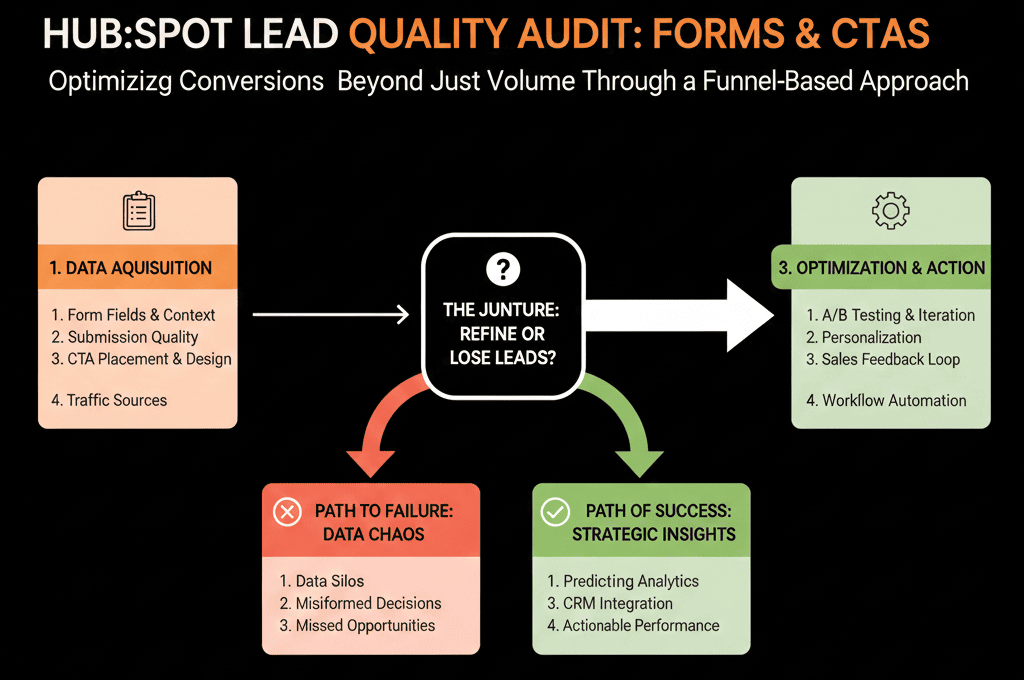
Step 1 – Inventory Your Forms and CTAs
First, we need to know what we’re dealing with.
Forms
Export or list:
- All active forms in HubSpot.
- Their type (regular form, popup, non-HubSpot form, etc.).
- Where they’re embedded (key pages and offers).
Tag each as one of:
- High-intent (demo, contact sales, pricing, consultation).
- Mid-intent (webinars, comparison guides, product-specific content).
- Low-intent (top-of-funnel eBooks, newsletters, generic blog CTAs).
CTAs
Do the same for CTAs:
- All active HubSpot CTAs.
- Their destinations (pages, forms, offers).
- Which brands/campaigns they belong to.
This inventory will power the rest of the audit.
Step 2 – Connect Forms and CTAs to Funnel Stages and Pipeline
Lead quality is about what happens after the form fill.
For each form/CTA, we pull:
- Number of submissions in a period (e.g., last 3–6 months).
- Number of those contacts that became:
- MQL
- SQL
- Opportunities
- Customers
We then calculate:
- MQL rate per form.
- SQL/opportunity rate per form.
- Customer or revenue impact per form.
The goal is to answer:
- Which forms/CTAs are filling the top of the funnel only?
- Which forms/CTAs are actually creating pipeline?
- Are we over-investing in low-intent forms that don’t convert?
Mature teams start to judge forms and CTAs primarily on pipeline created, not just submissions.
Step 3 – Review High-Intent Forms for Friction and Fit
We start with high-intent forms (demo, trial, contact sales) because they should create your cleanest pipeline.
For each high-intent form, we check:
Fields collected
Do you capture enough to:
- Qualify quickly?
- Route correctly (region, segment, product interest)?
- Understand fit vs non-fit?
Typical must-have fields:
- Work email
- Company name
- Job title / role
- Company size / revenue band
- Country / region
- Use case or primary interest
Field quality
- Are you using dropdowns instead of free text where it matters (e.g., company size, country, industry)?
- Are there unnecessary fields adding friction without adding qualification value?
Alignment to routing and SLAs
- Does the form clearly route leads to the right team?
- Does it trigger the right notifications and tasks?
- Is there a defined SLA for follow-up?
Questions to ask:
- Are we losing good leads because this form is too long or too vague?
- Are reps wasting time on poor-fit leads because critical fields are missing?
Step 4 – Review Low-Intent Forms for Noise and Nurture Strategy
Next, we look at low-intent forms (content downloads, newsletter, generic “learn more”).
For each:
- What % of leads ever progress to MQL/SQL/opportunity?
- How many remain inactive or low-engagement?
- Do we have a clear nurture path for these leads?
If a form has:
- High submission volume,
- But near-zero downstream impact,
- …it’s not “bad,” but you should:
- Stop treating those submissions as “leads” in the same way.
- Classify them as engaged audience rather than pipeline-ready leads.
- Route them into longer nurture programs, not direct SDR/AE follow-up.
The audit might reveal that some low-intent offers:
- Are worth keeping purely for brand/engagement.
- Need to be repositioned or reworked.
- Or should be retired if they’re attracting the wrong audience entirely.
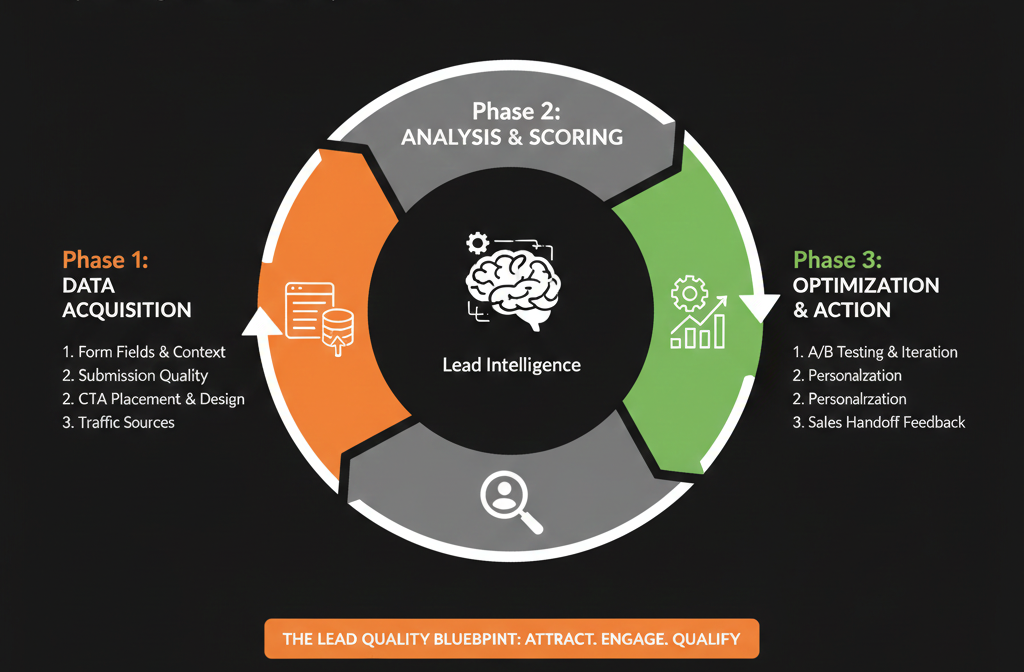
Step 5 – Analyze CTAs for Clicks, Conversions, and Pipeline Impact
Forms capture data. CTAs drive people to those forms.
For CTAs, we review:
- Views and clicks.
- Click-through rate (CTR).
- Submissions and pipeline generated from the CTA’s target offer.
Patterns we look for:
CTAs with high CTR but low pipeline:
- Attractive, but misaligned with buying intent.
- Often top-of-funnel or vague offers.
CTAs with modest volume but high pipeline yield:
- Hidden gems worth promoting more.
- Often bottom-of-funnel or “problem-aware” offers.
Actions from this:
- Promote or duplicate high-quality CTAs on more pages.
- Retire or reposition CTAs that bring in the wrong audience.
- Align CTA copy more tightly to the outcomes sales can deliver.
Example improvements:
- Change “Download our free guide” to “Diagnose your [specific problem] in 20 minutes – free guide + checklist.”
- Change “Contact us” to “Book a 30-minute HubSpot Health Check call” with clearer expectations.
Step 6 – Align Forms and CTAs With Your ICP and Scoring Model
Lead quality is tied tightly to your Ideal Customer Profile (ICP) and lead scoring.
We cross-check:
- Do high-intent forms and CTAs attract ICP-like contacts?
- Job titles?
- Company size?
- Industries?
- Regions?
- Do low-intent forms over-index on:
- Students.
- Very small businesses outside your target.
- Non-decision makers with no path to budget?
We then:
- Adjust field requirements on high-intent forms to better filter and qualify.
- Adjust scoring so:
- High-intent offers + ICP fit score highly.
- Low-intent offers score modestly, even with engagement.
This ensures SDRs and AEs see the right leads first, and marketing is measured on quality, not raw volume.
Step 7 – Simplify, Standardize, and Name Things Clearly
Form and CTA chaos usually looks like:
- Many similar forms with slightly different fields and names.
- Multiple CTAs pointing to competing offers on the same page.
We clean this up by:
Standardizing a small set of form templates:
- High-intent (Demo / Contact Sales).
- Mid-intent (Product-specific content, BOFU guides).
- Low-intent (TOFU content, newsletter).
Applying clear naming conventions, for example:
- HI – Demo – Brand A
- MI – Guide – Lead Scoring For B2B SaaS
- LI – Newsletter – Main
Mapping each form to:
- Entry lifecycle (Lead vs MQL).
- Appropriate follow-up (nurture vs sales touch).
- Ownership (who maintains and can change it).
For CTAs:
- Group them by intent and offer type.
- Remove redundant CTAs with similar messages but weaker performance.
- Use brand-consistent, outcome-focused copy.
Step 8 – Turn the Audit Into a 30–90 Day Optimization Plan
Your audit should produce prioritized actions, for example:
High priority (30 days):
- Fix high-intent forms that are missing critical qualifying fields.
- Improve routing and SLAs on demo/contact forms.
- Promote top-performing high-intent CTAs on more key pages.
Medium priority (60–90 days):
- Retire or reposition low-intent forms with poor downstream impact.
- Rebuild a few offers to better match ICP pain points.
- Tighten lead scoring to reflect offer quality, not just engagement.
Ongoing:
- Review form and CTA performance quarterly.
- Only add new forms/CTAs if they have a clear hypothesis and measurement plan.
- Keep marketing, sales, and RevOps aligned on what “a good lead” looks like.
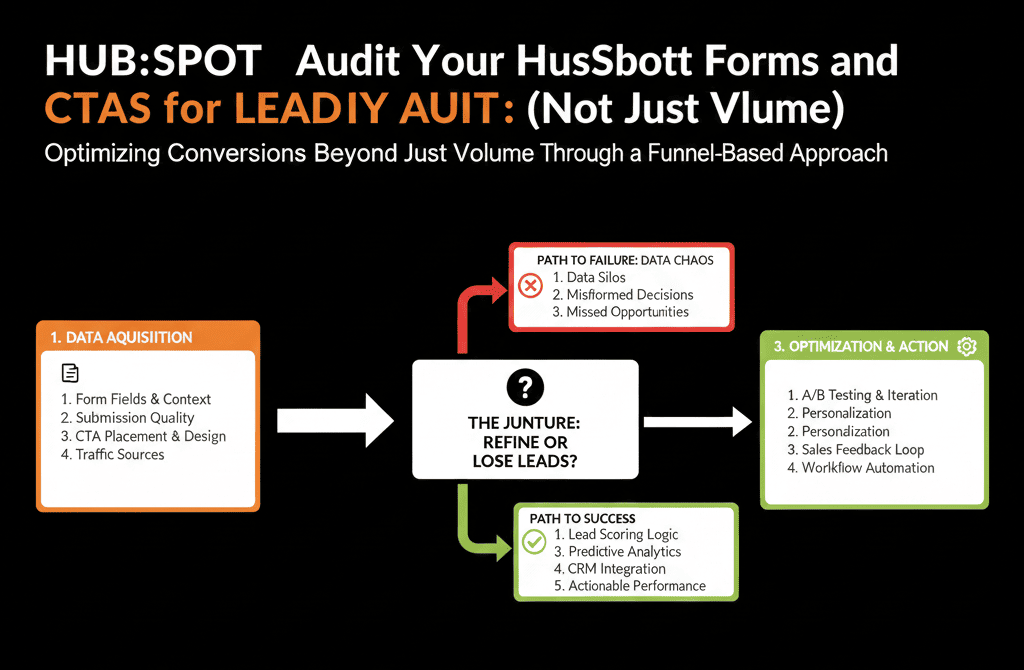
What You Can Do in the Next 30 Days
If you want to get serious about lead quality from HubSpot forms and CTAs this month:
- Identify your top 10 forms and top 10 CTAs by volume.
- For each, calculate:
- Submissions → MQL → SQL → Opportunity → Customer.
- Label each as:
- High-intent, Mid-intent, Low-intent.
- Fix obvious gaps in high-intent forms:
- Missing qualifying fields.
- Poor routing.
- Weak or vague CTA copy.
- Promote or replicate CTAs and forms that punch above their weight in pipeline creation.
This alone can improve lead quality and sales efficiency—without adding a single new campaign.
Want a Lead Quality-Focused Audit of Your HubSpot Forms and CTAs?
If your database is growing but pipeline isn’t, you likely have a lead quality problem, not just a traffic problem.
Our HubSpot Portal Health Check / HubSpot Audit can be tuned specifically for this:
- We analyze your forms and CTAs by downstream impact, not just submission volume.
- Identify which offers and CTAs actually create pipeline.
- Provide a prioritized optimization roadmap for forms, CTAs, and routing.






