



“We Don’t Have Time to Clean HubSpot” Is How Tech Debt Wins
Most leaders know their HubSpot portal needs cleanup:
- Duplicate records.
- Confusing fields.
- Too many lists and workflows.
But they hesitate because:
“We can’t risk breaking something mid-quarter.”
So the mess grows.
- Reports drift further from reality.
- New features get bolted onto a shaky foundation.
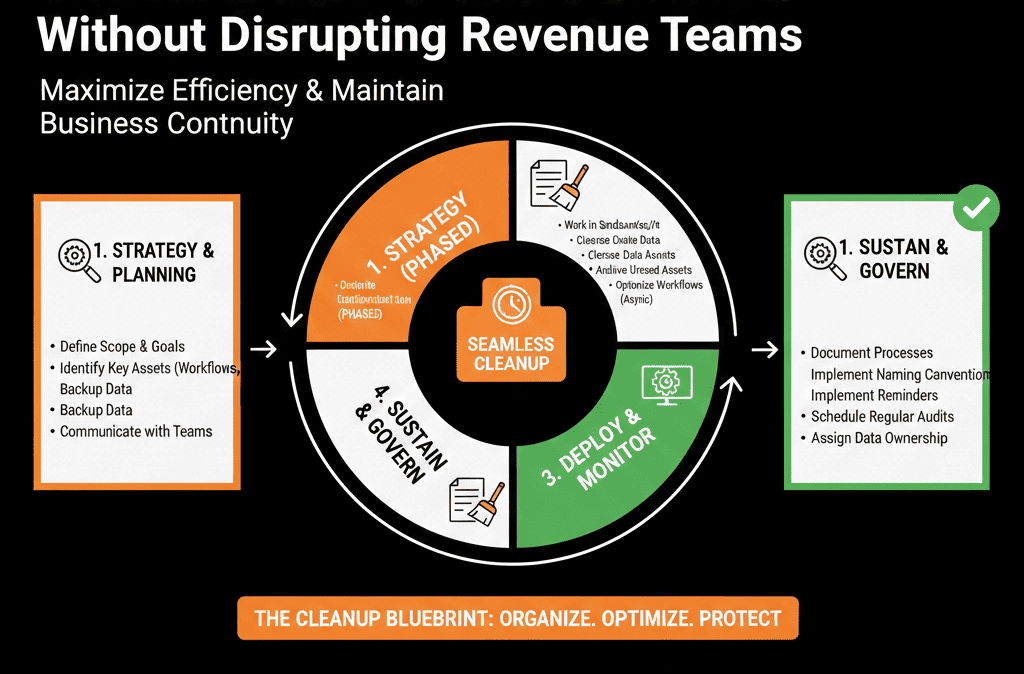
The way out is not a never-ending “we’ll clean as we go” mindset. It’s a focused, time-boxed HubSpot cleanup sprint designed to be safe, scoped, and measured.
Step 1 – Treat It Like a Sprint, Not a Background Task
If cleanup is “whenever we have time,” it will never happen.
We recommend:
- A specific time box: 2–4 weeks.
- A clear sprint goal: e.g., “Reduce duplicate contacts by 50% in active segments,” “Standardize deal stages and remove unused pipelines,” “Clean and document core lifecycle and lead status fields.”
- A small sprint team: 1 RevOps/HubSpot owner, 1 sales stakeholder, 1 marketing stakeholder, optional CS/leadership rep.
You don’t shut down operations. You carve out dedicated capacity to fix the foundation while the business runs.
Step 2 – Pick a Narrow, High-Impact Scope
Trying to “clean everything” is how cleanup sprints fail.
Instead, we choose one or two domains:
- Data hygiene (contacts/companies/deals).
- Pipelines and stages.
- Lifecycle and lead status.
- Lists and workflows.
We ask:
- What’s hurting us most right now?
- What can we realistically improve in 2–4 weeks without major risk?
Examples of good sprint scopes:
- “Clean up contact/company ownership and obvious duplicates in active accounts.”
- “Consolidate pipelines and standardize deal stages for new business only.”
- “Rationalize lifecycle and lead status so reporting starts to make sense again.”
Everything else goes into a future backlog, not this sprint.
Step 3 – Take a Baseline Snapshot Before Changing Anything
To avoid surprises and prove impact, we capture a before picture.
Depending on scope, we baseline:
- Contacts/companies with no owner.
- Deals with missing amount/close date.
- Duplicates by email/domain.
- Pipelines and stages in active use.
- Workflows touching lifecycle or lead status.
- Lead response time and % of leads stuck without status.
- Counts of lists and workflows (to show clutter reduction).
We keep this snapshot in a simple doc or slide so stakeholders can see before/after progress.
Step 4 – Design Guardrails to Protect Live Ops
To avoid disruption, we create a few simple guardrails:
- No high-risk changes mid-sprint without backup (e.g., deleting properties/workflows/pipelines, changing lifecycle logic mid-quarter, turning off critical integrations).
- Deactive rather than delete, clone and test first, schedule major logic changes for low-traffic times with a rollback plan.
- Agree on a change-freeze window for sensitive areas (e.g., last week of quarter, major launches).
- Communicate what will and will not change so revenue teams don’t feel blindsided.
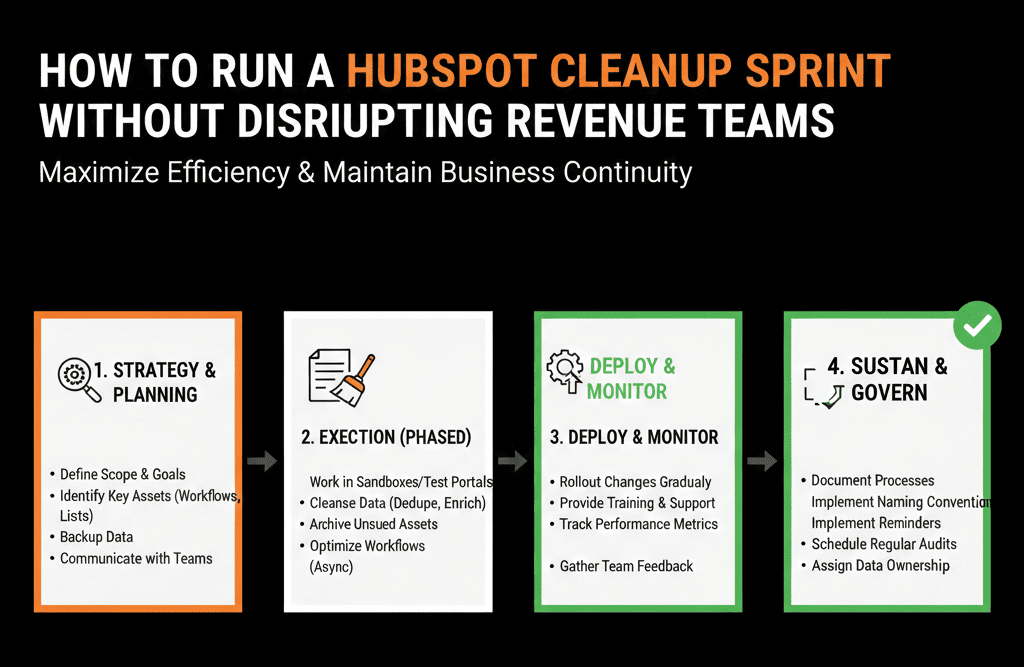
Step 5 – Do the Work in a Sandbox or “Staging Layer” First
Where possible, we test changes before switching anything live:
- Use a sandbox portal (ideal) to test pipelines, properties, and workflows, or
- Use cloned workflows, “test” properties, and non-live lists in production to validate logic.
Examples:
- Clone a workflow, adjust logic, and test it on a small internal segment before swapping it in.
- Build new pipeline stages alongside old ones, then migrate a few deals first.
- Create new normalized properties and backfill them before deprecating legacy fields.
Step 6 – Work in Daily Micro-Blocks, Not Marathon Sessions
To avoid stalling other work, structure sprint tasks into small blocks:
- 60–90 minutes/day from the RevOps/HubSpot owner.
- Short feedback loops with sales/marketing stakeholders.
Example sprint board columns:
- Backlog
- In analysis
- In progress
- Ready for review (with stakeholder)
- Approved for deploy
- Deployed
- To monitor
This keeps cleanup moving daily while pulling stakeholders in only when decisions are needed.
Step 7 – Protect Revenue While Updating Pipelines and Data
If your sprint touches pipelines, stages, or deal data, protect revenue by migrating in controlled batches and monitoring for report breaks.
Tactics that reduce panic:
- Align with sales leadership early, share stage definitions and when you’ll switch.
- Migrate one team/region first, map old stages to new stages.
- Run a short “dual view” period (old + new) while you monitor adoption and numbers.
- Compare pipeline totals pre/post and adjust dashboards/filters as needed.
Step 8 – Close the Sprint With Proof and a Shortlist of Next Moves
At the end, compare before vs after using your baseline snapshot, capture stakeholder feedback, and document what changed, why, and how to use the new setup.
Then create a shortlist of next-sprint candidates, instead of trying to “finish everything” in one run.
Example 2-Week HubSpot Cleanup Sprint Plan (Minimal Scope)
Sprint goal: “Clean up contact ownership and obvious duplicates in active accounts, without impacting live deals and campaigns.”
Week 1
- Day 1–2: Baseline unowned/duplicate contacts; define “active” segment (e.g., engaged in last 12 months).
- Day 3–4: Merge top-priority duplicates; assign owners using territory/account rules.
- Day 5: Sales spot-check (random sample); fix issues found.
Week 2
- Day 6–7: Standardize key properties (e.g., country, lifecycle) for active contacts; ensure lifecycle/lead status coverage.
- Day 8–9: Update rep views to focus on owned/active contacts; brief enablement.
- Day 10: Compare before/after; document results; identify next sprint (companies, deals, workflows).
No pipelines broken. No campaigns stopped. But the data foundation gets a real upgrade.
What You Can Do in the Next 30 Days
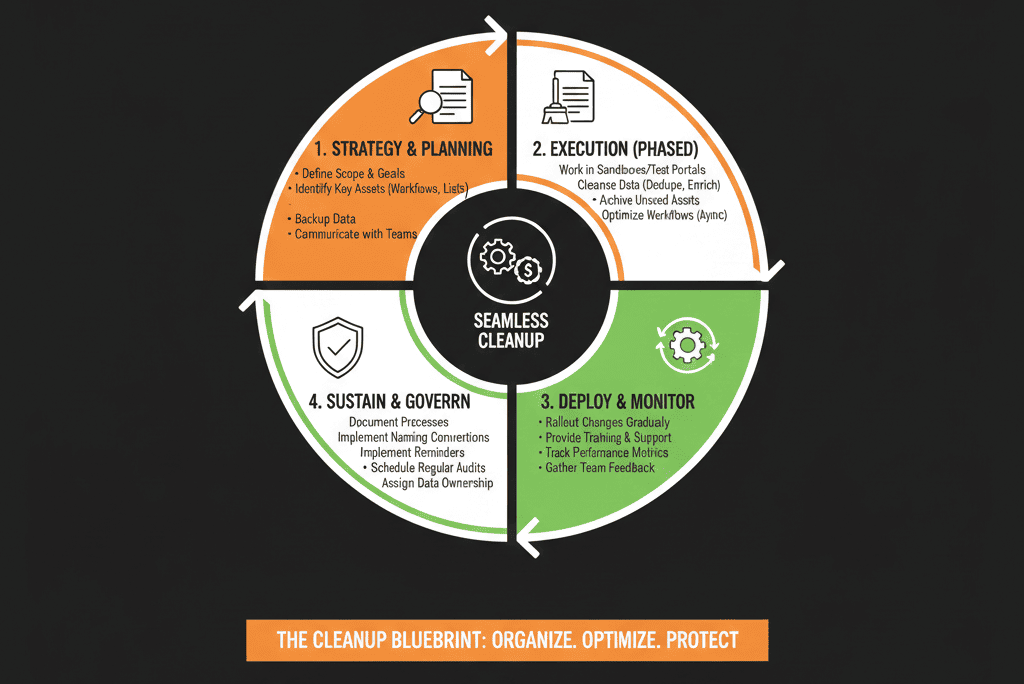
To run a cleanup sprint without disrupting revenue:
- Choose a single high-impact scope (data, pipeline, or workflows).
- Time-box a 2–4 week sprint with a small cross-functional team.
- Take a clear “before” snapshot.
- Apply guardrails: no risky deletes, test major changes first, communicate what’s in/out of scope.
- End with measurable before/after, simple documentation, and a shortlist of follow-up sprints.
Want a Guided Cleanup Sprint Designed Around Your Portal?
If you’re worried that touching your messy HubSpot portal will break revenue—but also know you can’t leave it as is—we can help you design and lead a safe cleanup sprint.
Through our HubSpot Portal Health Check / HubSpot Audit, we:
- Identify the highest-ROI cleanup opportunities in your specific portal.
- Help you define a tight sprint scope and guardrails.
- Provide a prioritized sprint backlog and support your team as they execute.






