Automation as a RevOps Lever, Not a Gadget
Most teams automate emails and a few nurture journeys.
RevOps automation is different.
We use HubSpot automation to:
- Enforce SLAs.
- Stabilize data.
- Standardize handoffs.
- Improve forecasting and win rates.
Below are 10 automation plays we consistently deploy in RevOps engagements.
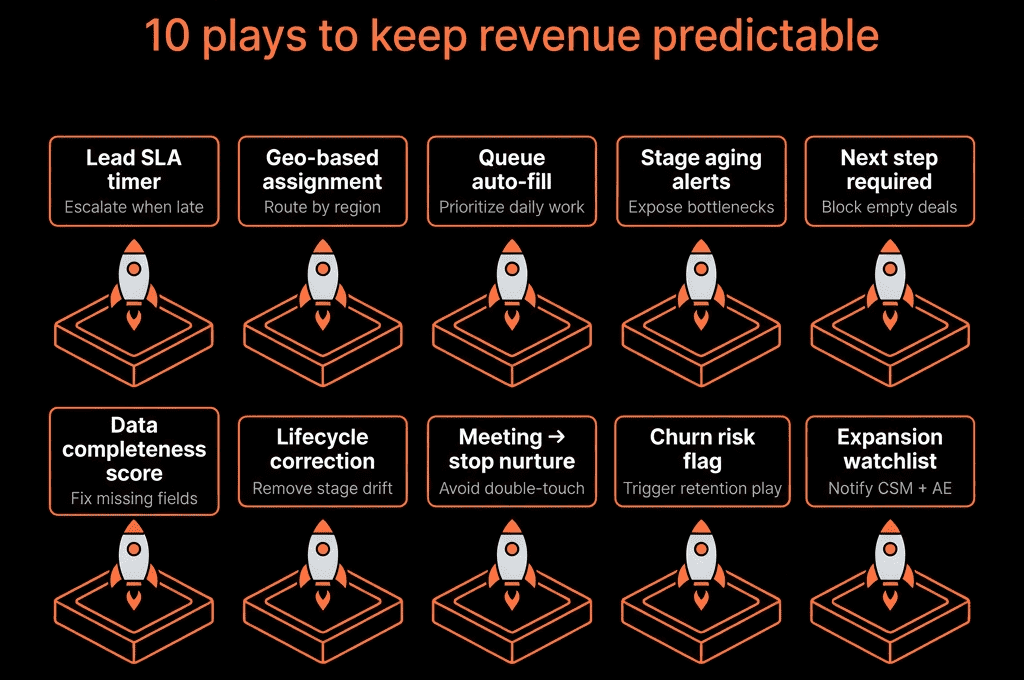
Play 1 – Lead Intake & Routing With SLA Enforcement
RevOps goal: Faster speed-to-lead and clear ownership.
Core elements:
Contact-based workflows that:
- Enroll on high-intent form submissions (demo, contact sales, pricing).
- Set lifecycle to MQL/SQL as per your model.
- Assign owner based on region, segment, product, or round-robin.
- Create a task: CALL – New demo request from [Company] due within SLA.
- Send internal alert (Slack/email) to the owner and/or team channel.
SLA enforcement:
Follow-up workflow that checks:
- No call/meeting/email logged within X minutes/hours.
- Escalates to a manager if breached.
Outcome: No more orphaned demo requests and clear accountability.
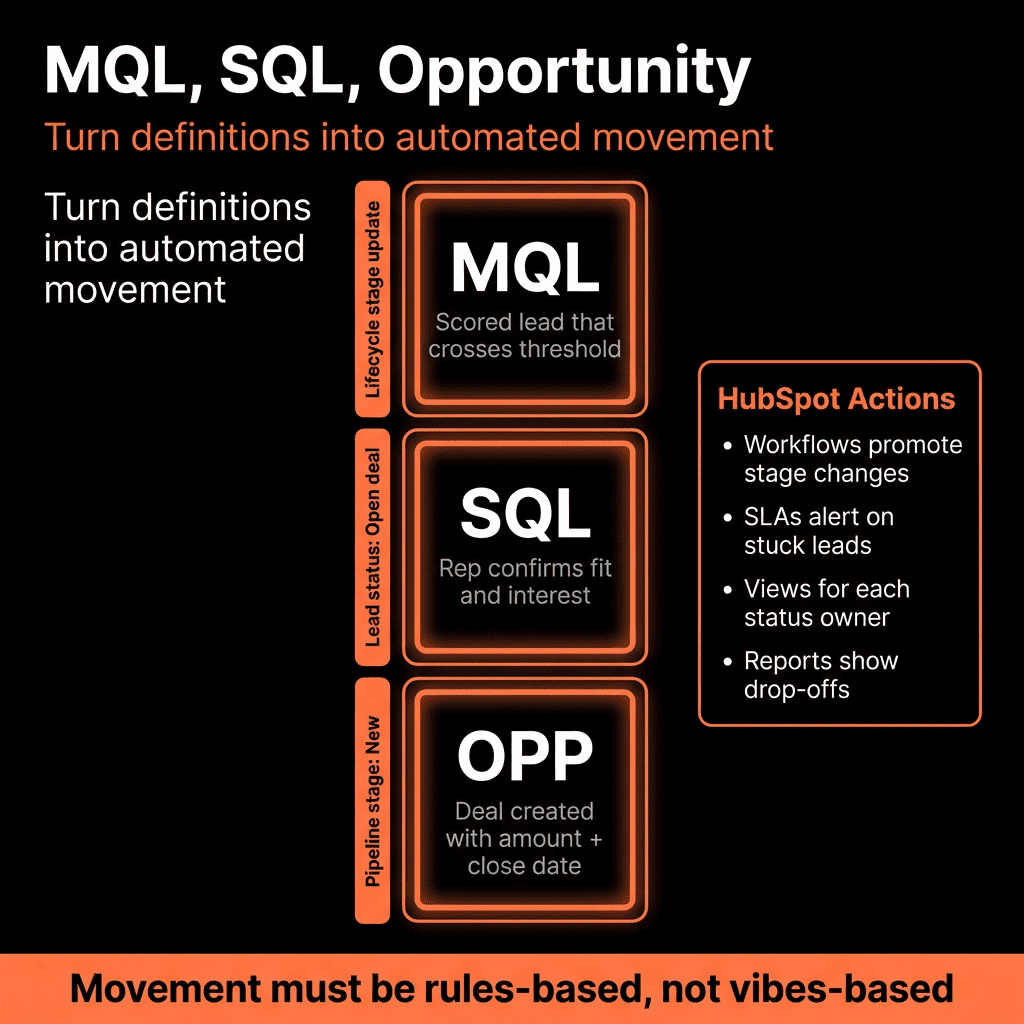
Play 2 – Automated Lifecycle Progression (and Guardrails)
RevOps goal: Consistent funnel definitions across teams.
We use contact-based workflows to:
Move contacts between lifecycle stages based on:
- Form types and intent.
- Lead score thresholds.
- Deal associations or meeting outcomes.
Prevent regressions:
- If Lifecycle stage trying to move backwards, overwrite only if it’s part of a defined process (e.g., recycling).
Align with deals:
- When a deal is created for a contact, push lifecycle to SQL/Opportunity.
- When a deal closes won, push contact to Customer.
Outcome: Funnel metrics become trustworthy and comparable over time.
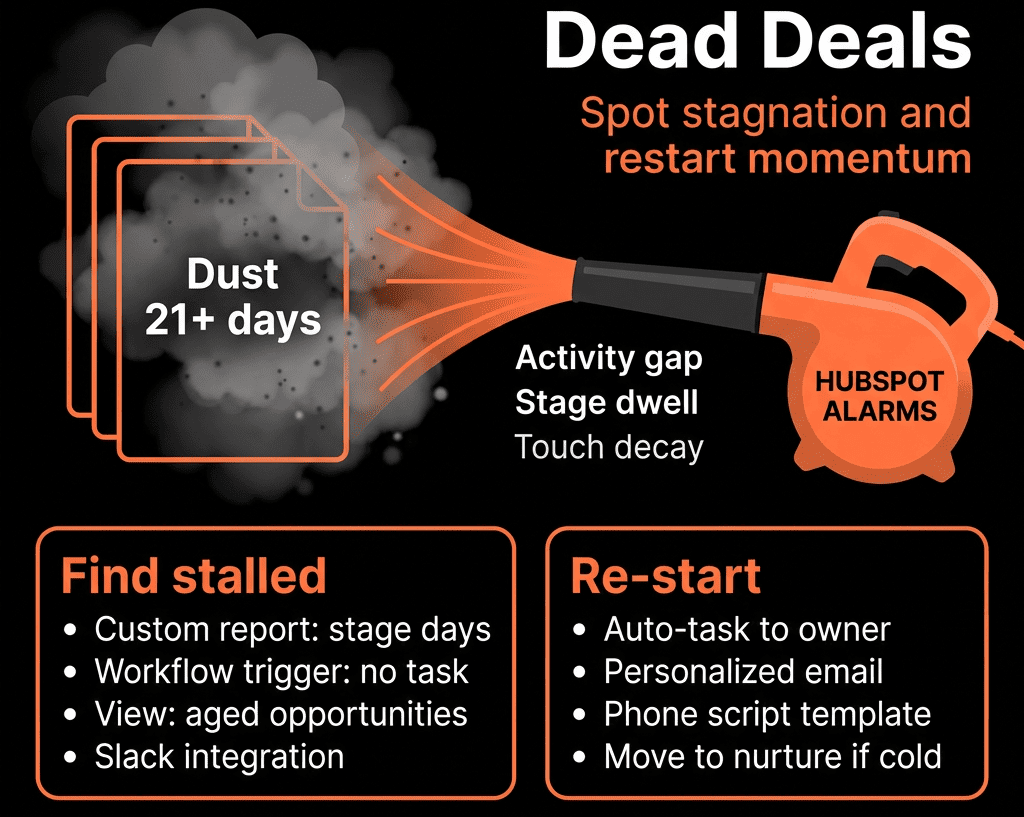
Play 3 – Sales Pipeline Hygiene Automation
RevOps goal: Clean, realistic pipeline for forecasting.
Deal-based workflows:
Auto-create tasks when:
- No activity on a deal for X days (stage-specific).
- Next step date is in the past.
- Close date is in the past but stage is not Closed Won/Lost.
Escalation rules:
- If no response to hygiene tasks for Y days, notify manager or move deal to a “Stale – Review” stage.
Optional:
- Auto-push deals to a “Re-open if needed” stage when they exceed max age with no movement.
Outcome: Less “zombie pipeline” and more honest forecasts.
Play 4 – Marketing-to-Sales Handoff Alerts With Context
RevOps goal: High-quality, contextual handoff that reps actually use.
Contact-based workflows:
Trigger on:
- MQL creation, key behavior (high score, key page views, pricing page visits).
Actions:
Internal email to owner with:
- Latest pages viewed.
- Form submissions.
- Product interest fields.
- Recommended talk track or Playbook link.
Task creation (where appropriate).
Optional:
- Slack/Teams message in a “hot leads” channel.
Outcome: SDRs and AEs get rich context without digging, so they can run better first calls.
Play 5 – Standardized Sales Follow-Up Sequences
RevOps goal: Consistent, multi-touch follow-up that doesn’t rely on memory.
We standardize:
Sequences for:
- Demo no-shows.
- New MQLs in specific segments.
- Quotes/proposals sent.
Enrollments via:
- Deal or contact workflows.
- Playbooks (rep clicks).
Safety checks:
- Don’t enroll if meeting already booked.
- Unenroll if lifecycle moves to Customer or Nurture.
Outcome: Follow-up quality is no longer dependent on the most disciplined rep.
Play 6 – Post-Sale Handoff & Onboarding Triggers
RevOps goal: Smooth Sales → CS transition and faster time-to-value.
Deal-based workflows on Closed Won:
Create and assign onboarding tickets with:
- Playbook / checklist linked.
- Key fields copied from deal: use case, expectations, promised timelines.
Update properties on contact/company:
- Customer tier, Onboarding package, CSM owner.
Send internal summary email to CS team or CSM:
- Deal notes.
- Key stakeholders.
- Risks flagged during sales.
Optionally:
- Kick off a customer welcome email series.
Outcome: CS doesn’t start blind, and onboarding feels coordinated.
Play 7 – Renewal & Expansion Risk Alerts
RevOps goal: Protect NRR by surfacing churn risk and expansion opportunities.
Ticket- or deal-based workflows (depending on your setup):
Renewal triggers:
- X days before renewal date → create renewal deal and tasks.
- Assign to owner (AM/CSM) and notify.
Risk alerts:
- High ticket volume or unresolved high-priority tickets near renewal.
- Low product usage (if integrated) → push a risk flag property on company or deal.
- NPS/CSAT detractors.
Expansion triggers:
- Usage thresholds exceeded.
- Additional products in use but not contracted.
Outcome: You catch at-risk accounts earlier and create a systematic rhythm for renewals and upsells.
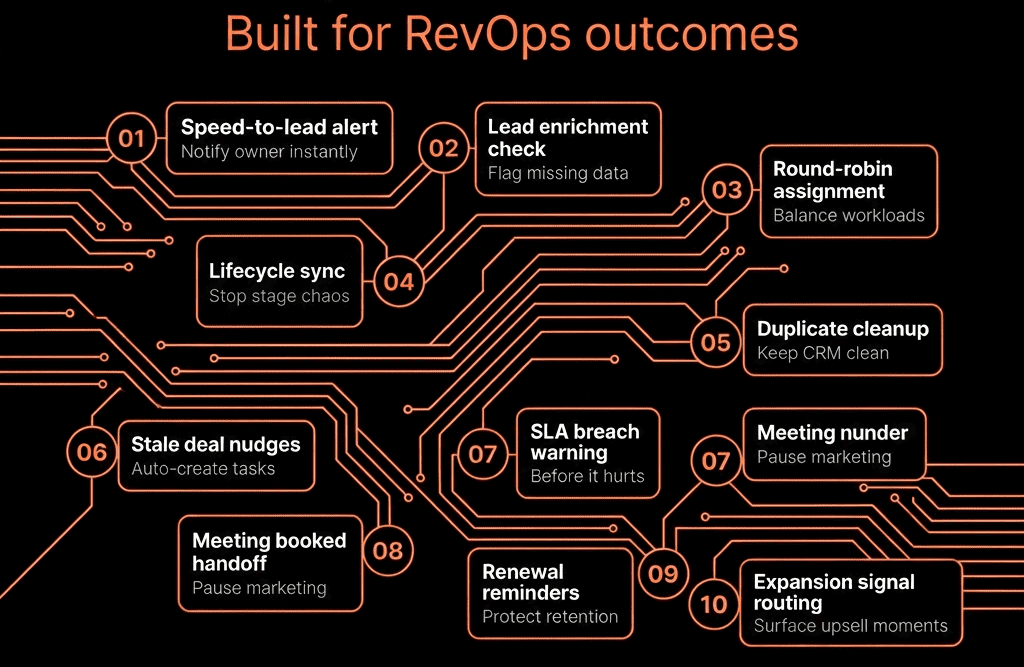
Play 8 – Revenue Attribution Stamping
RevOps goal: Attribute revenue to channels and campaigns properly.
Contact and deal workflows:
On contact creation / lead creation:
- Stamp FT channel, Lead creation channel, and campaign fields from Original source and UTM data.
On lifecycle transitions (e.g., MQL):
- Capture stage-specific attribution fields (MQL channel, MQL campaign).
On deal creation:
- Copy key attribution fields from primary contact to Opportunity source channel/campaign.
On Closed Won:
- Set Revenue attribution channel/campaign if missing (usually equal to opportunity source).
Outcome: You can report revenue by channel/campaign across the full funnel, not just last-touch.
Play 9 – Data Hygiene Automation for Core Properties
RevOps goal: Reduce manual cleanup and keep reporting reliable.
Contact, company, and deal workflows:
- Standardize country/region values from messy free-text.
- Backfill missing Lifecycle stage, Lead status, or Industry where you have rules.
- Normalize key picklists (e.g., job titles to role groups).
- Auto-close duplicate tickets or flag likely duplicate contacts/companies (paired with regular dedupe processes).
We usually pair this with:
- Clear property definitions.
- Guardrails on forms and imports.
Outcome: Fewer reporting anomalies and more trust in the data.
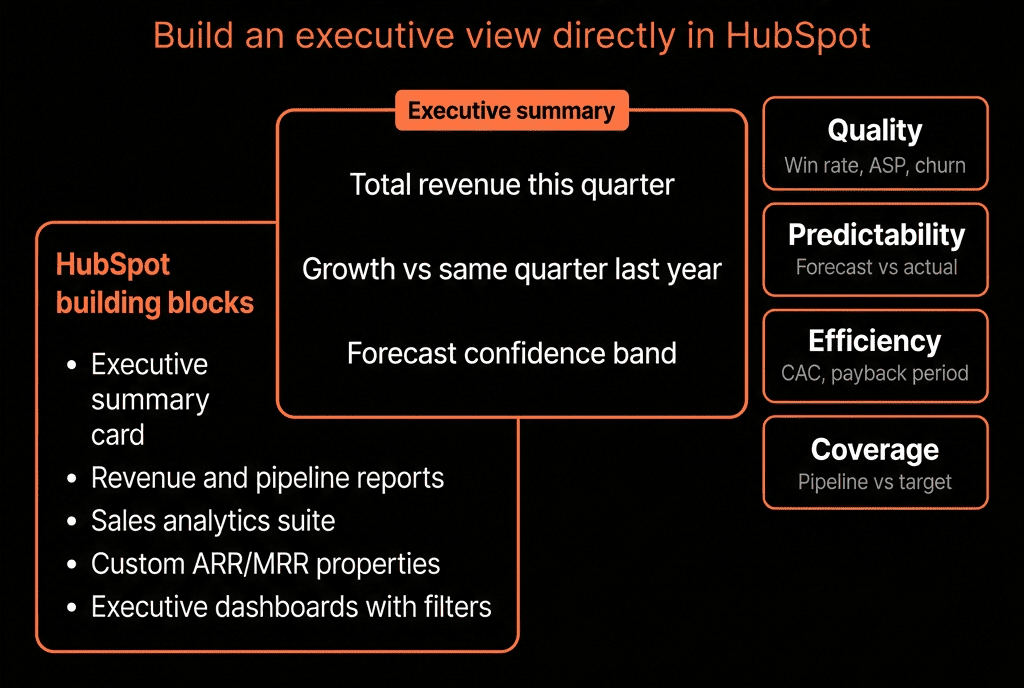
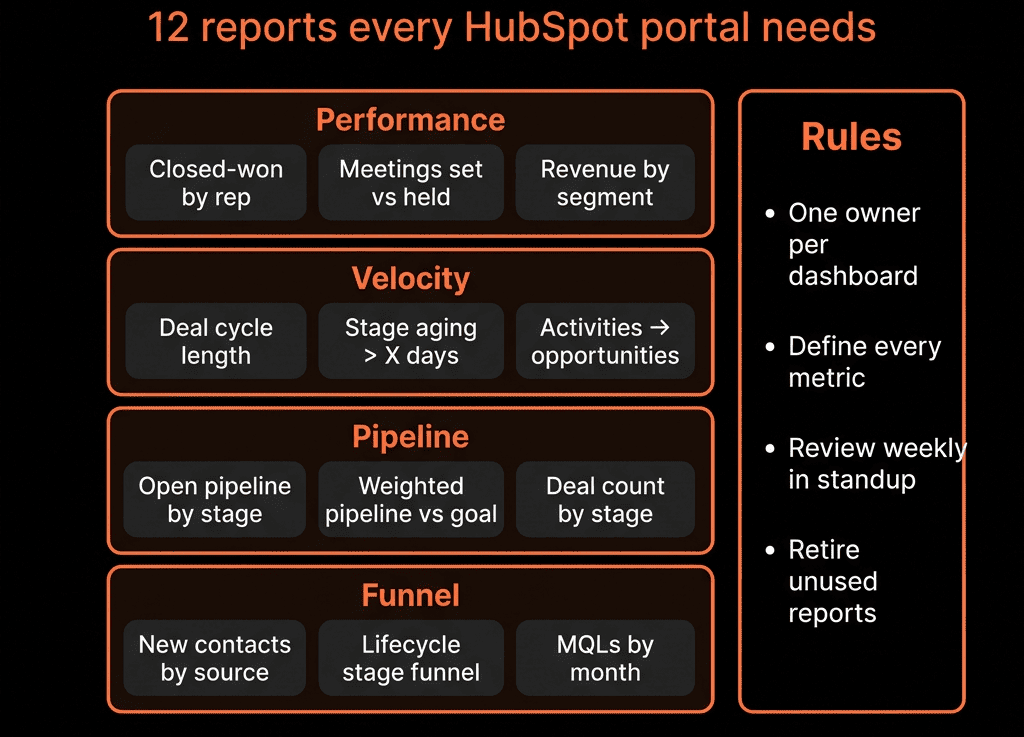
Play 10 – Executive & RevOps Decision Dashboards With Scheduled Sends
RevOps goal: Make the right metrics visible at the right cadence.
While not a “workflow” in the classic sense, this is automation senior leaders feel.
We:
Build dashboards for:
- Pipeline health and coverage.
- Conversion rates by stage and segment.
- Win/loss and reasons.
- NRR/GRR and expansion.
- Attribution and CAC efficiency.
Use scheduled email sends:
- Weekly for RevOps and sales leadership.
- Monthly for exec team.
Add clear annotations in dashboard descriptions (what each metric means, and what to look for).
Outcome: RevOps doesn’t have to “pull a report” for every question; leadership has a consistent decision frame.
How to Roll These Out Without Overwhelming the Team
We rarely deploy all 10 at once.
We phase:
- Stabilize lead routing, lifecycle, and pipeline hygiene (Plays 1–3).
- Improve handoffs and follow-up (Plays 4–6).
- Strengthen revenue insight and renewals (Plays 7–10).
Each play is small enough to implement quickly, but together they form a RevOps backbone.
Want These 10 Plays Configured and Aligned to Your Go-To-Market?
If your current automation is a mix of old workflows and disconnected sequences, we can help.
Through our HubSpot Portal Health Check and Managed RevOps Retainer / Migration & ROI Plan, we:
- Audit existing workflows, sequences, and lifecycle logic.
- Prioritize which automation plays will move the needle fastest for your RevOps goals.
- Implement or refactor workflows, properties, and dashboards.
- Set up a governance model so automation supports your process instead of breaking it.
- So HubSpot becomes the operating system for RevOps—not just a place where automation “lives”.