



Stalled Deals = Fake Pipeline
If you don’t deliberately manage stalled deals, they:
- Inflate pipeline.
- Distort forecasts.
- Drain rep time and focus.
HubSpot can:
- Identify stalled deals automatically.
- Make them highly visible.
- Trigger structured re-engagement or cleanup.
Here’s how we set that up.
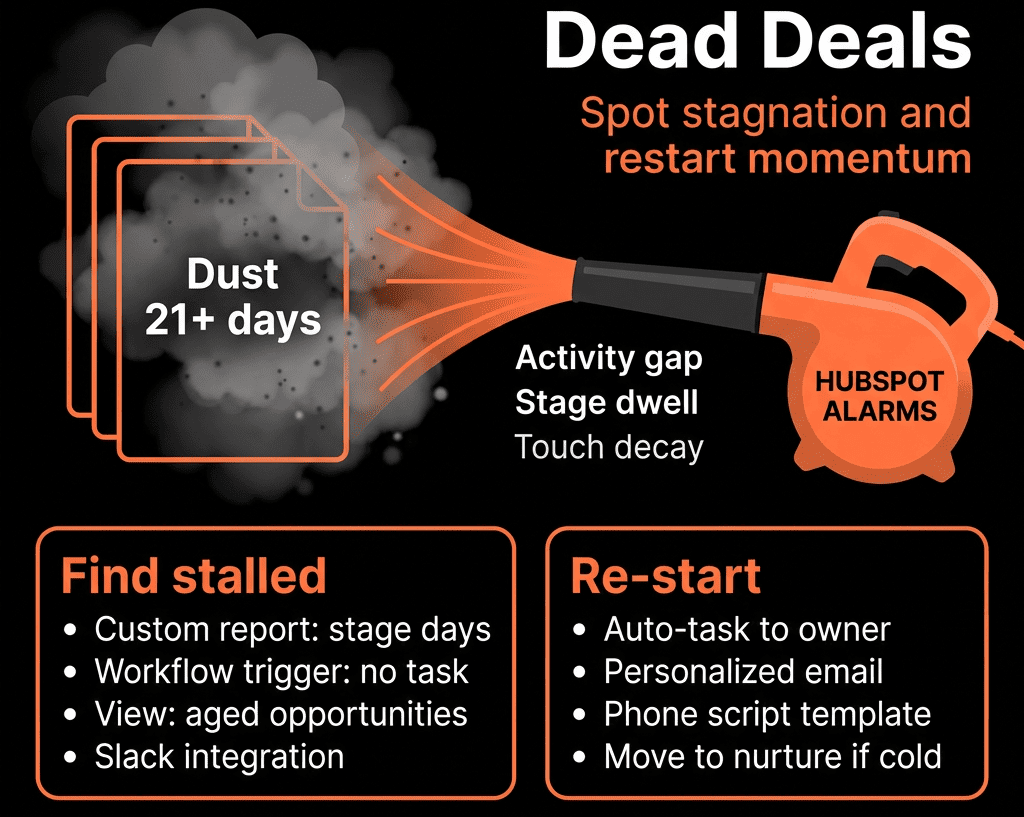
Step 1 – Define What “Stalled” Means in Your World
Decide your rules by stage.
Examples:
Early stages (Qualification / Discovery):
- No activity in 7–14 days.
Mid stages (Solution / Evaluation):
- No activity in 14–21 days.
Late stages (Proposal / Commit):
- No activity in 7–10 days.
- Close date in the past and not updated.
Also decide:
- Stalled = no logged: call, email, meeting, note, or task completion on the Deal/Contact.
Write these definitions down; they’ll drive workflows and views.
Step 2 – Ensure You’re Capturing Activity Against Deals
Before you can detect stalls, you need reliable activity:
Reps should:
- Log calls and emails from the record or inbox integration.
- Associate meetings with the right Deal (not just the Contact).
- Use tasks inside HubSpot, not private tools only.
Consider:
- Short enabling session on “How to log activity so it counts”.
- Saved Deal views showing last activity date to reinforce the habit.
Step 3 – Add Key Deal Properties for Stalled Logic
On Deals, add:
- Last activity date (HubSpot system or custom).
- Next step (Text).
- Next step date (Date).
- Stalled (Yes/No) – flag.
- Stalled reason (Dropdown: No response, Internal delay, Budget pause, Lost champion, Other).
- Recycle / On hold stage (optional, in the pipeline).
These let you:
- Flag stalled deals.
- Distinguish “paused with a reason” from “forgotten”.
Step 4 – Use Workflows to Flag Stalled Deals by Stage
Create deal-based workflows per pipeline or global with branches:
Enrollment:
- Deal stage is open (not Closed Won/Lost).
Branch by stage group:
Early stages:
- If Last activity date more than 14 days ago → set Stalled = Yes.
Mid stages:
- If Last activity date more than 21 days ago → Stalled = Yes.
Late stages:
- If Last activity date more than 10 days ago OR Close date in the past → Stalled = Yes.
Optionally:
- When activity resumes (new logged activity): Another workflow or re-enrollment sets Stalled = No.
Keep the logic simple and transparent.
Step 5 – Build “Stalled Deals” Views and Dashboards
Make stalls impossible to ignore.
Deal views for reps/managers:
“My stalled deals – early stage”
- Filters: Owner = Me, Stalled = Yes, Stage in [early stages].
“My stalled deals – late stage (urgent)”
- Owner = Me, Stalled = Yes, Stage in [late stages], Close date this month/next.
“Team stalled deals” for managers
- Owner team filter, Stalled = Yes.
Columns:
- Stage.
- Amount.
- Last activity date.
- Next step & Next step date.
- Stalled reason (so reps can document context).
Dashboard tiles:
- Count and value of stalled deals by stage.
- Stalled amount by rep/team.
- Trend of stalled deals over time.
Use these in weekly pipeline and revenue standups.
Step 6 – Design Simple Re-Engagement Plays Per Stage
Re-activation should not be ad hoc.
Create 2–3 standard plays:
Early-stage re-engagement (light touch)
- Short email sequence or task list for rep:
- Value-add content.
- “Did priorities change?” check-in.
- Clear CTA to book/rebook a call.
Mid-stage re-engagement
- Email + call pattern:
- Reframe problem and impact.
- Ask if project is paused or deprioritised.
- Offer an adjustment (scope, timing, stakeholder inclusion).
Late-stage / proposal re-engagement
- Higher-touch:
- Phone + video message + executive follow-up.
- Explicitly ask: “Has something changed that we should know about?”
Operationalize in HubSpot via:
- Sequences (for 1:many-ish, but personalised outreach).
- Playbooks (for reps to follow during live re-engagement calls).
- Tasks auto-created when a Deal first becomes Stalled = Yes.
Step 7 – Automate Triggers Into Those Plays (Carefully)
Use workflows to create structure, not spam.
Example workflow:
- Trigger: Deal becomes Stalled = Yes AND Stage in [early/mid stages].
- Actions:
- Create task for owner: “Choose re-engagement path for [Deal] (sequence/manual/close).”
- Optionally, auto-enroll into a short reactivation sequence only if certain conditions are met (e.g., low deal count per rep, clear ICP fit).
For late-stage:
- Trigger: Stalled = Yes AND Stage in late stages.
- Actions:
- Notify rep + manager.
- Task: “Manager + rep review and decide: push, recycle, re-engage, or close lost.”
Keep humans in the loop where stakes are high.
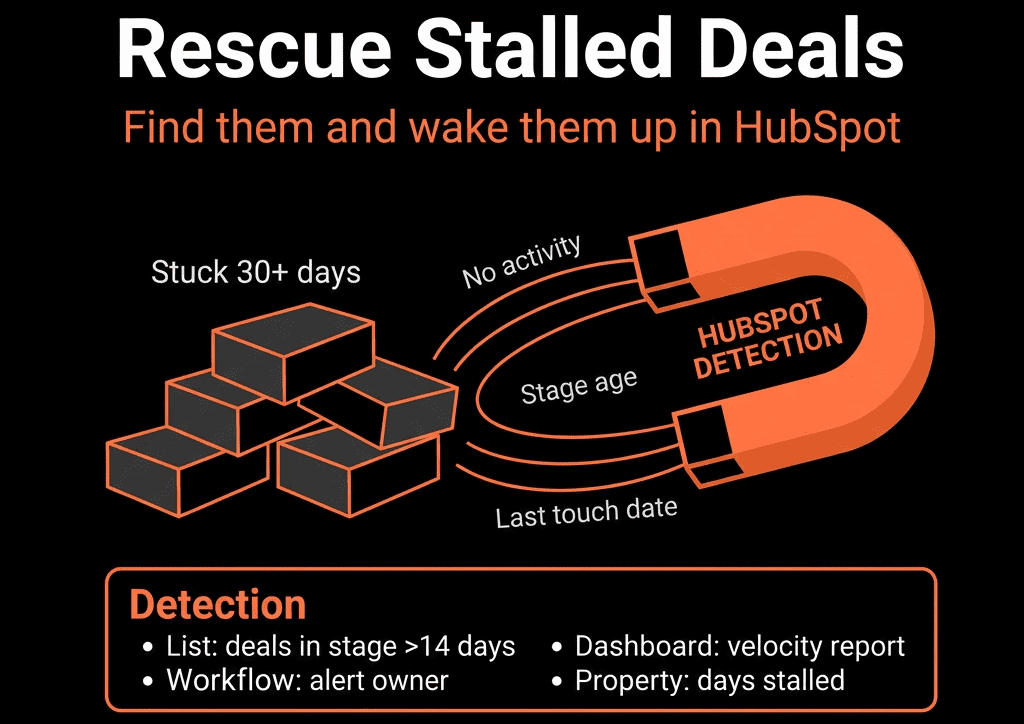
Step 8 – Create a “Recycle / On Hold” Path for Truly Stalled Deals
Not every stalled deal should stay in core pipeline forever.
Options:
- Add a pipeline stage: On hold / Recycle – Future potential.
Define criteria:
- Deal is stalled for >X days.
- No clear next step.
- Prospect confirms timing is >N months out.
Workflow:
- When rep sets Stalled reason = No budget / Deferred / Wrong timing AND toggles a “Recycle” flag:
- Move deal to that stage.
- Optionally close lost with a specific lost reason and create a future reminder on the Company or Contact.
Marketing/SDR can then:
- Nurture the account.
- Try again later based on signals (new funding, hiring, engagement).
This stops fake pipeline without losing long-term opportunity.
Step 9 – Measure the Impact of Stalled Management
Track:
- % of open pipeline that is stalled (by stage, rep, segment).
- Win rate of:
- Deals that never stalled.
- Deals that stalled then re-engaged.
- Average time stalled for recovered vs lost deals.
Use this to:
- Benchmark realistic expectations (“recovered stalls close at X% vs Y% for non-stalls”).
- Coach reps on when to fight for a deal vs close lost and move on.
- Adjust stall thresholds by segment as you learn.
Step 10 – Make Stalled Review a Standing Part of Your Rhythm
Embed this into:
Weekly team meetings:
- Each rep reviews top 3 stalled deals and declares: re-engage, recycle, or close lost.
Manager 1:1s:
- Use “My stalled deals” view as a core tab.
Monthly RevOps review:
- Look at stalled trends by stage, reason, and rep.
- Identify systemic friction (pricing, packaging, product gaps, competition).
Over time, stalled deals become:
- A signal to learn from, not a graveyard to ignore.
Want Help Making Stalled Deals Visible and Actionable in Your Portal?
If your pipeline “looks big” but you know a chunk of it is silently dead, we can help you instrument and clean it.
Through our HubSpot Portal Health Check and Managed RevOps Retainer / Implementation Blueprints, we:
- Define stalled criteria by pipeline and segment.
- Implement properties, workflows, views, and sequences for stall detection and re-engagement.
- Build dashboards to track stalled pipeline, recovery, and impact on forecast.
- Train managers and reps to use stalled views in their weekly rhythm.



