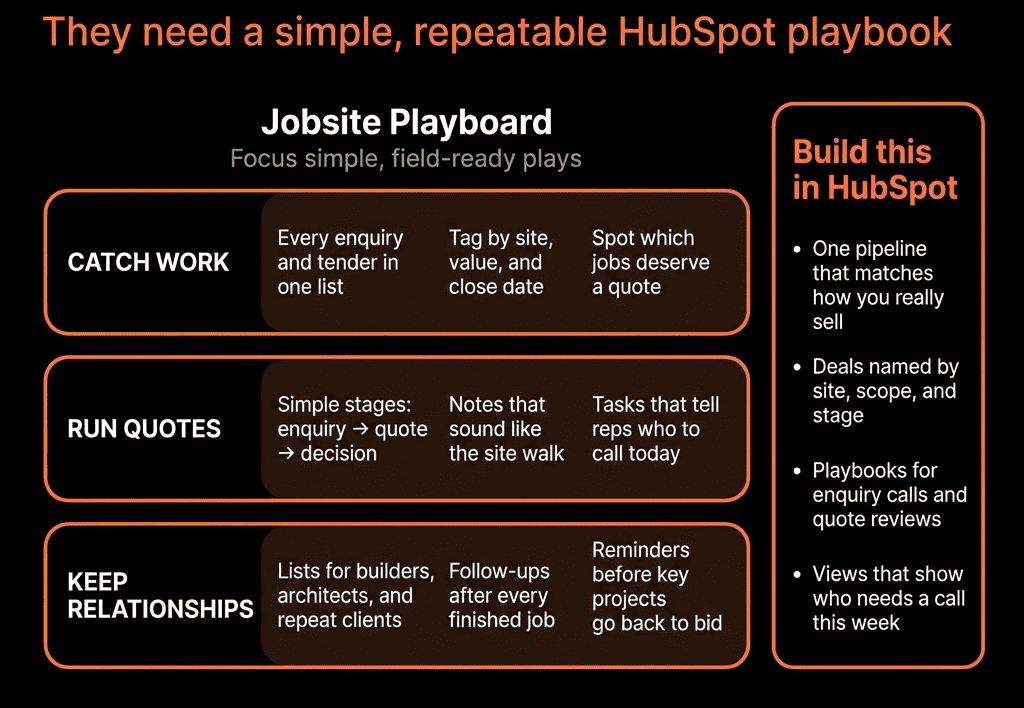
Slow Quotes Kill Hot Deals
When a buyer says, “Send me a quote,” the clock starts.
If your team:
- Takes days to get pricing approved.
- Chases inputs from multiple people.
- Builds quotes manually in docs or spreadsheets.
Then:
- Momentum dies.
- Competitors slide in.
- Forecast “commit” deals quietly slip.
HubSpot can be your system to measure and improve speed-to-quote—if you set it up correctly.
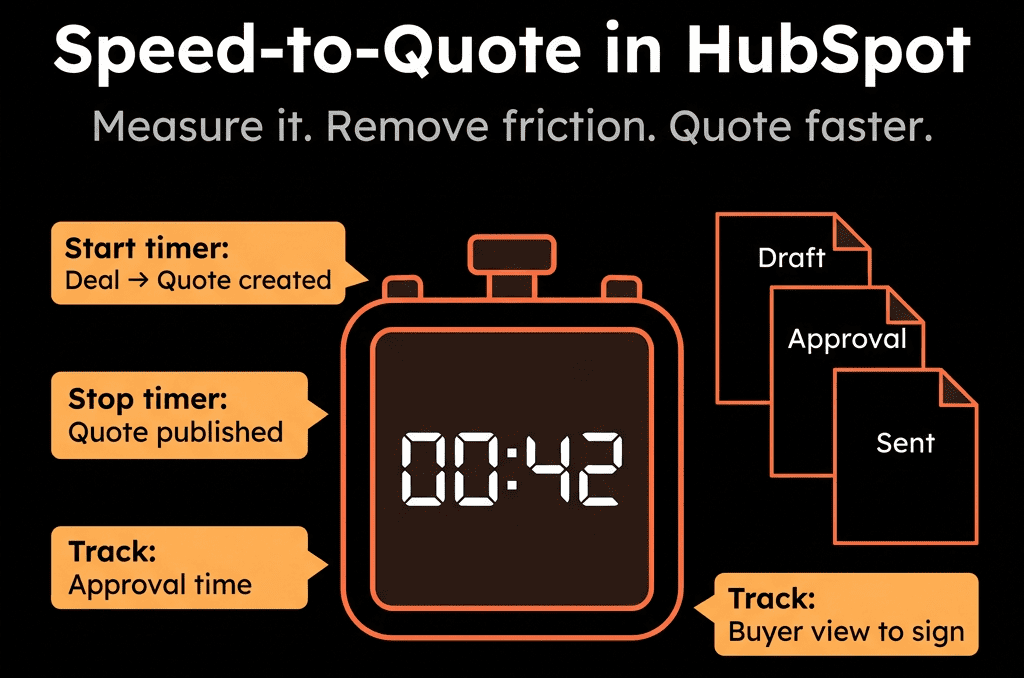
Step 1 – Define “Speed-to-Quote” for Your Motion
First, be clear about what you’re measuring.
Typically:
- Start point = when the buyer requests pricing or when the opportunity reaches a “Quote/Proposal Needed” stage.
- End point = when a formal quote or proposal is sent (using HubSpot quotes or logged activity).
You can refine by:
- First quote sent vs final version accepted.
- New business vs expansion.
- Segment (SMB vs Enterprise).
Write this definition down—RevOps, sales, and leadership must agree.
Step 2 – Add the Right Deal Properties
On Deals, create or confirm:
- Quote requested date (Date).
- Quote sent date (Date).
- Speed to quote (days) (Number – calculated or workflow-populated).
- Proposal/Quote stage reached date (optional, if you rely on stage change).
- Deal type (New / Renewal / Expansion).
- Segment, Region, or Industry (pulled from Company).
- If you use HubSpot Quotes: Ensure quote creation is associated with the right Deal.
These properties form the backbone of your reporting.
Step 3 – Capture Quote Requested and Quote Sent Reliably
You need consistent triggers for start and end.
3.1 Quote requested
Options:
When a deal moves into a specific stage (e.g., “Proposal/Quote Needed”):
- Use a deal-based workflow:
- Enrollment: Deal stage changes to that stage AND Quote requested date is unknown.
- Action: Set Quote requested date = now.
When a rep logs a specific activity or uses a Playbook flag:
- E.g., checkbox Quote requested on this call.
- Use workflow to stamp Quote requested date when that field becomes true.
Pick one main method to avoid duplication.
3.2 Quote sent
Options:
Using HubSpot Quotes:
- Workflow triggers when a quote is created/first published and associated with the Deal:
- Set Quote sent date if blank.
Manual logging:
- Create a custom Deal property Quote sent (manual flag) (Yes/No).
- Reps tick it when they email a PDF/proposal.
- Workflow stamps Quote sent date when it becomes Yes.
Again, choose a single, simple pattern.
Step 4 – Calculate Speed-to-Quote
Once you have dates:
Option A – Calculated property (Operations Hub or custom calculation)
Speed to quote (days) = Quote sent date – Quote requested date.
Option B – Workflow-based calculation
- On Deal when Quote sent date is known and Speed to quote is unknown:
- Use a custom-coded action or date-difference method (if available in your tier), or
- Export for analysis if calculation is not natively supported.
If neither is available, you can still:
- Use reports that show median/average time between those two dates without a stored property.
The goal is to get a clear “X days from request to quote” metric per deal.
Step 5 – Build Speed-to-Quote Dashboards
Now make the metric visible.
Key reports:
Average speed-to-quote by rep/team
- Bar chart: avg days from quote request to sent.
- Filtered by period (this month/quarter).
Speed-to-quote by segment
- SMB vs Mid vs Enterprise.
- By region or industry.
Distribution chart
- How many deals got quotes within:
- <24 hours.
- 1–2 days.
- 3–5 days.
- 5+ days.
Speed-to-quote vs win rate and deal size
- Custom report:
- Group deals into buckets by speed-to-quote.
- Show win rate and average amount per bucket.
This quickly surfaces patterns like “Deals quoted within 48 hours close at 32%; beyond that, 18%.”
Step 6 – Use Playbooks and Fields to Collect Quote Inputs Faster
Delays often come from missing information, not the quoting tool itself.
Use HubSpot Playbooks in the stages before quote:
- Discovery and solution design Playbooks that capture:
- Product/package configuration.
- Quantities/tiers.
- Commercial terms (billing frequency, contract length).
- Discounting rules or flags.
Map these to Deal properties:
- Proposed product/package.
- Proposed quantity.
- Discount requested.
- Billing term.
Then:
- Build your quoting process (HubSpot Quotes or external) to pull directly from these fields.
Less “back and forth” at quote time = faster speed-to-quote.
Step 7 – Automate Handoffs to Specialists (If Needed)
If finance, legal, or sales engineering are involved:
Use deal-based workflows to create tasks/tickets when:
- Deal enters “Quote needed” stage.
- Discount requested > threshold.
- Custom/complex terms flagged.
Example:
Workflow:
- Trigger: Deal in Proposal stage AND Discount requested > 20%.
- Actions:
- Create ticket “Discount approval for [Deal]” assigned to finance.
- Notify approver with Deal link and key fields.
Track:
- Time from request to approval.
- Where approvals cause most delay (segment, product, rep).
This creates visibility into internal bottlenecks.
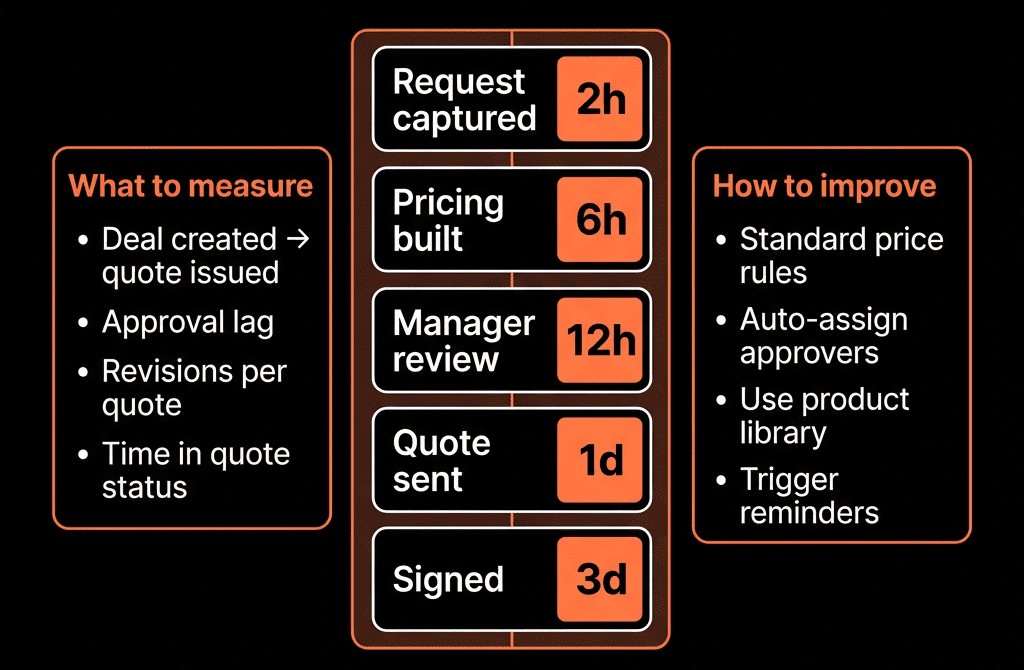
Step 8 – Build SLA and Alerting Around Quote Delays
Speed-to-quote is a kind of SLA.
Use workflows to:
- Alert reps and managers when:
- Quote requested date is known AND Quote sent date is still unknown after X hours/days.
Add a “Quote overdue” property:
- Yes/No or traffic-light status.
Show these deals in a “Quotes at risk” view.
You can also:
- Create a dashboard tile:
- Number and value of deals with quote overdue.
- By rep/team.
This keeps pressure on the right bottlenecks weekly.
Step 9 – Review Speed-to-Quote in Weekly Revenue Meetings
In your weekly revenue standup:
Add a short section:
- “Speed-to-quote this month vs last.”
- “Quotes overdue by rep/team.”
- Top 5 deals where quotes are blocked and why.
Ask:
- Are delays coming from missing information? → Fix Playbooks/required fields.
- From approvals? → Refine discounting rules and authority.
- From quoting tools? → Simplify templates and CPQ steps.
Tie improvements to win rates and cycle time to prove impact.
Step 10 – Iterate the Process, Not Just the Metric
Once you see the baseline:
- Set targets per segment (e.g., 24 hours for SMB, 2–3 days for Enterprise).
Experiment with:
- Standard packages to reduce custom work.
- Pre-approved pricing bands per rep.
- Better scoping earlier in the cycle.
Use HubSpot to measure:
- Before vs after speed-to-quote.
- Corresponding changes in:
- Win rate.
- Average discount.
- Sales cycle length.
Your goal is a quoting process that is:
- Fast enough for the buyer.
- Controlled enough for finance.
- Visible enough for RevOps.
Want Help Instrumenting and Improving Speed-to-Quote in Your Portal?
If quotes currently live in scattered docs and nobody can answer “How long do we take to send pricing?”, HubSpot is the right place to fix it.
Through our HubSpot Portal Health Check and Managed RevOps Retainer / Implementation Blueprints, we:
- Design the deal fields and Playbooks needed for fast quoting.
- Implement the workflows to track quote request, quote sent, and speed-to-quote.
- Build dashboards connecting speed-to-quote with win rate and cycle time.
- Help you tune approvals and quoting steps for both speed and control.
- So quotes stop being a black box—and start being a measurable, optimizable part of your revenue engine.