



HubSpot Fails Most Often When It’s Treated as “Just a Tool”
Most broken portals have the same backstory:
- Marketing bought HubSpot to “do campaigns”.
- Sales added deals and tasks later.
- CS was bolted on after churn spiked.
- Nobody owned the whole revenue system.
- Everyone optimised their own piece.
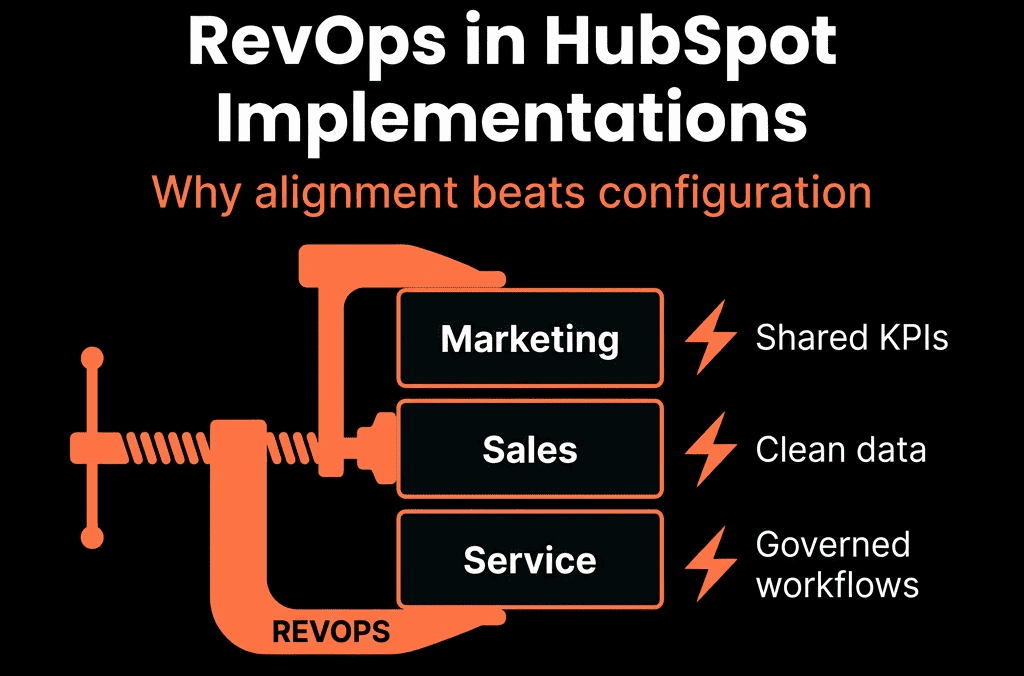
RevOps fixes that.
And in a HubSpot implementation, RevOps is not a stakeholder—it’s the architect and long-term owner.
Here’s what that actually looks like.
What RevOps Owns in a HubSpot Implementation
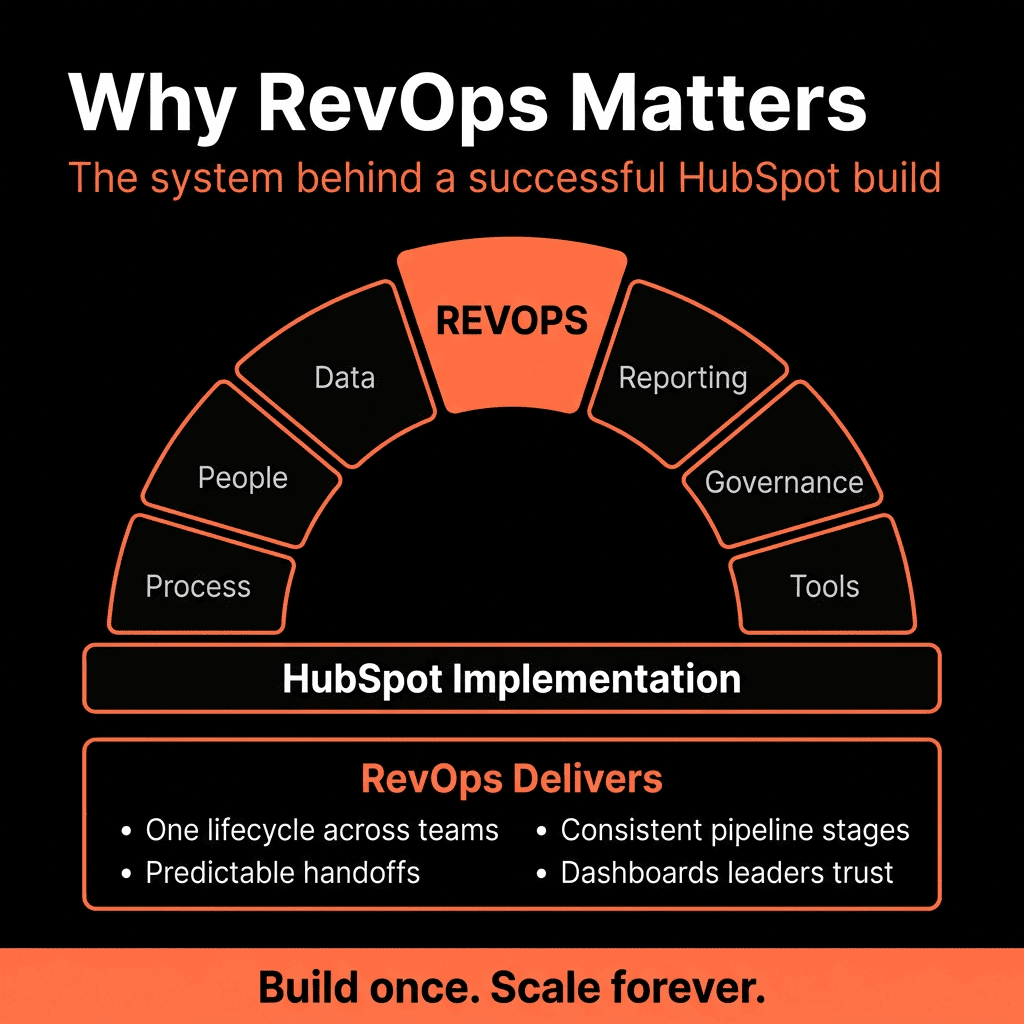
RevOps should own five things end-to-end:
- Revenue data model
- Funnel & pipeline design
- Automation and handoffs
- Reporting and decision frameworks
- Governance and change management
If any of these are left to “project decisions” made in silos, you pay for it later in rework and lost insight.
1. RevOps Owns the Revenue Data Model
Without RevOps, implementations default to:
- Dozens of custom properties with no naming rules.
- Contacts used as the primary object for everything.
- Companies, Deals, and Tickets underused or misused.
RevOps should define:
- Which objects you actually use (Contacts, Companies, Deals, Tickets, Subscriptions/Custom Objects).
- How they relate (1:many, many:many, associations).
- Which properties are:
- Global and standardized (e.g., industry, segment, region, ICP fit).
- Pipeline-specific (e.g., deal-type-specific fields).
- System-critical (used in routing, scoring, reporting).
In practice:
- MQL definition becomes a combination of fit + intent fields.
- SQL/Opportunity is tied to deal creation rules.
- Customer, NRR, and churn use a consistent set of properties on Companies + Deals.
RevOps makes sure HubSpot reflects the real revenue engine, not individual team wishlists.
2. RevOps Designs Lifecycle and Pipelines as One System
When marketing, sales, and CS each design their part, you get:
- Lifecycle stages that don’t match deal stages.
- CS running renewals in spreadsheets.
- No way to see Lead → MQL → SQL → Opportunity → Customer → Renewal in a single view.
RevOps should:
- Own the lifecycle framework across the portal.
- Define when:
- Leads become MQLs.
- MQLs become SQL/Opportunities.
- Leads/accounts become Customers.
- Customers move to churned/advocate/etc.
- Design separate but connected pipelines:
- New Business.
- Renewals.
- Expansion/Upsell.
And then:
- Align stage names and entry/exit criteria with lifecycle transitions.
- Ensure every major stage is reportable and inspectable across teams.
3. RevOps Owns Automation as a Set of Revenue Plays
Without RevOps, workflows accumulate like this:
- One for every form.
- One for every campaign.
- One per “quick idea” from each team.
Soon:
- Workflows step on each other.
- Lifecycle is overwritten by random automations.
- Routing, SLAs, and nurture are inconsistent.
RevOps reframes automation as plays:
- High-intent lead intake and routing.
- MQL → Sales handoff with SLAs.
- Pipeline hygiene and next-step enforcement.
- Renewal creation and at-risk alerts.
- Data hygiene normalisation.
Each play becomes:
- A small set of workflows.
- With clear naming, owner, and scope.
- Documented in a RevOps runbook (“what this is for, when it triggers, what it updates”).
HubSpot becomes the RevOps engine, not a trigger graveyard.
4. RevOps Designs Reporting for Decisions, Not Just Visibility
Most implementations stop at:
- “Nice” dashboards for marketing.
- A basic pipeline board for sales.
- Ticket counts for CS.
Decision-making still happens in spreadsheets.
RevOps should:
- Start from questions, not from charts:
- Are we hitting new, renewal, and expansion targets?
- Where is the funnel leaking?
- Which channels and segments actually drive revenue?
- How accurate is our forecast?
- Where is churn coming from?
- Translate those into:
- Required objects and properties.
- Filters and groupings (segment, source, territory).
- A small set of leadership and team dashboards.
Then:
- Make sure weekly standups, QBRs, and board prep run from HubSpot, not offline exports.
RevOps turns HubSpot reporting from “nice to look at” into the place where strategy is grounded.
5. RevOps Enforces Governance and Change Management
The biggest risk after go-live is entropy:
- New custom fields created for every edge case.
- New workflows added without understanding old ones.
- New tools integrated without a data plan.
RevOps is responsible for:
Property governance:
- Naming conventions.
- Who can create/edit properties.
- Documentation of meaning and usage.
Workflow governance:
- Catalogue of all automations.
- Clear owners.
- Quarterly reviews to prune, consolidate, and optimise.
Integration standards:
- Which system is the source of truth per field.
- What flows into HubSpot and what doesn’t.
- How territory, segmentation, and ICP signals are kept in sync.
This keeps HubSpot usable and trustworthy long after the initial implementation.
What Happens When RevOps Is Missing from Implementation
Common failure modes we see:
- “Marketing’s HubSpot” that sales barely uses.
- Duplicate or conflicting company/contact records by region or channel.
- Dead workflows that still run and interfere with new logic.
- Leadership that still needs Excel to get a straight answer on revenue.
Fixing this later usually costs more time and money than doing a RevOps-led implementation at the start.
What a RevOps-Led HubSpot Implementation Looks Like (In Practice)
A strong RevOps role in implementation means:
Blueprint first, build second
- Data model, lifecycle, pipelines, routing, and reporting all designed on paper before forms and emails are built.
Cross-team workshops
- Joint sessions with marketing, sales, and CS to define:
- Shared funnel.
- Handoffs.
- SLAs.
- KPIs.
Phased rollout
- Foundations (data, lifecycle, pipelines).
- Core plays (routing, SLAs, hygiene).
- Revenue reporting and leadership dashboards.
- Advanced workflows and attribution.
Enablement tied to the system
- Reps trained on how to use HubSpot the way it was designed.
- Managers trained on how to inspect, coach, and forecast in HubSpot.
- Marketers trained on how to plan and measure in the shared model.
Ongoing RevOps ownership
- Monthly/quarterly reviews of:
- Data quality.
- Funnel performance.
- Automation.
- Reporting relevance.
That’s how you get a HubSpot portal that improves over time instead of decaying.
Where We Usually Start When the Implementation Is Already Done
If your portal is already live but messy, RevOps’ first job is diagnostic:
- Audit lifecycle and pipeline configuration.
- Audit properties, workflows, and integrations.
- Map current reporting against leadership questions.
Then:
Define a 60–90 day RevOps overhaul plan:
- Simplify funnels and pipelines.
- Clean and standardise key properties.
- Refactor automation into clear plays.
- Build a minimal but powerful dashboard set.
You don’t need to “start from scratch”; you need a RevOps-led refactor.
Want Your HubSpot Implementation Led by RevOps, Not Just “Set Up”?
This is exactly where our team spends most of its time.
Through our HubSpot Implementation Blueprints, Portal Health Check (Audit), and Managed RevOps Retainer / Migration & ROI Plan, we:
- Design your HubSpot architecture from a RevOps perspective—data model, funnels, pipelines, automation, reporting.
- Implement or re-implement HubSpot so marketing, sales, and CS live in one coherent revenue system.
- Stay on as your RevOps partner to keep the platform aligned as your GTM evolves.
- So HubSpot stops being “the CRM we log into” and becomes the operating system for revenue across the whole company.



