



“We Fixed HubSpot”… But the Team Still Works the Old Way
You clean pipelines.
You standardize properties.
You build better workflows and dashboards.
Then:
- Reps keep using old views.
- Managers still ask for spreadsheets.
- Marketing ignores lifecycle rules.
The problem is not just design.
It’s how you train and roll out change.
RevOps has to treat enablement as part of the implementation—not an afterthought.
Here’s how we roll out new HubSpot processes without overwhelming the team.
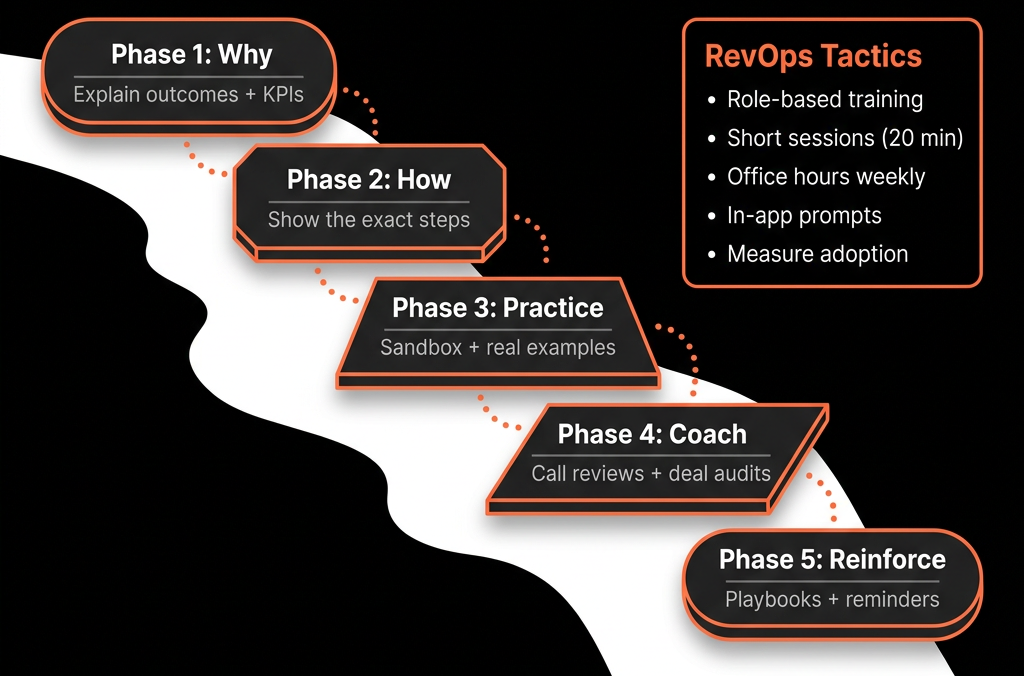
Step 1 – Change One Motion at a Time, Not the Whole World
Instead of “New HubSpot for everyone”, pick one primary motion:
Examples:
- High-intent inbound → SDR/AE handoff.
- New Business pipeline stages + forecasting.
- Renewals + expansions in HubSpot.
- Lead lifecycle and MQL/SQL alignment.
For that motion:
- Define the before → after clearly.
- Identify exactly who is impacted (roles and teams).
- Timebox the rollout (e.g., 4–6 weeks for adoption).
Everything else waits.
Step 2 – Turn the New Process Into 3–5 User Stories Per Role
For each role (SDR, AE, CSM, manager, marketer), describe the change as tasks, not features.
Examples:
SDR:
- “Here’s how I pick up new leads each morning.”
- “Here’s how I qualify and handoff to an AE.”
AE:
- “Here’s how I create and update deals.”
- “Here’s how I run my pipeline review from HubSpot.”
CSM:
- “Here’s how I see renewals and risk in HubSpot.”
Manager:
- “Here’s how I inspect activity, pipeline, and forecast in HubSpot.”
Your training wraps around these user stories—not the whole portal.
Step 3 – Use HubSpot Itself as the Training Environment
Avoid pure slide-based sessions.
Instead:
- Build role-specific saved views and pin them:
- “SDR – New leads today”
- “AE – This month’s Commit”
- “CSM – Renewals in next 90 days”
- Create sample records (contacts, deals, tickets) that show “good” usage.
- Use Playbooks as both: Conversation guides, Embedded training (“ask this, then update this field”).
In training, always:
- Share screen from HubSpot.
- Have people click through their views live.
Step 4 – Train in Short, Role-Specific Sessions
Skip the 2-hour “everyone together” launch if you can.
Instead:
30–45 minute sessions per role:
- SDRs, AEs, CSMs, Marketers, Managers.
Each covers:
- Why this change (revenue problem we’re solving).
- What’s new in your day-to-day: 3–5 key views, 3–5 key behaviors.
- How this will be inspected and supported: Which dashboards, How managers will use them.
Record sessions and store links in a central “How we use HubSpot” space.
Step 5 – Embed Guidance Inside HubSpot, Not Just in Looms
Reduce context switching with:
- Playbooks for key motions (discovery, handoff, renewals).
- Property descriptions that explain how to use important fields.
- Pinned views per team so people don’t have to build their own from scratch.
- Snippets for common notes and handoff templates.
The goal: when someone asks, “What do I do here?”, the answer is visible on the screen they’re already in.
Step 6 – Make Managers the First-Line “Champions”, Not Bystanders
If managers don’t use the new process, nobody will.
Before rolling out widely:
Run manager-only sessions that go deeper on:
- How to run 1:1s from HubSpot views.
- How to run pipeline / forecast / renewal reviews from dashboards.
- How to spot non-adoption (e.g., missing fields, stale stages, wrong views).
Give them:
A simple inspection checklist per week:
- “X% of team’s deals have Next Step + Next Step Date.”
- “No deals in late stage without decision maker marked.”
Managers should be the ones asking “Show me in HubSpot,” not accepting side spreadsheets.
Step 7 – Set a Clear “Switch Date” and Support Window
Avoid long, fuzzy transitions.
Choose a go-live date for the new process (e.g., new pipeline, handoff, or lifecycle).
From that date:
- Old views and fields become read-only or clearly marked as legacy.
- New views and dashboards are the default in meetings.
For the first 2–4 weeks:
- RevOps runs office hours (e.g., 30 minutes twice a week) for live Q&A.
- Use a Slack/Teams channel for quick “how do I…?” questions.
- Capture frequently asked questions and fold them into Playbooks and docs.
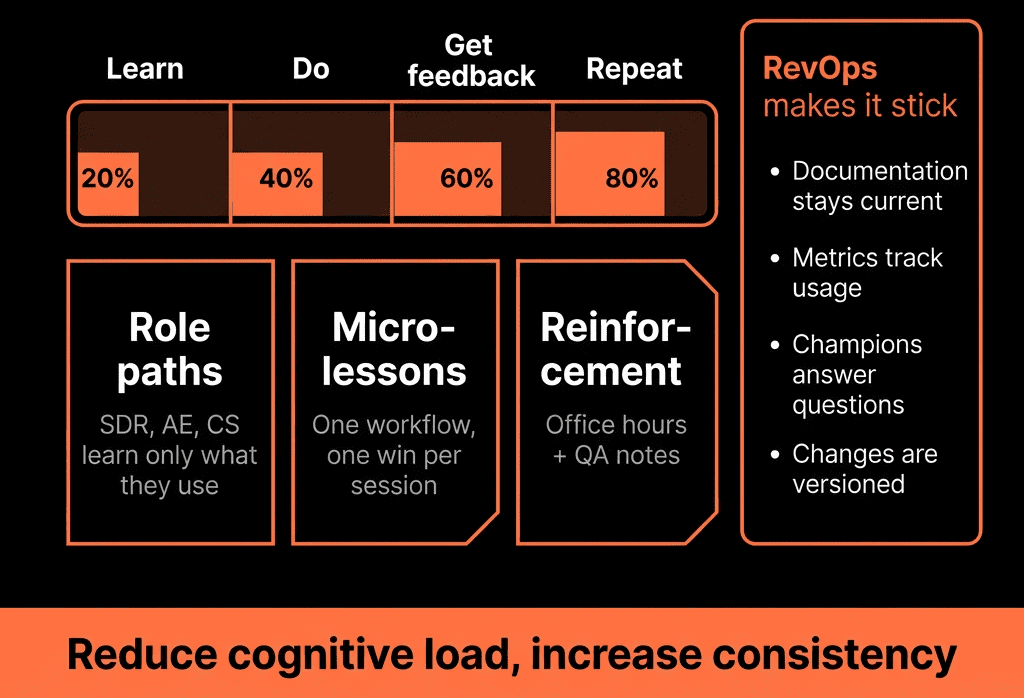
Step 8 – Measure Adoption With Simple, Visible Metrics
Don’t guess whether the new process is being used.
Create an Adoption Dashboard with:
- % of deals with:
- Required stage fields filled.
- Next Step + Next Step Date populated.
- Usage of new pipelines/stages:
- Deals still living in old stages.
- Activity views:
- Calls/meetings logged against the right records.
- Process-specific KPIs:
- E.g., lead response time after new routing; speed-to-quote after new quote flow.
Share this dashboard with managers weekly.
Celebrate good adoption and call out gaps.
Step 9 – Ask for Feedback and Iterate Fast
After 2–3 weeks:
Run short feedback loops with each role:
- “What’s working?”
- “What’s slowing you down?”
- “Where does HubSpot not match how you actually work?”
Look for patterns:
- Field bloat or unclear naming.
- Views missing a column people care about.
- Playbooks that are too long or too rigid.
Make small, fast improvements:
- Adjust views and Playbooks.
- Simplify fields.
- Tweak workflows that create friction.
Tell the team what you changed and why—so they see the system improving with them.
Step 10 – Bake New Processes Into Ongoing Routines
Training is not a one-off. It has to live in:
- Weekly pipeline / forecast / renewal meetings (run from HubSpot).
- Manager 1:1s (using HubSpot views and deal records).
- Quarterly RevOps / GTM retrospectives (using dashboards to drive changes).
And for new hires:
- Include “How we use HubSpot for our [motion]” as a core part of onboarding.
- Use your existing Playbooks, views, and recordings as the training base.
When HubSpot is the default place where work and inspection happen, adoption becomes habit—not a forced change.
Want Help Rolling Out New HubSpot + RevOps Processes Without Burning Out Your Team?
If previous changes have left people confused or skeptical, we can help you stage this properly.
Through our HubSpot Portal Health Check, Implementation Blueprints, and Managed RevOps Retainer, we:
- Prioritise which processes to fix first (and which to leave alone for now).
- Design role-specific views, Playbooks, and dashboards to support the new way of working.
- Help you structure and run the rollout, training, and adoption measurement.
- Iterate based on live usage and feedback, not just plans.
- So your next RevOps change in HubSpot feels clear, supported, and sustainable—not like “yet another new process”.



