



If You Don’t Measure Data Quality, It Will Quietly Decline
Most revenue teams obsess over:
- Pipeline.
- Conversion rates.
- CAC and LTV.
But almost nobody has dashboards for data integrity itself.
So issues accumulate silently:
- Duplicates creep up.
- Key fields go missing.
- Lifecycles and stages drift out of sync.
- Owners and territories become unreliable.
Then, one day:
- Routing breaks.
- Forecasts are off.
- Segmentation fails.
You don’t have to run a separate “data quality program”. You can make data integrity a first‑class metric in HubSpot—visible on dashboards just like pipeline and revenue.
In this article, we’ll cover the core data integrity dashboards revenue teams should monitor, how to build them, and how to use them to drive action.
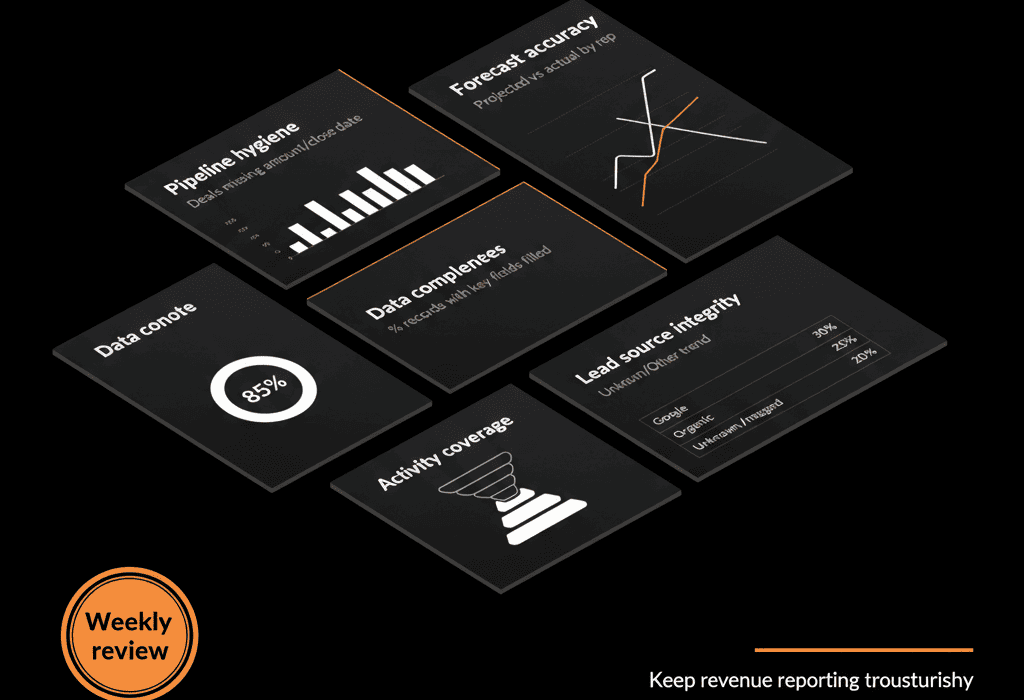
Dashboard 1 – Contact & Company Health (Sales + Marketing)
Purpose
Give Sales and Marketing a shared view of whether lead and account data is usable.
Key widgets / reports
Contacts missing key fields
Reports:
Count of contacts with missing:
- Email.
- Country/region.
- Lifecycle stage.
- Owner.
Why it matters:
You can’t route, segment, or email these contacts reliably.
Companies missing key fields
Reports:
Count of companies with missing:
- Industry.
- Country/region.
- Owner.
- ICP tier (if used).
Why it matters:
Account‑level segmentation and territory routing depend on these.
Orphan records
Reports:
- Contacts with no associated company (for B2B).
- Companies with no associated contacts.
Why it matters:
Hard to work or report on records that are disconnected.
How to use it
- Have Sales/Marketing Ops review this weekly.
- Set incremental targets (e.g., reduce “contacts without owner” by X% per month).
- Tie some clean‑up tasks to onboarding or cadence for SDRs/AEs if appropriate.
Dashboard 2 – Deal & Pipeline Data Quality (Sales + RevOps)
Purpose
Make sure pipeline data can be trusted for forecasting and process decisions.
Key widgets / reports
Deals missing critical properties
Reports:
of open deals missing:
- Amount.
- Close date.
- Primary company or contact.
- Stage (if any in “no stage” or “unknown”).
Why it matters:
Forecasts and pipeline analysis become guesswork when basics are missing.
Deals stuck or stale by stage
Reports:
Count of deals in each stage with “Days in stage” > X (e.g., 30, 60 days).
Why it matters:
Highlights whether stage usage is realistic and whether deals need attention or closure.
Stage regression / odd transitions
Reports:
of deals that move backwards in stage over a period.
Common regression paths (e.g., “Proposal Sent” back to “Qualified”).
Why it matters:
Frequent regressions may indicate unclear stage definitions or bad update habits.
Owner anomalies
Reports:
- Deals owned by non‑sales users (e.g., admins or integration users).
- Deals with “unknown” or inactive owners.
Why it matters:
No clear owner → no clear responsibility.
How to use it
- Review in weekly pipeline/revops meetings.
- Use as a coaching and clean‑up tool:
E.g., “All deals over $X need amount and close date set by Friday.”
Dashboard 3 – Lifecycle, Funnel, and Alignment Health (Marketing + Sales)
Purpose
Ensure lifecycle stages and funnel tracking reflect reality—not historical or broken logic.
Key widgets / reports
Lifecycle distribution sanity check
Reports:
Bar chart of contacts by lifecycle stage.
Why it matters:
If almost everything is “Lead” or “Unknown”, lifecycle is not being maintained.
Lifecycle transitions vs deals created
Reports:
of contacts moving from MQL → SQL → Opportunity.
of new deals created in same period.
Why it matters:
Reveals disconnects between marketing lifecycles and actual sales activity.
Contacts with lifecycle “Customer” but no closed‑won deals
Reports:
Count of contacts marked as “Customer” without any associated closed‑won deal.
Why it matters:
Suggests incorrect lifecycle updates or legacy data conversions.
Companies marked as customers but with no revenue
Reports:
Companies where lifecycle = “Customer” but no associated closed‑won deals or revenue properties.
Why it matters:
Impacts churn/expansion metrics and creates false positives in customer counts.
How to use it
Marketing and Sales ops use it to:
- Tighten lifecycle definitions.
- Adjust workflows that promote/demote lifecycle.
- Clean up historical mislabeling.
Dashboard 4 – Integration & Source Data Integrity (RevOps)
Purpose
Monitor data quality impacts from integrations and imports.
Key widgets / reports
New records by source
Reports:
Contacts created by source (forms, imports, integrations, manual).
Why it matters:
Spot spikes from a new integration or import that may be low‑quality.
Contacts/companies created by each integration user
Reports:
of records created per integration user (e.g., “Zapier”, “Salesforce sync”).
Why it matters:
Helps identify which integrations are creating most of your data (and potential pollution).
Error or incomplete data from imports/integrations
Reports:
Records created in last X days with:
- Missing email/name.
- Missing owner.
- Missing key segmentation fields.
Why it matters:
Allows early correction for bad integration mappings or import templates.
Property changes by source
Advanced, but powerful:
Track changes to key properties (owner, lifecycle, territory) by “changed by” user/integration.
Why it matters:
Quickly spot if an integration or workflow is overwriting critical fields incorrectly.
How to use it
RevOps reviews weekly to:
- Tweak integration settings.
- Update import templates.
- Adjust workflows that respond to external data.
Dashboard 5 – Support & CS Data Completeness (CS + RevOps)
(If you’re using Service Hub or tracking CS data in HubSpot.)
Purpose
Ensure ticket and CS data is structured enough for SLA tracking and health reporting.
Key widgets / reports
Tickets missing key fields
Reports:
of tickets without:
- Priority.
- Category/type.
- Owner.
- Associated company.
Why it matters:
Routing, SLAs, and CS insights rely on these fields.
Tickets with no recent activity
Reports:
Open tickets with no update in X days.
Why it matters:
Early warning system for backlog or process issues.
Ticket volume by source/channel with “Unknown” values
Reports:
Tickets created with source = unknown/blank.
Why it matters:
Impacts channel performance analysis and staffing decisions.
How to use it
CS managers review regularly to:
- Coach agents on proper ticket updates.
- Identify where automations or integrations (e.g., from chat/email) need better mapping.
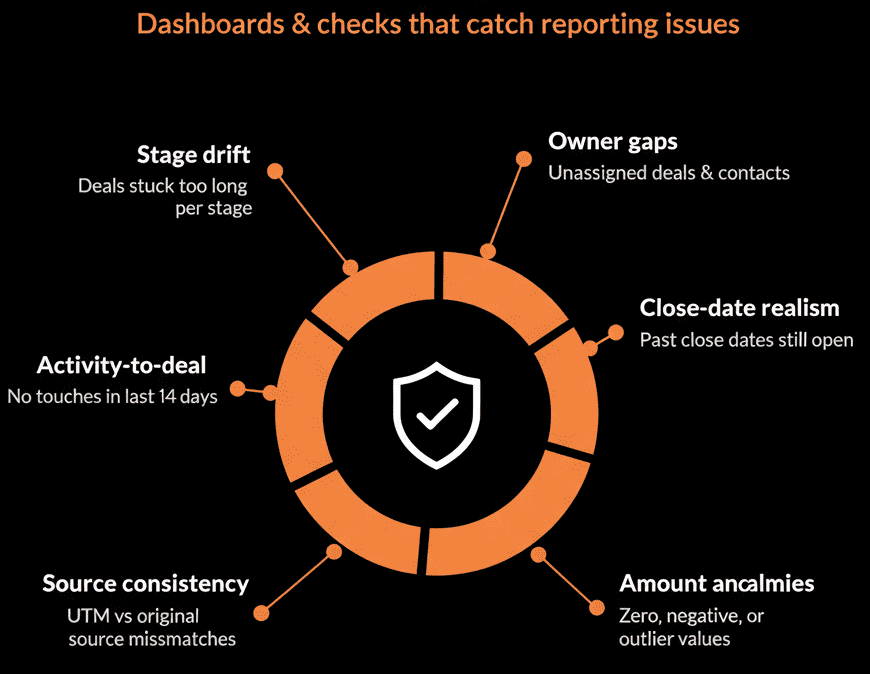
Dashboard 6 – Data Quality “Scorecard” for Leadership (Executive + RevOps)
Purpose
Give leadership a high‑level view of whether they can trust the HubSpot data they see elsewhere.
Key widgets / metrics
High‑level KPIs:
% of Contacts with:
- Owner.
- Email.
- Country/region.
- Lifecycle stage set.
% of Companies with:
- Industry.
- Region.
- Owner.
% of Deals with:
- Amount and close date.
- Primary company and contact.
Deduplication status:
- of known duplicates (or approximate duplicate rate).
Lifecycle and stage consistency:
- of suspect records (e.g., Customers without deals).
Ideally, show trends over time:
Are these metrics improving, stable, or deteriorating?
How to use it
Review monthly or quarterly in leadership or RevOps reviews.
Use as a forcing function for:
- Investing in data clean‑up.
- Improving validation rules and workflows.
- Resourcing RevOps appropriately.
How to Build These Dashboards Practically in HubSpot
You don’t need complex logic to get started:
Use single‑object reports:
Contacts, Companies, Deals, Tickets filtered by “Property is unknown” or specific values.
Use lists to feed reports for more complex logic:
Example: a list of deals with no close date and stage beyond early qualification.
Use bar/line charts for trends:
Count of records with missing fields by month.
Naming and organization tips:
Prefix dashboards:
DATA HEALTH – Contacts & Companies
DATA HEALTH – Pipeline & Deals
Keep them separate from performance dashboards but easily accessible.
Over time, refine as your data model and processes mature.
Pulling It Together: Data Integrity as a Revenue Metric
Data integrity is not just a “RevOps concern.”
It directly affects:
- Lead routing and response times.
- Forecast accuracy.
- Campaign effectiveness.
- CS visibility and retention efforts.
The fix is not a one‑time clean‑up.
It’s turning data health into something you monitor and manage.
With the right dashboards in HubSpot, revenue teams can:
- See exactly where data issues are.
- Prioritize fixes by business impact.
- Track improvements over time.
So the next time someone asks, “Can we trust these numbers?”, you can point not just to pipeline and revenue—but to the data integrity scorecard behind them.
Want Help Designing Data Integrity Dashboards for Your HubSpot Portal?
If your team isn’t sure how to turn “we know our data is messy” into concrete dashboards and action, this is exactly where we can help.
Our HubSpot Portal Health Check and Migration & ROI Plan are designed to:
- Audit your current data quality.
- Define the right integrity KPIs for your motion.
- Build practical HubSpot dashboards that keep data quality visible and improving.






