



When HubSpot Feels “Full” But Revenue Feels Stuck
If your portal is busy but leadership still asks for spreadsheets, you don’t have a tooling problem.
You have a RevOps problem.
We see the same signals across most portals before a major RevOps cleanup.
Below are 9 concrete signs you’re due for an overhaul—and exactly where we’d start.
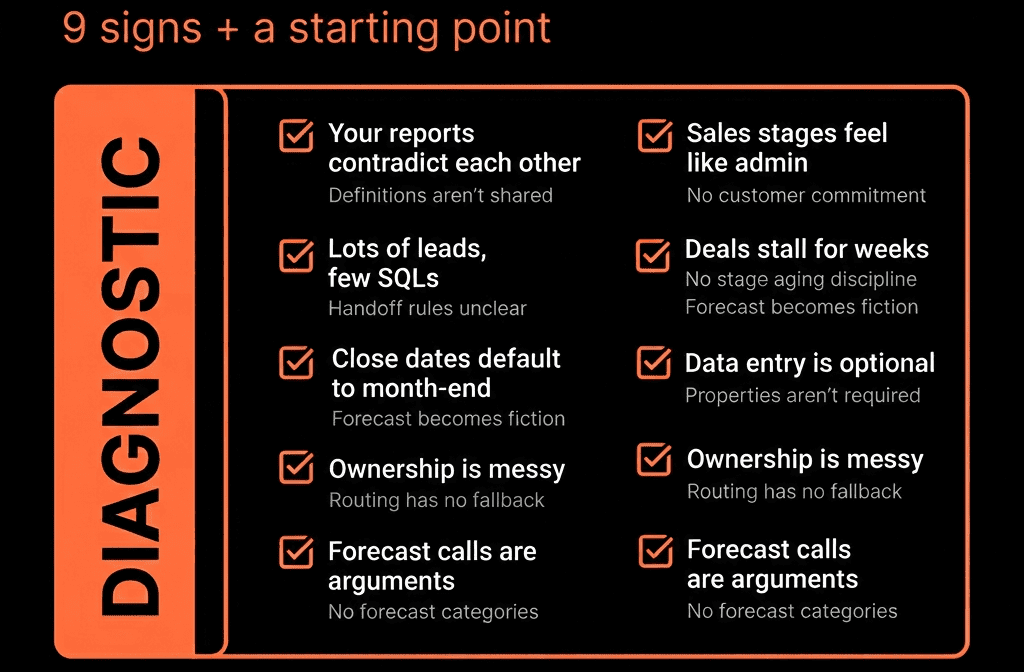
Sign 1 – Nobody Agrees on the Funnel Numbers
Symptoms:
- Marketing reports one MQL number.
- Sales reports another SQL/Opportunity number.
- Leadership has no idea how many real opportunities were created last quarter.
Root causes:
- Lifecycle stages misused or skipped.
- Lead status inconsistent or ignored.
- Deals not created or not associated with the right contacts/companies.
Where to start:
- Redefine lifecycle stages (Lead → MQL → SQL/Opportunity → Customer) with clear criteria.
- Standardize Lead status for sales-owned records.
- Mandate deal creation rules for real opportunities and enforce associations.
- Build a simple Lead → MQL → SQL → Customer funnel dashboard and use it in monthly reviews.
Sign 2 – Pipelines Look Busy but Forecasts Are Always Wrong
Symptoms:
- Big end-of-quarter “commits” that mysteriously slip.
- Reps park deals in late stages that never close.
- No clear link between stages and buyer commitments.
Root causes:
- Stages named after internal activities (“Demo done”, “Proposal sent”).
- No entry/exit criteria; stages are opinion-based.
- Close dates default to month-end and never updated.
Where to start:
- Redesign deal stages around customer commitments, not your steps.
- Add required fields by stage (e.g., decision maker identified, next step, next step date).
- Introduce a Forecast category field (Pipeline/Best/Commit/Omitted).
- Add workflows to flag stale deals and past-due close dates.
Sign 3 – Marketing “Crushes It”, Sales Complains About Lead Quality
Symptoms:
- Marketing celebrates MQL volume.
- Sales says “these leads are junk”.
- No one can show MQL → Opportunity → Closed Won by channel/campaign.
Root causes:
- MQL defined on activity only, not fit + intent.
- No agreed rules for MQL → Sales acceptance → SQL/Opportunity.
- No pipeline/revenue reporting by source and campaign.
Where to start:
- Redefine MQL with marketing + sales together (fit + intent + readiness).
- Implement a clear Sales acceptance process (MQL → SQL/Opportunity or Recycle).
- Standardize UTM & Original source handling.
- Build channel/campaign reports for: MQLs, Opportunities, Closed Won revenue.
Sign 4 – You Still Export to Excel for Every Board or QBR
Symptoms:
- HubSpot is used for screenshots, not live reporting.
- Spreadsheets become the “real” source of truth.
- Data is often stale by the time it’s presented.
Root causes:
- Disconnected or incomplete dashboards.
- Core data fields missing or unreliable.
- No single “Revenue Command Center” for leadership.
Where to start:
- Fix core deal and company fields (amount, close date, deal type, pipeline, MRR/ARR).
- Create 2–3 executive dashboards covering: New / Renewal / Expansion vs target, Pipeline & forecast, NRR/GRR & churn, Attribution & funnel.
- Run leadership meetings directly from HubSpot dashboards, not exports.
Sign 5 – Workflows Are a Black Box (Or Everyone’s Afraid to Touch Them)
Symptoms:
- “Zombie” workflows nobody remembers creating.
- Fear that editing a workflow will “break everything”.
- Multiple automations doing similar or conflicting things.
Root causes:
- No naming conventions or owners for workflows.
- No documented RevOps playbook tying workflows to processes.
- Historical one-off experiments left active.
Where to start:
- Audit workflows and tag each as: Keep, Fix, Replace, or Kill.
- Group them into RevOps plays (lead routing, SLAs, lifecycle, hygiene, renewals).
- Implement naming standards and clear owners.
- Start deprecating or consolidating low-value workflows.
Sign 6 – CS and Renewals Live Outside HubSpot
Symptoms:
- “Customer” ends at Closed Won in HubSpot.
- Renewals are tracked in spreadsheets or finance only.
- CS tools and conversations don’t show up against revenue.
Root causes:
- Only one “New Business” pipeline.
- No renewal or expansion deals.
- No customer/contract fields on Companies or Deals.
Where to start:
- Add dedicated Renewal and Expansion pipelines.
- Standardize properties on Company and Deals for: Customer status, Contract dates, MRR/ARR, Deal type (New/Renewal/Expansion).
- Auto-create renewal deals ahead of contract end dates via workflows.
- Build dashboards for renewal pipeline, churn, and expansion.
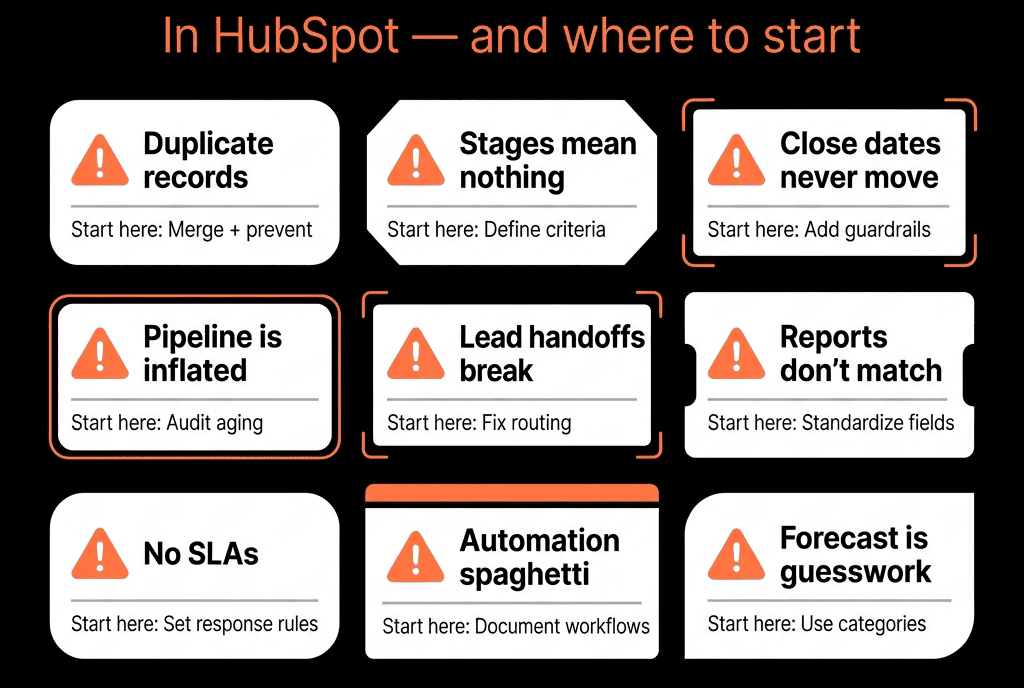
Sign 7 – Nobody Can Explain Why Win Rates Are Flat
Symptoms:
- You track wins & losses, but not the why.
- Sales coaching is generic (“do more discovery”).
- No link between behaviors and win rates.
Root causes:
- No structured fields for qualification and stakeholder mapping.
- No standardized Playbooks for discovery/proposal calls.
- Weak closed-won / closed-lost reason capture.
Where to start:
- Add a few high-impact deal properties (decision maker identified, number of stakeholders, primary pain, budget status, next step).
- Implement Playbooks for discovery and proposal calls that populate these fields.
- Standardize closed-lost reasons with logical buckets (no decision, competition, price, timing, bad fit, etc.).
- Report on win rate vs these fields to see real drivers.
Sign 8 – Data Hygiene Issues Constantly Block Reporting
Symptoms:
- Duplicate contacts/companies everywhere.
- Required fields often blank.
- “We can’t report on X because those fields are a mess.”
Root causes:
- No data standards.
- No hygiene workflows.
- No ownership for property definitions or cleanup.
Where to start:
- Define a small set of critical properties that must be clean (industry, region, ICP fit, MRR/ARR, lifecycle, deal type).
- Implement hygiene workflows to: normalize country/region, backfill obvious missing fields, flag records missing critical data.
- Set regular dedupe and clean-up routines (monthly/quarterly).
- Document property definitions and approved values.
Sign 9 – Leadership Asks for Metrics HubSpot Should Be Able to Answer (But Can’t)
Symptoms:
- “What’s our NRR by segment?”
- “Which channels generate our best customers?”
- “Where exactly are deals getting stuck?”
- And the answer is always: “We’ll need a week and a spreadsheet.”
Root causes:
- No clear RevOps architecture.
- HubSpot underused for NRR, attribution, and funnel diagnosis.
- No consistent leadership dashboard strategy.
Where to start:
- List the 10–15 strategic questions leadership asks most.
- Map each to: necessary objects & properties, required workflows, a report or dashboard tile in HubSpot.
- Implement the missing configuration in phases, starting with NRR, pipeline health, and channel-level revenue.
- Retire ad-hoc Excel builds as HubSpot views become trusted.
Where to Start Your Overhaul: A Practical Order of Operations
To avoid trying to fix everything at once, we usually follow this sequence:
Foundations
- Lifecycle, lead status, deal / pipeline structure, core properties.
Lead & pipeline alignment
- MQL/SQL definitions, routing, acceptance, stage criteria.
Automation clean-up
- Workflows rationalised around clear plays.
Revenue model
- Renewal/expansion pipelines, NRR/GRR basics, churn reasons.
Attribution & marketing impact
- Channel/campaign → pipeline → revenue.
Leadership dashboards
- Revenue Command Center, funnel, risk, activity quality.
You don’t need a full reimplementation to see impact.
You need a sequence of small, decisive changes aimed at revenue clarity.
Want a Structured RevOps Overhaul Plan for Your HubSpot?
If you nodded through most of these signs, you’re not alone.
We see this pattern in nearly every “grown up around us” HubSpot portal.
Through our HubSpot Audits (Health Check) and Implementation Blueprints / Managed RevOps Retainer, we:
- Diagnose your portal against these 9 signs.
- Prioritise fixes into a 60–90 day RevOps overhaul roadmap.
- Redesign your data model, pipelines, automation, and reporting for revenue clarity.
- Stay on as a RevOps partner to keep HubSpot aligned as you scale.
- So HubSpot stops being a noisy contact book—and becomes the operating system for how you generate, close, and retain revenue.






