



Financial Services Has Higher Stakes: Compliance, Trust, and Complexity
If you’re in financial services (wealth management, advisory, lending, asset management, fintech, etc.), you’re managing:
- Regulated, high-trust relationships.
- Documentation-heavy onboarding and KYC/AML.
- Multiple systems for accounts, portfolios, transactions, and billing.
- Ongoing reviews, suitability, and compliance obligations.
Most firms:
- Have a core system (custody, policy admin, loan system, core banking).
- Use spreadsheets and email to bridge gaps between sales, onboarding, and service.
- Lack a single GTM hub that ties it all together.
HubSpot can be your client and prospect engagement hub—if it’s connected properly.
This article outlines an ideal HubSpot stack for financial services providers:
- What HubSpot should own.
- Which systems to integrate.
- The workflows that run from lead to onboarding to ongoing reviews.
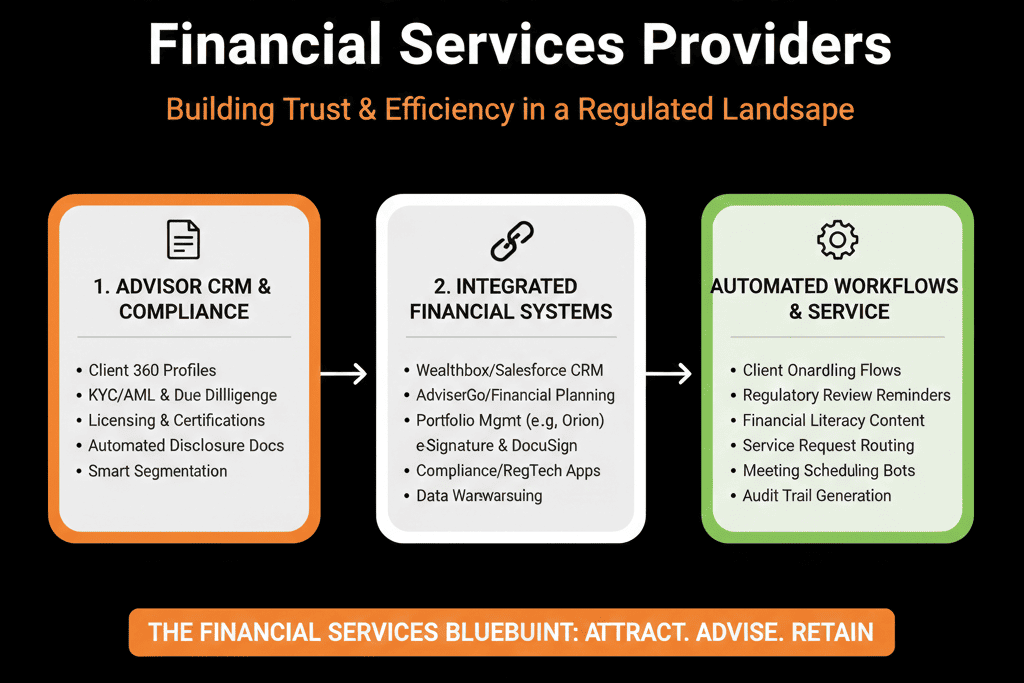
1. What HubSpot Should Own in a Financial Services Stack
HubSpot should be your system of record for:
- Prospects, clients, COIs, intermediaries (Contacts + Companies).
- Pipeline and opportunities (mandates, accounts, deals).
- Lifecycle and lead/referral management.
- Marketing campaigns and communications.
- Sales/relationship activities (emails, calls, meetings, tasks).
- High-level AUM/loan/fee pipeline and performance reporting.
Your core financial systems (custodian, core banking, portfolio, loan servicing) remain the systems of record for:
- Positions, balances, and transactions.
- Legal account structures.
- Detailed billing and performance.
Principle:
HubSpot = Relationship, pipeline, and engagement hub.
Core systems = Financial and regulatory system of record.
2. Core System / Custody / Loan System Integration
Purpose: bring enough account information into HubSpot to drive GTM decisions—without duplicating everything.
Typical systems:
- Custodians, core banking, policy admin, loan systems.
- Portfolio management platforms.
- Fintech core platforms.
Integration goals:
Link clients in HubSpot to accounts in core systems
Use unique IDs:
- Client ID, account number, or external key.
Store on:
- Company (institutional/household).
- Contact (specific client where useful).
Bring in summary-level financial data
On Companies/Contacts (or a custom “Account” object):
- AUM / total balances.
- Account types held (e.g., retirement, brokerage, loan types).
- Simple performance or contribution stats (trend up/down, not full time series).
- Key flags (overdue, restricted, special handling).
Ensure compliance boundaries
- Avoid syncing data not needed for GTM.
- Respect region-specific and regulatory constraints (GDPR, local bank secrecy laws, etc.).
- Engage compliance early.
Principle:
HubSpot doesn’t need every trade; it needs enough context to prioritize, personalize, and plan engagement.
3. Onboarding and KYC/AML Workflow Tools
Purpose: streamline the transition from prospect → client, with all required checks.
Typical tools:
- Dedicated onboarding/KYC tools.
- e-sign platforms: DocuSign, HelloSign, etc.
- Internal workflows and checklists (project tools, forms).
Integration goals:
Trigger onboarding from HubSpot
When a Deal moves to “Committed” or “Verbal Agree”:
- Kick off onboarding/KYC workflow in external tool.
- Send out e-sign docs or application forms.
- Link clients and accounts.
Sync onboarding status back to HubSpot
On the Deal/Company:
- Onboarding stage (KYC, docs, approvals, account open, funded).
- Key dates (application submitted, KYC cleared, account opened).
- Any additional flags (requires enhanced due diligence).
Use this status in GTM planning
Advisors and RMs see:
- Who is stuck in onboarding.
- Who is ready for first investment or drawdown.
Leadership sees:
- Time-to-onboard metrics.
- Funnel leaks between sales and onboarding.
Principle:
Onboarding tools manage documents and checks; HubSpot manages who’s where in the journey and who owns next steps.
4. Portfolio and Performance Reporting Integration (Summary)
Purpose: give relationship teams a high-level view of client health and engagement opportunities.
Typical systems:
- Portfolio reporting tools.
- Performance and risk analytics.
Integration goals:
High-level portfolio metrics in HubSpot
On Companies/Contacts:
- Total AUM or outstanding loan balances.
- Number of accounts.
- Simple trend flags (e.g., AUM trend: Increasing/Stable/Decreasing).
- Risk exposure flags (concentration, under-diversification signals) if permissible.
Link to full reports externally
Store URLs or IDs for:
- Detailed statements.
- Performance dashboards (accessed under compliance rules).
Drive client review and outreach workflows
Identify:
- Clients with declining AUM → proactive outreach.
- Clients hitting milestones (e.g., AUM tier, debt reduction goals) → upsell opportunities.
Principle:
Full performance lives in portfolio systems; HubSpot shows enough to time and tailor client and prospect conversations.
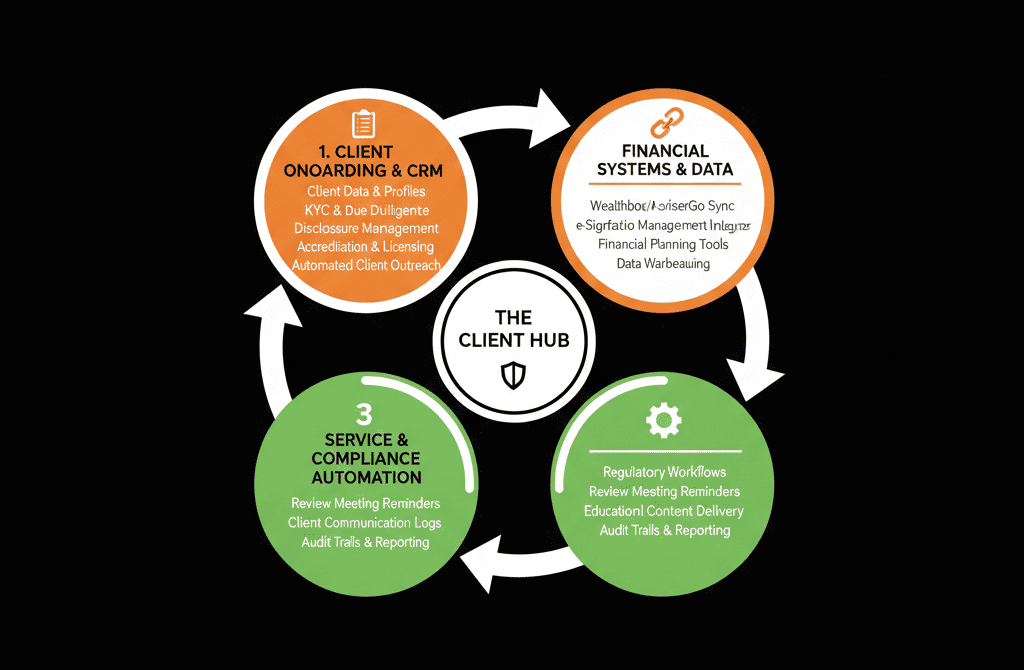
5. Marketing & Communication with Compliance Controls
Purpose: support outreach without creating regulatory issues.
Typical tools:
- HubSpot Marketing Hub.
- Email archiving/compliance tools.
- Website/CMS.
Integration and configuration goals:
Compliant email and content
Use templates vetted by compliance.
Route sensitive sends for review where needed.
Integrate with archiving solutions if required by regulation.
Segmentation
- By client type (HNW, UHNW, Institutional, Retail).
- By product/mandate (equities, fixed income, alternatives, lending products).
- By geography/regulatory group.
Event and content tracking
Webinars, investor days, CIO letters:
Managed as HubSpot campaigns.
Track who:
- Engages.
- Attends.
- Follows up with questions.
Principle:
HubSpot should help you run relevant, approved communications at scale, with segments aligned to your regulated product mix.
6. Document, Proposal, and E-Sign Integration
Purpose: manage agreements, mandates, and key client docs.
Typical tools:
- DocuSign, HelloSign, Adobe Sign.
- Proposal and mandate tools; in-house templates.
Integration goals:
Generate documents from HubSpot
Use Deal or Company data to:
- Pre-populate mandate letters.
- Prepare proposals for institutional clients.
- Initiate lending or account-opening paperwork.
Track document progress
- Document sent / viewed / signed statuses.
Sync status back to:
- Deal fields (e.g., Mandate Signed).
- Lifecycle stage (Lead → Client).
Store copies linked to clients
Attach signed agreements and key docs to:
- Company/Contact records.
- Deals (mandates).
Principle:
E-sign tools own legal signature; HubSpot tracks where things stand and what’s next.
7. Core HubSpot Workflows for Financial Services
To tie the stack together, build core workflows:
Lead and referral intake
Normalize:
- Source (direct, referral, COI, platform).
- Lifecycle (Lead → MQL).
- Owner (advisor/RM).
Route:
- Based on segment (HNW, UHNW, institutional, lending, etc.).
- Region/branch.
Qualification & opportunity creation
Move MQL/early contact to Opportunity when:
- Fit + interest threshold reached.
- Basic suitability checks done.
Create Deal representing:
- Mandate, account, loan.
Onboarding / account-opening workflow
On stage change (e.g., “Approved”):
- Trigger onboarding tool.
- Create tasks for advisors, ops, compliance.
- Update status fields in HubSpot.
Client review / suitability cycles
Recurring workflows:
Trigger annual or periodic reviews:
For HNW/UHNW: annual or semi-annual.
For certain products: regulated review intervals.
Create tasks/events for:
- Advisors.
- CS or portfolio managers.
Churn and risk alerts
From portfolio/performance summary:
Large outflows, inactivity, or negative events → at-risk flags.
Workflows to:
- Alert owners.
- Schedule calls or reviews.
8. Example Ideal Stack Around HubSpot for a Financial Firm
A robust but realistic stack might look like:
- HubSpot – CRM, marketing, sales, RevOps.
- Core System – custodian/core banking/loan platform as financial SOR.
- Onboarding/KYC – dedicated onboarding tool or workflow system.
- Portfolio/Performance – portfolio management/reporting platform.
- Accounting/Billing – general ledger and fee billing.
- E-sign/Docs – DocuSign/HelloSign for agreements.
- Archiving/Compliance – email and data archiving required by regulators.
- Data/BI – warehouse + BI for deep financial analytics.
With:
- HubSpot at the center of GTM, relationship, and revenue operations.
- Controlled, summarized data flows from and to regulated systems.
What You Can Do in the Next 60 Days
If you’re a financial services provider and want to move toward a HubSpot-centered stack:
Clarify HubSpot’s role in your environment:
- Relationship & GTM hub vs financial SOR.
Map your current systems into categories:
- Core, portfolio, billing, onboarding, e-sign, compliance, BI.
Identify two priority integrations:
Example:
- Onboarding status → HubSpot.
- Summary AUM/loan data → HubSpot.
Implement or refine core workflows:
- Lead/referral intake and routing.
- Sales → onboarding handoff.
- Client review triggers.
Involve compliance from the beginning:
- Ensure data flows and communication templates pass regulatory checks.
- Plan archiving and retention appropriately.
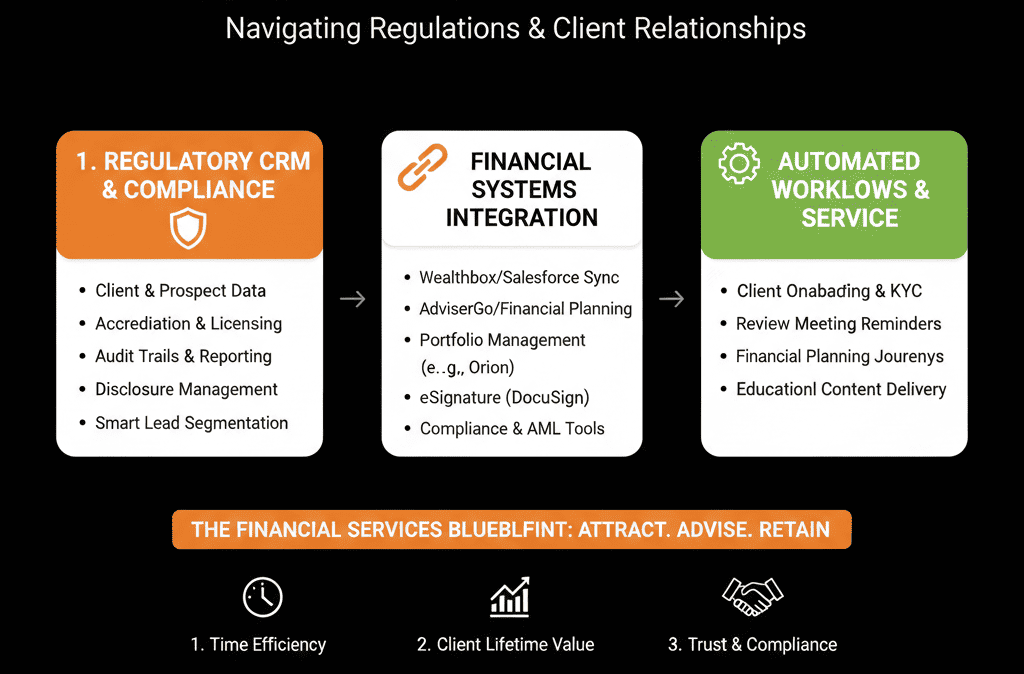
Want a Financial-Services–Specific HubSpot Stack Blueprint?
Generic CRM integration advice rarely fits financial services:
- Regulation, KYC, AML.
- Multiple legacy cores.
- Complex account structures.
Our HubSpot Portal Health Check / HubSpot Audit can:
- Map your current GTM and client lifecycle onto your systems.
- Propose a realistic, compliant “ideal stack” centered on HubSpot.
- Give you a 60–90 day roadmap for high-impact integrations and workflows.






