Why “Last Touch Only” Is Lying to You
Most HubSpot portals track:
- Lead source.
- Last page viewed.
- Last campaign.
That’s not a funnel model.
That’s a last-click lottery.
When you only see the last touch:
- Early-funnel content looks useless.
- Brand and nurture get underfunded.
- Sales says “marketing leads are bad” because no one can prove impact on revenue.
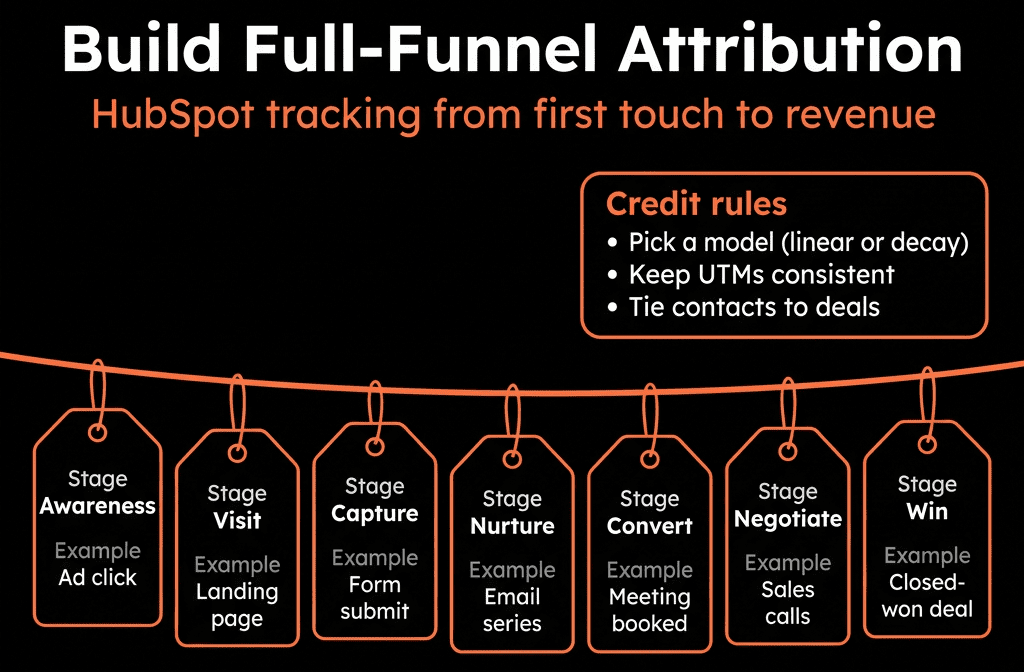
A full-funnel attribution model in HubSpot connects:
- First touch → Lead creation.
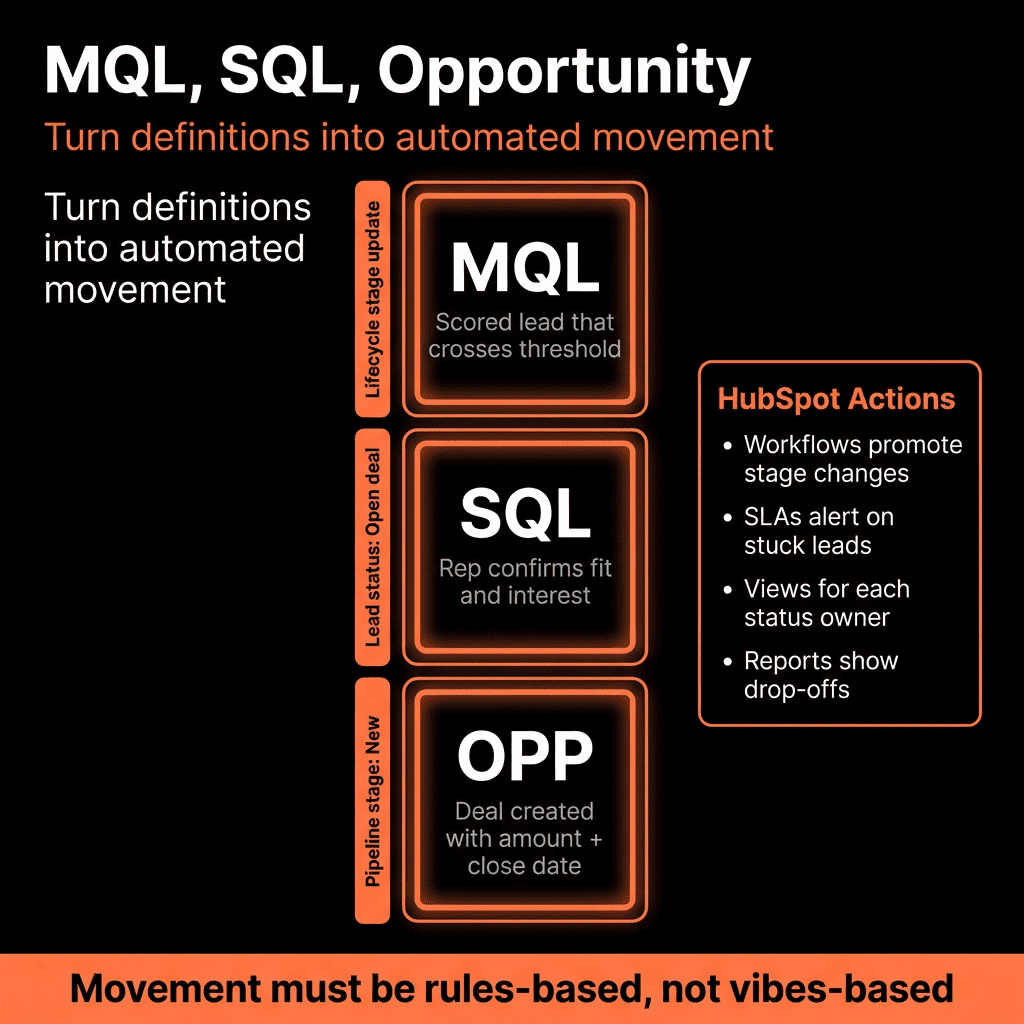
- Mid-funnel nurture → MQL/SQL.
- Late-funnel → Opportunities and Closed Won.
We want to see:
“Which channels and campaigns create AND accelerate revenue across the funnel?”
Below is a practical way to implement this using standard HubSpot tools.
Step 1 – Decide Your Attribution “Slices” Before You Build Anything
Start by deciding what you want to attribute and at which funnel milestones.
We recommend these core “slices”:
Funnel stages to attribute against
- Lead created (Contact Created).
- MQL / SQL.
- Opportunity created (Deal Created).
- Closed Won.
Touch types you care about
- First-touch channel (how they discovered you).
- Lead-creation campaign (what converted them).
- Opportunity-creation influence (what pushed them to pipeline).
- Revenue influence (what influenced the close).
Level of reporting
- Channel (Paid, Organic, Direct, Email, Social, Referral).
- Campaign (UTM campaign / HubSpot campaign).
- Asset (ad, landing page, key offer) – optional, more advanced.
Write this down as a 1-page RevOps spec.
If this is fuzzy, your build will be fuzzy.
Step 2 – Standardize Your Source & UTM Practices First
Full-funnel attribution collapses if source data is messy.
You need:
Consistent UTM conventions (for all paid and campaign traffic)
- utm_source = platform (google, linkedin, meta, etc.).
- utm_medium = channel grouping (paid_search, paid_social, email, organic_social, etc.).
- utm_campaign = clear campaign name aligned with HubSpot Campaigns.
HubSpot source alignment
- Use Original source / Original source drill-down 1/2 as your truth for first-touch.
- Make sure redirects, vanity URLs, and tracking templates carry UTMs consistently.
Form + offline source capture
- For events, partners, SDR-sourced leads, use hidden fields or internal properties: Original source detail (custom) or Offline source detail.
- Ensure SDRs and import templates populate these consistently.
Until your source data is clean, full-funnel reporting will be noisy and misleading.
Step 3 – Define Contact & Deal Properties for Funnel Attribution
Next, create a small property set to “pin” the key funnel touches so they don’t get overwritten.
On Contact:
- FT Channel (Dropdown) – first-touch channel.
- FT Campaign (Single-line / Dropdown) – first-touch campaign.
- Lead Creation Channel – channel that converted them to a lead/contact.
- Lead Creation Campaign – campaign that converted them to a lead/contact.
- MQL Attribution Channel – channel associated with MQL moment.
- MQL Attribution Campaign – campaign associated with MQL moment.
On Deal:
- Opportunity Source Channel – channel associated with opp creation.
- Opportunity Source Campaign – campaign associated with opp creation.
- Revenue Attribution Channel – main channel credited on Closed Won (can mirror Opportunity source or be adjusted).
- Revenue Attribution Campaign – same idea at campaign level.
We’re not doing complex fractional math yet.
We’re creating “anchor points” that are easy to report on.
Step 4 – Use Workflows to Lock in First Touch & Lead Creation
Now we translate source data into persistent “first-touch” and “lead creation” fields.
4.1 First-touch (FT)
Create a Contact-based workflow:
Enrollment:
- Create date is known AND FT Channel is unknown.
Actions:
- If Original source = Paid search → set FT Channel = Paid Search.
- If Original source = Paid social → set FT Channel = Paid Social.
- If Original source = Organic search → set FT Channel = Organic Search.
- Etc.
- If Latest UTM campaign (or your tracking field) is known and FT Campaign is unknown → copy to FT Campaign.
This runs once per contact and never overwrites FT values.
4.2 Lead-creation touch
Create another Contact-based workflow:
Enrollment:
- Lifecycle stage = Lead AND Lead Creation Channel is unknown.
Actions:
- Map from the same source / UTMs but write into Lead Creation Channel and Lead Creation Campaign.
Logic is similar, but the trigger is “they became a Lead.”
This gives you clean reporting on:
- What first brought them in.
- What actually converted them into a lead.
Step 5 – Tie Attribution to MQL & SQL Transitions
Now we move up-funnel to MQL/SQL.
Create Contact-based workflows for each key lifecycle jump.
5.1 MQL attribution
Workflow:
Enrollment:
- Lifecycle stage changes to MQL AND MQL Attribution Channel is unknown.
Actions:
- Set MQL Attribution Channel from the most relevant:
- Option 1: Use Lead Creation Channel for simple models.
- Option 2 (better): Use Latest engagement channel or Last conversion if you track it.
- Set MQL Attribution Campaign from last converting form / campaign where available.
5.2 SQL (optional but useful)
If you use SQL explicitly:
Similar workflow on Lifecycle stage changes to SQL.
Capture SQL Attribution Channel and SQL Attribution Campaign if you want that resolution.
This gives you stage-by-stage views:
“Which channels are actually promoting leads to MQL and SQL?”
Step 6 – Capture Opportunity & Revenue Attribution on Deals
This is where leadership really cares: pipeline and revenue.
6.1 Opportunity source on deal creation
Create a Deal-based workflow:
Enrollment:
- Deal stage is any of your first real selling stages (e.g., Qualified, Discovery, Opportunity Created) AND Associated Contact exists.
Actions:
- From the primary associated contact: Copy MQL Attribution Channel (or Lead Creation Channel) into Opportunity Source Channel.
- Copy MQL Attribution Campaign (or Lead Creation Campaign) into Opportunity Source Campaign.
This anchors:
“When this deal was created, which marketing motion gets the credit?”
6.2 Revenue attribution on Closed Won
Create another Deal-based workflow:
Enrollment:
- Deal stage changes to Closed Won.
Actions:
- If Revenue Attribution Channel is unknown → set it equal to Opportunity Source Channel.
- If Revenue Attribution Campaign is unknown → set equal to Opportunity Source Campaign.
Optionally, you can add business rules:
- If there was a renewal/upsell via CS, override Revenue Attribution Channel to Customer Marketing or Account Management.
- If deal is a renewal pipeline, treat separately.
Now every Closed Won deal has a channel and (ideally) a campaign associated with its revenue.
Step 7 – Build Full-Funnel Attribution Dashboards in HubSpot
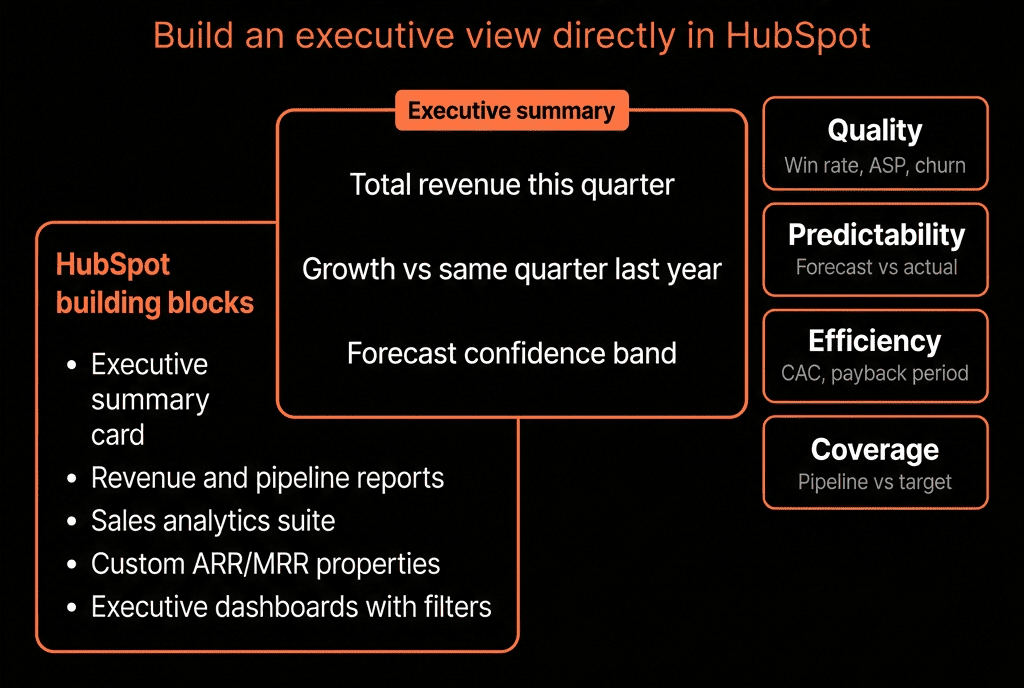
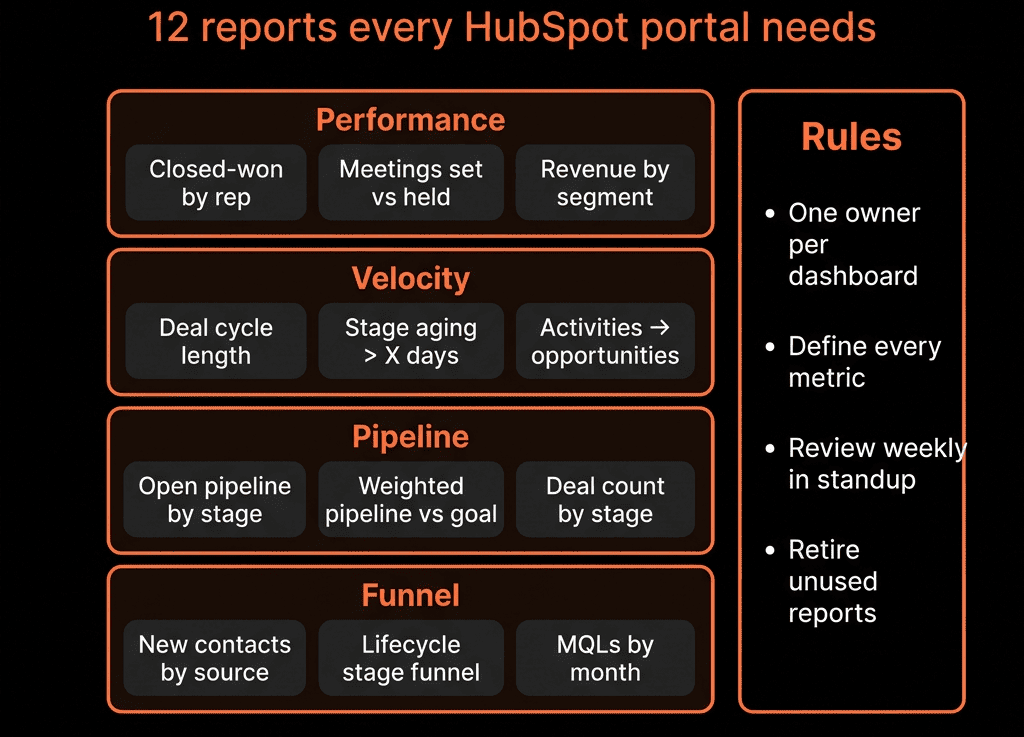
With properties populated, build views for leadership and RevOps.
7.1 Channel performance across the funnel
Reports:
- Contacts by FT Channel → Lifecycle stage
- Show how each channel progresses from Lead → MQL → SQL → Customer.
- Deals created by Opportunity Source Channel
- Volume and amount.
- Revenue (Closed Won amount) by Revenue Attribution Channel
- Add filters for date ranges and segments (industry, persona, region).
7.2 Campaign performance across the funnel
Reports:
- Contacts by Lead Creation Campaign.
- Deals created by Opportunity Source Campaign.
- Closed Won revenue by Revenue Attribution Campaign.
This lets you answer:
- Which campaigns are just driving top-of-funnel noise?
- Which ones actually create pipeline and revenue?
- Where should we reallocate spend?
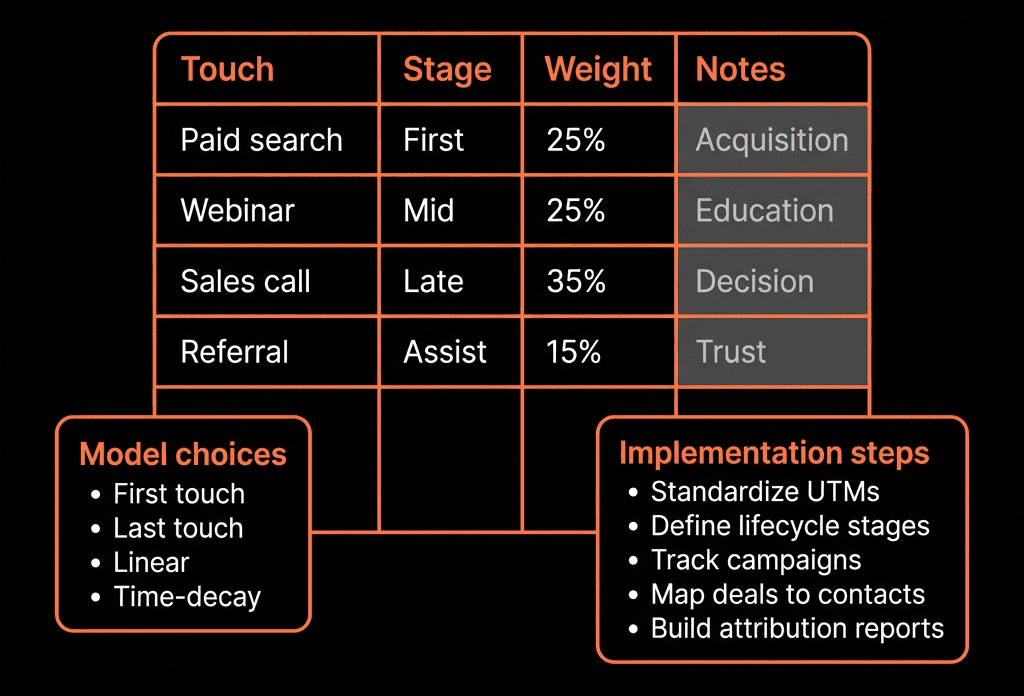
Step 8 – Decide How You’ll Handle Multi-Touch (Without Overcomplicating)
So far, this is “single-touch per milestone”, not a math-heavy multi-touch model.
That’s intentional. It’s maintainable.
To introduce multi-touch lightly:
- Use HubSpot Campaigns to group assets and see influenced revenue.
- Use timeline filters and activity reports to see: Meetings, sequences, emails, and page views by stage.
If needed, add a simple rule like:
50% weight to FT, 50% to Opportunity Source for budgeting conversations.
If you need advanced fractional multi-touch models, that’s where we typically move into:
- Custom data warehouse / BI, or
- A specialist attribution tool feeding back into HubSpot.
Start simple.
Prove ROI with a clear, usable model first.
Step 9 – Governance: Keep the Model From Decaying
A good model can be killed by bad habits.
Governance checklist:
- UTM naming rules documented and enforced.
- Import templates require source fields.
- SDRs trained on manual creation of correct source details for offline/phone leads.
- Quarterly review of:
- Property usage.
- Workflows still aligned with current lifecycle model.
- Dashboards actually used by leadership.
We treat this as an ongoing RevOps responsibility, not a one-time setup.
Turning HubSpot Into a Real Attribution Engine
Implementing full-funnel attribution in HubSpot means:
- Standardized source and UTM practices.
- Contact and Deal properties that “lock in” key touches.
- Workflows that stamp attribution at Lead, MQL, Opportunity, and Closed Won.
- Dashboards that show channel and campaign performance across the whole funnel—not just last click.
Once this is in place, budget conversations change from opinion to data.
Want Help Designing a Full-Funnel Attribution Model That Actually Matches Your Reality?
If your current reporting only shows form fills and last-touch conversions, we should talk.
Through our HubSpot Portal Health Check and Migration & ROI Plan, we:
- Audit your current lifecycle, source data, and campaign setup.
- Design a practical full-funnel attribution model that your team can maintain.
- Implement the required properties, workflows, and dashboards.
- Align attribution with how you actually sell (inbound, outbound, partner, PLG, events). Make sure dont miss any word