



Your Forecast Is Only as Good as Your Architecture
When CEOs and CROs tell us, “We don’t trust the HubSpot forecast,” we usually find:
- Stages that don’t reflect real buying steps.
- Close dates constantly pushed out.
- Deal amounts changing without context.
- Reps guessing at probabilities or forecast categories.
The forecasting widget or dashboard is not the problem.
The architecture underneath is.
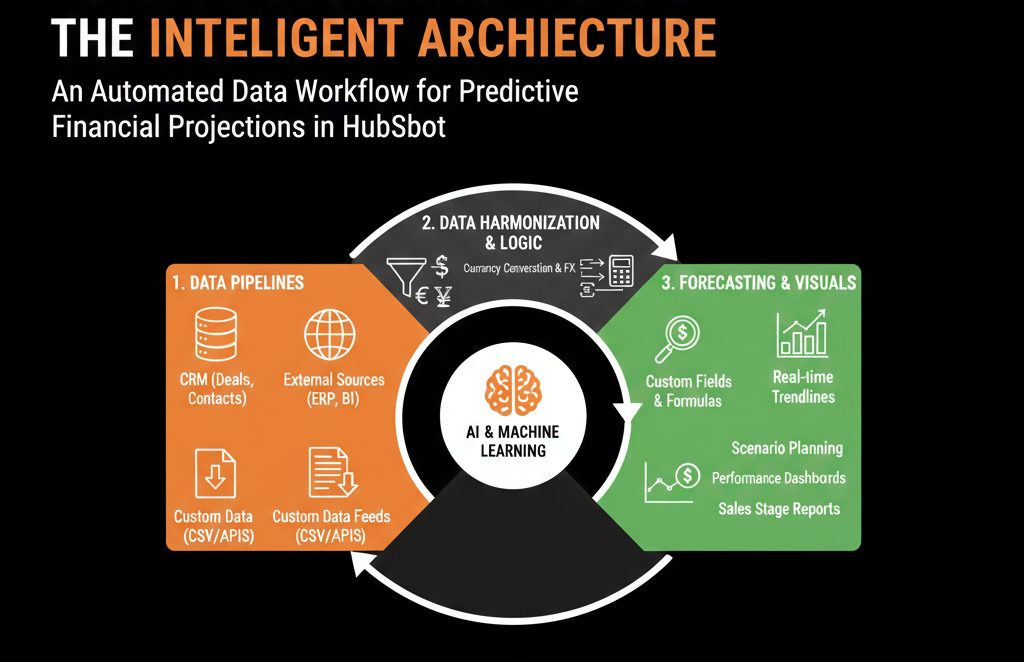
To build reliable forecasting dashboards in HubSpot, you need to get four things right:
- Pipeline and stage design
- Deal data discipline (amount, close date, owner)
- Forecast categories and rules
- Reporting logic and governance
This article walks through how we architect HubSpot so forecasts become a serious decision tool, not optional “color” in leadership meetings.
Step 1 – Start With One Clean, Realistic Sales Pipeline
Forecasting collapses when:
- You have too many pipelines used inconsistently.
- Pipelines reflect internal teams instead of customer buying journeys.
- Stages serve as to-do lists, not real milestones.
We start by:
- Identifying the main new business pipeline that should drive the core forecast.
- Ensuring stages represent discrete customer commitments, for example:
- New
- Qualified / Discovery
- Solution Fit / Evaluation
- Proposal / Quote
- Negotiation
- Verbal Commit
- Closed Won / Closed Lost
Defining entrance and exit criteria for each stage in plain language:
- “Qualified” = MEDDIC/BANT criteria met, agreed next step, etc.
- “Proposal” = pricing/proposal sent and discussed.
- “Commit” = mutual agreement on decision timeline, stakeholder alignment.
Why this matters:
- Stages become predictable signals, not arbitrary labels.
- You can meaningfully map stages to probabilities and forecast categories.
- Reps and managers speak the same language about where deals really are.
In HubSpot deal pipelines, each stage has an associated probability that’s used to calculate weighted amounts (total amount in stage × stage probability), so stage design and probability values directly affect pipeline math and forecasting roll-ups.
Step 2 – Enforce Deal Data Discipline on Amount and Close Date
Forecasts rely heavily on Amount and Close date.
We routinely see:
- Deals with $0 amount in late stages.
- Placeholder amounts and impossible close dates.
- Close dates being pushed every week with no real progress.
We enforce three rules:
Required amount and close date
- At minimum from a specific stage onward (e.g., when entering Proposal).
- Deal cannot move beyond that stage without real numbers.
Realistic close dates
- If your average sales cycle is 60 days, a deal created yesterday in Proposal with a close date tomorrow is flagged.
- Train reps and managers to use close date as a planning tool, not a “we’ll see” field.
Context for big changes
- Large changes in amount or major close date pushes should trigger:
- Internal notes, or
- Review in pipeline meetings.
This may sound simple, but without this discipline, your forecasting dashboards will always be unstable.
Step 3 – Define Forecast Categories and How They Relate to Stages
HubSpot supports forecast categories such as:
- Pipeline
- Best case
- Commit
- Closed won
- Omitted
The common mistake: letting each rep interpret those categories at will.
In high-functioning setups, we:
Define a clear meaning for each category:
- Pipeline: valid opportunity, early stage, not yet qualified enough for Best case.
- Best case: deal could close in the period, but not fully committed; some risks remain.
- Commit: high confidence, clear path to signature in the period.
- Closed won: finalized.
- Omitted: junk/fake deals, or outside current forecasting horizon.
Map default forecast categories by stage, then allow overrides:
- Early stages default to Pipeline.
- Late stages (e.g., Proposal, Negotiation) default to Best case.
- Final stages (e.g., Commit stage or Verbal Commit) default to Commit.
Train managers and reps to review and adjust forecast category during 1:1s and forecast calls.
Architecture point:
Forecast categories are not another stage.
They are an overlay that tells leadership how much confidence to place in the deals visible in the funnel.
Step 4 – Use Probability Intentionally (Not Blindly)
HubSpot lets you assign stage probabilities (e.g., 20%, 40%, 60%, etc.).
We use them thoughtfully:
- For early-stage roll-up (weighted pipeline), they’re helpful.
- They should mostly reflect your historical win rates per stage, not just guesses.
But we avoid:
- Relying only on stage probability for serious forecasting.
- Skipping the human layer (forecast categories and manager judgment).
Ideally:
- Stage probability = baseline mathematical expectation.
- Forecast category = judgment overlay informed by deal quality, risk factors, and timing.
Your forecasting dashboards can use:
- Raw pipeline by stage.
- Weighted pipeline by stage probabilities.
- Forecast by category (Commit vs Best case vs Pipeline).
Together, they give a much richer picture.
Step 5 – Ensure Ownership and Visibility Rules Are Clean
Forecasting breaks when ownership is messy:
- Deals with no owner.
- Deals assigned to ex-employees.
- Deals reassigned frequently without context.
We tighten:
- Deal ownership: every active deal must have a valid, current owner.
- Territory or team assignment: clear rules by region, segment, or account.
- Manager hierarchies: so managers can see their team’s deals easily in HubSpot.
This ensures:
- Forecasts can be sliced by rep, team, and region without gaps.
- Managers are accountable for the numbers they see.
- Leadership can drill from top-level forecast → team → rep → deal.
Step 6 – Build the Core Forecasting Dashboard Structure
With good architecture under the hood, we then create a forecasting dashboard that leadership will actually use.
Key components:
Forecast vs target, by period and team
- Commit, Best case, and Pipeline vs quota/target.
- By month/quarter.
Pipeline by stage and period
- Open pipeline for current and next period.
- Amounts and counts per stage.
Weighted pipeline (stage probability) vs forecast categories
- Compare mathematical expectation to human judgment.
- Highlight misalignments (e.g., heavy Commit but low weighted pipeline).
Deal movement and changes
- New deals added this period.
- Deals pulled in or pushed out of the current period.
- Deals whose forecast category changed significantly.
Team and rep-level breakdown
- Per rep: pipeline, forecast, attainment.
- Help leaders see where coaching or coverage is needed.
Each report should be tied directly to the definitions and rules we set earlier.
No magic.
Step 7 – Align the Forecasting Rhythm With HubSpot
Forecasting dashboards work only if supported by a forecasting cadence:
- Weekly or bi-weekly forecast meetings.
- Managers and reps update:
- Stages
- Amounts
- Close dates
- Forecast categories
- …before that meeting.
We encourage:
- Running the forecast meeting directly from the HubSpot dashboard.
- Drilling into deals live instead of reviewing static screenshots.
- Documenting key notes on deals inside HubSpot (notes, next steps) so the system remains your source of truth.
This closes the loop:
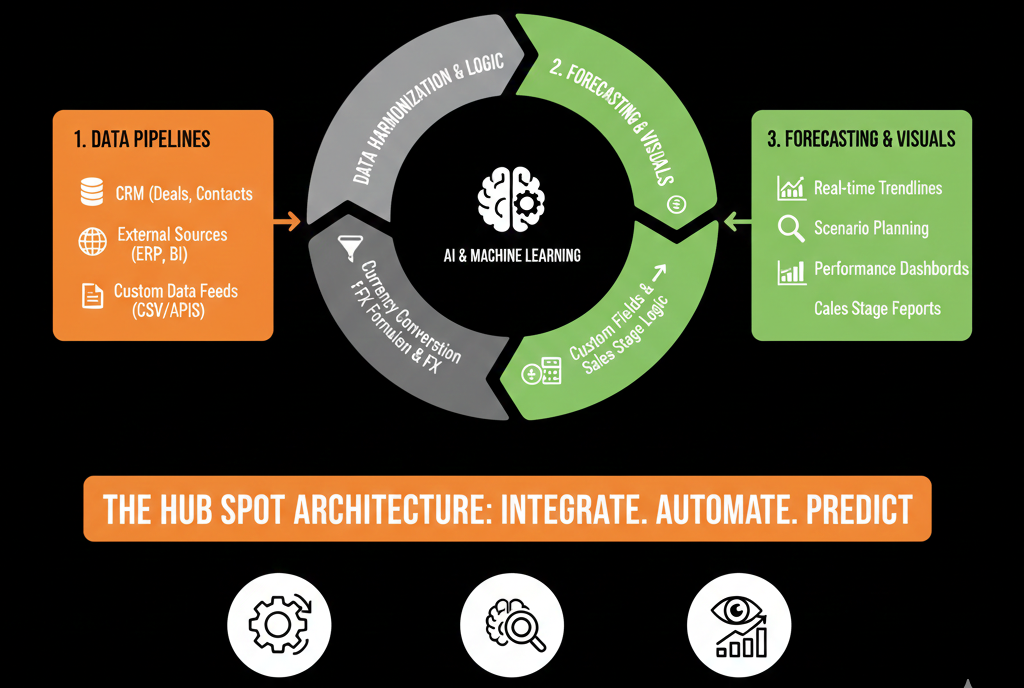
Architecture → Data discipline → Forecast dashboard → Meetings → Better data.
Step 8 – Monitor Forecast Accuracy and Fix Root Causes
Once the architecture and dashboard are in place, you can start tracking:
- Forecast vs actual by period.
- Which forecast categories were over- or under-confident.
- Which stages consistently misrepresent reality.
If you see:
- Large gaps between Commit and actual, you take a closer look at:
- Stage definitions.
- Criteria for Commit.
- Rep and manager behavior.
Consistent under-forecasting, you check:
- Whether reps are sandbagging.
- Whether new motions (e.g., PLG, partner) are under-represented.
This is where the RevOps role becomes critical: continuously tuning the architecture and behavior to make forecasts sharper.
What You Can Do in the Next 30 Days
If your HubSpot forecast is currently more noise than signal, here’s a realistic plan:
- Review your main pipeline stages and rewrite entrance/exit criteria.
- Make amount and close date required from a certain stage onward.
- Define forecast category meanings and map them roughly by stage.
- Update your main forecasting dashboard to show:
- Forecast vs target (by category).
- Pipeline by stage (current + next period).
- Team-level breakdown.
- Run your next forecast meeting directly from that dashboard, and capture:
- Where data was wrong.
- Where definitions were unclear.
- Where you lacked visibility.
Those gaps become your immediate HubSpot improvement roadmap.
Want Outside Help Making Your HubSpot Forecasts Board-Ready?
If your leadership doesn’t trust the HubSpot forecast today, you likely have:
- Stage and pipeline design issues.
- Data discipline gaps (amount, close date, ownership).
- Weak alignment between forecast categories, probability, and reality.
As part of our HubSpot Portal Health Check / HubSpot Audit, we:
- Review your pipeline and forecasting architecture.
- Diagnose why your current forecasts aren’t lining up with actuals.
- Design a clean, scalable forecasting model and dashboard that your CEO and board can rely on.






