



Automation Should Support Revenue, Not Sabotage It
Most teams add workflows over time:
- New owner joins → add a routing rule.
- New campaign → add another nurture.
- New handoff idea → add a notification.
Individually, they seem fine.
Together, they create:
- Conflicting updates.
- Over-messaging.
- Leads routed to the wrong place.
- Reporting you can’t trust.
Below are the HubSpot automation pitfalls we see most often—and how to fix them.
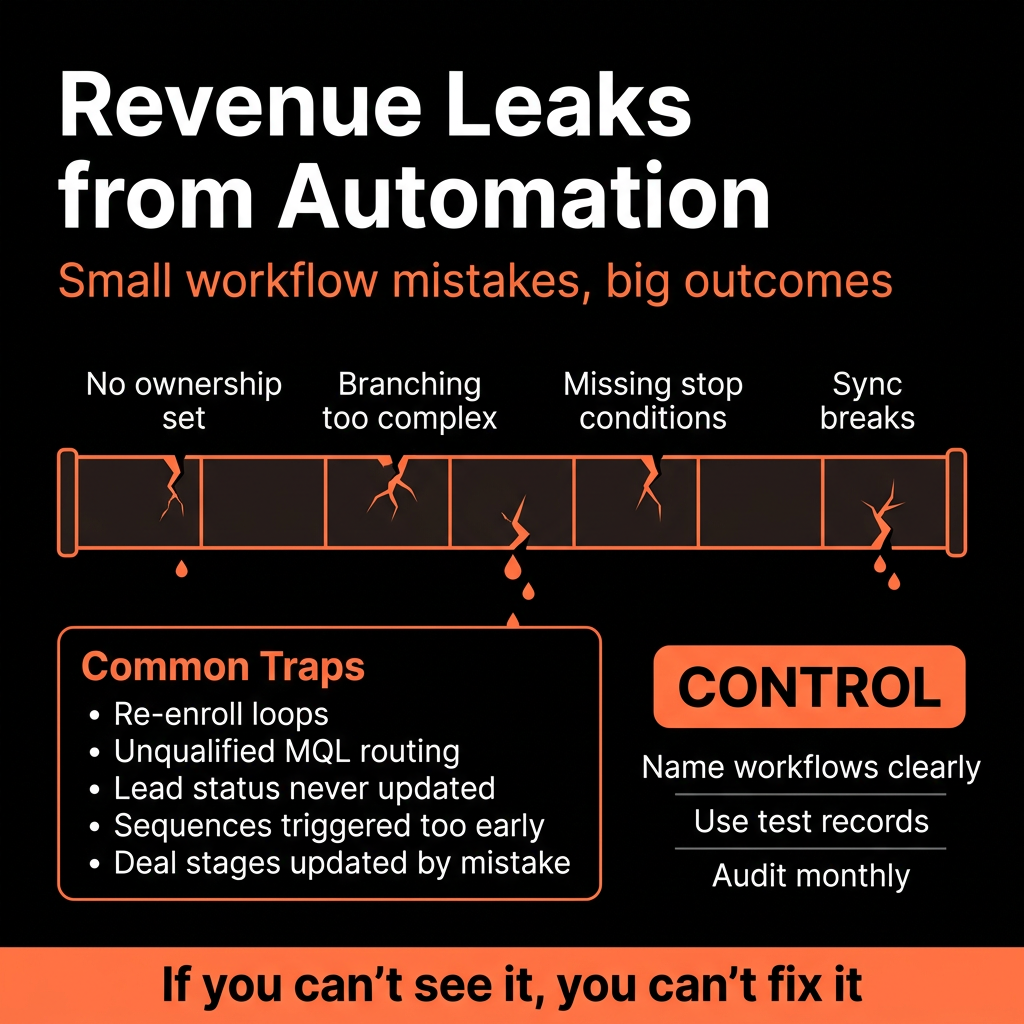
Pitfall 1 – “Everything Creates a Task” Workflow Sprawl
What happens:
- Every form fill, lifecycle change, or page view creates a task.
- Reps log in to see hundreds of overdue tasks.
- They start ignoring tasks entirely.
Impact:
- True high-intent leads get buried.
- SLA alerts become noise.
- Managers lose a key inspection tool.
Fix:
- Reserve task creation for high-intent, high-value triggers only: Demo/contact sales forms, MQLs or SQLs, stalled opportunities.
- Use workflow branching and priorities to send low-intent leads to nurture, not tasks.
- Regularly audit task-creating workflows and consolidate.
Pitfall 2 – Overlapping Nurture and Sales Sequences
What happens:
- Marketing workflows keep sending nurture emails.
- Sales enrolls the same contacts into 1:1 sequences.
- Prospects receive multiple conflicting messages.
Impact:
- Lower reply rates and unsubscribes.
- Reps lose control of their outreach narrative.
- Difficult to attribute meetings and revenue.
Fix:
- Introduce a simple “In active sales motion” flag (e.g., In sequence = Yes).
- When contact enters a sales sequence: Use workflows to pause or remove from marketing nurture.
- When the sequence ends with no opportunity: Optionally re-enroll in nurture via workflow.
- Document and enforce rules in your RevOps playbook.
Pitfall 3 – Lifecycle Stages Automatically Overwritten
What happens:
- Multiple workflows update Lifecycle stage based on form fills or list membership.
- Reps manually move contacts to later stages (SQL/Customer), then an automation downgrades them back to Lead or MQL.
Impact:
- Reporting is meaningless.
- MQL and SQL counts can’t be trusted.
- Sales and marketing can’t agree on funnel metrics.
Fix:
- Define one primary place where Lifecycle is managed (usually a small set of workflows).
- Use “Only move forward, never backward” logic, unless a specific recycle process exists.
- Separate status (Lead status) from Lifecycle; let Sales use status freely without breaking Lifecycle.
- Lock down or retire old lifecycle-related workflows.
Pitfall 4 – Property Pinball: Too Many Workflows Updating the Same Field
What happens:
- Country, owner, segment, lifecycle, or scores are updated by: Imports, Form submissions, Routing workflows, Data enrichment syncs.
Impact:
- Unpredictable values.
- Hard to debug “why did this change?”.
- Downstream routing/logic misfires.
Fix:
- Assign each “critical field” an owner process.
- Example: Country → forms + one normalizing workflow; Owner → routing workflows only; Lifecycle → lifecycle workflows only.
- Use workflow descriptions and naming to document intent: [LIFECYCLE] Lead to MQL – High Intent Form Submission.
- In case of conflicts, make 1 workflow the “last writer wins” and retire others.
Pitfall 5 – Routing Workflows That Don’t Account for Existing Ownership
What happens:
- New routing logic assigns owners based on region/segment.
- Existing opportunities/accounts get randomly reassigned when data changes.
- Reps lose accounts mid-cycle.
Impact:
- Internal fights over account ownership.
- Broken relationships with customers.
- Forecast and attribution confusion.
Fix:
- In assignment workflows, only assign when owner is unknown—unless it’s part of a clear redistribution project.
- For redistribution, run it as a controlled one-time workflow and then turn it off.
- Mark strategic or named accounts with a “Do not auto-reassign” flag.
Pitfall 6 – Infinite Loop or Re-Enrollment Traps
What happens:
- Workflow A updates a field that triggers Workflow B.
- Workflow B updates another field that re-triggers Workflow A.
- Contacts or deals spin through actions multiple times.
Impact:
- Contacts receive duplicate emails.
- Properties flip back and forth.
- System performance and credibility suffer.
Fix:
- Limit re-enrollment: only allow it when truly necessary and with tight criteria.
- Add “processed” flags (e.g., XYZ workflow completed = Yes) and check before re-entering.
- Map dependencies between workflows in a simple diagram; avoid circular references.
Pitfall 7 – Using Workflows Where a Simple List or View Would Do
What happens:
- You build workflows to set flags or send emails that could be handled with: Active lists, Saved views, Manual processes (for small volumes).
Impact:
- Unnecessary complexity.
- More to debug when things break.
- Harder onboarding for new RevOps or admins.
Fix:
- Use this rule of thumb: Workflows = long-running automation that must run 24/7; Lists/views = segmentation and inspection.
- Before building a workflow, ask: “Could an active list or dashboard solve this without automation?”
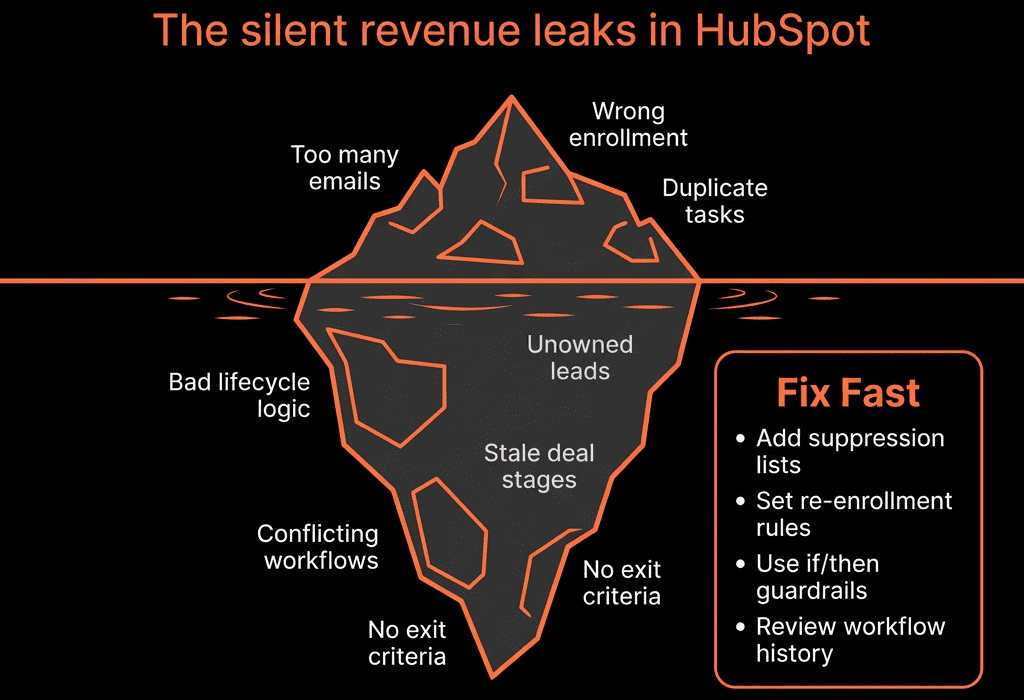
Pitfall 8 – Hard-Coded Dates and Timeframes in Workflows
What happens:
- Workflows use fixed dates (e.g., “before 30 June 2025”) for campaigns or clean-up.
- Nobody turns them off or updates them.
- Logic becomes stale, but continues to run.
Impact:
- Old campaigns keep re-adding people to sequences or nurture.
- Data-cleanup steps meant for a period start affecting new records incorrectly.
- Confusing behavior months/years later.
Fix:
- For campaign-specific workflows: set clear end dates and add reminders to archive.
- For ongoing logic: use relative time (e.g., “X days after property known”).
- Maintain a workflow register with: purpose, owner, active/archived status, review dates.
Pitfall 9 – No Sandbox or Testing Process
What happens:
- New workflows pushed straight to production.
- Changes tested on live contacts/deals.
- Broken routing or incorrect emails caught only after complaints.
Impact:
- Lost leads and opportunities.
- Embarrassing messages to customers.
- Reps lose trust in “anything automated”.
Fix:
- Use a sandbox portal when possible, or at least test with internal contacts and sample records.
- Disable enrollment triggers while building.
- Manually enroll a small test set before turning on global triggers.
- Use naming to mark experiments: [TEST] prefix.
- Document a simple “change management” checklist.
Pitfall 10 – No One Owns Automation as a Product
What happens:
- Everyone with access builds their own workflows.
- No single view of what exists, why, or how it connects.
- Automation becomes a tangle instead of a system.
Impact:
- Inconsistent processes by team.
- Hard to scale or change GTM motions.
- Increased risk every time something is edited.
Fix:
- Assign RevOps ownership of automation.
- Maintain: a central catalog of workflows and sequences.
- Naming conventions by function ([ROUTING], [LIFECYCLE], [HYGIENE], [CS], etc.).
- A quarterly automation review to prune and optimize.
How to Start Untangling Automation Without Breaking Everything
We normally follow this sequence:
Read-only audit
- Export/work through all workflows and sequences.
- Group by function and identify conflicts.
Stabilise core logic first
- Routing & ownership.
- Lifecycle & pipeline updates.
- SLAs.
Turn off low-value noise
- Task overload.
- Legacy marketing drips nobody uses.
- Duplicated notifications.
Refactor into clear “plays”
- Each workflow should map to a specific RevOps play (e.g., high-intent lead handling, renewal creation, at-risk alerts).
Add monitoring & documentation
- Dashboards for SLAs and key automations.
- A short internal doc describing each major automation group.
You don’t need to rebuild everything—just tame what matters first.
Want a Third Pair of Eyes on Whether Your Automation Is Helping or Hurting?
If workflows in your HubSpot portal feel like a mysterious, fragile web, that’s usually where we start.
Through our HubSpot Audits (Health Check) and Managed RevOps Retainer / Migration & ROI Plan, we:
- Audit your existing workflows and sequences for revenue risk.
- Identify where automation is quietly hurting conversion, routing, and reporting.
- Redesign and consolidate into a small set of high-value RevOps plays.
- Put governance in place so new automation doesn’t recreate the mess.
- So HubSpot workflows support your revenue motion—instead of silently undermining it.



