



Multi-Brand + One HubSpot Portal: Powerful or Painful
Multi-brand realities are increasingly common:
- A parent company with several product brands.
- A group with multiple acquired businesses.
- One platform offering distinct solutions under different brand names.
If you drop all those brands into HubSpot without an architecture, you get:
- Overlapping contacts and companies.
- Confusing pipelines and reports.
- Brand teams fighting over ownership.
- Leadership with no clean view by brand or overall.
The goal isn’t “just get everyone into HubSpot.”
It’s to design a multi-brand architecture that:
- Lets brand teams operate clearly.
- Preserves a single customer view where needed.
- Gives leadership both per-brand and group-level visibility.
This article builds on core concepts and focuses on how to choose, implement, and govern multi-brand options in HubSpot.
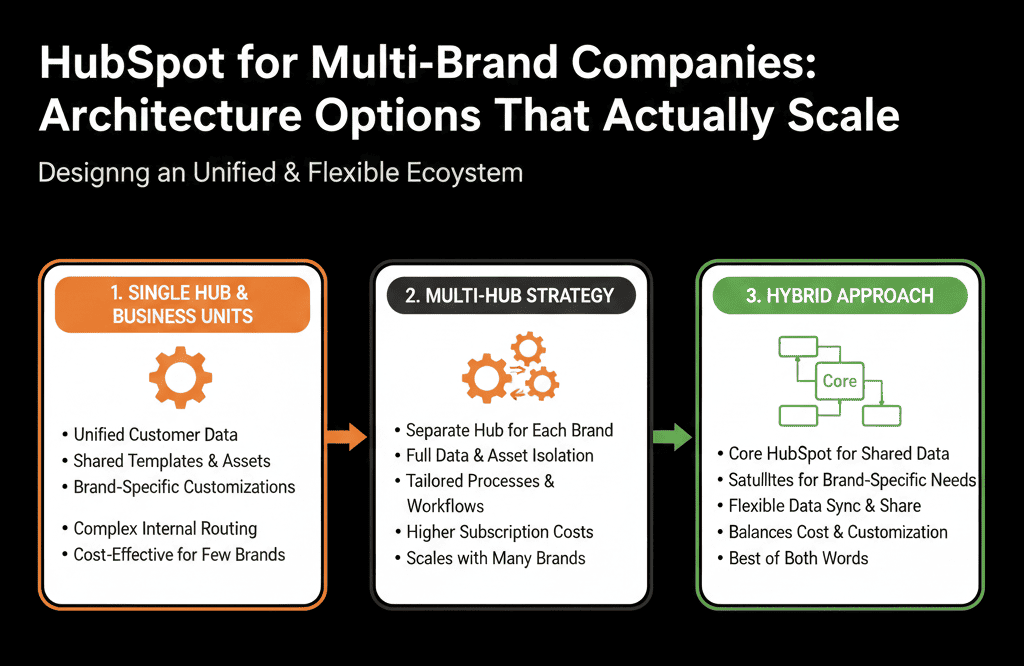
Step 1 – Answer 4 Questions Before You Pick an Architecture
Before you touch HubSpot, get clarity on:
Customer overlap
- Do customers frequently buy from multiple brands?
- Do you want cross-sell visibility?
Team structure
- Are sales/marketing teams brand-specific, shared, or hybrid?
- Do reps sell multiple brands or one at a time?
Process similarity
- Are funnels and sales processes similar across brands?
- Or does each brand sell in a fundamentally different way?
Reporting needs
- Do brand leaders need independent P&Ls and funnels?
- Does group leadership need an aggregated, cross-brand view?
Your answers will drive the right HubSpot model.
Architecture Option 1 – One Portal, Single Set of Pipelines, Brand as a Field
Best when:
- Brands are more like “lines” than separate businesses.
- Customers often work with more than one brand.
- Teams overlap across brands.
How it works
- Contacts and Companies: shared across all brands.
- Deals: use a single new-business pipeline (or a small number based on motion, not brand).
- Add a Brand property on Deals (and optionally on Companies/Contacts) to tag which brand each deal belongs to.
Pros
- Strong single view of the customer.
- Simple pipeline architecture.
- Easy to report by brand and across brands (with consistent filters).
Cons
- Brand teams must filter views carefully.
- Governance needed so brand-specific logic doesn’t leak.
Implementation tips
- Standardize Brand dropdown values across the portal (use one controlled dropdown list).
- Create brand-specific views for reps and marketers.
- Create brand-specific dashboards, plus a group-level overview (use dashboard filters/quick filters consistently).
This is the simplest scalable model for many B2B portfolios.
Architecture Option 2 – One Portal, Separate Pipelines Per Brand
Best when:
- Brands have distinct sales motions (e.g., very different cycles, price points, or buying committees).
- Brand leaders need clear, separate pipeline/forecast management.
How it works
- Contacts and Companies: still shared.
- Deals: separate brand pipelines (e.g., Brand A – New Business, Brand B – New Business, Brand C – New Business).
- Optional shared or brand-specific renewal/expansion pipelines.
Pros
- Clear per-brand pipeline and forecast.
- Stages can be slightly tuned per brand.
- Brand-level dashboards become straightforward.
Cons
- More pipeline objects = more configuration and governance.
- Reps selling multiple brands must manage deals in multiple pipelines.
- Group-level reporting must consolidate across pipelines.
Implementation tips
- Keep pipeline structures as similar as possible across brands.
- Use a shared Brand field as well to assist cross-pipeline reporting.
- Align lifecycle and lead management globally, even if deal stages differ slightly.
Architecture Option 3 – Multiple Portals for Completely Independent Brands
Best when:
- Brands are essentially separate businesses (e.g., unrelated industries, different leadership, different systems).
- You don’t need much or any overlap in customer data.
- Integration between brands is minimal.
How it works
- Each brand runs its own HubSpot portal: its own contacts, companies, deals, pipelines, workflows.
- Group-level reporting done via BI/warehouse, or periodic exports.
Pros
- Clean separation of data and processes.
- Each brand can iterate independently.
- Reduced risk of accidental cross-brand exposure (helpful for compliance or regional rules).
Cons
- No native single view of a customer across brands.
- Higher overhead (multiple configs, admins, integrations).
- Harder to roll up a group-level view without external tooling.
Implementation tips
- Standardize naming, fields, and processes as much as reasonable across portals for easier consolidation later.
- Use a central data warehouse/BI layer for group-level reporting.
- Decide now whether you’ll ever want to consolidate portals in the future; that affects how you design them.
Migration Path: Moving From Multi-Portal to One Multi-Brand Portal
If you already have multiple portals and want to consolidate into one multi-brand instance:
Pick the destination model
- Option 1: Single pipeline + Brand field.
- Option 2: Brand-specific pipelines with shared contact/company base.
Unify the data model
Normalize:
- Lifecycle definitions
- Pipelines and stage meanings
- Source and segment fields
- Brand definitions
Plan consolidation by brand or portal
Example:
- Migrate Brand A portal into unified instance.
- Then Brand B, etc.
Use Brand as a safe anchor during migration
- Tag all migrated data with originating brand.
- Prevent cross-brand confusion while users adapt.
Refine routing and reporting
Implement brand-aware:
- Lead routing
- Views
- Dashboards (brand filters and group rollups).
A structured consolidation is often cheaper long-term than maintaining many half-used portals
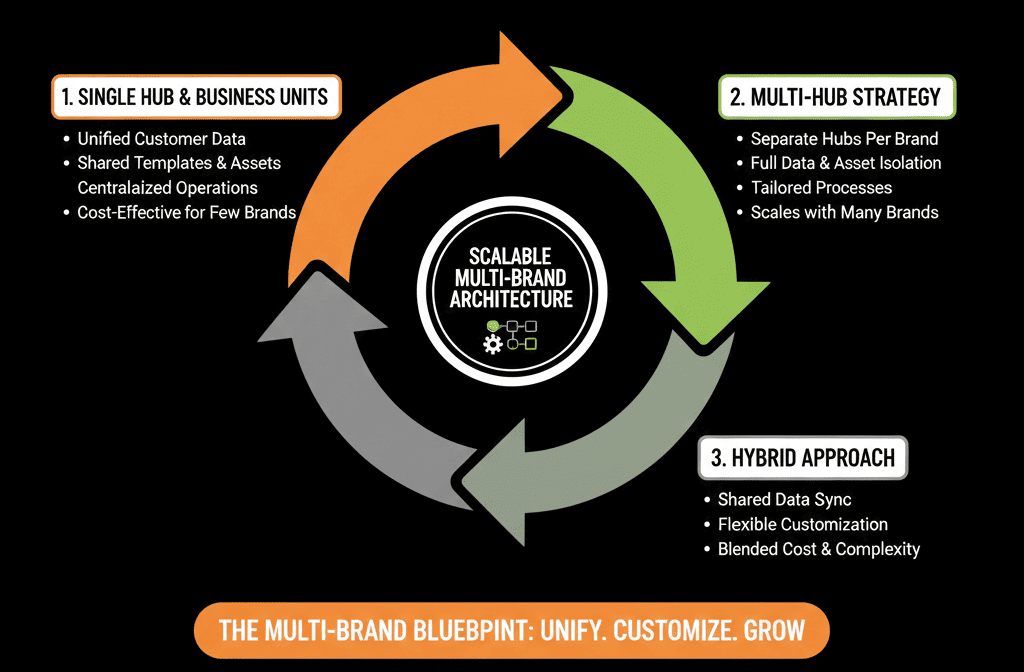
Governance for Multi-Brand HubSpot: Non-Negotiables
Multi-brand setups are powerful only with governance.
Key practices:
Central RevOps / HubSpot Architect
- Owns shared architecture: objects, lifecycle, core properties, integrations.
Brand-specific champions
- Help define brand personas and segments.
- Define brand-specific fields and workflows.
- Work within global standards.
Guardrails
- No new pipelines, brands, or core fields without architectural review.
- New brand-specific logic (workflows, lists, reports) must use the shared data model.
- Name and group assets clearly by brand.
Regular reviews
Quarterly or bi-annual:
- Check cross-brand data consistency.
- Review brand and group dashboards.
- Prune unused brand-specific assets.
Reporting: Per-Brand and Group-Level Views
Regardless of architecture option, aim for:
Per-brand dashboards
- Pipeline & forecast.
- Funnel & conversion.
- Source & segment performance.
- Brand-specific campaign impact.
Group-level dashboards
- Total pipeline and revenue across all brands.
- Revenue by brand.
- Portfolio view of segments/regions (across brands).
- Marketing ROI aggregated by brand.
Filters and fields must be designed with multi-brand in mind:
- Use Brand, Segment, Region filters consistently.
- For multi-pipeline setups, ensure group dashboards include the correct pipelines.
What You Can Do in the Next 30–60 Days
If you’re handling multiple brands and HubSpot feels like it’s buckling:
- Answer the 4 key questions: Customer overlap, Team structure, Process similarity, Reporting needs.
- Choose a target architecture option: Option 1 (Field-based), Option 2 (Brand pipelines), Option 3 (Multiple portals only if truly needed).
- Define a simple Brand data model: shared Brand field, shared ICP/segment definitions.
- Build or refine: brand-specific views and dashboards, plus group-level dashboards.
- Assign: a central HubSpot/RevOps owner, and brand champions to work with that owner.
You’ll immediately reduce confusion and set the stage for sustainable scaling.
Want an Architect to Design or Fix Your Multi-Brand HubSpot Setup?
If your current multi-brand use of HubSpot feels improvised—or you’re staring at multiple portals and don’t know how to unify them—a structured architecture exercise will save you time and headache.
Our HubSpot Portal Health Check / HubSpot Audit can:
- Analyze your brands, teams, and current HubSpot footprint.
- Recommend the right multi-brand architecture option for your situation.
- Provide a practical consolidation plan that keeps reporting clean and teams unblocked.






