



Your Tech Stack Isn’t “Integrated”—It’s Glued Together
Most teams don’t have a tech stack problem.
They have an integration strategy problem.
They say things like:
- “We’ll just connect it all through HubSpot and Zapier.”
- “This tool is already paid for, let’s just keep it.”
- “We can always clean up the stack later.”
The result:
- Data scattered and duplicated across overlapping tools.
- Fragile Zaps and DIY integrations driving core processes.
- Confusion over which system is the “source of truth”.
HubSpot works best when it sits at the center of a deliberate integration strategy—not as another app in the pile.
In this article, we’ll walk through how to decide which tools to connect, which to replace with HubSpot, and which to retire, so you reduce cost and complexity without breaking your revenue operations.
Step 1 – Map Your Current Stack Around HubSpot’s Core Capabilities
Before deciding what to connect or retire, you need a clear picture of what tools you actually have, what jobs they’re doing, and where HubSpot already overlaps.
How to do a quick stack inventory
List every tool that touches:
- Marketing (email, ads, forms, landing pages, events, webinars).
- Sales (dialers, sequencing tools, enrichment, proposal tools).
- Service (ticketing, chat, NPS, knowledge base).
- Data & ops (ETL, reverse ETL, reporting, CDP, integrator tools).
For each, note:
- Primary use case (one sentence).
- Which teams use it.
- What data it holds (contacts, activity, billing, product usage, etc.).
- How it currently connects (or doesn’t) to HubSpot.
This gives you a working map of where HubSpot sits in the ecosystem and which tools might be redundant.
Step 2 – Decide HubSpot’s Role: System of Record, Engagement, or Both?
Your integration strategy lives or dies on one decision: what is HubSpot the system of record for?
Common patterns:
- HubSpot as system of record for: contacts, companies, deals, tickets, and marketing/sales/service engagement.
- Finance/ERP as system of record for: billing, invoices, payments, and product usage.
If you don’t make this explicit, every new tool will try to own the customer record and you’ll fight constant data conflicts.
How to clarify HubSpot’s role
- Where should Sales/Marketing/CS go to see “the truth” about a contact or account?
- Where should new leads and opportunities be created first?
- Which system should decide what is a Customer vs a Prospect?
If the answer isn’t “HubSpot” for most GTM use cases, you are not using HubSpot as a central platform—you’re using it as an add‑on.
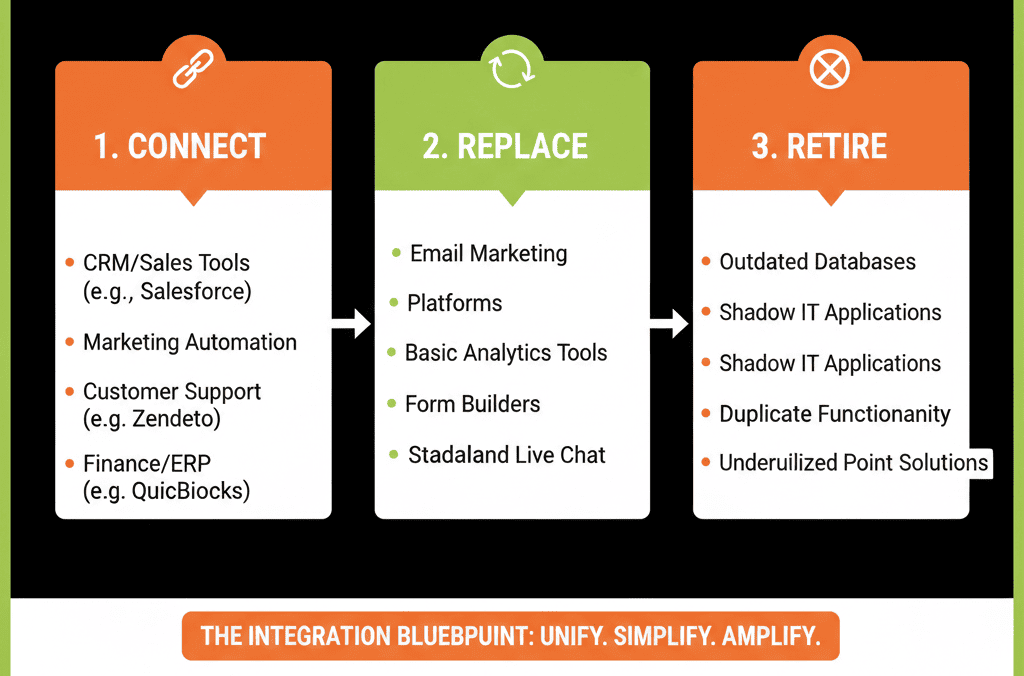
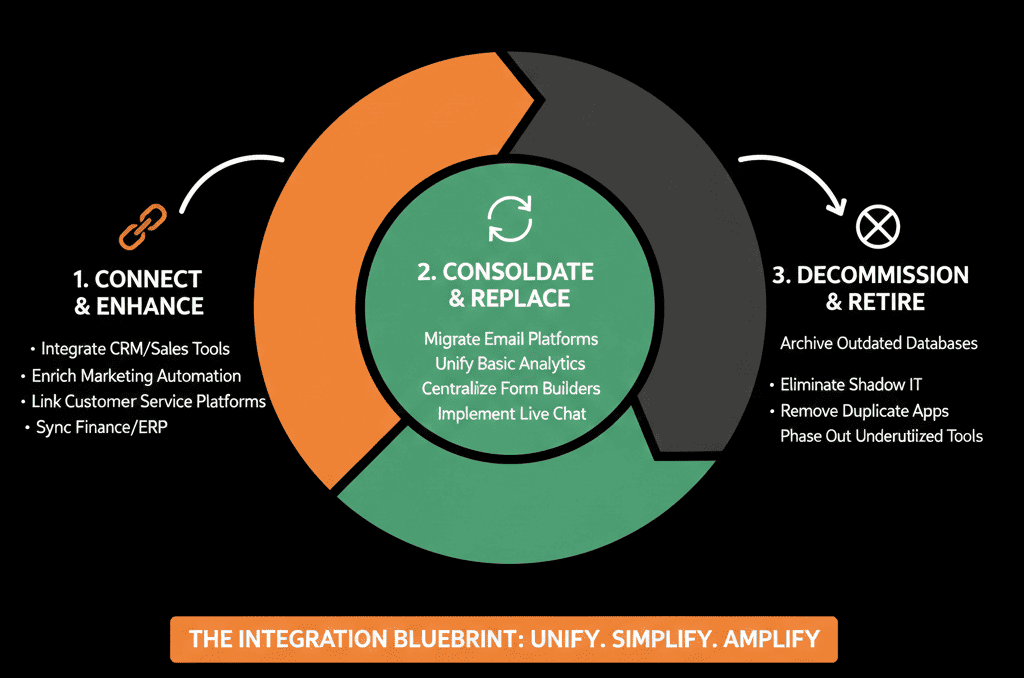
Step 3 – Group Tools into Connect, Replace, or Retire
With your stack inventory and HubSpot’s role clear, you can now group tools into three buckets.
Bucket 1: Tools to Connect
These are systems that do something HubSpot should not (or cannot) do well, or hold data you want available in HubSpot.
Examples:
- Accounting/billing (QuickBooks, Xero, NetSuite).
- Core product/app data (SaaS product usage, transactions).
- Specialized delivery tools (project management, ticketing if not using Service Hub).
For each, define:
- What data should sync into HubSpot (e.g., customer status, MRR, last payment).
- What, if anything, HubSpot should send back (e.g., lifecycle, owner, segment).
- Which system wins in case of conflict (system of record).
Bucket 2: Tools to Replace with HubSpot
These are tools that overlap heavily with HubSpot’s native capabilities:
- Email marketing and automation tools.
- Basic landing page and form builders.
- Simple ticketing or basic NPS tools.
- Lightweight sales engagement tools (for sequences, tasks, and 1:1 emails).
Ask for each:
- Does HubSpot already provide this capability at our current tier?
- Would consolidating into HubSpot simplify data flows and reporting?
- Is there a strong, unique reason to keep this separate?
If not, plan to migrate core workflows into HubSpot and phase out the external tool after a test and transition period.
Bucket 3: Tools to Retire (No Replacement)
These are tools that are barely used, duplicate a capability and add confusion, or require manual exports/imports to be useful.
For each, check:
- Last time it was actively used for a real process.
- Who, if anyone, would miss it.
- Whether there is clear ROI or just “we already pay for it”.
If it doesn’t add clear value and HubSpot + your core systems can cover its job, plan to retire it.
Step 4 – Define Integration Patterns: Native, iPaaS, or Custom
Not all integrations should be built the same way.
Over‑relying on Zaps or custom code is a common way to create “integration spaghetti”.
Three main integration patterns
Native HubSpot Integrations
Use when there is a high‑quality, vendor‑supported HubSpot app and it covers your core use cases without major hacks.
iPaaS / Middleware (e.g., Operations Hub, Zapier, Make)
Use when you need orchestrated logic across multiple tools, or native integrations exist but are limited.
Custom Integrations (APIs, webhooks)
Use when you have unique processes or proprietary systems, or data volume/complexity/security needs exceed off‑the‑shelf options.
For each tool in your Connect bucket, decide: pattern, direction, sync frequency (real‑time vs scheduled), and what fields will map.
Step 5 – Set Clear Rules for Data Ownership and Conflict Resolution
Connecting tools without rules is how you get random overwrites, lifecycle stages bouncing, and silent owner/segment changes.
You need simple, clear rules for:
- Which system is the source of truth for each major field.
- Which system is allowed to update which fields.
Examples:
- Contact & company ownership: HubSpot is system of record; no external tool can overwrite owner.
- Billing status & MRR: Finance system is system of record; HubSpot reads.
- Lifecycle stage: HubSpot is system of record; external events can propose changes via workflows, not overwrite directly.
Write these rules down and configure integrations to honor them.
Step 6 – Measure the Real Cost and Benefit of Each Integration
Not every integration is worth having.
Some cost more—in time, complexity, and risk—than the value they deliver.
How to evaluate integration ROI
- Value: what decisions/automations does this enable, does it improve routing, sales effectiveness, CS visibility, reporting?
- Cost: connector/tool fees, hours/month maintaining it, data quality risk introduced (overwrites, duplicates).
- Alternatives: could one‑way sync, native app, or HubSpot replacement achieve 80% of value?
Use this to classify integrations as Critical, Useful, or Questionable.
Step 7 – Build a 90‑Day Integration Cleanup Plan
You don’t need to fix everything at once.
You do need a clear, time‑boxed plan.
Days 1–30
- Complete stack inventory + connect/replace/retire grouping.
- Lock HubSpot’s role as system of record for core GTM data.
- Turn off or fix obviously risky integrations (e.g., overwriting lifecycle on every sync).
Days 31–60
- Migrate overlapping capabilities into HubSpot (email, forms, basic ticketing) where appropriate.
- Replace fragile Zaps with more robust, documented integrations (native connectors, Data Sync, Operations Hub).
- Document data ownership and integration rules.
Days 61–90
- Retire low‑value tools and redundant integrations.
- Build executive dashboards that rely on fewer, cleaner data sources.
- Establish an integration governance checklist for any new tool being added.
This is the difference between “we have a bunch of connected tools” and “we have a deliberate integration strategy around HubSpot”.
Want Help Designing a HubSpot‑Centric Integration Strategy?
If your stack feels like integration spaghetti—and you’re not sure what should connect, what HubSpot should replace, and what to retire—this is exactly where we can help.
Our HubSpot Portal Health Check and Migration & ROI Plan are designed to:
- Audit your current stack and data flows around HubSpot.
- Clarify HubSpot’s role as a system of record vs supporting tool.
- Recommend which tools to connect, consolidate into HubSpot, or retire—backed by a simple ROI view.






