🤝 The “Alt-Tab” Problem in Sales
Watch your SDRs work for 10 minutes.
They open HubSpot to find a lead.
Alt-Tab.
They search for the person on LinkedIn.
Alt-Tab.
They send an InMail.
Alt-Tab.
They manually copy/paste the InMail text into HubSpot Notes (if you're lucky).
This is the "Alt-Tab Tax." It kills productivity. It fragments data. And it means your CRM has zero visibility into the "social selling" that actually closes deals.
If you are paying for LinkedIn Sales Navigator (Advanced/Plus) and HubSpot Sales Hub, you have the two most powerful B2B tools on the planet.
If you haven't connected them, you are driving a Ferrari with the handbrake on.
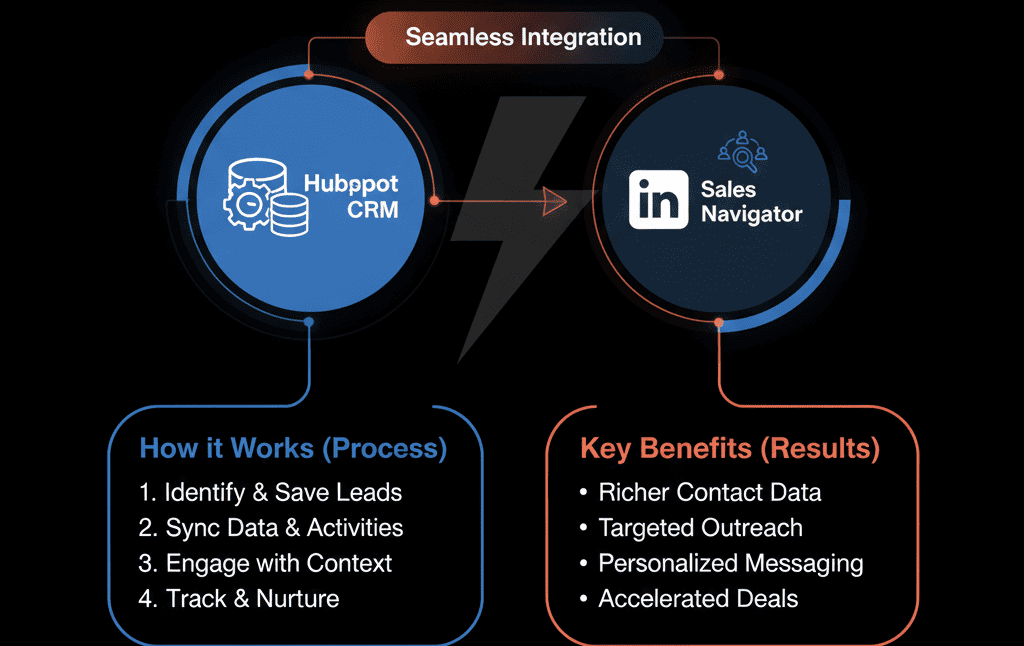
The integration isn't just about "saving clicks." It's about Context. It brings the "Social Graph" inside the "CRM Record."
Here is how to use the "Power Couple" to dominate B2B prospecting.
🔗 Feature 1: The “Embedded Profile” (No More Searching)
The Pain: Your rep opens a Contact record (John Smith) in HubSpot. They have an email, but no face, no job history, no recent posts. They are "blind."
The Fix: The Sales Navigator CRM Card.
When you connect the integration, a "LinkedIn" box appears on the right sidebar of every Contact and Company record. It automatically matches the record to their LinkedIn profile.
The Power: Your rep can see John's photo, his recent job change, and his shared connections without leaving HubSpot. They can click "Connect" or "Message" right there.
Result: Zero "Alt-Tabs." Instant context.
🔗 Feature 2: The “InMail” Integration (Tracked Outreach)
The Pain: Your reps send 50 InMails a week. You have no idea if they work. The data lives in LinkedIn, not your CRM.
The Fix: InMail Sync.
When your rep sends an InMail from Sales Navigator (or from the HubSpot sidebar), it automatically logs to the HubSpot Activity Timeline.
The Power: You can now see "InMail" alongside "Email" and "Call" in the activity feed.
The Reporting: You can run a report: "Number of InMails Sent vs. Meetings Booked." You finally have ROI on your LinkedIn spend.
🔗 Feature 3: The “Icebreaker” Engine (Smart Links)
The Pain: "I don't know what to say to this prospect."
The Fix: "Icebreakers" & "Get Introduced".
The HubSpot card shows you mutual connections immediately. It shows you recent content they posted.
The Play:
"Hi John, I saw your post about [Topic from HubSpot View]
and noticed we both know [Shared Connection].
I'd love to chat."
Result: Hyper-personalized outreach in seconds.
🔗 Feature 4: The “Target Accounts” Sync (ABM)
The Pain: Marketing runs an ABM campaign for "Target Accounts" in HubSpot. Sales is prospecting random people on LinkedIn. They are misaligned.
The Fix: Target Account Sync.
You mark a Company as a "Target Account" in HubSpot. The integration automatically saves that company to the rep's "Account List" in Sales Navigator.
The Power: LinkedIn will now alert the rep whenever anyone at that Target Account posts content or changes jobs.
Result: Your Sales and Marketing teams are hunting the same whales.
⚠️ The “Gotcha”: You Need the Right License
This integration is powerful, but LinkedIn protects it behind a paywall.
- Required: LinkedIn Sales Navigator Advanced or Advanced Plus. (The basic "Core" plan does not integrate).
- Required: HubSpot Sales Hub Professional or Enterprise.
If you are on the "Core" plan, upgrading just for this integration is usually worth the ROI in time savings alone.
Stop Selling in Silos.
Social Selling isn't "something else" you do. It's just Selling.
By integrating LinkedIn Sales Navigator with HubSpot, you remove the friction between "Social" and "CRM." You turn "LinkedIn activity" into "CRM data."
If your reps are still "Alt-Tabbing" all day, you are losing hours of productivity.
Connect Your Power Couple
Not sure if your license covers it? Or how to configure the "Target Account" sync? This is part of our Free HubSpot Health Check.
We will audit your Sales Tech Stack. We'll check your licenses, set up the integration, and train your team on how to use the "Power Couple" workflow to book more meetings.
Connect Your Power Couple. Get Free Hubspot Audit.