



A “Global” HubSpot Migration Can Break the Basics
When multi‑region teams move to HubSpot, they often focus on:
- Moving all objects and fields.
- Rebuilding pipelines.
- Recreating automations.
What gets treated as “settings we can fix later”?
- Currencies.
- Languages.
- Time zones.
If you skip these in your migration plan, you get:
- Deals in the wrong currency (or mixed currencies with no logic).
- Emails and pages in the wrong language for the wrong people.
- Workflows and SLAs firing at the wrong local time.
In a global team, those “small” issues turn into missed SLAs, bad reporting, and unhappy local teams. In this article, we’ll walk through how to handle currencies, languages, and time zones as first‑class parts of your HubSpot migration—not after‑thoughts.
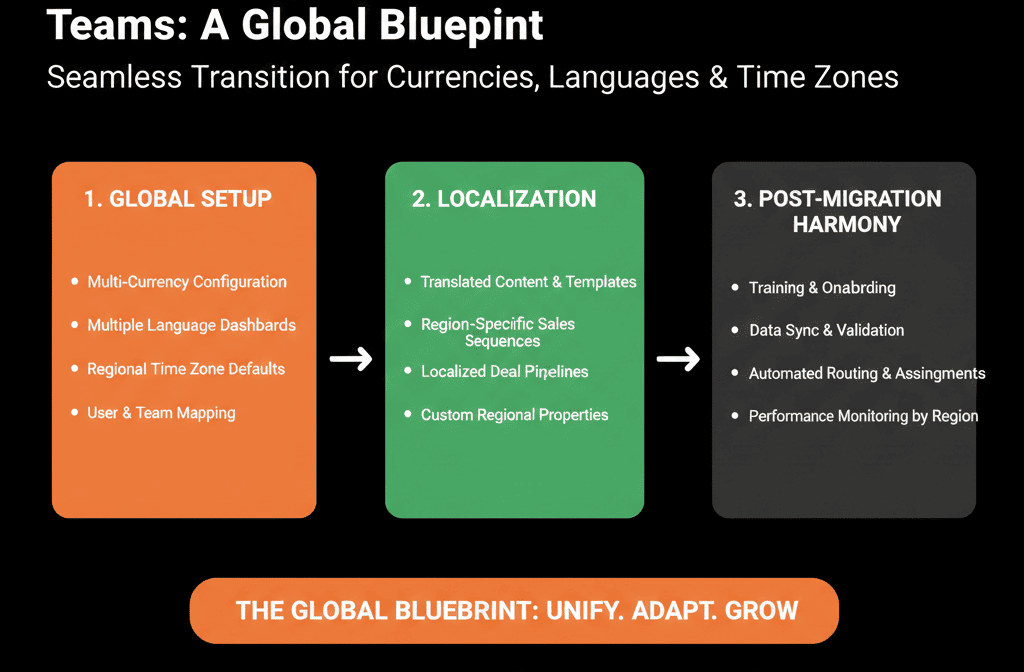
Step 1 – Map Your Real‑World Regional Setup Before You Touch HubSpot
Before you configure anything in HubSpot, get clear on how your business actually operates across regions.
Document:
- Regions and markets you serve (e.g., North America, EMEA, APAC, LATAM).
- Legal entities and sales regions (which regions have their own P&L?).
- Currencies in use (which currencies do you sell in, not just report in?).
- Languages (which languages do you communicate in for marketing, sales, and support?).
- Time zones (where your teams are physically located, any region‑specific SLAs or working hours).
This operating model should drive how you configure currencies, set up language variations, and handle time zones and scheduling—not the other way around.
Step 2 – Design Your Currency Strategy Before Migrating Deals
Currency settings are easy to ignore and painful to fix later.
Decide on:
- Your default currency (usually the currency of your HQ or main reporting entity).
- Additional active currencies (only those in which you actually open and track deals, e.g., USD, EUR, GBP, AUD).
During migration planning, answer from your legacy system:
- How many open and closed deals per currency?
- Which pipelines or regions use which currency?
Migration best practices for currencies
- Preserve original deal currencies: ensure each deal’s currency is correctly set in HubSpot (via the deal Currency property) so amounts render correctly per region.
- Use consistent pipelines across currencies when the sales process is identical; avoid one pipeline per currency and rely on amount + currency fields and multi‑currency reporting.
- Decide how you’ll report (e.g., leadership dashboards always in default currency), then test sample reports after migration.
This ensures your global deal data makes sense—and that local teams see correct amounts in their currency.
Step 3 – Plan Language Handling for Contacts, Content, and Communication
Language chaos during migration shows up as:
- Everyone getting English emails, no matter where they are.
- Duplicated contacts for different languages.
- Confusion about which email templates and pages to use.
Before migrating, define:
- Supported communication languages (e.g., English, German, French, Spanish).
- Where language is stored today (Contact field, list, country inference, or nothing).
- What you need in HubSpot: a clear Contact language property (e.g., Preferred language) with controlled options and standardized values (normalize “DE”, “German”, “Deutsch” → “German”).
- Language‑aware lists or segments (one list per major language for targeting and nurture).
During or shortly after migration:
- Map existing language/country data into Preferred language where possible.
- Where you lack language data, decide whether to infer from country/domain or leave “Unknown” and gather over time.
This prepares you for language‑specific email templates, workflows, and page variations.
Step 4 – Handle Time Zones for Teams, Records, and Automation
Time zones become a problem when emails go out at 3am local time, SLAs ignore local business hours, or meetings/tasks show confusing times across regions.
Key decisions before and during migration
User time zones
- Confirm your HubSpot account time zone and how it impacts scheduled actions (e.g., scheduled emails and analytics timestamps).
- Ensure users understand which timestamps rely on the HubSpot account setting vs local computer time for certain activity logs.
Working hours and SLAs
- For support or sales SLAs by region, document local business hours per team and where those hours should be enforced.
Where “local time” matters
- Email sends (marketing and sequences).
- Task creation and due dates.
- Ticket and SLA calculations.
After migration, test a sample of automated emails, task times for reps in different time zones, and SLAs on tickets created in different regions.
Step 5 – Structure Your Data Model for Multi‑Region Reality
Currencies, languages, and time zones don’t live in isolation. They belong in a coherent data model that accounts for regions and entities.
Minimum regional properties to standardize
On Contacts:
- Country.
- Region / market (e.g., NA, EMEA, APAC).
- Preferred language.
On Companies:
- Billing country / HQ country.
- Region / market.
- Entity (if multiple legal entities).
On Deals:
- Currency.
- Region / market or entity (to align with reporting).
Use these properties to define clear segments (e.g., “EMEA – English”, “DACH – German”) and drive workflow logic (routing, content versions, SLA/work hours).
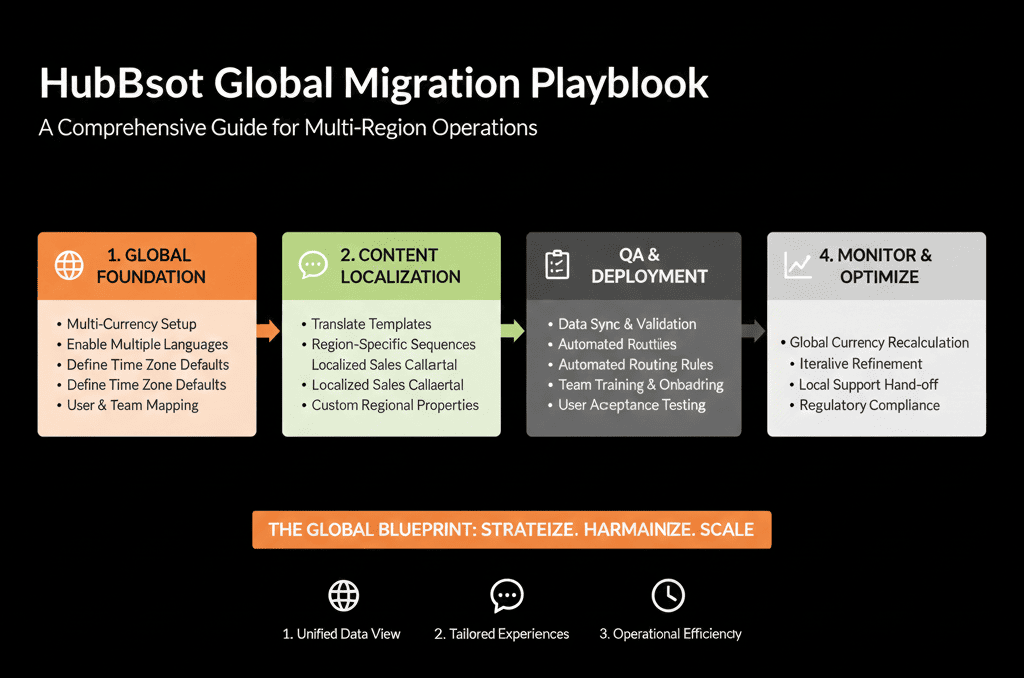
Step 6 – Migrate Region‑Specific Pipelines and Teams Thoughtfully
For multi‑region teams, pipelines and teams are where regional differences play out.
Pipeline planning
- Avoid “one pipeline per minor variation”.
- Start with shared stages if the sales motion is fundamentally similar; handle regional distinctions via properties (region, segment, currency).
- Use separate pipelines when sales processes genuinely differ by region (e.g., regulatory steps, approvals).
Team and ownership planning
- Define teams by region and function (SDR, AE, CS).
- During migration, ensure ownership maps correctly: contacts/companies assigned to the right regional teams, deals aligned with regional owners and pipelines.
Then test regional views/queues and reporting by team and region (e.g., EMEA vs NA pipeline and revenue).
Step 7 – Test Global Scenarios Before Calling the Migration “Done”
Before you declare the migration complete, run end‑to‑end tests on a few realistic global scenarios:
Scenario 1 – Inbound lead from EMEA
- Fills a form in German, from a .de domain.
- Should be assigned to EMEA team, tagged with correct region and language, and nurtured with German sequences/campaigns.
Scenario 2 – Deal in multiple currencies
- NA and EMEA both sell into the same global account.
- Should see deals in correct local currencies and global roll‑up reporting in HQ currency.
Scenario 3 – Support ticket from APAC
- Created outside HQ working hours.
- Should respect APAC SLAs/business hours and route to the correct regional team/inbox.
If these scenarios behave as expected, your currency/language/time‑zone setup is doing its job.
Pulling It Together: Make “Global” a First‑Class Migration Requirement
For multi‑region teams, a HubSpot migration isn’t successful just because “all the data moved over”.
It’s successful when:
- Deals reflect real currencies by region.
- Contacts and companies are tagged with correct region and language.
- Automations and SLAs respect local time and working hours.
- Regional teams can work and report without hacks.
That only happens if you treat currencies, languages, and time zones as core design decisions, not settings you’ll tweak later.
Want Help Planning a Multi‑Region HubSpot Migration?
If you’re running a multi‑region team and planning a HubSpot migration, configuring “global basics” wrong will haunt you for years.
Our HubSpot Portal Health Check and Migration & ROI Plan are designed to:
- Map your regional entities, currencies, and languages into a clean HubSpot data model.
- Design pipelines, teams, and routing rules that work for local teams and global leadership.
- De‑risk your migration so day one in HubSpot feels better for every region, not like a step backward.






