



Founder‑Led Doesn’t Mean “Too Small” for a Proper Migration
In founder‑led teams, the CRM story is usually the same:
- Deals tracked in the founder’s inbox and notes.
- Spreadsheets or a lightweight CRM that nobody updates.
- A few Zapier automations holding everything together.
When it’s time to move to HubSpot, the fear is real:
- “We don’t have a RevOps team.”
- “This will eat all my selling time.”
- “Let’s just plug it in and figure it out later.”
If you do that, HubSpot becomes another messy tool.
The good news: you don’t need an enterprise‑grade project plan. You need a focused, founder‑friendly migration path that:
- Keeps you selling.
- Respects limited bandwidth.
- Sets a clean foundation you won’t regret in 12 months.
In this guide, we’ll walk through a practical, no‑nonsense migration plan for founder‑led teams.
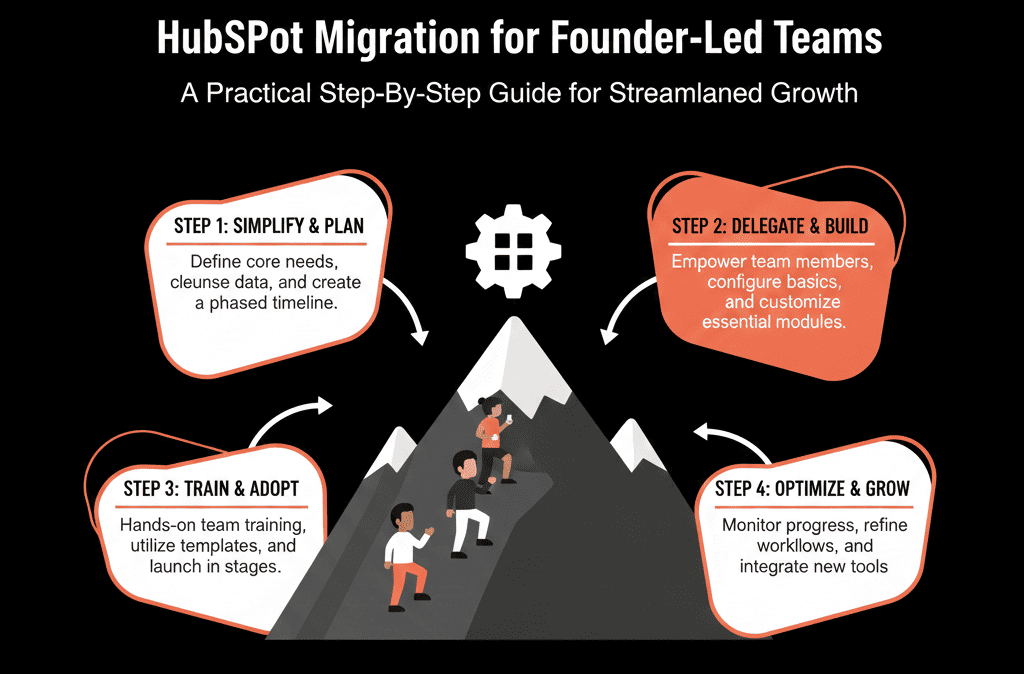
Step 1 – Define 3–5 Concrete Outcomes HubSpot Must Deliver
Before you touch any data, answer:
“What will make this migration obviously worth it in 90 days?”
Examples for founder‑led teams:
- “Every inbound lead gets a response within 1 business day.”
- “I can see a single, accurate pipeline with close dates and values.”
- “I can pull a list of all active customers and their last touch in 2 clicks.”
- “We stop losing deals because we forgot to follow up.”
Write down 3–5 outcomes and treat them as requirements, not wishes.
Everything in your migration should be traced back to these outcomes. If it doesn’t help, it’s optional.
Step 2 – Pick a Starting Point: Migrate Less, Decide Faster
Founders often have data scattered across:
- A basic CRM.
- Spreadsheets and inboxes.
- Payment tools and proposal tools.
You do not need to move everything at once.
Focus your first migration on:
- Active and recently active leads.
- Current pipeline and deals.
- Current and recent customers.
Leave behind (for now):
- Very old leads that never engaged.
- Ancient deals that will never revive.
- Historical noise you never actually use.
This reduces complexity and lets you go live faster with a cleaner system.
Step 3 – Design a Simple, Founder‑Friendly Data Model
Your HubSpot setup should feel understandable in a single whiteboard session.
Keep it to four core pieces:
- Contacts – people you talk to.
- Companies – accounts you sell to (if B2B).
- Deals – opportunities you’re trying to close.
- Tickets (optional at first) – support/onboarding issues.
For each, define just the essential properties:
Contacts
- Name, email, phone.
- Role (decision‑maker, champion, user).
- Lifecycle stage (Lead, Opportunity, Customer).
- Owner (who’s responsible).
Companies (if relevant)
- Name, domain, industry, size.
- Account owner.
Deals
- Amount, close date.
- Stage (simple: New → Qualified → Proposal → Verbal → Closed Won/Lost).
- Source (inbound, outbound, referral).
Tickets (if used)
- Status (New, In Progress, Waiting, Closed).
- Type (Support, Onboarding, Other).
If you can’t explain your data model to a new hire in 10 minutes, it’s too complex for a founder‑led team.
Step 4 – Clean Up and Prepare Your Source Data
A small amount of cleaning now saves a lot of pain later.
From your current CRM/spreadsheets, prepare:
Contacts
- Remove obvious junk (test records, bounces, unsubscribes you’ll never re‑engage).
- Standardize emails and names.
Companies
- Deduplicate obvious duplicates by name/domain.
Deals
- Keep: open deals + recently closed wins/losses you care about.
- Set realistic amounts and close dates where missing.
Create simple CSVs for:
- Contacts.
- Companies (if B2B).
- Deals (linked to contacts/companies via IDs or email+company).
You’re aiming for fewer, cleaner records with enough context to keep selling.
Step 5 – Import in a Controlled Sequence
Don’t dump everything at once and hope for the best.
Recommended order:
- Companies (if B2B)
- Contacts (associated to companies where possible)
- Deals (associated to contacts and companies)
HubSpot supports importing multiple objects and creating associations during import when you include unique identifiers for each object in the file(s).
After each import:
- Spot‑check a sample: do records look right?
- Are associations correct (contacts ↔ companies ↔ deals)?
- Fix obvious issues before moving to the next object.
This keeps the structure of your HubSpot portal coherent from the start.
Step 6 – Set Up a Minimal but Effective Sales Workflow
For founder‑led teams, over‑engineering is the enemy.
Start with a minimal workflow that beats your current chaos.
At minimum, configure HubSpot to support:
New lead capture
- Forms on your site feeding into Contacts.
- Basic fields: name, email, company, interest.
Immediate routing and follow‑up
- New leads assigned to the right owner.
- Task automatically created: “Call/email this lead within X hours.”
Simple deal creation
- When a lead is qualified, a Deal is either auto‑created from a form or manually created in 1–2 clicks.
Daily focus view
- A saved view like “My Open Deals – This Month” and “My New Leads – Last 7 Days”. HubSpot saved views are reusable sets of filters/columns on an object index page.
Leave advanced lead scoring, complex routing, and multi‑pipeline setups for later. Your goal is to never lose track of a lead or deal again.
Step 7 – Plan a Short, Clear Cutover (No Endless Parallel Running)
Founder‑led teams can’t afford months of double‑entry.
Plan a short cutover period:
Week 1–2:
- Configure HubSpot basics.
- Import test data and validate.
Week 3:
- Import core contacts, companies, and deals.
- Start capturing new leads directly in HubSpot.
Week 4:
- Declare HubSpot the system of record.
- Freeze your old CRM/spreadsheets for new entries (read‑only or archive).
Avoid:
“Use both for now and see how it goes.”
This guarantees fragmentation and lost information.
Instead:
- One system at a time for active selling.
- Old systems only for historical lookups if truly needed.
Step 8 – Give the Founder (and Team) a Few High‑Value Dashboards
You don’t need 20 dashboards. You need 2–4 that answer the questions you ask every week.
Examples:
Founder / Leadership
- New leads by source (this week / this month).
- Pipeline by stage and expected close date.
- Closed‑won vs target (by month/quarter).
Sales team
- My open deals by stage and close date.
- My activities (calls, emails, meetings) this week.
Success/CS (if relevant)
- Open tickets / onboarding items.
- At‑risk customers (no touch in X days, recent support issues).
Configure these early. They reinforce that HubSpot is where the truth lives.
Step 9 – Make One Person “Lightweight RevOps” (Even If It’s You at First)
In founder‑led teams, someone has to be responsible for adjusting fields/workflows, improving views/reports, and keeping data from devolving into chaos.
That might initially be:
- The founder.
- A sales lead.
- A marketing/ops generalist.
Give them explicit permission and time to:
- Say “no” to random new fields.
- Triage and prioritize requests.
- Run a quick monthly review of data quality and pipeline hygiene.
This “fractional RevOps” mindset keeps your HubSpot from becoming yet another unsupervised system.
Step 10 – Iterate After 30–60 Days, Not During Week 1
Resist the urge to perfect everything in the first week.
Instead:
- Run on your simple setup for 30–60 days.
- Collect concrete feedback (“I can’t see X”, “We need a field for Y”, “This stage doesn’t reflect how we sell”).
- Then improve fields, stages, routing/follow-up workflows, dashboards, and views in a planned iteration.
This rhythm is far better than constant tweaks that confuse a small team trying to adopt a new tool.
Pulling It Together: A Founder‑Ready Path into HubSpot
A HubSpot migration for a founder‑led team does not need a giant Gantt chart, a six‑month change program, or a full‑time RevOps hire.
It does need clear outcomes, a lean data model, clean focused imports of only the data that matters, simple reliable sales workflows, a short decisive cutover, and a few high‑value dashboards.
Done this way, HubSpot becomes the single, reliable place where you and your team see pipeline, customers, and growth—without pausing the business to get there.
Want a Founder‑Friendly HubSpot Migration Plan?
If you’re leading the company and the sales team—and you can’t afford a big, slow CRM project—this is exactly where we can help.
Our HubSpot Portal Health Check and Migration & ROI Plan are designed to:
- Translate your current tools and spreadsheets into a lean HubSpot setup.
- Prioritize what to migrate now vs later.
- Give you a 60–90 day roadmap that fits a founder‑led reality, not an enterprise PMO.






