



Migrations Look Straightforward on Slides. Reality Is Messier.
On paper, a HubSpot migration looks simple:
- Export data.
- Map fields.
- Import into HubSpot.
- Rebuild automations and dashboards.
In practice, we’ve seen:
- “Lift‑and‑shift” jobs that recreated the same chaos in a new tool.
- Sales teams frozen by unclear cutovers.
- Integrations undoing weeks of careful work overnight.
After many migrations across CRMs, industries, and team sizes, patterns emerge:
- Certain shortcuts always come back to bite you.
- Certain boring, methodical plays always pay off.
In this article, we’ll share the lessons we’ve learned—the things we’d never do again, and the things we now do every time—so your HubSpot migration can avoid the most painful mistakes.
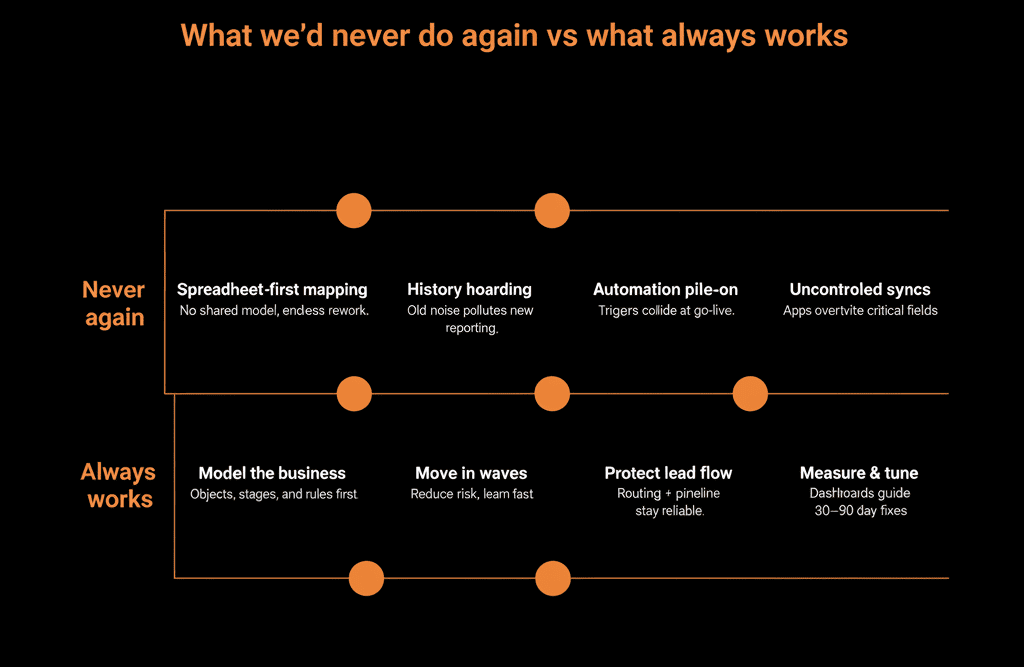
Part 1 – What We’d Never Do Again
1. Start Mapping Fields Before We Understand the Business
What we used to do
- Take an export from the old CRM.
- Map fields one‑for‑one into HubSpot.
- Ask clarifying questions only when something looked obviously strange.
Why it hurt
We ended up recreating old design flaws:
- Too many fields.
- Conflicting lifecycles and stages.
- Misaligned objects (e.g., using Deals for everything).
The new portal felt “different UI, same problems”.
What we do now instead
Start with a data model workshop, not a field mapping sheet.
Ask:
- How do you actually sell, market, and support today?
- What are your key entities (contacts, accounts, subscriptions, projects, etc.)?
- What must leadership be able to see in reporting?
Only once we understand that do we design the HubSpot object structure and critical properties.
2. Migrate “Everything” Because It Feels Safer
What we used to hear (and sometimes accept)
- “We might need this older data one day.”
- “Let’s bring all fields and all history; we can clean it later.”
Why it hurt
The new portal started life bloated:
- Thousands of little‑used fields.
- Old, irrelevant records inflating counts.
- Cluttered timelines and confusing reports.
“We’ll clean it later” rarely happened; there was always something more urgent.
What we do now instead
Ruthlessly prioritize:
- Active and recently active contacts and accounts.
- Current pipeline and recent deal history.
- Recent support tickets (if relevant).
Archive or park very old or low‑value data outside of HubSpot.
Treat the migration as a chance to reset, not just copy.
3. Turn On All the Old Automations at Once
What we used to do
- Rebuild workflows and automations from the old system as fast as possible.
- Activate most or all of them near or at go‑live.
Why it hurt
We sometimes:
- Double‑emailed people due to overlapping logic.
- Moved lifecycles or stages incorrectly.
- Created task and notification storms for teams already adjusting to a new tool.
What we do now instead
Identify a small set of critical automations:
- Lead routing and assignment.
- Key lifecycle promotions.
- Essential notifications (e.g., demo requests).
Turn those on first and test under load.
Phase in non‑critical nurtures, scoring, and edge‑case workflows in weeks 2–6.
4. Trust Integrations by Default
What we used to assume
If an app had a HubSpot integration, it would:
- Respect field mappings.
- Not overwrite critical data unexpectedly.
- Behave sensibly out of the box.
Why it hurt
We saw integrations:
- Overwriting owners and lifecycle stages.
- Creating duplicates when they couldn’t match records.
- Spamming timelines with noisy events.
What we do now instead
Treat every new integration as a data risk until proven safe.
For each integration, define:
- Which fields it may read.
- Which fields it may write.
- What happens in conflicts (HubSpot vs external).
Start with limited, one‑way syncs and expand only after validation.
5. Assume Users Will “Figure It Out” After Go‑Live
What we used to see
Basic training, then:
- “Reps are smart; they’ll click around.”
- “We’ll create Loom videos if needed.”
Why it hurt
Teams reverted to:
- Old spreadsheets and tools.
- Inconsistent usage of pipeline stages and fields.
Adoption lagged, and leadership started doubting the value of the migration.
What we do now instead
Design role‑based enablement as part of the migration:
- SDRs: working leads, tasks, sequences.
- AEs: deals, notes, quotes, and follow‑ups.
- CS: tickets, customers, and renewals.
- Managers: dashboards and coaching views.
Plan 2–4 weeks of “hypercare”: office hours, quick fixes, and fast responses to feedback.
Part 2 – What Always Works (The Plays We Repeat Every Time)
1. Start with a Health Check and Data Model Blueprint
What works
Run a structured audit (Health Check) of:
- Current data and fields.
- Pipelines and lifecycles.
- Integrations and automations.
- Reporting requirements.
From that, create a HubSpot‑specific data model blueprint:
- Objects and associations.
- Key properties and picklists.
- Lifecycle and pipeline definitions.
Why it works
- Everyone understands the target state before moving any data.
- Decisions about what to migrate, clean, and drop are grounded in the blueprint.
2. Migrate in Waves, Not in One Big Bang
What works
Move to HubSpot in deliberate waves, such as:
- Wave 1: Core CRM data (contacts, companies, deals) for one region or team.
- Wave 2: Additional history and secondary teams.
- Wave 3: Deeper integrations and advanced automations.
Why it works
- Reduces risk of system‑wide issues.
- Lets you learn from early waves and adjust.
- Keeps day‑to‑day operations running while you improve.
3. Prioritize Lead Flow and Pipeline Over “Nice‑to‑Haves”
What works
During cutover, focus on:
- Capturing and routing new leads correctly.
- Enabling reps to create and update deals easily.
- Maintaining a believable pipeline view.
Why it works
- Protects revenue momentum while the migration completes.
- Builds user trust early—“HubSpot helps me sell” rather than “HubSpot slowed me down.”
- Gives you permission to add more sophisticated features after the basics are rock solid.
4. Tie Cleanup and Validation to Workflows and Dashboards
What works
Use workflows to:
- Normalize values (country, industry, region).
- Fill in missing fields by copying from related records.
- Catch illogical changes (e.g., lifecycle going backwards).
Use data‑health dashboards to:
- Track % of records with missing or bad values.
- Monitor duplicates and orphaned records.
Why it works
- Data quality improves continuously, instead of via one‑off clean‑ups.
- RevOps and leadership can see data integrity improving or slipping, and act accordingly.
5. Keep Old Systems Read‑Only, Not Half‑Alive
What works
Once HubSpot is the source of truth:
- Make old CRMs read‑only as soon as practical.
- Use them only for historical lookups, if at all.
- Communicate a clear decommissioning timeline.
Why it works
- Prevents parallel data entry and shadow CRMs.
- Forces teams to fully adopt HubSpot for current work.
- Simplifies integration, reporting, and governance.
6. Treat the First 30–90 Days as “Stabilize and Improve,” Not “We’re Done”
What works
Use the first 30 days to:
- Monitor data, lead flow, and user behavior closely.
- Fix any issues in routing, views, and basic automations.
Use the next 60 days to:
- Optimize fields, workflows, and dashboards based on real usage.
- Retire legacy fields and processes that didn’t survive migration.
Why it works
- Recognizes that real‑world usage surfaces issues you can’t see in testing.
- Ensures the system gets better after go‑live, not worse.
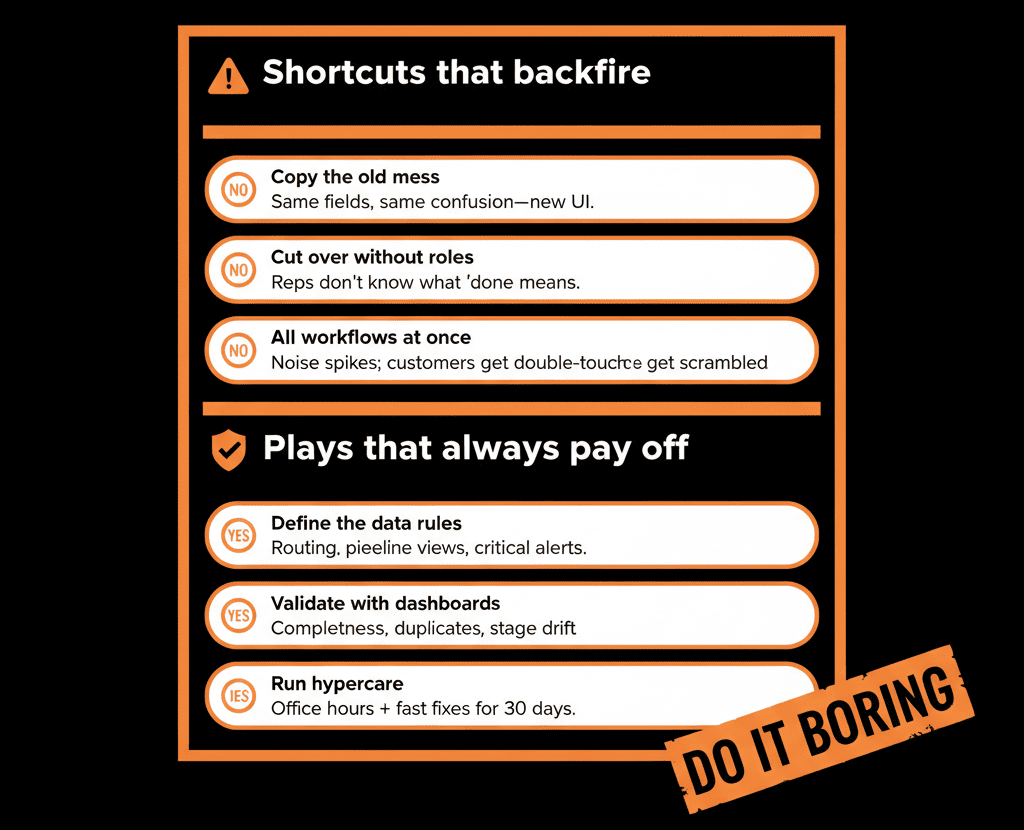
Pulling It Together: Design for the Day‑After, Not Just Go‑Live
The biggest lesson from many HubSpot migrations is simple:
The technical cutover is a milestone, not the finish line.
Things we won’t do again:
- Map fields without a data model.
- Migrate everything because it’s “safer”.
- Turn on all old automations at once.
- Trust integrations blindly.
- Assume users will “figure it out.”
Things we’ll keep doing every time:
- Start with a Health Check and blueprint.
- Migrate in waves with a sales‑safe cutover.
- Focus on lead flow and pipeline first.
- Use workflows and dashboards to enforce data health.
- Plan for a 90‑day stabilization period.
Do that, and your HubSpot migration becomes less of a one‑off project and more of a controlled transition into a platform your teams actually want to use.
Want These Lessons Applied to Your HubSpot Migration?
If you’re planning—or already in the middle of—a HubSpot migration and want to avoid the painful mistakes above, this is exactly where we can help.
Our HubSpot Portal Health Check and Migration & ROI Plan are designed to:
- Audit your current systems and data.
- Build a migration blueprint that follows the “always works” patterns.
- De‑risk your go‑live and the first 90 days after.






