



HubSpot Can Do a Lot. It Shouldn’t Do Everything.
When teams scale, we see two extremes:
HubSpot as a dumping ground
- Every integration pushes data into HubSpot.
- Every team wants “their thing” in HubSpot.
- Objects and properties get overloaded.
HubSpot as a thin contact list
- Core processes run in other tools.
- HubSpot is just for emails or basic CRM.
- No reliable, centralized view of the customer.
The real power of HubSpot comes when you:
- Make intentional choices about what belongs in HubSpot.
- Let other tools do what they’re best at.
- Keep a clean, connected architecture.
This article gives you a practical way to decide:
“Should this live in HubSpot, another tool, or just integrate?”
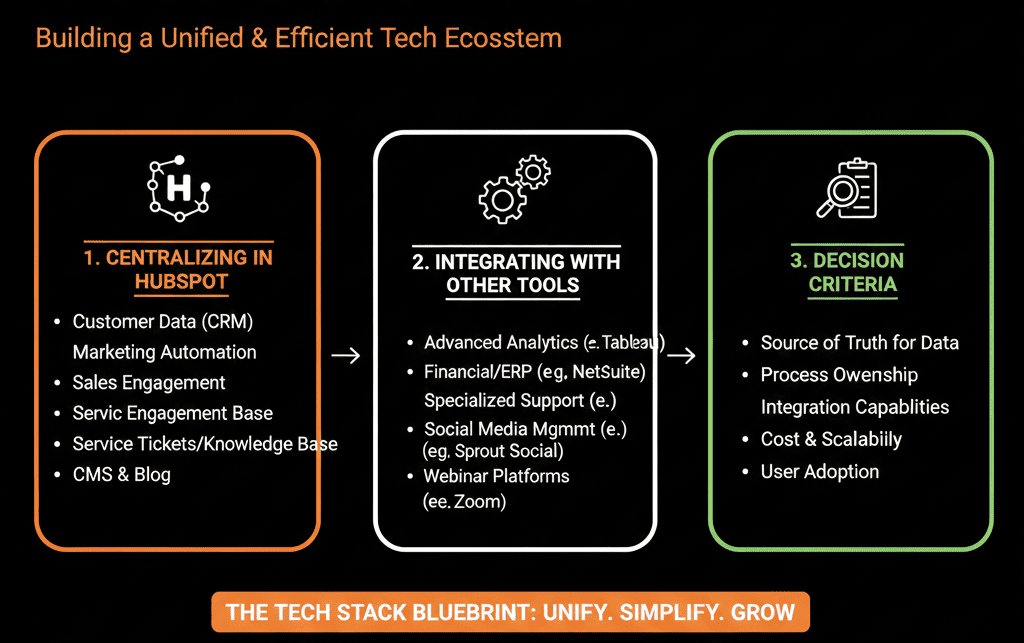
Step 1 – Decide What HubSpot Is for in Your Business
Start by defining HubSpot’s core role in your stack.
For most B2B companies, HubSpot should be:
The system of record for:
- Contacts
- Companies/accounts
- Deals/opportunities
- Core activities (emails, calls, meetings)
- Lifecycle and lead management
The primary execution layer for:
- Marketing campaigns (email, forms, landing pages, workflows)
- Sales enablement (sequences, tasks, pipelines)
- Basic CS and ticketing (if you use Service Hub)
If something directly affects:
How you generate, qualify, hand off, close, or renew revenue
…it likely belongs in or very closely around HubSpot.
Step 2 – Classify Tools by Function, Not Brand or Preference
List your current tools and categorize them:
- Core CRM & RevOps – HubSpot
- Sales engagement – sequences (HubSpot or a specialist tool)
- Marketing execution – ads, webinars, content, events
- Product & usage – app/product analytics, in-app messaging
- Support & CS – ticketing, chat, helpdesk (could be HubSpot or another platform)
- Finance & billing – ERP, invoicing, subscription billing
- Data & analytics – BI, warehouses, ETL
Ask for each:
- Does this tool need to write into HubSpot, read from HubSpot, both, or neither?
- Is HubSpot already capable of doing 70–80% of what this tool does for us?
This quickly highlights:
- Where HubSpot should be central.
- Where other tools should remain primary but integrate.
Step 3 – Define Clear “Ownership” Per Object and Process
The biggest mistakes come from double ownership:
Two systems both trying to be the source of truth for the same object.
Example: HubSpot and another CRM both managing deals.
We define:
HubSpot-owned objects/processes:
- Contacts, companies, and deals.
- Marketing interactions (emails, forms, campaigns).
- Lead lifecycle and routing.
- Sales pipelines and activities.
Externally owned, HubSpot-enriched objects/processes:
- Product usage events (owned by product analytics; summarized in HubSpot).
- Billing/subscription details (owned by billing/ERP; key fields mirrored into HubSpot).
External-only:
- Back-office finance workflows.
- Deep product analytics.
- Heavy-duty data science models.
Rule:
One system is the system of record; the other systems consume or display its data, not fight with it.
Step 4 – Decide What Data Should Be “Full-Fidelity” vs “Summarized” in HubSpot
Not every detail from other systems needs to live in HubSpot.
You choose between:
Full-fidelity data in HubSpot
Example: All marketing engagements, all emails, all page views.
Good when:
- You need detailed behavioral targeting and segmentation.
- You build reporting directly in HubSpot.
Summarized/enriched data in HubSpot
Example: Product usage summarized as:
- Active last 30 days? (Yes/No)
- Usage tier (Low/Med/High)
- # of active seats
Good when:
- The primary analytics live in another tool.
- Sales/CS just need signals, not raw event logs.
If you stream every raw event from every system into HubSpot:
- Performance suffers.
- Data becomes noisy and hard to interpret.
- Workflows become overcomplicated.
Architecture decision:
HubSpot should hold customer context, not necessarily every raw event.
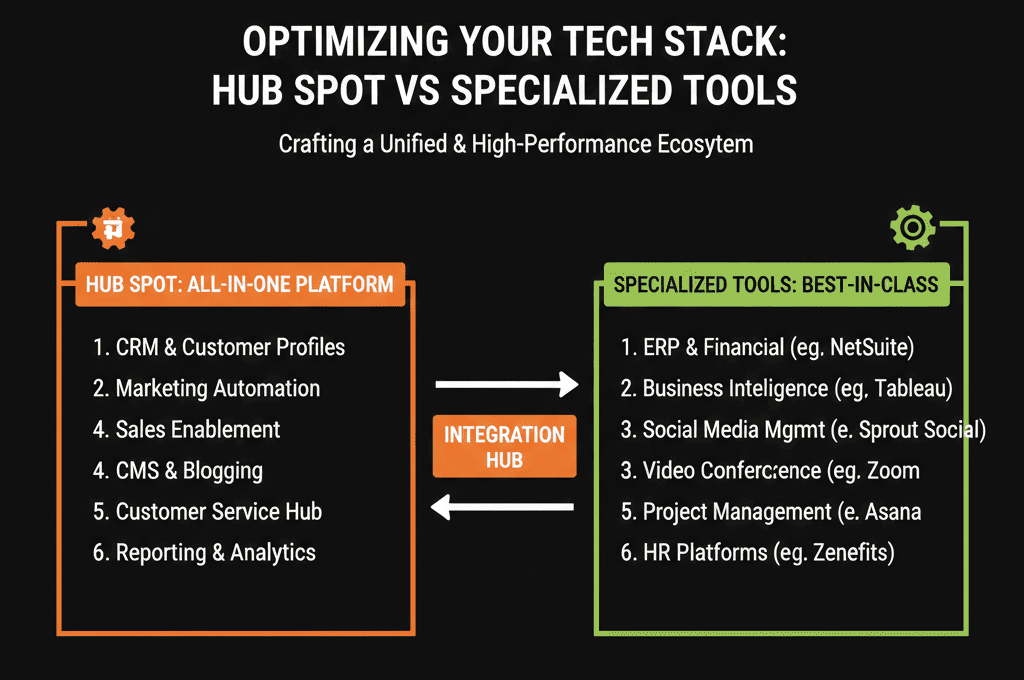
Step 5 – Use Custom Objects Sparingly and Strategically
HubSpot custom objects are powerful, but they can be overused.
Good use cases:
- Subscription records.
- Projects or engagements.
- Assets (stores, locations, hardware).
- Contracts.
We ask:
- Is this core to our revenue process?
- Do Sales, Marketing, and CS need to see it in their daily view?
- Trigger workflows based on it?
- Report on it regularly?
If yes → strong candidate for a HubSpot custom object.
If not → consider keeping it in the specialized system and surfacing summary signals only.
Step 6 – Decide Where Automation Should Live: HubSpot vs Other Tools
If you’re not careful, you end up with automation in:
- HubSpot
- Marketing point tools
- Sales engagement tools
- Support platforms
- Product tools
- Zapier/Make/other glue
We recommend:
HubSpot is the primary automation layer for:
- Lifecycle management
- Lead routing & SLAs
- Marketing nurturing
- Sales follow-up and tasking
- Basic CS workflows (if Service Hub is used)
External tools own:
- In-app product experiences.
- Deep CS/Support workflows if another system is the primary helpdesk.
- Back-office automation (billing, ERP, etc.).
When in doubt:
Ask: Does this workflow depend mainly on HubSpot data and impact revenue teams (Marketing, Sales, CS)?
Yes → likely belongs in HubSpot.
No → likely belongs in the specialist tool.
Step 7 – Evaluate Your Current Stack for Redundancy and Gaps
Now apply these principles to your existing tools:
Identify overlap:
- Are you paying for a separate email/marketing tool while also having Marketing Hub?
- Are you using a separate sales engagement platform for sequences while underusing HubSpot sequences?
Identify gaps:
- Do you lack visibility into product usage but need it for expansion?
- Are renewals tracked manually with no pipeline in HubSpot?
For each overlapping tool, ask:
- Could HubSpot do 70–80% of this job well enough?
- Would consolidating simplify architecture and reduce cost?
For each gap, ask:
- Should HubSpot be extended (new fields/workflows/custom objects)?
- Or should we integrate a specialist tool and summarize key signals into HubSpot?
Step 8 – Put Simple Integration and Ownership Rules in Place
To keep your architecture coherent:
Set integration rules:
- Which fields external tools are allowed to write.
- Which fields are read-only from external systems.
- Where data should be transformed before entering HubSpot.
Maintain a data and integration map:
- What data flows where.
- System-of-record for each object.
- Key sync points and ownership.
Give RevOps / HubSpot owners veto power:
- No new integrations that write to HubSpot without review.
- No ad-hoc field mapping that bypasses your data model.
This prevents “just connect it and see” chaos.
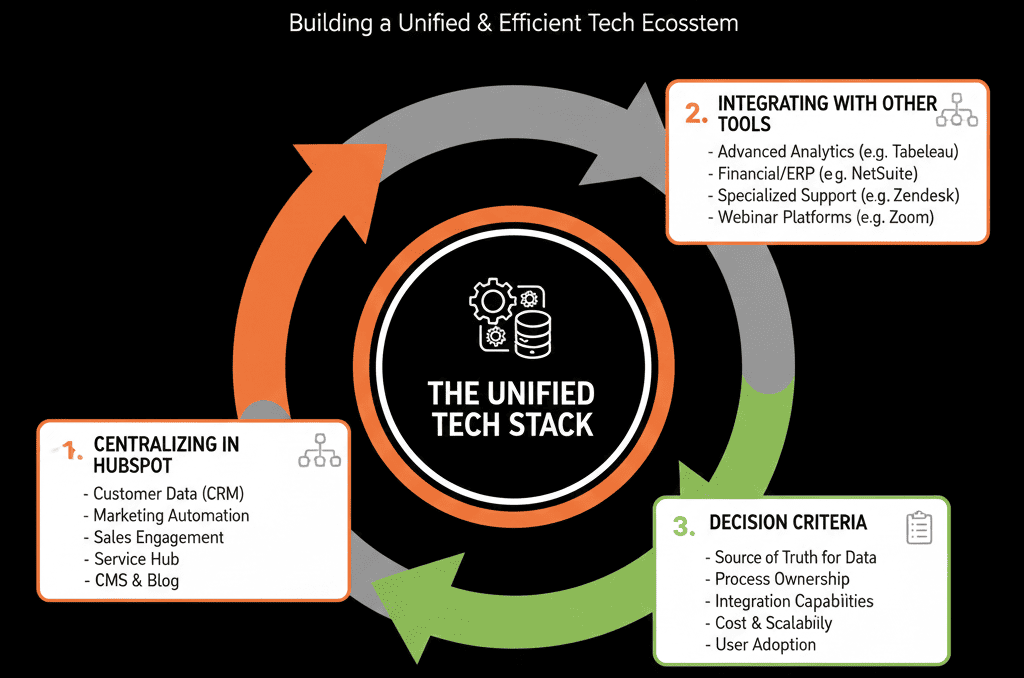
What You Can Do in the Next 30–60 Days
To bring order to “what belongs in HubSpot vs elsewhere”:
- Define HubSpot’s core role for your company in 3–5 bullets.
- List your current stack and tag: System-of-record vs consumer, data pushed to/from HubSpot.
- For each key object/process (contacts, companies, deals, tickets, subscriptions, product usage), decide: system-of-record, what lives fully in HubSpot, what is summarized/enriched into HubSpot.
- Identify 1–2 overlapping tools you could consolidate into HubSpot.
- Identify 1–2 missing signals you should bring into HubSpot in summarized form.
- Document these decisions and use them to govern future tool and integration requests.
You’ll see fewer surprises, cleaner data, and a stack that’s easier to evolve.
Want Help Designing a HubSpot-Centric Stack That Actually Scales?
If your HubSpot instance and tool stack grew organically—and now you’re not sure what should live where—a strategic architecture review will save you a lot of time and money.
Our HubSpot Portal Health Check / HubSpot Audit can:
- Map your current tools and data flows.
- Clarify what should live in HubSpot vs specialist tools.
- Recommend consolidation and integration patterns that keep HubSpot as a strong revenue core.






