🔗 The “Universal Remote” for Your Tech Stack
HubSpot is powerful. It has native integrations with thousands of apps. But sometimes, you need it to do something… weird.
- “When a deal closes, I need to send a physical gift basket via a logistics API.”
- “When a ticket is High Priority, I need to flash a red light in the engineering office.”
- “When a contact hits a lead score, I need to ping my proprietary SQL database.”
There is no marketplace app for these very specific needs. This is where most RevOps leaders give up and say, “HubSpot can’t do that.”
They are wrong. HubSpot can do that. You just need a Webhook.
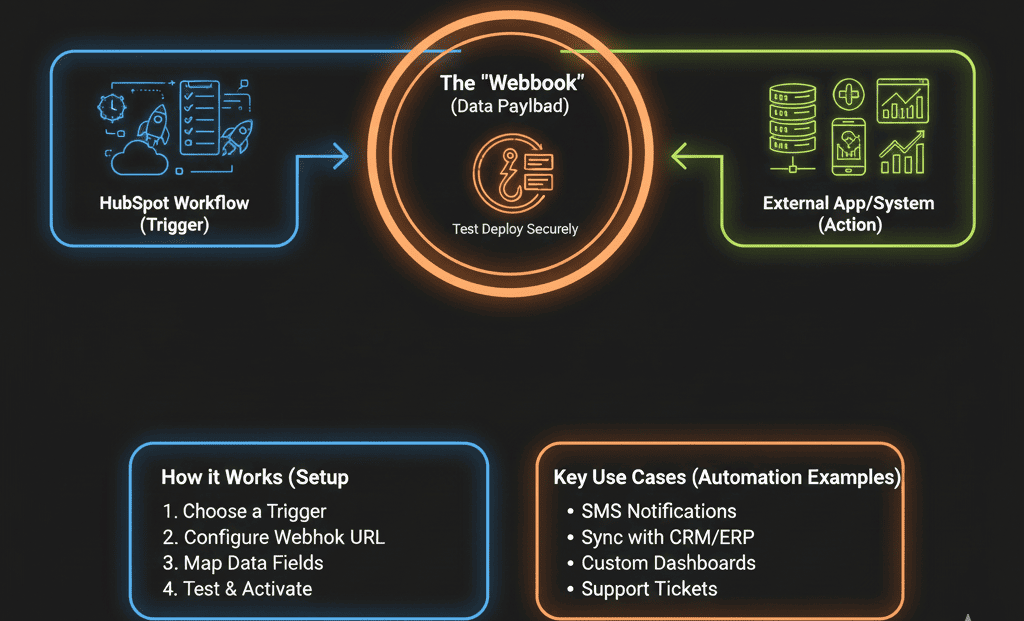
Available in Operations Hub Pro, a Webhook is like a digital tap on the shoulder. It allows a HubSpot workflow to “ping” any URL on the internet and send data to it.
This is the Universal Remote for your tech stack. It turns HubSpot from a CRM into a Command Center.
📡 What Is a Webhook? (For Non-Developers)
Imagine you are at a restaurant.
- You (HubSpot): The customer placing the order
- The Waiter: The Webhook
- The Kitchen: Your external app (shipping, SMS, internal systems)
You hand the waiter an order — a structured list of details (a JSON payload with name, address, order ID). The waiter runs to the kitchen. Cooking starts instantly.
You didn’t walk into the kitchen. You just triggered the action.
🛠️ Use Case 1: The “Physical Mail” Trigger (Lob / Sendoso)
The Scenario: You want to send a handwritten note to every new customer.
- Workflow: New Customer Welcome
- Trigger: Lifecycle Stage = Customer
- Action: Send Webhook
- Method: POST
- URL: Mail provider API endpoint
- Auth: API Key
- Body: Map Name, Address, City, Zip
Result: HubSpot fires the data. The provider prints and ships the letter. Zero human effort.
🛠️ Use Case 2: The “SMS” Blast (Twilio)
The Scenario: You need to send an urgent appointment reminder via SMS.
- Workflow: Appointment Reminder
- Trigger: Meeting Time < 24 hours
- Action: Send Webhook
- URL: Twilio Function URL
- Body: Phone Number + Message
Result: The customer gets a text instantly. Full control over global SMS gateways.
🛠️ Use Case 3: The “Slack” Super-Alert
The Scenario: You want Slack alerts with buttons like Approve or Reject.
- Workflow: Big Deal Alert
- Trigger: Deal Amount > $100k
- Action: Send Webhook to Slack App URL
- Body: Block Kit JSON with buttons
Result: Your VP approves discounts directly in Slack — which fires another webhook back to HubSpot.
⚠️ The “Error Handling” Warning
Webhooks are fire-and-forget. HubSpot sends the message. If the other system is down, HubSpot doesn’t always know.
Best Practice: Use a middleware listener like Make or Zapier Webhooks to catch, log, validate, and forward the data.
This gives you visibility, retries, and failure logs for mission-critical automations like billing or provisioning.
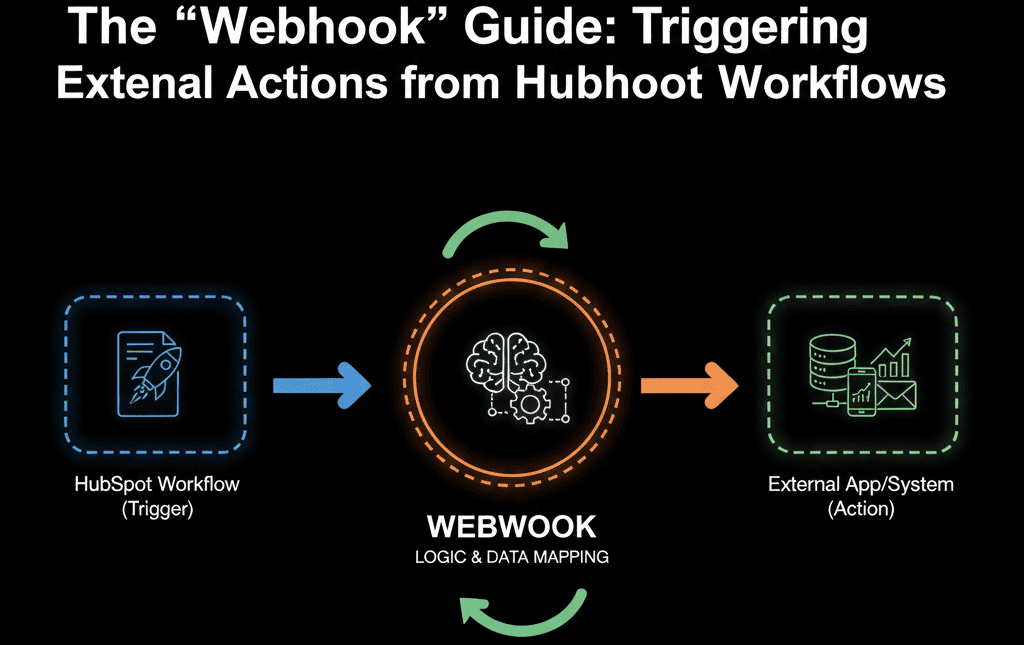
🧠 HubSpot Is the Brain. The Webhook Is the Nerve.
Once you master Webhooks, there is no limit to what you can automate.
- Update your website CMS
- Provision users in your app
- Trigger internal systems
- Order a pizza (yes, technically possible)
You stop asking,
“Does HubSpot integrate with X?”
And start asking,
“Does X have an API?”
If the answer is yes — you can automate it. This is the real Technical Edge.
Connect Everything with Webhooks
Configuring Webhooks requires understanding APIs and JSON. It’s not for the faint of heart — but it’s part of our Free HubSpot Health Check.
We audit your manual tasks outside HubSpot (shipping, provisioning, texting), identify available APIs, and design the Webhook architecture to automate them.
Connect Everything. Get Your Free Health Check