



Services Revenue Lives in the Space Between CRM, Projects, and Billing
If you run a professional services firm (consulting, IT services, agency, legal, engineering, etc.), your reality includes:
- Complex deals and scoping.
- Projects and retainers.
- Time tracking and utilization.
- Invoices and collections.
- Renewals, upsells, and referrals.
Most firms:
- Have a project or PSA tool.
- Have an accounting system.
- Use spreadsheets or a basic CRM for deals.
The missing piece is often:
- A clean, connected revenue operations hub tying GTM → Projects → Invoicing → Renewals.
HubSpot is well-suited to be that hub—provided you design the right stack around it.
This article describes an ideal HubSpot stack for professional services firms:
- What HubSpot should own.
- Which tools to connect.
- The workflows that tie it all together.
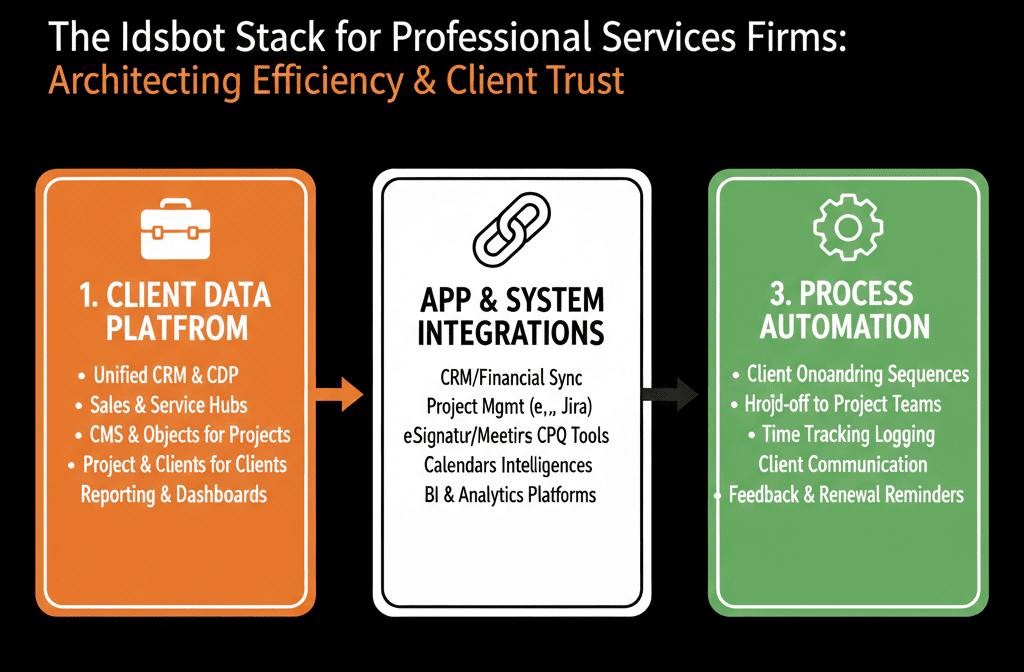
1. HubSpot as the Services RevOps Core: What It Should Own
In a strong services stack, HubSpot is the system of record for:
- Leads, contacts, and accounts (Contacts + Companies).
- Opportunities and deals (projects, retainers, SOWs).
- Lifecycle and lead management.
- Marketing campaigns and nurture.
- Sales process (qualification, proposals, closing).
- High-level revenue and pipeline reporting.
Think of HubSpot as your:
“From first contact → signed engagement → renewal opportunity” hub.
2. Project Management / PSA Integration
Purpose: connect closed deals to delivery and project health.
Typical tools:
- Asana, ClickUp,[ Monday.com](http://monday.com/), Jira.
- PSA tools: Accelo, Kantata (Mavenlink), Kimble, etc.
Integration goals:
Create projects when deals close
On Closed Won in HubSpot:
- Trigger creation of a project in the project/PSA tool.
- Sync key fields:
- Client, project name.
- Estimated budget/hours/fees.
- Start date and expected end date.
- Primary contact.
Sync back project status to HubSpot
On the Company/Deal, show:
- Project status (Not Started / In Progress / On Hold / Completed).
- % complete or phase name.
- RAG status (Red/Amber/Green) if used.
Surface issues and successes for GTM
Use HubSpot to:
- Flag at-risk accounts based on project status.
- Identify good candidates for case studies or referrals.
Principle:
The project tool is the system of record for tasks and delivery; HubSpot holds commercial context and health signals.
3. Time Tracking, Utilization, and Billing Integration
Purpose: close the loop from deals to realized revenue and profitability.
Typical tools:
- Harvest, Toggl, Tempo, PSA modules.
- Accounting: QuickBooks, Xero, NetSuite, etc.
Integration goals:
Map engagements to clients and deals
Ensure time and expenses are linked to:
- The right client (Company).
- The right project/engagement (Deal or project ID).
Sync revenue/billing summary back to HubSpot
On Companies/Deals:
- Billed amount vs budget.
- Revenue by project and client.
- Outstanding invoices status (optional, summarized).
Use billing data in GTM decisions
Identify:
- High-revenue, high-margin clients → focus for expansion and references.
- Low-margin clients → revise pricing or scope in future SOWs.
Principle:
The finance system is the source of truth for money; HubSpot needs enough billing summary to drive commercial decisions.
4. CS and Support Integration (If You Do Ongoing Support)
Purpose: give Sales/CS/Account Managers visibility into support load and satisfaction.
Typical tools:
- Zendesk, Freshdesk, Intercom, Help Scout, HubSpot Service Hub.
Integration goals:
Expose support data in HubSpot
On Contacts/Companies:
- Open ticket count.
- Ticket volume trend.
- Recent CSAT/NPS.
- Major unresolved issues.
Drive account management workflows
For high-load clients, consider:
- Additional support packages.
- Health check engagements.
For happy clients:
- Referrals, testimonials, case studies.
- Upsell/expansion opportunities.
Principle:
Support tools handle tickets; HubSpot turns those into retention and expansion signals.
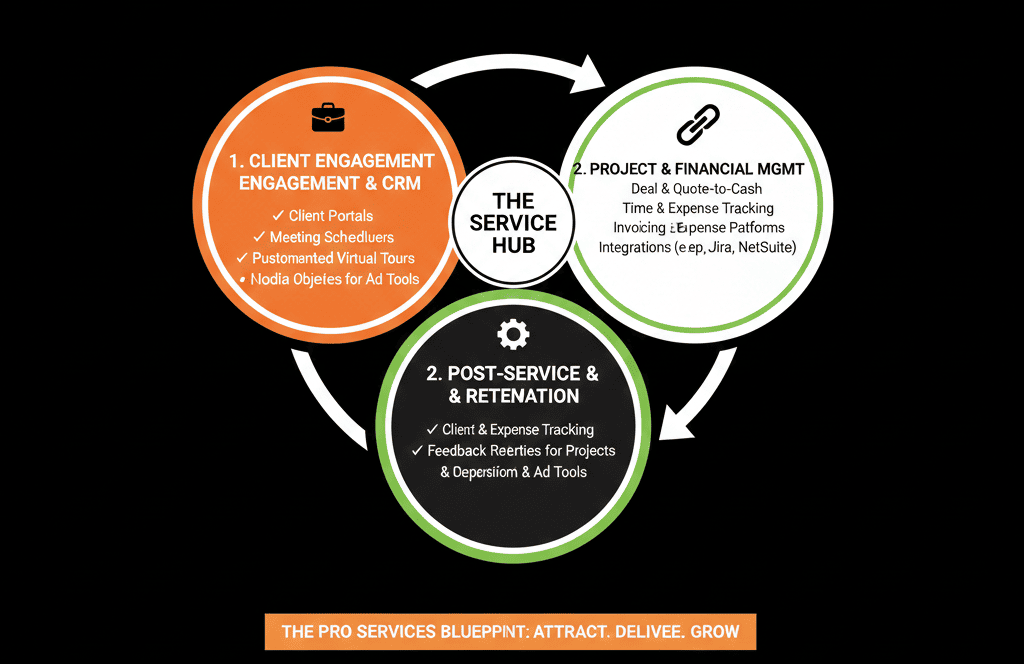
5. Documents, Proposals, and E-Sign
Purpose: streamline proposal and SOW workflows and link them to deals.
Typical tools:
- PandaDoc, DocuSign, HelloSign, Proposify, HubSpot Quotes.
Integration goals:
Generate proposals from HubSpot deals
Use deals to populate:
- Client info.
- Scope.
- Pricing.
Track proposal status
Proposal viewed, revised, signed.
Sync back to:
- Deal properties (Proposal status).
- Deal stage updates (e.g., Proposal Sent → Verbal Commit).
Store final SOWs centrally
Attach signed documents to the Deal/Company.
Make them easily accessible to delivery and finance.
Principle:
Proposals and SOWs must be traceable to deals and clients in HubSpot to fully see the pipeline → project picture.
6. Marketing & Sales Execution Around Services
Purpose: support lead generation, nurturing, and outbound with visibility into downstream revenue.
Tools:
- HubSpot Marketing Hub (forms, email, landing pages, ads).
- Sales sequences (in HubSpot or integrated tools).
Integration goals:
Capture all high-intent inbound
Discovery calls, consultation requests, RFPs:
- Flow into HubSpot with lifecycle and lead status set.
- Route to the right seller/partner.
Nurture long-cycle prospects
Content and events:
- Thought leadership.
- Case studies by vertical and service line.
- Webinars and roundtables.
Use nurture workflows based on:
- Role (buyer, influencer, user).
- Industry.
- Interest area (service line).
Align outbound with project context
For ABM-style or key accounts:
- Use HubSpot views and sequences that reflect past work, project status, and whitespace.
Principle:
Marketing and sales activity should always be anchored to real service lines and ideal client profiles, and measured on pipeline and revenue in HubSpot.
7. Core HubSpot Workflows for Professional Services
Beyond tools, an ideal services stack needs workflows inside HubSpot that tie it all together:
Lead intake & routing
Normalize:
- Lead source.
- Lifecycle (Lead/MQL).
- Lead status.
Route based on:
- Service line interest.
- Region.
- Segment.
Qualification & opportunity creation
Clear rules:
- When does a Lead/MQL become an Opportunity?
- What fields (e.g., rough budget, scope, timeline) are required?
Sales → Delivery handoff
On Closed Won:
- Ensure scope, key contacts, and constraints are captured.
- Trigger project creation in delivery tools.
- Notify delivery/PM team.
Renewal & expansion triggers
For retainers and managed services:
- Create renewal deals ahead of contract end.
- Use signals (usage, satisfaction, project outcomes) to trigger expansion opportunities.
Data hygiene
Enforce:
- Proper company/contact ownership.
- Standardized industries, segments, and service lines.
- Clean up duplicates and incomplete records.
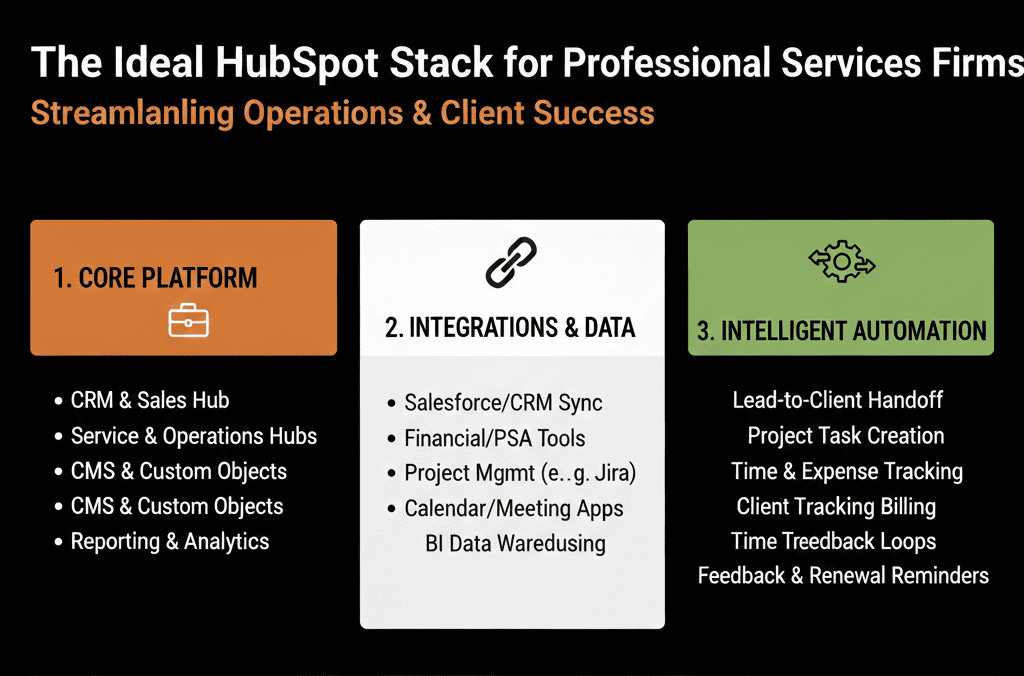
8. Example “Ideal” Services Stack Around HubSpot
A realistic, strong stack could look like:
- HubSpot – CRM, RevOps, marketing, sales.
- Project/PSA – e.g., Asana/ClickUp + Harvest, or a PSA suite (Accelo, Kantata).
- Support – Zendesk or HubSpot Service Hub (if complex support).
- Billing/Accounting – QuickBooks/Xero/NetSuite.
- E-sign/proposals – PandaDoc/DocuSign/Proposify.
- Data/BI – Warehouse + BI if you need deeper profitability analytics.
With:
- HubSpot at the center.
- Targeted integrations that:
Push key signals into HubSpot.
Push necessary context out to delivery, support, and finance.
What You Can Do in the Next 30–60 Days
If you’re a professional services firm aiming for a HubSpot-centric stack:
Map your current tools onto the categories above.
Decide:
- What HubSpot should own outright (contacts, companies, deals, lifecycle, GTM reporting).
- Which tools are systems of record for projects, time, billing.
Prioritize two integrations:
- Project tool → HubSpot (project status, health).
- Billing → HubSpot (revenue by project/client).
Implement or refine 3–4 core workflows:
- Lead intake & routing.
- Sales → Delivery handoff.
- Renewal/expansion triggers.
- Basic data hygiene.
This will immediately make HubSpot much more valuable for partners, leadership, and RevOps.
Want a Professional Services–Centric Stack Blueprint Around HubSpot?
If your delivery, billing, and GTM systems feel disconnected—and HubSpot isn’t yet your firm’s central revenue brain—we can help.
Our HubSpot Portal Health Check / HubSpot Audit for professional services can:
- Map your current GTM → Project → Billing flows.
- Identify integration priorities.
- Propose a practical, phased “ideal stack” around HubSpot tailored to your size, service lines, and systems.






